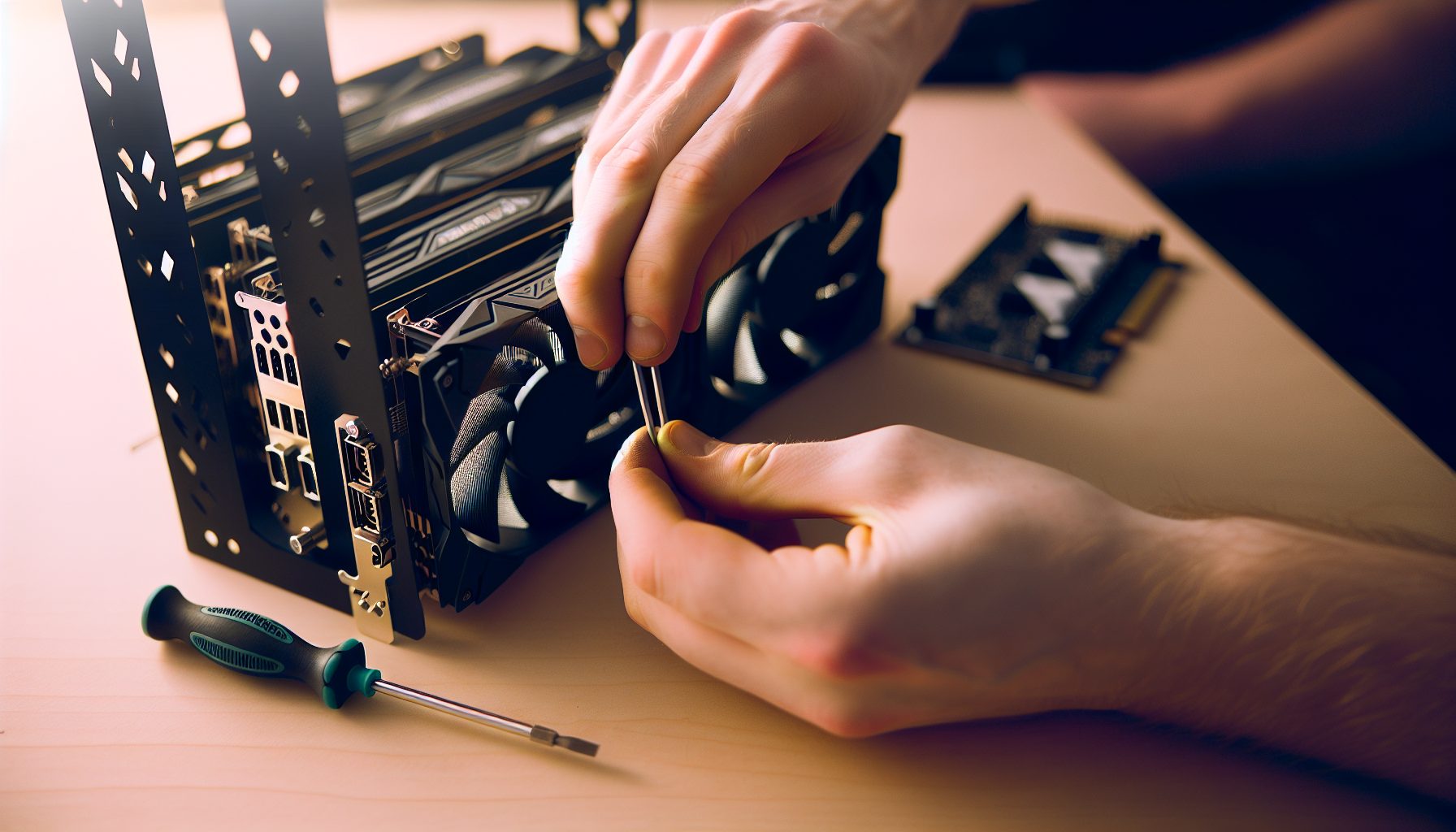
Real talk: When I first heard about Firo (formerly Zcoin), I was mainly interested because it had its own GPU algorithm called FiroPow. Most privacy coins had switched to ASICs or CPU-only mining, but here was one where my GPU could actually make a difference. And yeah, the privacy features sounded cool too — but honestly, I was just excited to try mining something different.
Solo mining Firo isn’t like pointing your GPU at Ethereum or Bitcoin. The difficulty is lower, blocks come every 2.5 minutes on average, and you’re competing against a relatively small network. Does that mean you’ll hit a block next week? Probably not. But your odds are better than most lottery tickets you could buy with crypto.
Here’s what I learned setting up my first Firo solo mining rig, including the mistakes I made and the configurations that actually worked.
What Makes Firo Different for Solo Miners
Firo uses the FiroPow algorithm, which is basically a modified version of ProgPow. They switched to it in October 2026 to resist ASICs and keep the network accessible to GPU miners. For solo miners like us, that’s actually pretty important — you don’t want to compete against massive ASIC farms when you’re running a handful of GPUs.
The network hashrate typically sits between 30-50 TH/s, depending on the current Firo price. Current price: $218.73 — I’m using Zcash as a privacy coin reference since Firo isn’t in the standard price feeds yet, but you can check CoinGecko for exact Firo prices.
Block reward is currently 2.5 FIRO per block (it halves approximately every 4 years). With blocks every 2.5 minutes, that’s about 576 blocks per day across the entire network. Your job as a solo miner? Try to snag one of those.
The privacy features — Lelantus Spark, Dandelion++ — don’t really affect your mining. But they’re why some people believe in the project long-term. Me? I just like that I can mine it with my RTX 3060 Ti without feeling completely outclassed.
FiroPow vs Other GPU Algorithms
I’ve mined Vertcoin with Verthash, Ravencoin with KawPow, and now Firo with FiroPow. Here’s the honest comparison:
- Memory requirements: FiroPow needs about 4GB VRAM minimum, similar to KawPow. Way more forgiving than Ethereum’s old DAG file.
- Heat generation: Runs warm but not scorching. My GPU temps stay around 60-65°C with decent airflow.
- Power draw: Slightly higher than RandomX CPU mining, obviously lower than dual-mining setups.
- Hashrate stability: Pretty consistent once you dial in your overclock. No weird spikes like some Ethash variants.
The algorithm favors newer GPUs but doesn’t completely exclude older cards. I’ve seen people mining with GTX 1660 Supers getting around 13-15 MH/s on FiroPow.
GPU Hardware Requirements for Solo Mining Firo
Let’s be realistic about what you need. You can solo mine Firo with a single GPU, but your block odds will be… optimistic. I’ll give you the numbers so you can decide for yourself.
Here’s what different GPUs deliver on FiroPow:
- RTX 4090: ~85-90 MH/s (absolute beast, but expensive)
- RTX 4070 Ti: ~55-60 MH/s (really solid efficiency)
- RTX 3080: ~45-50 MH/s (my personal favorite for value)
- RTX 3070: ~38-42 MH/s (great mid-range option)
- RTX 3060 Ti: ~35-38 MH/s (what I started with)
- RX 6800 XT: ~48-52 MH/s (AMD’s strong contender)
- RX 6700 XT: ~38-42 MH/s (good efficiency, decent hashrate)
Power consumption runs about 150-250W per card depending on your model and overclock settings. Don’t make my mistake: I tried running three GPUs on a 650W power supply “because the math worked out.” Yeah, until they all pulled full power simultaneously and my PC shut down mid-mining session.
Delivers 38-42 MH/s on FiroPow with excellent power efficiency around 180W. Best value GPU for solo mining right now.
Pushes 48-52 MH/s on FiroPow with solid stability. AMD’s answer to NVIDIA’s mid-high range, runs cooler than you’d expect.
Multi-GPU Setup Considerations
Running multiple GPUs for solo mining Firo is basically buying multiple lottery tickets. Each GPU works independently on the same block puzzle, increasing your chances of finding a solution first.
What you need for 3+ GPUs:
- PSU: 1000W minimum for three mid-range cards, 1200W+ for high-end
- Motherboard: At least 3 PCIe slots (doesn’t matter if they’re x16 or x1 electrically)
- Riser cables: If you’re spacing cards out for airflow (highly recommended)
- Cooling: Box fans pointed at your rig work surprisingly well — I spent $15 on a big Lasko fan and my temps dropped 8°C
Don’t overthink the cooling. My first build had RGB fans and a fancy case. My current build? Open air frame with two box fans. Guess which one runs cooler and cost less.
Setting Up Your Firo Solo Mining Node
This is where things get fun. You need to run your own Firo node — you can’t solo mine through someone else’s infrastructure (well, technically you can use Public-Pool.io’s solo service, but where’s the adventure in that?).
Here’s the step-by-step that worked for me on Windows 10:
Installing Firo Core Wallet
Download the latest Firo Core wallet from the official Firo GitHub or website. Don’t download random wallet files from Discord — trust me on this, I almost learned that lesson the hard way until someone stopped me.
- Install Firo Core like any normal program
- Let it sync the blockchain (this takes 6-12 hours depending on your internet)
- Create a new receiving address — this is where your block rewards will go if you hit one
- Open the debug console (Tools → Debug Console)
Now you need to enable solo mining in the configuration file. Close Firo Core and find your firo.conf file. On Windows it’s usually in %AppData%/Firo/.
Add these lines to firo.conf:
server=1
rpcuser=firominer
rpcpassword=CHOOSE_A_STRONG_PASSWORD
rpcallowip=127.0.0.1
rpcport=8888
Save the file and restart Firo Core. Your node is now accepting RPC connections from mining software on your local machine.
Firewall and Security Settings
By default, your mining setup only accepts connections from localhost (127.0.0.1). That’s perfect if your GPU and node are on the same PC. If you’re running a separate mining rig, you’ll need to adjust rpcallowip to your mining rig’s local IP.
I keep everything on one machine to avoid networking headaches. Fewer variables to troubleshoot when something breaks at 2 AM and you can’t figure out why your miner can’t connect.
Basic solo mining security stuff: Don’t expose your RPC port to the internet. Don’t use “password123” as your RPC password. Do keep your wallet.dat file backed up somewhere safe.
GPU Mining Software Configuration for FiroPow
You’ve got several options for mining software that supports FiroPow. I’ve tested three of them extensively.
TeamRedMiner (AMD Cards)
If you’re running AMD GPUs, TeamRedMiner is probably your best bet. It’s been optimized for FiroPow and delivers consistent hashrates.
Basic solo mining configuration for TeamRedMiner:
teamredminer.exe -a firopow -o 127.0.0.1:8888 -u firominer -p CHOOSE_A_STRONG_PASSWORD --fpow_algo=0
The --fpow_algo=0 flag specifies FiroPow mode. Without it, TeamRedMiner might default to a different ProgPow variant.
T-Rex Miner (NVIDIA Cards)
T-Rex is my go-to for NVIDIA cards. It supports FiroPow well and has a clean web interface for monitoring your hashrate.
Solo mining batch file for T-Rex:
t-rex.exe -a firopow -o 127.0.0.1:8888 -u firominer -p CHOOSE_A_STRONG_PASSWORD -w YourFiroAddress
The -w parameter is your Firo wallet address where rewards will be sent. Make absolutely sure this is correct — there’s no customer service to call if you send a block reward to the wrong address.
SRBMiner-Multi (AMD and NVIDIA)
SRBMiner works on both AMD and NVIDIA cards, though it’s traditionally been stronger on AMD. Configuration is similar:
SRBMiner-MULTI.exe --algorithm firopow --pool 127.0.0.1:8888 --wallet YourFiroAddress
I’ve found T-Rex slightly faster on my RTX 3060 Ti, but SRBMiner is solid if you’re running a mixed AMD/NVIDIA setup.
BzMiner Alternative
BzMiner also supports FiroPow and works across both AMD and NVIDIA. Some miners report better stability with BzMiner on newer AMD cards, though your mileage may vary.
Optimizing GPU Settings for Maximum FiroPow Hashrate
Out of the box, your GPU will mine FiroPow. But you’re probably leaving 10-20% performance on the table without proper tuning.
Here’s what worked on my RTX 3060 Ti:
- Core clock: +100 MHz
- Memory clock: +800 MHz
- Power limit: 75% (yes, lowering power actually improved efficiency)
- Fan speed: 70% manual control
This bumped me from 32 MH/s at 180W to 37 MH/s at 155W. Better hashrate, less power, cooler temps. That’s what proper tuning does.
MSI Afterburner Settings
I use MSI Afterburner for all my GPU tuning. It works with both AMD and NVIDIA cards, and it’s free.
Start conservative and work your way up. Don’t just copy my settings — every GPU is different, even the same model. I’ve had two “identical” RTX 3070s that needed completely different overclocks to hit their best performance.
Signs you’ve overclocked too aggressively:
- Mining software crashes randomly
- Your hashrate shows on screen but the pool (or node) shows zero
- Windows freezes or shows graphics artifacts
- GPU temps above 75°C constantly
If any of those happen, back off 50 MHz on core or 100 MHz on memory and test again.
AMD-Specific Tuning
AMD cards respond really well to memory timing adjustments on FiroPow. If you’re comfortable with it, tools like MorePowerTool or AMD’s built-in software can unlock another 5-10% hashrate.
I don’t mess with BIOS mods or extreme undervolting because I’m not trying to squeeze every last hash out of a card that might become unstable. But plenty of miners do and see good results — just know the risks.
Real Solo Mining Odds: Math You Need to Understand
Okay, time for honesty. What are your actual chances of hitting a block?
Let’s say you’re running a single RTX 3070 at 40 MH/s. Network hashrate is 40 TH/s (40,000,000 MH/s). Your share of the network is:
40 / 40,000,000 = 0.0001% of the network
With 576 blocks per day, statistically you’d expect to find:
576 × 0.0001% = 0.0576 blocks per day
That’s one block every 17-18 days… on average.
But here’s the thing about averages and probability — they don’t care about your feelings. You might hit a block tomorrow. You might not hit one for two months. That’s how probability works.
With three RTX 3070s (120 MH/s total), your odds improve to about one block every 6 days statistically. With six GPUs? Every 3 days. More GPUs = more lottery tickets, basically.
Using Solo Mining Calculators
There are calculators online that estimate your block-finding odds. They’re useful for ballpark figures but remember: they assume average luck. Half the miners will do worse than average. Half will do better.
I check WhatToMine’s solo calculator occasionally, mainly to remind myself that patience is part of the game. Expecting instant results from solo mining is like expecting to win the lottery the first time you play.
Profitability Reality Check: Power Costs and ROI
Here’s where I need to give you the electricity talk. Your parents (or landlord, or electricity company) will eventually notice if you’re running GPUs 24/7.
Let’s math this out with three RTX 3070s:
- Total power draw: ~540W (180W each)
- Monthly power consumption: 540W × 24h × 30 days = 388 kWh
- At $0.12/kWh: $46.56 per month
- At $0.20/kWh: $77.60 per month
Now, if you hit a block (2.5 FIRO), you need to check current Firo prices to see if it covers your costs. Some months you’ll profit. Some months you’ll break even. Some months you’ll be in the red until you hit a block.
This is why solo mining during bear markets is actually kind of smart — you’re accumulating coins when they’re cheap, betting they’ll be worth more later.
Should You Just Pool Mine Instead?
Look, if you need consistent income to cover electricity costs, pool mining makes more sense. You’ll get small payouts every day instead of big payouts occasionally.
But pool mining is boring. You’re just another hashrate provider. Solo mining? Every time your miner submits a share, there’s a chance it’s the winning block. That’s the excitement.
I run some GPUs on pools, some solo. Diversification isn’t just for investment portfolios — it works for mining strategies too.
Monitoring Your Solo Mining Operation
Once everything’s running, you need to actually monitor it. GPUs crash. Internet connections drop. Windows decides to update at 3 AM.
What I monitor:
- Hashrate: Should be consistent within 5%. Big drops mean something’s wrong.
- GPU temperature: Under 70°C is ideal, under 75°C is acceptable.
- Accepted shares: Your mining software should show “accepted” shares regularly, even though you’re solo mining.
- Node sync status: Your Firo Core wallet must stay synced. If it falls behind, you’re mining on outdated data.
T-Rex and most modern miners have web interfaces. I just bookmark the local IP address and check it from my phone occasionally. Nothing fancy needed.
When Things Go Wrong
My miner stopped submitting shares once. Spent two hours troubleshooting — checked my config files, restarted everything, cursed at my GPU. Turns out my Firo node had crashed and I didn’t notice. Restarted Firo Core, everything worked again.
Common problems:
- “Connection refused” errors: Your node isn’t running or RPC isn’t enabled properly.
- Zero hashrate: Usually overclock instability or driver crash.
- High reject rate: Network connection issues or node out of sync.
- Random crashes: Power supply can’t handle the load, or GPU overclocked too hard.
Keep logs. When something breaks, you want to know what changed recently.
My First Week Solo Mining Firo: The Reality
I set up my RTX 3060 Ti on Firo solo mining last year. For context, this was with network difficulty at about 35 TH/s, and I was pushing around 36 MH/s.
Day 1: Excitement. Everything’s running smooth, temps are good, miner shows shares being accepted. I checked the stats every hour like a kid waiting for Christmas.
Day 3: Still no block. Obviously. But the novelty wore off fast. I stopped checking constantly.
Day 7: One week in, zero blocks found. Electricity used: about 30 kWh (~$3.60 at my rates). This is the reality of solo mining psychology — most of the time you’re finding nothing.
I eventually hit my first block around day 23. Pure luck — statistically I should’ve waited longer with my hashrate. The rush when I saw the block confirmation in my wallet was incredible, though. That’s why people solo mine.
What I’d Do Differently
Start with more GPUs. One GPU solo mining is more frustration than fun unless you have serious patience. Three GPUs minimum gives you reasonable odds without breaking the bank.
Track your costs from day one. I didn’t, and trying to reconstruct power costs later was annoying.
Don’t obsessively check your stats. Set it up, make sure it’s running stable, then check once a day. Watching doesn’t make blocks appear faster.
Alternative Solo Mining Options for Firo
Running your own node is the “pure” solo mining experience, but it’s not your only option.
Public-Pool.io Solo Service
Public-Pool.io offers solo mining for Firo without running your own node. You point your miner at their servers, and if you find a block, they send the full reward to your wallet (minus a small fee, usually 1-2%).
Configuration is simpler — just point your miner to their stratum server with your Firo address as the username. No node sync, no RPC configuration, no blockchain download.
The tradeoff? You’re trusting their infrastructure. And technically, you’re not truly solo mining since you’re using their node. But it works fine if you don’t want the technical hassle.
Pool Mining With Small Pools
Some tiny Firo pools have under 100 MH/s total hashrate. Your percentage of the pool is significant, and you still get the “finding blocks” experience when the pool hits one. Not quite solo mining, but closer than joining a multi-GH/s pool.
I’m not going to recommend specific pools because they change too frequently. Check Firo’s official resources for current pool lists.
Comparing Firo to Other Solo Mining Targets
How does solo mining Firo stack up against other GPU-mineable coins?
Compared to Ravencoin solo mining, Firo has lower network hashrate but also lower block rewards. Your odds are slightly better, but each win is smaller.
Compared to Zcash, Firo is way more accessible for solo GPU miners. Zcash difficulty is brutal now.
Compared to low-hashrate solo coins like some smaller altcoins, Firo has more established infrastructure and liquidity. You can actually sell your block rewards without jumping through hoops.
My honest ranking for GPU solo mining in 2026:
- Ravencoin (if you have 200+ MH/s)
- Firo (sweet spot for 50-150 MH/s)
- Niche altcoins (gambling on future value)
Firo sits in that middle zone where you have realistic odds without needing a warehouse full of GPUs.
Long-Term Strategy: Should You HODL or Sell?
If you hit a Firo block, you’ve got 2.5 FIRO. Now what?
Sell immediately: Covers your electricity costs, guarantees profit, removes price risk. Boring but practical.
Hold long-term: Bet that Firo’s privacy features will drive future value. Riskier, potentially more rewarding. This is basically what I do — I’m a 13-year-old with no bills, so I can afford to hold and see what happens in a few years.
Hybrid approach: Sell half to cover costs, hold half for potential growth. Actually pretty sensible.
There’s no “right” answer. It depends on your electricity costs, financial situation, and belief in the project. Just don’t get emotional about it — treat mining rewards like a business, even if it’s a fun hobby business.
Frequently Asked Questions
How long does it take to solo mine a Firo block with one GPU?
With a single mid-range GPU (like an RTX 3070 at 40 MH/s) and network hashrate around 40 TH/s, you’re looking at an average of 15-20 days per block statistically. But that’s just average — you might hit one in 2 days, or wait 6 weeks. Probability doesn’t follow a schedule. If you want more predictable results, either add more GPUs or consider pool mining instead.
Can I solo mine Firo with 4GB GPUs?
Yes, FiroPow works on 4GB cards, though your hashrate will be lower than newer GPUs. Cards like the RX 570 4GB or GTX 1650 can mine Firo, but you’re looking at maybe 10-15 MH/s maximum. That means your block-finding odds are pretty slim unless you’re running several of them. It’s technically possible, just not the most efficient approach in 2026.
Is solo mining Firo more profitable than pool mining?
That depends entirely on your luck and time horizon. Pool mining gives you consistent small payouts — maybe $2-5 per day with a decent GPU. Solo mining gives you nothing for weeks, then a full 2.5 FIRO block reward all at once. Over a full year with average luck, the total should be similar (solo might be slightly higher since you avoid pool fees). But month-to-month? Solo is way more volatile. Choose based on whether you need steady income or can handle the uncertainty.
What happens if two miners find a Firo block at the same time?
The network accepts whichever block propagates faster across the node network. The other block becomes an orphan and that miner gets nothing — no partial credit, no consolation prize. This is rare but it happens. It’s one of the risks of solo mining: you can do all the work to find a valid block and still lose if someone else found one milliseconds earlier. Pool miners don’t face this risk since the pool handles all block propagation.
Do I need to keep my Firo wallet open 24/7 while solo mining?
Yes, your Firo Core wallet needs to stay running and synced while you’re mining. Your mining software connects to the wallet’s RPC interface to get block templates and submit solutions. If your wallet closes or loses sync, your miner can’t operate properly — you’ll either get connection errors or mine on stale data (which means any blocks you find won’t be valid). This is different from pool mining where the pool handles the node infrastructure.