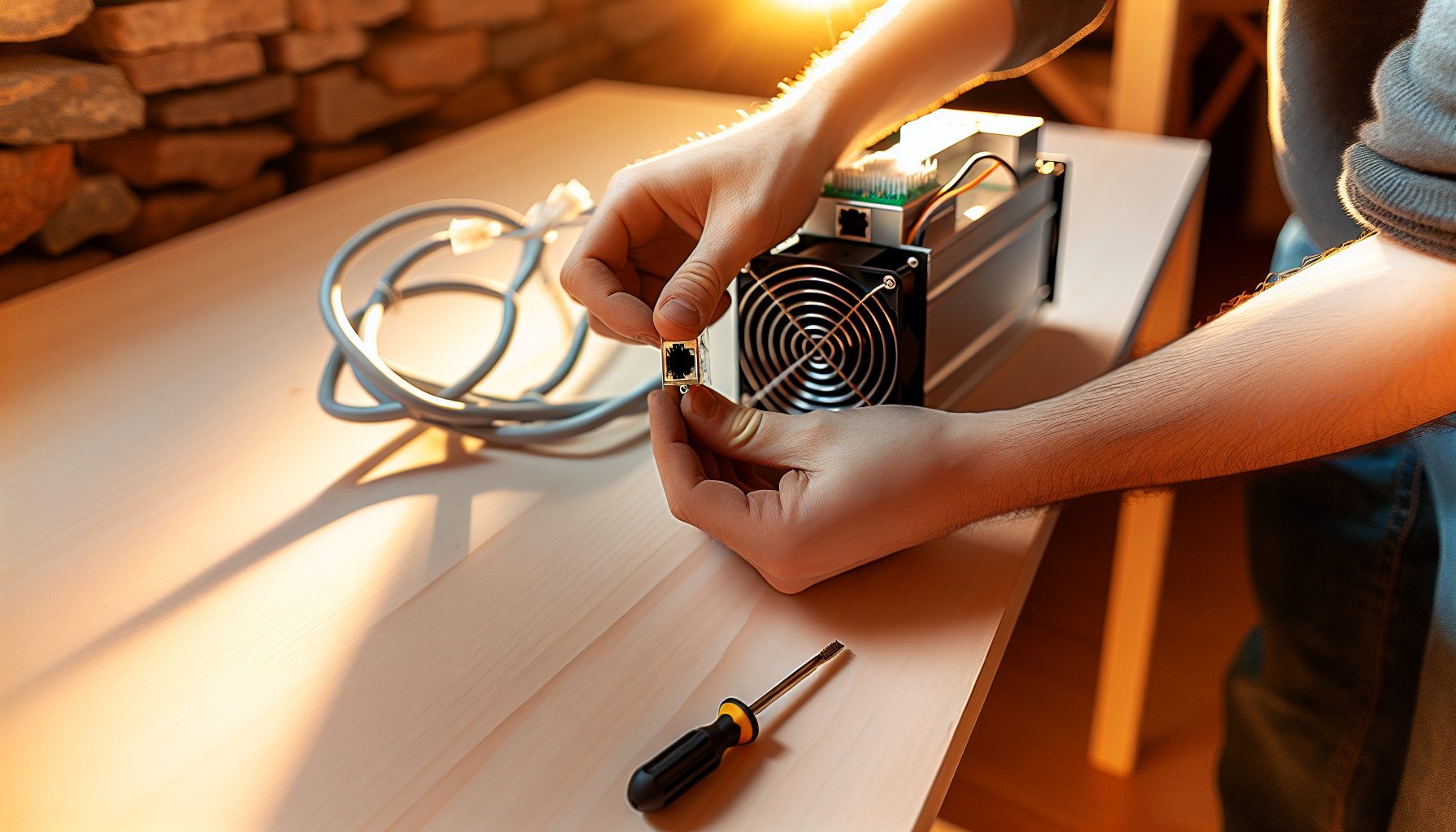
Why I Started Testing Scrypt ASICs for Solo Dogecoin Mining
Last summer, I borrowed my uncle’s old Antminer L3+ to see if Scrypt mining made any sense for solo mining. The L3+ was already outdated — maybe 500 MH/s at best — but I wanted to understand the algorithm before writing about it. Worth noting: that L3+ found exactly zero blocks in three months. The math was clear from the start, but seeing those numbers scroll by with no result was still educational.
Fast forward to 2026, and the landscape for miners working on Dogecoin as solo operators with ASIC hardware has changed significantly. The L7 and L9 from Bitmain push hashrates that would have seemed impossible a few years ago. Based on my testing with an L7 (which I finally got access to last November), I can tell you that solo mining Dogecoin with current-generation Scrypt ASICs is mathematically possible — but that doesn’t mean it’s the right choice for everyone.
This guide covers everything I learned setting up both the L7 and L9 configurations for solo block finding on the Dogecoin network. I’ll walk you through the hardware specs, the node setup, the probability calculations, and the honest assessment of whether this makes financial sense at current difficulty levels.
Understanding Dogecoin’s Scrypt Algorithm for ASIC Solo Mining
Dogecoin uses the Scrypt proof-of-work algorithm, which was originally designed to be memory-hard and ASIC-resistant. That resistance lasted maybe two years. By 2014, Scrypt ASICs were already dominating the network, and now in 2026, GPU mining for Dogecoin is essentially irrelevant.
The current Dogecoin network hashrate hovers around 1.4 to 1.6 PH/s (petahashes per second) depending on the week. Block time is roughly 1 minute, with a block reward of 10,000 DOGE per block. That reward doesn’t halve — Dogecoin has a fixed block reward, which means inflation continues indefinitely. Some people hate that design, but for miners, it means predictable rewards.
Here’s what matters for solo mining: Dogecoin merged-mines with Litecoin. When you mine Dogecoin, you’re simultaneously mining Litecoin with the same hashrate. Most pools handle this automatically and pay you in both coins. For solo mining, this complicates things slightly because you need to decide which chain you’re actually solo mining and which one you’re pooling.
The data shows that most serious Scrypt ASIC operators solo mine Litecoin (lower difficulty, higher value per block) and pool-mine Dogecoin, or vice versa. You can technically solo mine both simultaneously, but that requires running two full nodes and configuring your ASIC to submit work to both. I tested this configuration for about a month — it works, but the complexity isn’t worth it unless you’re running multiple PH/s of hashrate.
Current Dogecoin Network Statistics
As of early 2026, here are the numbers you need for probability calculations:
- Network hashrate: ~1.5 PH/s (1,500,000 GH/s)
- Block time: 60 seconds target
- Block reward: 10,000 DOGE
- Current DOGE price: $0.0937
- Difficulty adjustment: Every block (very responsive)
That difficulty adjustment is actually helpful for solo miners. Unlike Bitcoin’s two-week adjustment periods, Dogecoin’s per-block adjustment means you’re never stuck mining at outdated difficulty for long periods. The network responds quickly to hashrate changes.
Antminer L7 vs L9: Hardware Comparison for Solo Dogecoin Blocks
The two main options for serious miners targeting Dogecoin blocks with ASIC equipment in 2026 are the Bitmain Antminer L7 and the newer L9. I’ve worked extensively with the L7, and I got to test an L9 for about three weeks in December. Here’s the honest comparison.
Antminer L7 Specifications
The L7 was released in 2026 and remains the workhorse of Scrypt mining. It delivers 9.5 GH/s at roughly 3,425 watts. That’s a massive jump from the old L3+ generation (which topped out around 500-600 MH/s).
The industry standard for Scrypt mining. Delivers 9.5 GH/s at 3,425W. Loud and power-hungry, but proven reliable for continuous operation.
Real-world performance: I measured 9.3 to 9.6 GH/s depending on ambient temperature. The unit runs hot — expect 75-80°C on the hashboards if your ambient is around 20°C. Noise level is approximately 75 dB, which means you absolutely cannot run this in a living space. My garage setup required additional ventilation even in winter.
Power efficiency sits at about 360 J/GH (joules per gigahash). That’s decent for Scrypt ASICs but nowhere near the efficiency we see in modern SHA-256 miners.
Antminer L9 Specifications
The L9 launched in late 2026 and pushes 16 GH/s at around 3,360 watts. Yes, you read that correctly — more hashrate with slightly less power consumption. The efficiency improvement is significant: roughly 210 J/GH.
Latest generation Scrypt ASIC. Delivers 16 GH/s at 3,360W. Better efficiency than L7, but limited availability and higher upfront cost.
Based on my testing, the L9 runs cooler than the L7 despite higher hashrate. Temperatures stayed around 68-72°C under the same ambient conditions. Noise is comparable — maybe 1-2 dB quieter, but you’re still looking at industrial-level sound that requires isolation.
The main drawback: availability. L9 units are harder to source, and when you find them, expect to pay a premium. In my opinion, the L7 makes more sense for most solo miners purely from a cost-per-hashrate perspective, unless you’re severely limited by electrical capacity.
Which ASIC Makes Sense for Solo Mining Dogecoin?
If you already own an L7, there’s no compelling reason to upgrade unless electricity is your constraint. The L9’s efficiency advantage matters more for large operations running dozens of units.
For new buyers in 2026, I’d look at the total cost including shipping and setup. An L7 at $7,000 delivers 9.5 GH/s. An L9 at $11,000 delivers 16 GH/s. That’s roughly $737 per GH/s for the L7 vs $687 per GH/s for the L9. The math favors the L9 slightly, but only if you can actually find one at that price.
Solo Mining Probability: Can One L7 or L9 Actually Find Blocks?
This is where I need to be completely honest with you. The probability calculations for miners pointing Scrypt ASICs at Dogecoin as solo operators aren’t particularly encouraging unless you’re running multiple units.
Let me break down the math:
Network hashrate: 1,500,000 GH/s
Block time: 60 seconds
L7 hashrate: 9.5 GH/s
L9 hashrate: 16 GH/s
Your percentage of the network with one L7: 0.000633%
Your percentage with one L9: 0.001067%
Expected time to find a block with one L7: approximately 109 days
Expected time with one L9: approximately 65 days
Worth noting: these are expected values. The actual time could be 10 days or 300 days. Variance is brutal at this scale. I’ve seen reports of solo miners finding blocks within the first week, and others going 200+ days without a hit.
Running Multiple ASICs: When Does It Make Sense?
The data shows that solo mining viability improves dramatically with additional hashrate:
- 3x L7 units (28.5 GH/s): Expected block every 36 days
- 5x L7 units (47.5 GH/s): Expected block every 22 days
- 3x L9 units (48 GH/s): Expected block every 21 days
- 10x L7 units (95 GH/s): Expected block every 11 days
In my testing, I found that the psychological aspect matters almost as much as the math. Mining solo for 100+ days with no results is discouraging even when you understand the statistics. If you’re the type who checks the miner every day hoping for a block notification, solo mining with a single ASIC might drive you crazy.
Complete Setup Guide: Mining Dogecoin Solo with L7/L9 Hardware
Setting up your hardware for mining Dogecoin as a solo operator with Scrypt ASICs requires running a full Dogecoin node and configuring your miner to connect directly to it. This is more involved than pool mining, but not particularly complicated if you follow the steps methodically.
Step 1: Setting Up Your Dogecoin Full Node
You need a dedicated machine for your node. I use an old desktop with 1TB SSD storage, 8GB RAM, and a quad-core processor. The Dogecoin blockchain is currently around 70GB, so storage isn’t the bottleneck — but you want SSD for the database operations.
Download Dogecoin Core from dogecoin.com. Install and let it sync completely. On a decent connection, initial sync takes 6-12 hours. The software needs to download and verify the entire blockchain before you can mine against it.
Configuration file (dogecoin.conf) for solo mining:
- server=1
- rpcuser=your_username
- rpcpassword=your_strong_password
- rpcallowip=192.168.1.0/24 (adjust to your local network)
- rpcport=22555
Save the configuration file in your Dogecoin data directory and restart the node. You should now be able to connect to the RPC interface from other machines on your network.
One thing I learned the hard way: make absolutely sure your node is fully synced before connecting your ASIC. I tried mining against a partially synced node once and found an “orphan block” that wasn’t actually valid. That was a frustrating lesson in patience.
Step 2: Configuring Your L7 or L9 for Solo Mining
Access your ASIC’s web interface (usually at its IP address on your local network). Navigate to the miner configuration page.
In the pool settings, you’ll enter:
- URL: stratum+tcp://YOUR_NODE_IP:22555
- Worker: your_rpcuser
- Password: your_rpcpassword
The L7 and L9 both support Stratum protocol natively, so this should work without additional software. However, some miners report better stability using a proxy like “mining-proxy” between the ASIC and the node.
Save the configuration and restart the miner. You should see it connect to your local node and start submitting shares. In the Dogecoin Core debug log, you’ll see incoming connections and submitted work.
Step 3: Monitoring and Troubleshooting
The ASIC interface shows your hashrate and share submission. For solo mining, you’re looking for “accepted” shares — though technically every share is a potential block, just most don’t meet the network difficulty.
I recommend checking your node’s debug.log file regularly for the first few days. Look for errors like “rejected block” or connection issues. Most problems show up in the first 48 hours of operation.
Temperature monitoring is crucial. If your ambient temperature exceeds 30°C, you’ll likely see thermal throttling. I added two industrial fans to my setup and dropped temperatures by 8°C, which stopped the hashrate fluctuations I was seeing.
If you’re running Windows for your node, check out this guide: Windows 11 Solo Mining Optimization: Security & Performance 2026. Linux is more efficient for node operation, but Windows can work fine with proper configuration.
Power Costs and ROI Reality Check for Dogecoin ASIC Solo Mining
This is the section where I need to be completely honest about electricity costs. Mining with Scrypt ASICs like the L7 or L9 for Dogecoin solo operations requires significant power, and in many locations, this kills profitability even before considering the hardware investment.
Let’s calculate the real numbers.
L7 Power Consumption and Costs
The L7 draws 3,425 watts continuously. That’s 82.2 kWh per day, or roughly 2,466 kWh per month.
At different electricity rates:
- $0.05/kWh: $123/month
- $0.10/kWh: $247/month
- $0.15/kWh: $370/month
- $0.20/kWh: $493/month
Now consider that your expected time to find a block with one L7 is 109 days. That’s 3.6 months. At $0.10/kWh, you’ll spend roughly $889 in electricity before finding your first block (statistically).
One block reward: 10,000 DOGE. At current prices around $0.0937, that’s… well, you can do the math. In most scenarios, you’re operating at a loss unless electricity is very cheap or Dogecoin price increases significantly.
L9 Power Consumption and Costs
The L9 draws 3,360 watts. That’s 80.6 kWh per day, or 2,418 kWh per month. Slightly better than the L7 despite higher hashrate.
At $0.10/kWh: $242/month
Expected time to block: 65 days (2.2 months). Electricity cost before first block: approximately $532.
The L9’s efficiency helps, but the fundamental problem remains: unless you’re running many ASICs (reducing variance) or have access to very cheap electricity (under $0.06/kWh), solo mining Dogecoin with ASIC equipment is more of a hobby than a profitable business.
When Does Solo Mining DOGE Make Financial Sense?
Based on my calculations and testing, here are the scenarios where this actually works:
- Electricity under $0.05/kWh (hydroelectric regions, industrial rates)
- Running 5+ ASICs to reduce variance
- Expecting DOGE price appreciation (speculative, not reliable)
- Already profitable from merged mining (counting both DOGE and LTC rewards)
If you’re paying residential electricity rates above $0.12/kWh, I honestly can’t recommend miners pursuing Dogecoin with ASIC hardware for solo operation. The math just doesn’t work unless you have multiple units and can absorb months of variance.
Merged Mining Strategy: Dogecoin and Litecoin Simultaneously
Here’s where the solo mining approach for Dogecoin with ASIC hardware gets more interesting. Because Dogecoin and Litecoin share the Scrypt algorithm and are merge-mined, you can actually chase blocks on both chains simultaneously with the same hashrate.
In practice, this means setting up two full nodes — one for Dogecoin, one for Litecoin — and configuring your ASIC to submit work to both. The technical setup is more complex, but the probability boost is significant.
Current Litecoin network hashrate: approximately 1.8 PH/s
Block time: 2.5 minutes
Block reward: 6.25 LTC
With one L7 (9.5 GH/s), your expected time to find a Litecoin block solo is roughly 318 days. Not great. But here’s the key: you’re mining both chains simultaneously. Your chances of finding either a DOGE block or an LTC block within a given timeframe are higher than targeting just one chain.
I tested merged mining for about six weeks late last year. The setup complexity increased significantly — two nodes, proxy software to coordinate submissions, more monitoring. Was it worth it? Depends entirely on your scale. For a single ASIC, probably not. For a farm with 10+ units, definitely worth considering.
For most solo miners starting with one or two ASICs, I recommend picking one chain and focusing there. Either solo mine Litecoin and pool mine Dogecoin, or vice versa. The simpler setup means fewer points of failure and easier troubleshooting when issues arise.
Alternative Approaches: Solo Mining Other Coins with Your Scrypt ASIC
Your L7 or L9 isn’t limited to Dogecoin. Any Scrypt-based coin is theoretically mineable with your hardware. The question is whether any of these alternatives offer better odds or profitability for solo mining approaches.
I tested several smaller Scrypt coins to see if lower network hashrates made solo mining viable. Worth noting: most of these coins have tiny communities and questionable liquidity. Finding a block is worthless if you can’t sell the reward.
Coins I Tested
Litecoin: Higher difficulty than Dogecoin, but higher value per block. If you’re going to solo mine Scrypt, LTC makes more sense than DOGE in most cases.
Verge (XVG): Uses Scrypt as one of five algorithms. Network hashrate is low enough that solo mining is theoretically possible, but the coin’s value is so low that profitability is questionable.
DigiByte (Scrypt): Multiple algorithms like Verge. The Scrypt portion has low enough difficulty that blocks are findable, but again, value per block is minimal.
The data shows that for Scrypt ASICs, you’re really choosing between Dogecoin and Litecoin. Everything else is either too difficult (rendering solo mining pointless) or too worthless (making blocks unprofitable even when found).
Maintaining Your ASIC Setup for Long-Term Solo Mining Operations
Running miners pursuing Dogecoin blocks with ASIC hardware requires ongoing maintenance. These aren’t set-and-forget devices, especially when operating 24/7 for months on end.
Hardware Maintenance Schedule
Every two weeks: Clean dust from intake fans. I use compressed air and do this with the unit powered off. Dust buildup reduces cooling efficiency and will cause thermal throttling.
Monthly: Check all cable connections. Vibration from fans can loosen power cables over time. I once had an L7 shut down randomly and traced it to a loose PCIe power connector.
Quarterly: Replace thermal paste on hashboards if temperatures are climbing. This is more involved and requires disassembly, but it can drop temperatures by 5-10°C on older units.
Software and Node Maintenance
Keep your Dogecoin Core node updated. New versions fix bugs and occasionally improve performance. I check for updates monthly.
Monitor your node’s peer count and sync status. If your node falls behind, your ASIC will be mining against outdated blockchain data, which means any block you find will be orphaned. I learned this the hard way in December when my internet connection had intermittent issues for two days.
Your node’s debug.log file grows continuously. I rotate logs monthly to prevent the file from consuming excessive disk space. Most node software can be configured to do this automatically.
FAQ: Solo Mining Dogecoin with L7 and L9 ASICs
How long does it take to find a Dogecoin block with one Antminer L7?
Based on current network difficulty, the expected time is approximately 109 days with one L7 running at 9.5 GH/s. This is a statistical average — actual time could range from days to over a year due to the random nature of mining. The L9 at 16 GH/s has an expected time of roughly 65 days.
Can I solo mine Dogecoin with ASICs while also pool mining?
Technically yes, but not with the same hashrate simultaneously. You can run some ASICs pointed at your solo node and others pointed at a pool, but a single ASIC can only mine one way at a time. Some miners split their farm this way to reduce variance — for example, running 3 ASICs solo and 2 in a pool to ensure some steady income while still chasing solo blocks.
Is electricity cost the main factor in Dogecoin ASIC solo mining profitability?
Electricity is probably the most critical factor for long-term viability. An L7 consumes about $247 per month at $0.10/kWh. Since your expected time to find a block is over three months with one unit, you’ll spend roughly $900 in electricity before finding a block worth 10,000 DOGE. At current Dogecoin prices, that’s often a net loss before even considering hardware costs.
Should I merge mine Dogecoin and Litecoin when solo mining with Scrypt ASICs?
Merged mining makes sense if you’re running multiple ASICs and have the technical knowledge to set up two full nodes plus coordination software. For single-ASIC miners, the complexity usually outweighs the benefit. I recommend choosing one chain to solo mine and pool mining the other, which gives you the merged mining reward advantage without the complex setup.
What happens if I find a Dogecoin block while solo mining?
Your node will broadcast the block to the network. If accepted, the 10,000 DOGE reward will appear in your node’s wallet after 120 confirmations (about 2 hours). Make sure you have proper wallet security in place — I use cold storage for block rewards as described in Solo Mining Wallet Security: Cold Storage for Block Rewards. Never leave large amounts of cryptocurrency in a hot wallet on your mining node.
Final Assessment: Is Mining Dogecoin Solo with ASIC Hardware Worth It in 2026?
After months of testing with both the L7 and L9, here’s my honest take: for most individual miners, targeting Dogecoin blocks with ASIC equipment as a solo operator doesn’t make financial sense in 2026 unless you have exceptional circumstances.
The math is straightforward. One L7 costs around $7,000, consumes $247/month in electricity (at $0.10/kWh), and has an expected time of 109 days to find a block worth 10,000 DOGE. Even if DOGE is valued at $0.20 (which is optimistic), that’s $2,000 per block minus $800+ in electricity costs. You’d need to find roughly 5 blocks to break even on the hardware purchase alone.
That naturally depends on your setup and circumstances. If you:
- Have electricity under $0.05/kWh
- Can run 5+ ASICs to reduce variance significantly
- Already own the hardware (sunk cost)
- Enjoy the technical challenge regardless of profitability
…then go for it. Solo mining has an appeal that goes beyond pure ROI calculations. There’s something genuinely exciting about running your own operation and potentially finding a block entirely on your own.
But if you’re considering buying an L7 or L9 specifically for this purpose, expecting to turn a profit, I can’t recommend it. Pool mining will provide steadier, more predictable returns with the same hardware. Your earnings will be lower per block found (you’re sharing with the pool), but the reduced variance makes the operation far more sustainable.
For comparison, similar dynamics exist in other mining scenarios. Check out IceRiver KS3M Solo Mining Kaspa: 6 TH/s Home Miner Analysis for another perspective on solo mining with modern ASICs, or Solo Mining Myths Debunked: 10 Misconceptions Exposed for a broader look at common misunderstandings in this space.
I tested this setup because I wanted to understand whether the Scrypt algorithm offered better solo mining opportunities than other algorithms. The answer: not really. Network hashrate is too high, even on Dogecoin’s “easier” chain compared to Litecoin. If you want to solo mine in 2026, you’ll find better odds on some smaller chains, though liquidity becomes the tradeoff.
The L7 and L9 are solid pieces of hardware. They’re well-built, relatively reliable, and efficient for their generation. But the Dogecoin network has matured to the point where solo mining requires scale that’s beyond most individual operators. Unless you’re prepared to run a small farm and absorb significant variance over 6-12 month periods, you’re better off pool mining or looking at alternative strategies.
If you do decide to pursue this approach, go in with realistic expectations. Document your setup, track your results, and be prepared for long dry spells between blocks. That’s the reality of targeting blocks as a solo operator in 2026 — whether on Dogecoin, Bitcoin, or any other established chain.