You Want to Get Into Solo Mining But Don’t Know Where to Start?
So you’ve been hearing about solo mining. Maybe you’ve read about someone hitting a Bitcoin block with a tiny device. Or you’re tired of reading about pool mining and want something different.
The problem? Most mining hardware is either ridiculously expensive industrial equipment or those cute ESP32 lottery devices that’ll never actually find a block in your lifetime.
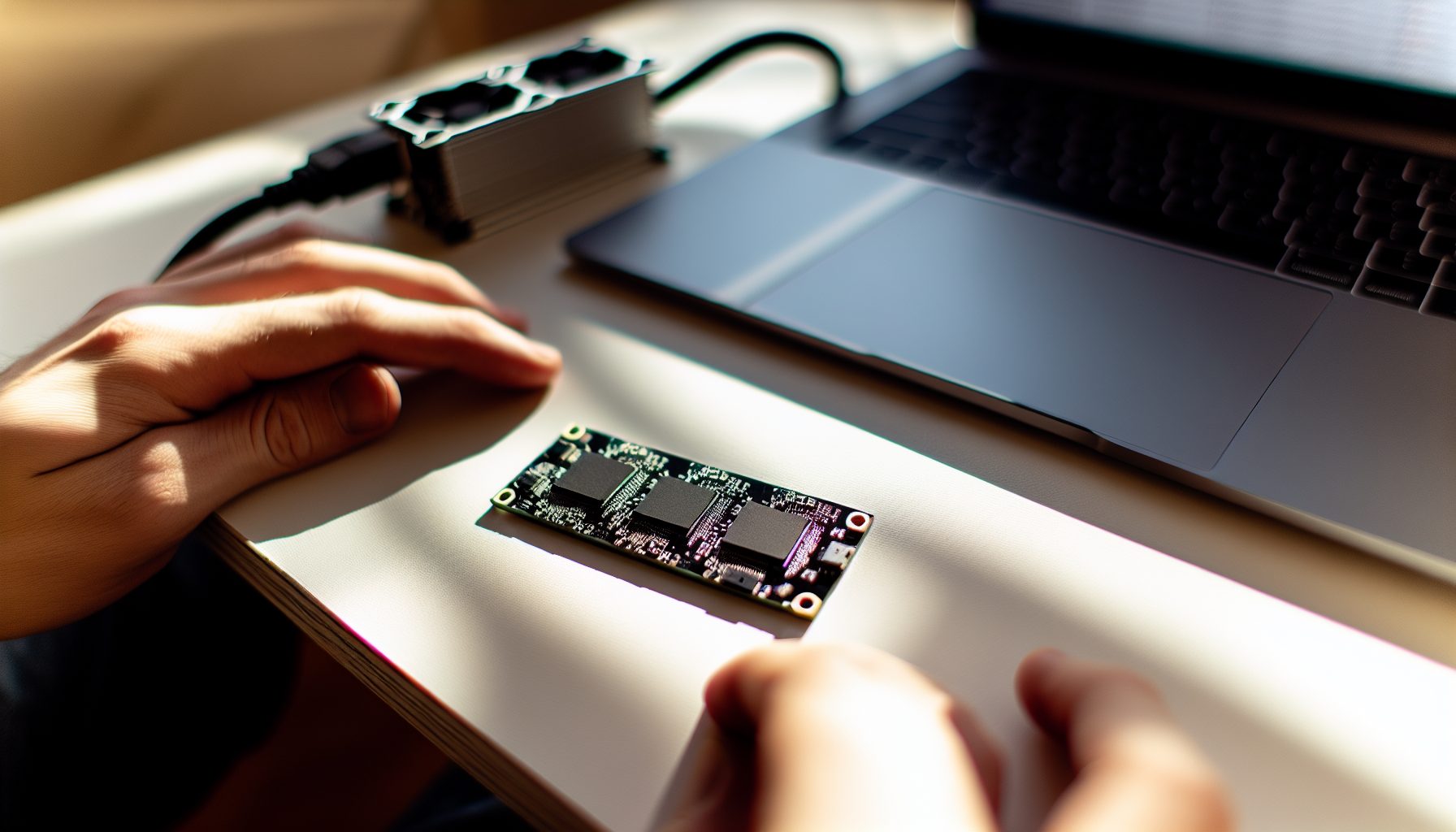
The NerdQAxe++ tries to sit somewhere in the middle. It’s an open-source, quad-chip Bitcoin miner pushing around 6 TH/s. That’s 6,000 GH/s of SHA-256 hashrate from a device you can actually build yourself or buy pre-assembled.
I’ve been testing one for about three months now. Not just running it for a day and writing about specs — actually living with it, tweaking settings, watching my electricity bill, and doing the math on whether this thing makes any sense for solo mining.
Here’s what I found.
What Is the NerdQAxe++ Solo Miner and Who Built It?
The NerdQAxe++ is part of the growing Bitaxe ecosystem. If you’ve been following the open-source Bitcoin mining scene, you’ve probably heard about the original Bitaxe, the Gamma, the Supra, and other variants. Each one uses different ASIC chips salvaged from commercial miners.
The NerdQAxe++ specifically uses four BM1366 chips — the same chips found in the Antminer S19 series. These are 5nm chips from Bitmain, pretty efficient for their generation.
Why four chips? More chips mean more hashrate, but also more complexity in power delivery, cooling, and board design. The original single-chip Bitaxe devices push around 500-600 GH/s. With four chips, you’re looking at roughly 6 TH/s, depending on how hard you push them.
The project is fully open-source. Schematics, board files, firmware — everything’s on GitHub. You can order PCBs, source components, and build one yourself if you’re comfortable with SMD soldering. Or you can buy assembled units from various sellers on Etsy, Tindie, or directly from community builders.
That flexibility is honestly one of the best parts. You’re not locked into one supplier or dealing with sketchy resellers marking up imported miners.
Technical Specifications
- Hashrate: ~6 TH/s (5.5-6.5 TH/s depending on settings)
- Power consumption: 85-110W (varies with overclock)
- Efficiency: ~15-18 J/TH
- Chips: 4x BM1366 (5nm)
- Cooling: Active heatsink with 120mm fan mount
- Connectivity: ESP32 controller, WiFi/Ethernet
- Noise level: ~40-55 dB (depends on fan curve)
- Size: Roughly 180mm x 120mm x 60mm (varies by build)
For context, a modern Antminer S21 pushes 200 TH/s at around 3500W. So the NerdQAxe++ is delivering about 3% of that hashrate at about 3% of the power draw. The efficiency isn’t quite as good as the latest generation, but for a small-scale device, it’s pretty solid.
Building vs Buying: Which Route Makes Sense for Solo Miners?
This is probably the first real decision you’ll face with this miner.
Building it yourself costs roughly $120-180 in parts, depending on where you source components and whether you already have a spare power supply. You’ll need the PCB, the four BM1366 chips, various capacitors and inductors, an ESP32 controller module, a heatsink, and a fan.
Sounds simple. But here’s the thing: SMD soldering those chips isn’t beginner-level work. The BM1366 chips have tiny pads and require proper reflow equipment or at least a very steady hand with a hot air station. I’ve done SMD work for years and still managed to bridge a few pads on my first attempt.
Buying pre-assembled typically runs $250-400, depending on the seller and what’s included. Some come with a nice case, some are just bare boards. Some include a power supply, some don’t.
For most solo miners, I’d honestly recommend buying assembled unless you’re specifically interested in the build process itself. The time you’ll spend sourcing parts, waiting for shipments from China, and debugging assembly issues isn’t really worth saving $100-150.
Plus, if you’re not confident in your soldering, you might end up with a $180 paperweight.
Fully assembled quad-chip miner delivering ~6 TH/s, typically includes heatsink and fan. Search for current sellers and pricing.
Power Supply Considerations
Don’t overlook this. The NerdQAxe++ needs clean, stable 12V power at around 10A. A laptop-style barrel jack PSU won’t cut it — you need something with proper current rating.
Most builders use server PSUs (like HP or Dell units) with breakout boards. These are cheap, reliable, and can power multiple miners if you expand later. A 750W server PSU runs about $20-30 used, plus $15 for a breakout board.
Standard PC power supplies work too, but you’re paying more for features you don’t need.
Setting Up Your NerdQAxe++ for Solo Mining Bitcoin
Once you’ve got the hardware, setup is actually pretty straightforward. The ESP32 controller runs custom firmware (usually AxeOS or similar) with a web interface.
Power it up, connect to its WiFi hotspot, configure your network settings, and you’re basically done with the hardware side.
For solo mining Bitcoin, you have two main approaches:
Option 1: Connect to a solo mining pool like CKPool. This is what most people do. You point your miner at solo.ckpool.org, use your Bitcoin wallet address as the username, and you’re mining. If your miner finds a block, CKPool keeps 2% and sends the rest to your address. Simple, requires zero node setup, and gives you real-time stats.
I’ve written a detailed guide on how to solo mine Bitcoin with CKPool that covers all the configuration details.
Option 2: Run your own Bitcoin full node. This is more work but eliminates the pool fee and gives you complete control. You’ll need to run Bitcoin Core with the mining RPC enabled, configure your miner to connect locally, and handle your own block submission.
If you’re interested in the full node approach, check out the guide on how to solo mine Bitcoin by running your own full node.
For testing and getting started, I’d recommend CKPool. You can always switch to your own node later once you’re comfortable with how everything works.
Web Interface and Monitoring
The web interface shows your current hashrate, accepted shares, chip temperatures, power consumption, and fan speed. It’s pretty basic but covers everything you need.
You can adjust frequency (which controls hashrate and power draw), set fan curves, and switch between different mining algorithms (though for solo mining, you’ll be on SHA-256 for Bitcoin).
One thing I really like: The interface shows your rolling average hashrate over different time periods. The 1-minute average jumps around a lot, but the 24-hour average gives you a solid picture of what the miner’s actually delivering.
Real-World Performance: Hashrate, Power, and Solo Mining Odds
Okay, time for the numbers that actually matter.
My unit runs stable at 5.8 TH/s with a frequency setting of 525 MHz. That’s pulling about 95W from the wall (measured with a Kill-A-Watt). Chip temperatures sit around 55-60°C with the fan at 60% speed, which is audible but not obnoxious.
At stock settings (475 MHz), it does closer to 5.2 TH/s at 85W. At maximum overclock (575 MHz), I’ve seen 6.4 TH/s but it pulls 115W and the chips hit 70°C even with the fan maxed out. That’s pushing things, honestly.
I settle on the middle ground: 5.8 TH/s at 95W. That’s roughly 16.4 J/TH efficiency.
What Are Your Actual Solo Mining Odds?
Let’s do the uncomfortable math.
Bitcoin network hashrate is currently around 750 EH/s. That’s 750,000,000 TH/s. Your 6 TH/s miner represents 0.0000008% of the network.
A new Bitcoin block is found roughly every 10 minutes (144 blocks per day). With 6 TH/s, your statistical odds of finding a block are approximately once every 14,300 years.
Yeah.
This is lottery mining, not steady income mining. You’re buying a ticket for the most expensive lottery in the world where the prize is currently $66,506 times 3.125 BTC (about $180,000 at current prices). But your odds are worse than most actual lotteries.
For a deeper dive into the math, read what are the chances of mining a block with a mini-miner.
So why do it? Honestly, most people run these for fun, for learning, for supporting the network, or because they like the idea of having a non-zero chance of hitting a block. But if you’re expecting ROI, you need to adjust those expectations way down.
Monthly Operating Cost
At 95W running 24/7, you’re using about 68 kWh per month. At $0.12/kWh (roughly US average), that’s $8.16 monthly. At higher electricity rates (say $0.25/kWh in parts of California or Europe), you’re looking at $17/month.
Over a year, that’s $100-200 in electricity for a device that’ll almost certainly never find a block.
I run mine anyway because I like watching the shares tick up on CKPool and I can afford to throw away $10/month on an interesting hobby. But if that $100/year bothers you, this isn’t the right path.
Comparing the NerdQAxe++ to Other Solo Mining Hardware
How does this stack up against alternatives?
NerdMiner V2: The cute ESP32 lottery miner pushes about 50-70 KH/s. That’s 0.00005 TH/s. The NerdQAxe++ is roughly 100,000 times faster. Your odds are still terrible, but they’re technically less terrible. If you’re curious about the ESP32 lottery approach, here’s the NerdMiner V2 setup guide.
Bitaxe Supra: Single-chip miner using one BM1366, delivers about 600 GH/s at 15W. So the NerdQAxe++ is roughly 10 times faster but uses about 6 times more power. The efficiency is similar, you’re just scaling up. For a detailed comparison, check out Bitaxe Gamma vs Supra comparison.
Used Antminer S9: You can sometimes find old S9s for $100-150. They push 13-14 TH/s, double the NerdQAxe++. But they pull 1300W, make insane noise, and require 220V power in most cases. Only makes sense if you have free electricity or want to heat a space.
Modern ASIC (S21, M50S, etc.): These push 150-200 TH/s but cost $3000-6000 and require serious electrical infrastructure. They’re not really in the same category — you’re buying those for pool mining income, not solo lottery tickets.
For solo mining specifically, the NerdQAxe++ sits in a nice middle ground: Fast enough that you’re not completely wasting time, slow enough that it’s not a huge investment or operational headache.
Alternative Coins for Solo Mining
Some miners point these devices at smaller SHA-256 coins where your odds are actually reasonable. Bitcoin Cash, for example, has much lower difficulty. With 6 TH/s, you might actually find a BCH block in your lifetime (statistically every few years rather than every few millennia).
Here’s a guide on how to solo mine Bitcoin Cash if that interests you.
Other small SHA-256 coins exist too, but most have minimal value or nonexistent exchanges. You’re trading better odds for basically worthless rewards.
Hidden Gem Features and Advanced Tweaks
Most reviews stop at basic specs. But after running this for months, I’ve found some things worth knowing.
Variable frequency per chip: Newer firmware versions let you set different frequencies for each chip. If one chip runs hotter than the others, you can dial it back slightly while keeping the other three at higher speeds. This is actually pretty useful for maximizing stable hashrate.
I’ve got chips 1, 2, and 4 running at 525 MHz, and chip 3 at 500 MHz because it consistently runs 5°C hotter than the others. This setup is more stable than running all four at 525 MHz.
Fan curve customization: The default fan curve is pretty conservative. You can get away with lower fan speeds (and much quieter operation) if your ambient temps are reasonable. In winter, I run the fan at 40% and temps stay under 55°C. In summer, I bump it to 70%.
Undervolting: Some builders experiment with custom voltage regulators to reduce power consumption without sacrificing much hashrate. I haven’t gone down that path, but if you’re comfortable with hardware mods, there’s probably 10-15W to be saved.
Monitoring integration: You can pull stats from the web interface API and feed them into Grafana, Home Assistant, or other monitoring systems. I’ve got mine logging to a local InfluxDB so I can track long-term hashrate trends and catch any degradation early.
Cooling Improvements
The standard 120mm fan mount works fine, but some builders have moved to dual 60mm fans for better chip-specific airflow. Others have added copper shims between the chips and heatsink to improve thermal transfer.
Honestly, the stock cooling handles things fine if you’re not overclocking hard. But if you’re pushing 6.5+ TH/s, better cooling starts to matter.
One trick that helped me: Elevate the unit so air can flow underneath. I 3D-printed some simple standoffs to raise it about 20mm off my desk, and chip temps dropped by 3-4°C. Small change, but it matters for long-term stability.
Is the NerdQAxe++ Actually Worth It for Solo Mining?
Okay, time for the honest assessment you actually came here for.
If you’re expecting to make money, no. The NerdQAxe++ is not worth it. You will almost certainly never find a Bitcoin block. Your electricity costs will exceed any realistic expected value of your mining rewards. The math just doesn’t work out.
But if you’re approaching this as a hobby, as an educational project, or as a way to directly participate in Bitcoin mining without running a noisy warehouse full of equipment, then yeah, it’s pretty great.
Here’s what I actually like about mine:
- It’s quiet enough to run in my office without driving me insane
- It’s small enough to fit on a bookshelf
- It generates a tiny amount of heat, which is actually nice in winter
- It’s teaching me about mining at a practical level, not just theoretical
- The open-source community around it is active and helpful
- I’m submitting shares to CKPool every few hours, which feels way more real than running a NerdMiner that submits one share per week
What I don’t like:
- The build quality varies wildly depending on who assembled it
- Firmware updates are manual and occasionally break things
- It’s expensive for what it is — you’re paying a premium for small-scale custom hardware
- The odds of actually finding a block are astronomically bad
Who Should Buy This?
You should consider a NerdQAxe++ if:
- You want hands-on mining experience without industrial equipment
- You can afford to throw away $300-400 plus $10-20/month in electricity
- You understand you’re almost certainly never going to ROI
- You’re interested in open-source hardware and tinkering
- You want something significantly faster than a NerdMiner but don’t want a full ASIC
You should skip this if:
- You need mining to be profitable
- You don’t have stable electricity and internet
- You’re bothered by ongoing costs with no tangible return
- You expect to quickly hit a block and get rich
For more context on whether solo mining makes sense at all, read is solo mining worth it in 2026.
My Personal Experience
I bought mine about three months ago. It’s been running basically 24/7 since then, pointed at CKPool, sitting on a shelf above my monitor.
Have I found a block? Of course not. Have I gotten anywhere close? Not really — the network found about 13,000 blocks in that time, and my miner represented roughly 0.0000008% of the hashrate, so statistically I should have found about 0.0001 blocks. My expected block count for the entire year is about 0.0004 blocks.
But here’s the thing: I check the stats every morning with my coffee. I watch the shares tick up. I see my tiny contribution to Bitcoin’s security. And when CKPool shows a block found by a solo miner, I feel a tiny jolt of “what if that was me next time?”
It’s not rational. But neither is buying lottery tickets or playing poker or collecting vinyl records. Sometimes hobbies are just hobbies.
The $10/month in electricity bothers me less than my Netflix subscription, and I get more entertainment value from checking mining stats than I do from most of what’s on Netflix.
Setting Realistic Expectations: The Electricity Cost Warning
I need to be very clear about this because I see too many people jump into small-scale mining without doing the math.
At current Bitcoin prices and network difficulty, you need massive hashrate to make mining profitable. “Massive” means hundreds of TH/s, not 6 TH/s.
Even if you somehow had free electricity, your 6 TH/s miner would earn about $0.50 per day in a pool. That’s $180 per year. But you don’t have free electricity, so you’re actually losing money every single day you run this thing.
Some people rationalize it by saying “but if Bitcoin goes to $200k, that block reward will be worth way more!” Sure. But you could also just buy $300 worth of Bitcoin right now instead of spending $400 on the miner plus $100/year in electricity. You’d end up with more Bitcoin.
The only way this makes financial sense is if you value the experience itself, or if you’re treating it as a space heater that happens to mine (which is actually somewhat reasonable if you need the heat anyway).
Just be honest with yourself about what you’re doing and why.
Understanding Solo Mining Block Rewards
If you do somehow hit a block, you’ll receive the full block reward (currently 3.125 BTC plus transaction fees, usually 0.1-0.5 BTC in fees). At $66,506, that’s life-changing money for most people.
But with your odds, you’re statistically expected to spend about $1.4 million in electricity before finding a block (14,300 years at $100/year). Obviously those are average numbers — you could theoretically hit one tomorrow, or never in a million years of running.
For more on how block rewards actually work, check out understanding your real earnings from solo mining.
Alternative Approaches: Other Algorithms and Coins
If you’re interested in solo mining but want better odds, consider different algorithms and coins.
GPU-mineable coins like Ergo, Ethereum Classic, or Flux have much lower network hashrates. A decent 6-GPU rig might actually find a solo block every few months on Ergo or Alephium.
Here are some guides:
Scrypt coins like Litecoin and Dogecoin can be merge-mined (you mine both simultaneously). With the right ASIC, your odds are better than Bitcoin. Check out the guide on solo mining Scrypt with merged mining.
Smaller algorithm coins like Nervos CKB (Eaglesong), Siacoin (Blake2b-Sia), or Dash (X11) have much lower difficulties. Guides here:
The NerdQAxe++ is SHA-256 only, so you’re stuck with Bitcoin, Bitcoin Cash, and a few tiny coins. But if you’re open to different hardware, the solo mining landscape gets much more interesting.
Secure Your Winnings
Finding a solo block means receiving 3.125 BTC directly to your wallet — currently worth over $250,000. That amount should never sit on an exchange.
Two hardware wallets we recommend for solo miners:
Ledger Nano X (~$149) — Industry standard, supports BTC natively
Buy Ledger Nano X
Trezor Model T (~$179) — Open-source firmware, strong community trust
Buy Trezor Model T
Frequently Asked Questions
Can the NerdQAxe++ actually find a Bitcoin block?
Technically yes. Statistically, you’ll find one block every 14,000+ years with 6 TH/s at current difficulty. But that’s an average — you could theoretically find one tomorrow, or never. Your odds are roughly 0.000025% per day. It’s basically a very expensive lottery ticket.
What’s better for solo mining, one NerdQAxe++ or ten Bitaxe Supras?
The total hashrate is similar (6 TH/s vs 6 TH/s), but ten Supras cost more, take up more space, and require managing ten separate devices. One NerdQAxe++ is simpler. But ten Supras give you more flexibility — you could point some at different coins or pools. Depends on what you value more: simplicity or flexibility. Honestly, for pure solo Bitcoin mining, either way your odds are terrible, so pick whichever appeals to you more.
How long will the NerdQAxe++ last before it breaks?
The BM1366 chips should last years if kept cool. The weak points are usually the power regulators, the fan, and the ESP32. Most failures I’ve heard about are related to overheating from inadequate cooling or power issues from cheap PSUs. If you keep temps under 65°C and use a quality power supply, you should get several years minimum. The open-source design means you can repair or replace components if needed.
Should I overclock my NerdQAxe++ to maximize hashrate?
Depends on your electricity cost and temperature headroom. Overclocking from 5.2 TH/s to 6.4 TH/s increases your odds by about 23%, but power consumption goes up by 35% and temperatures jump significantly. Your odds are so low either way that the difference is barely meaningful. I’d suggest running at moderate settings for stability and longevity rather than pushing maximum hashrate. But if you’ve got good cooling and don’t care about noise, go for it — just monitor temperatures closely.
Can I run multiple NerdQAxe++ units to increase my solo mining odds?
Sure. Two units give you 12 TH/s and double your odds to once every 7,000 years. Ten units get you to 60 TH/s and once every 1,400 years. Your odds scale linearly with hashrate. But at some point you’re spending thousands on hardware and hundreds per year in electricity for odds that are still astronomically bad. If you’re going that route, you’d probably be better off buying a used S19 for 100 TH/s and similar total cost. Or just accepting that this is a hobby and one unit is enough for the entertainment value.