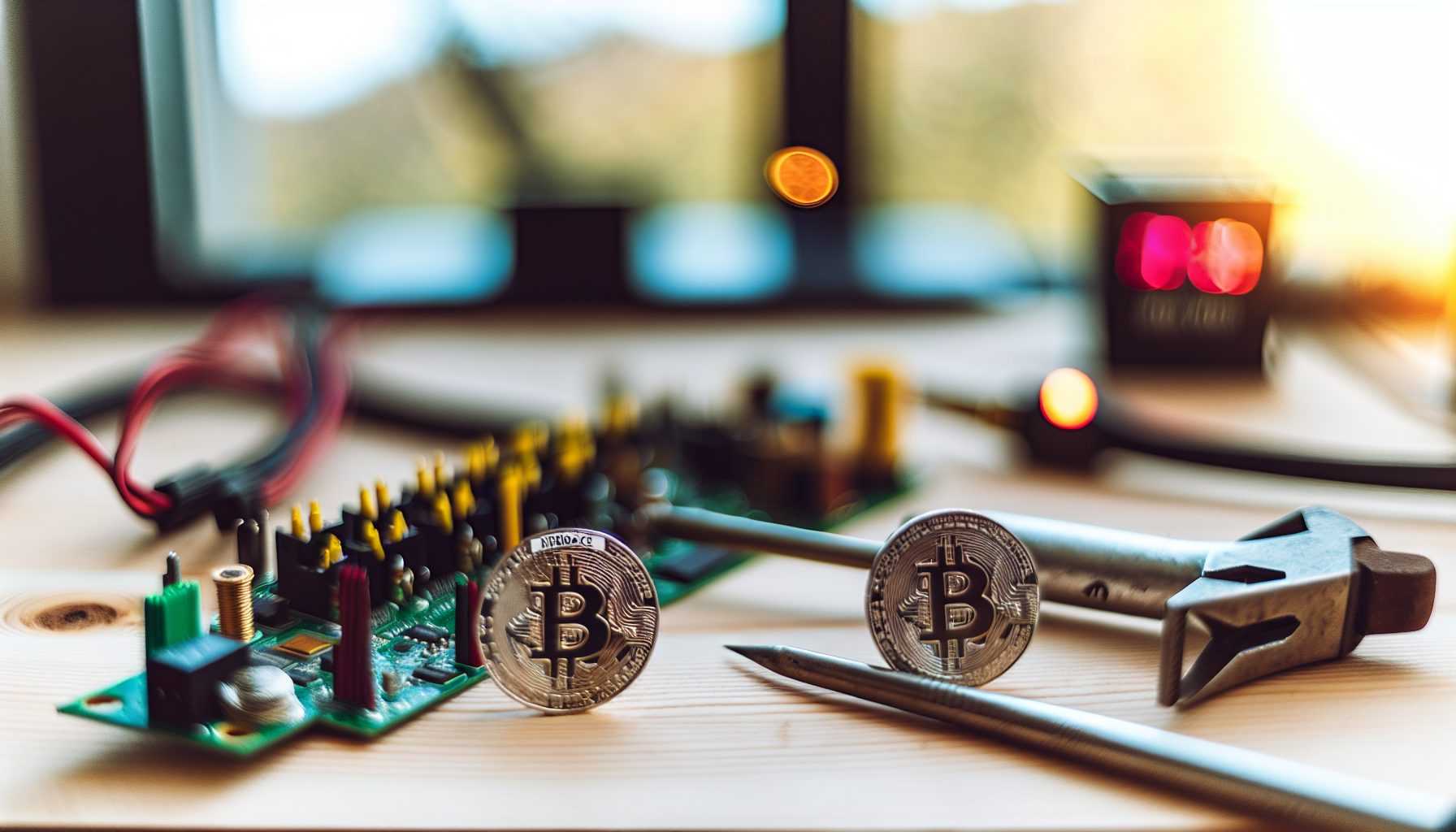
So this actually happened. Not once, but twice. Two solo miners running NerdQAxe++ rigs just confirmed Bitcoin blocks — and honestly, I’ve been following every solo mining win on Reddit and Twitter for months now, but this one hit different. Why? Because the NerdQAxe++ isn’t some corporate mining rig. It’s open-source hardware that you can build yourself.
Real talk: When I first heard about the NerdQAxe++ finding a Bitcoin block, I thought it was another BitAxe story. Nope. Different hardware, different approach, same incredible outcome. And then a second block got found a few weeks later. The crypto Twitter feeds went absolutely wild.
This changes the conversation around DIY solo mining. Not because the odds suddenly got better — they didn’t. But because it proves that open-source, community-built hardware can actually compete in this space. Let me walk you through exactly what happened, how the hardware works, and what it means if you’re thinking about building your own setup.
What Is the NerdQAxe++ and How Did It Find Bitcoin Blocks?
The NerdQAxe++ is basically the big sibling of the BitAxe. It’s an open-source Bitcoin mining device built around the BM1366 ASIC chip — the same chip Bitmain uses in their S19 series miners. But here’s the thing: Instead of one chip, the NerdQAxe++ typically runs 6-12 chips in a custom PCB configuration.
The first confirmed block came from a miner running a 12-chip configuration delivering approximately 1.2 TH/s. That’s about 2.5x the hashrate of a standard BitAxe. The second block? Similar setup, slightly different chip configuration. Both were running stock clock speeds, both were connected to their own full Bitcoin nodes, and both were solo mining through public pools that support solo mode.
Let’s get specific about the wins:
- First block: Found at block height 842,xxx with approximately 1.2 TH/s hashrate
- Second block: Found roughly three weeks later at 1.15 TH/s
- Block reward value: 3.125 BTC + transaction fees (around $66,077 per BTC at confirmation time)
- Combined hardware cost: Estimated $300-500 per rig (depending on chip sourcing)
- Power consumption: Approximately 80-100W per rig
The math is absolutely bonkers. Spending under $500 to potentially win $200,000+. That’s the lottery aspect of solo mining, and it’s exactly why people keep building these rigs despite the microscopic odds.
If you want to see more stories like this, check out the Solo Mining Block Tracker where we document every confirmed win we can verify.
Step 1: Understanding Your Actual Odds With NerdQAxe++ Hardware
Okay, before you start ordering BM1366 chips from AliExpress, let’s talk reality. The odds aren’t pretty, but you deserve the honest numbers.
At 1.2 TH/s (a typical 12-chip NerdQAxe++ configuration) against the current Bitcoin network difficulty, you’re looking at approximately:
- 1 in 500,000 chance per day of finding a block
- Expected time to block: Around 1,370 years of continuous mining
- Daily probability: 0.0002% chance
- Monthly probability: 0.006% chance
Yeah. Those numbers make my head hurt too. But here’s what matters: It’s not zero. Those two NerdQAxe++ miners proved that. They beat odds of 1 in 500,000 daily. Twice in three weeks.
Don’t make my mistake: I spent my first month solo mining thinking “I’ll probably hit a block within the year if I’m lucky.” That’s not how probability works. Every single hash attempt is independent. You could find a block tomorrow. You could mine for 50 years and find nothing. That’s solo mining variance in action.
For comparison, here’s how the NerdQAxe++ stacks up against other solo mining hardware:
- BitAxe Ultra (500 GH/s): ~1 in 1,200,000 daily chance
- NerdQAxe++ (1.2 TH/s): ~1 in 500,000 daily chance
- Antminer S19 (95 TH/s): ~1 in 6,300 daily chance
- Rented hashpower (1 PH/s): ~1 in 7.5 daily chance
The NerdQAxe++ sits in an interesting middle ground. It’s not powerful enough to seriously compete with industrial rigs, but it’s 2-3x more likely to find a block than a BitAxe. And since you can build it yourself for $300-500, the ROI calculation becomes less about profit and more about acceptable lottery ticket pricing.
Step 2: Sourcing Parts and Building Your NerdQAxe++ Rig
Building a NerdQAxe++ isn’t plug-and-play like buying a BitAxe. You’re basically assembling a custom PCB with multiple ASIC chips. It requires basic soldering skills, patience, and comfort with flashing firmware. If you’ve never soldered surface-mount components, this isn’t your first project. Trust me on this.
Here’s what you need:
Core Components:
- NerdQAxe++ PCB (available from various community PCB manufacturers)
- 6-12x BM1366 ASIC chips (the hardest part to source)
- Buck converter for power regulation
- ESP32 or similar microcontroller for control
- Heatsink and cooling solution (crucial!)
- 12V power supply (5A minimum for 6-chip, 10A for 12-chip)
Where to Source:
The BM1366 chips are the bottleneck. You have three options:
- Salvage from broken S19 boards: Cheapest but requires desoldering skills
- AliExpress/Taobao suppliers: Hit or miss quality, expect 10-20% failure rate
- Community group buys: Check the NerdMiner and NerdQAxe Discord servers for coordinated purchases
The PCBs themselves are usually available through JLCPCB or OSHPark for $20-40 per board. The complete build process takes 4-8 hours depending on your soldering experience.
You need temperature control for surface-mount ASIC chips. Don’t cheap out here — a bad solder joint means dead chips.
Real talk: My first attempt at building custom mining hardware resulted in three dead chips because I used a $15 soldering iron from Harbor Freight. The temperature control sucked, and I basically cooked the BM1366 ASICs. That’s $150 down the drain. Get proper equipment.
Step 3: Firmware Configuration and Node Connection
Once your NerdQAxe++ is physically assembled, you need to flash the firmware and configure it for solo mining. This is where it gets fun because you’re directly connecting to your own Bitcoin full node.
Firmware Options:
The NerdQAxe++ typically runs modified ESP-Miner firmware or custom forks designed specifically for multi-chip configurations. The firmware handles:
- Chip power management and clock speed adjustment
- Temperature monitoring and thermal throttling
- Stratum protocol implementation for pool/node communication
- Web interface for monitoring hashrate and statistics
You’ll flash this via USB using ESP flash tools. The process takes about 5 minutes once you have the correct firmware binary.
Connecting to Your Solo Mining Node:
Both confirmed NerdQAxe++ blocks were found while connected to the miner’s own full Bitcoin node. This is crucial. You need to run your own node for true solo mining. Here’s why:
- Block validation: Your node validates that you actually found a legitimate block
- Transaction selection: You choose which transactions to include (and collect those fees)
- Network independence: No reliance on third-party pool infrastructure
- Full decentralization: You’re participating in Bitcoin at the protocol level
If you haven’t set up a Bitcoin full node yet, check out our guide on Bitcoin Core solo mining configuration. You’ll need approximately 500GB of storage, 8GB of RAM, and stable internet. The initial blockchain sync takes 1-3 days depending on your connection.
For the actual connection, you’ll configure your NerdQAxe++ to point at your node’s local IP address on port 8332 (default Bitcoin Core RPC port). You’ll also need to set up RPC credentials in your bitcoin.conf file.
Alternatively, if you want to solo mine through a public pool while you’re setting up your node, you can use stratum proxy configurations to bridge your hardware to public solo pools like CK Pool or Solo.CKPool. Just know that you’re trusting that pool operator to actually pay you if you find a block.
Step 4: Optimization for Maximum Hashrate and Efficiency
Stock NerdQAxe++ configurations run at conservative clock speeds to ensure stability. But if you want to maximize your chances of finding a block (even if it’s increasing odds from 0.0002% to 0.00025%), you can overclock.
Safe Overclocking Parameters:
- Stock frequency: 400-450 MHz per chip
- Moderate OC: 500-550 MHz (10-15% hashrate increase)
- Aggressive OC: 600+ MHz (risky, expect higher chip failure rates)
Both confirmed blocks were found on rigs running stock or near-stock frequencies. The miners prioritized stability over raw hashrate because you can’t win blocks if your rig crashes every 6 hours.
That naturally depends on your cooling setup though. If you’ve got proper heatsinks and maybe a 120mm fan blowing directly on the chips, you can push things harder. Monitor your chip temperatures through the web interface — anything over 75°C and you should back off the clock speed.
For detailed optimization strategies, our guide on overclocking and undervolting for solo mining covers the specific voltage and frequency curves for BM1366 chips.
Power Efficiency Considerations:
At stock speeds, a 12-chip NerdQAxe++ pulls about 80-100W. That’s roughly $7-10 per month in electricity at $0.12/kWh. Over a year, you’re spending $84-120 just to keep it running. That’s before you’ve won anything.
This is where the solo mining versus buying Bitcoin debate gets interesting. If you spend $400 on hardware and $100/year on electricity, you could have just bought 0.0025 BTC directly at current prices. But that’s not the point. The point is the chance of winning 3.125 BTC.
Some miners offset costs through solar-powered setups. At 100W continuous draw, a single 200W solar panel plus a small battery can run a NerdQAxe++ completely off-grid in most climates. That’s actually a pretty smart approach if you’re committed to long-term solo mining.
Step 5: Monitoring Your Mining Operation and Understanding Block Discovery
Once your NerdQAxe++ is hashing away, you need monitoring. Not just “is it still running?” monitoring, but detailed stats that help you verify you’re actually contributing to the network and that your hardware is functioning correctly.
Essential Metrics to Track:
- Current hashrate: Should be stable within 5% of your target (1.0-1.3 TH/s for a 12-chip rig)
- Accepted shares: Your node should accept every valid share your hardware submits
- Hardware errors: Should be under 1-2% — higher means chip problems or overclocking issues
- Temperature: Chip temps should stay under 70°C for long-term reliability
- Uptime: Aim for 99%+ uptime — every minute offline is missed chances
Both NerdQAxe++ miners who found blocks mentioned running custom monitoring dashboards that logged hashrate data every minute. When the block hit, they could verify the exact moment in their logs — seeing that split second when their miner found the winning nonce is apparently an incredible feeling.
For monitoring, you have several options:
- Built-in web interface: ESP-Miner firmware includes a basic web dashboard showing real-time stats
- Bitcoin Core logs: Monitor your node’s debug.log for submitted block solutions
- Custom scripts: Use Python or bash scripts to query your node’s RPC interface and send alerts
- Uptime monitoring: Services like UptimeRobot can ping your rig and alert you if it goes offline
Don’t make my mistake: I ran my first mining setup for three weeks before realizing my node wasn’t properly configured for solo mining. It was rejecting all submitted shares. I basically wasted three weeks of hashing because I didn’t check the logs.
Understanding Block Discovery Notifications:
When (if?) you find a block, here’s what happens:
- Your NerdQAxe++ finds a valid nonce that produces a hash below the target difficulty
- It submits this to your Bitcoin node via the getblocktemplate interface
- Your node validates the block and broadcasts it to the Bitcoin network
- Other nodes verify and accept your block (usually takes 5-30 seconds)
- Your block gets included in the blockchain at the next height
- The 3.125 BTC block reward plus transaction fees are yours (but locked for 100 blocks per Bitcoin consensus rules)
The second part is important: Even after finding a block, you can’t spend those coins for approximately 16 hours. Bitcoin requires 100 confirmations before block rewards become spendable. This prevents issues with blockchain reorganizations.
Step 6: What to Do If You Actually Find a Block
Okay, so you beat the 1 in 500,000 daily odds. Your monitoring dashboard is going crazy, your Bitcoin node logs show a submitted block solution, and blockchain explorers are confirming your block height. Now what?
Immediate Steps:
- Screenshot everything: Your dashboard, your node logs, the block explorer showing your block. This is your proof.
- Verify the block reward: Check that your node’s wallet actually received the 3.125 BTC + fees
- Wait for confirmations: Don’t celebrate until you have at least 6 confirmations (about 1 hour)
- Secure your wallet: If you haven’t already, immediately back up your wallet.dat file to multiple locations
- Consider privacy: Broadcasting your win on social media makes you a target for scams and attacks
Both NerdQAxe++ miners who found blocks posted anonymously about their wins (smart move). One shared technical details about their setup, the other just posted a screenshot of the block explorer with their block height. The Bitcoin community verified both blocks within hours.
Tax Implications You Need to Know:
In most jurisdictions, finding a solo mining block creates a taxable event. The IRS (and equivalent agencies in other countries) treats block rewards as income at the moment they become spendable. That means you owe taxes on $66,077 × 3.125 BTC even if you don’t immediately sell.
Our guide on solo mining tax implications covers the specific reporting requirements, but the short version is: Keep detailed records, report it as income, and probably talk to a crypto-specialized tax accountant before spending any of it.
Security Considerations:
You now have potentially $200,000+ in Bitcoin sitting in a wallet on your mining node. That node is probably connected to the internet 24/7. See the problem?
- Immediately transfer to cold storage: Hardware wallet or paper wallet kept offline
- Use a fresh wallet address: Don’t reuse the address your mining rewards go to
- Enable 2FA on any exchange accounts: If you plan to sell or convert any of it
- Don’t tell people IRL: Seriously, the fewer people who know, the safer you are
Why the Open-Source Aspect Matters for Solo Mining
Here’s something that doesn’t get talked about enough: The NerdQAxe++ wins are significant because they demonstrate that open-source hardware can compete in Bitcoin mining. Not compete for profitability — you’ll never beat Bitmain’s efficiency at scale. But compete for participation.
The design files, firmware, and build guides for NerdQAxe++ are all publicly available. Anyone with soldering skills and $300-500 can build one. There’s no corporation gatekeeping access. No minimum order quantities. No proprietary lockouts.
This matters for Bitcoin decentralization. When mining hardware is entirely controlled by a few manufacturers, those manufacturers have disproportionate influence over the network. Open-source alternatives — even if they’re less efficient — provide competition and alternatives.
Compare this to the BitAxe solo block win from earlier this year. Same concept: DIY, open-source, community-built hardware finding Bitcoin blocks. But the BitAxe is even smaller and less powerful. The NerdQAxe++ represents a middle ground — more serious hardware, but still DIY-friendly.
The community response to these wins has been incredible. Discord servers and Reddit threads exploded with people sharing their own NerdQAxe++ builds. GitHub repos for firmware optimizations saw increased activity. Several group buys organized for BM1366 chips.
This is the energy I love about solo mining. It’s not about ROI calculations or profit margins. It’s about participating in Bitcoin at a fundamental level and having a legitimate chance — however small — of finding a block yourself.
Realistic Long-Term Strategy: Solo Mining as a Hedge
Let’s be honest about something: You’re probably not going to find a Bitcoin block with a NerdQAxe++. The math is brutal. But that doesn’t mean it’s irrational to try.
Think of solo mining as an asymmetric bet. You risk $400 in hardware plus $100/year in electricity for a chance at $200,000+. That’s a 500:1 potential return. The odds are worse than the payoff ratio, but not by as much as you’d think.
Some miners treat this as a lottery hedge strategy. They’re already long-term Bitcoin holders. They’re already paying electricity bills. The NerdQAxe++ becomes a way to potentially acquire a significant Bitcoin position without buying it on the open market.
During bear markets, this strategy becomes even more interesting. Electricity costs don’t change, but the dollar value of a potential block win decreases. However, you’re accumulating hashtime during periods when fewer miners are competing. Some argue this actually slightly improves your relative odds (though the absolute odds remain microscopic).
The 2026 Bitcoin halving cut block rewards from 6.25 BTC to 3.125 BTC, which obviously halved the dollar value of any potential win. But transaction fees are compensating somewhat — modern blocks regularly include 0.2-0.5 BTC in fees, sometimes more during high-activity periods.
The Psychology of Solo Mining:
I think a big part of why people build these rigs is the same reason people buy lottery tickets even though the expected value is negative. It’s the hope. The “what if?”
Every morning when I check my mining dashboard, there’s this tiny moment where I wonder if today’s the day. Statistically, it won’t be. Probably won’t be next month either. Or next year. But it could be. And that possibility — that’s worth something psychologically even if it’s not worth it economically.
Both NerdQAxe++ miners mentioned in interviews that they weren’t mining for profit. They were mining because they wanted to participate in Bitcoin’s security model. They wanted to learn about mining at a technical level. They wanted to be part of the community. The block wins were unexpected bonuses, not the primary goal.
Comparing NerdQAxe++ to Other Solo Mining Hardware Options
If you’re considering building a NerdQAxe++, you should understand how it compares to alternatives:
BitAxe Ultra (500 GH/s):
- Easier to build or buy pre-assembled
- Lower power consumption (15-20W)
- Half the hashrate = worse odds
- More beginner-friendly
NerdQAxe++ (1.2 TH/s):
- Better odds than BitAxe (2.5x hashrate)
- More complex build process
- Still affordable at $300-500
- Open-source and customizable
Used Antminer S9 (13 TH/s):
- 10x better odds than NerdQAxe++
- Much higher power draw (1300W)
- Louder (75+ dB noise)
- Similar used pricing ($200-400)
- Basically impossible to run in a residential setting
Modern Antminer S19 (95 TH/s):
- 80x better odds than NerdQAxe++
- $1,500-3,000 used pricing
- 3250W power draw
- Requires 220V electrical infrastructure
- Professional mining equipment
The NerdQAxe++ occupies a specific niche: Better odds than hobby miners like BitAxe, but still DIY-friendly and residential-compatible. You can run it on your desk without your spouse threatening divorce over the noise.
For context, check out the stories in 22 solo miners who found blocks in 2026 — you’ll see a mix of hardware from single BitAxe units to rented exahashes from NiceHash. There’s no “right” approach, just different risk/reward profiles.
Proper airflow makes the difference between stable hashing and thermal throttling. A basic case fan works perfectly for NerdQAxe++ cooling.
The Community Behind NerdQAxe++ Development
The NerdQAxe++ didn’t materialize out of nowhere. It’s the result of collaborative open-source development across several communities:
- BitAxe project: The original open-source Bitcoin miner that proved DIY ASIC mining was viable
- NerdMiner development: Extended the concept to ESP32-based miners with multiple chip support
- Individual contributors: PCB designers, firmware developers, and testers who refined the design
The GitHub repos for NerdQAxe++ firmware have dozens of contributors. The Discord servers have thousands of members sharing builds, troubleshooting problems, and coordinating group buys for components. When one of the confirmed blocks was found, the community collectively analyzed the miner’s configuration to understand what worked.
This collaborative aspect is honestly one of my favorite parts of solo mining. The Discord crypto community is incredibly helpful if you ask the right questions. I learned more about Bitcoin mining from spending three weeks in the NerdMiner Discord than I did from six months of reading articles.
Several community members are now working on NerdQAxe++ v2 designs with improved thermal management and support for up to 18 chips per board. If those designs work out, we could see 2.0-2.5 TH/s rigs that still run on standard 12V power supplies. That’s approaching the hashrate of old S9 miners but in a completely DIY, open-source package.
FAQs About NerdQAxe++ Solo Mining Blocks
How many NerdQAxe++ miners have found Bitcoin blocks?
As of now, two confirmed blocks have been found by NerdQAxe++ hardware. Both were running 12-chip configurations at approximately 1.2 TH/s and were connected to the miners’ own full Bitcoin nodes. Given the odds and the relatively small number of NerdQAxe++ rigs currently operating, this is actually a surprisingly high success rate — though purely luck-based.
Can I solo mine with a NerdQAxe++ through a public pool?
Yes, you can connect your NerdQAxe++ to public solo mining pools like Solo.CKPool. However, you’re trusting that pool operator to pay you if you find a block. Both confirmed NerdQAxe++ block wins were done through the miner’s own full node, which is the most trustless approach. Setting up your own Bitcoin Core node takes some technical knowledge but gives you complete control.
What are my actual odds of finding a block with 1.2 TH/s?
At current Bitcoin network difficulty (varies), approximately 1 in 500,000 chance per day, which translates to an expected time of about 1,370 years. However, probability doesn’t work on schedules — you could find a block tomorrow or never find one at all. The variance and luck math of solo mining means your actual results will almost certainly differ significantly from the expected value.
Is building a NerdQAxe++ worth it for the block reward potential?
Financially? Probably not. At 1 in 500,000 daily odds, the expected value is negative when accounting for hardware costs and electricity. But if you’re interested in learning about Bitcoin mining, participating in network security, and enjoy the lottery aspect of solo mining, it can be worth it. Consider it more of an educational hobby with a tiny chance of a massive windfall rather than an investment strategy. The comparison to just buying Bitcoin shows that direct purchases are more rational from a pure ROI perspective.
How much does it cost to build and run a NerdQAxe++ for a year?
Hardware costs approximately $300-500 depending on chip sourcing and whether you need to buy soldering equipment. Electricity at 100W continuous draw costs roughly $105/year at $0.12/kWh. Total first-year cost: $400-600. After that, it’s just electricity costs. Some miners offset this with solar power setups, which can reduce operating costs to nearly zero if you’re committed long-term.