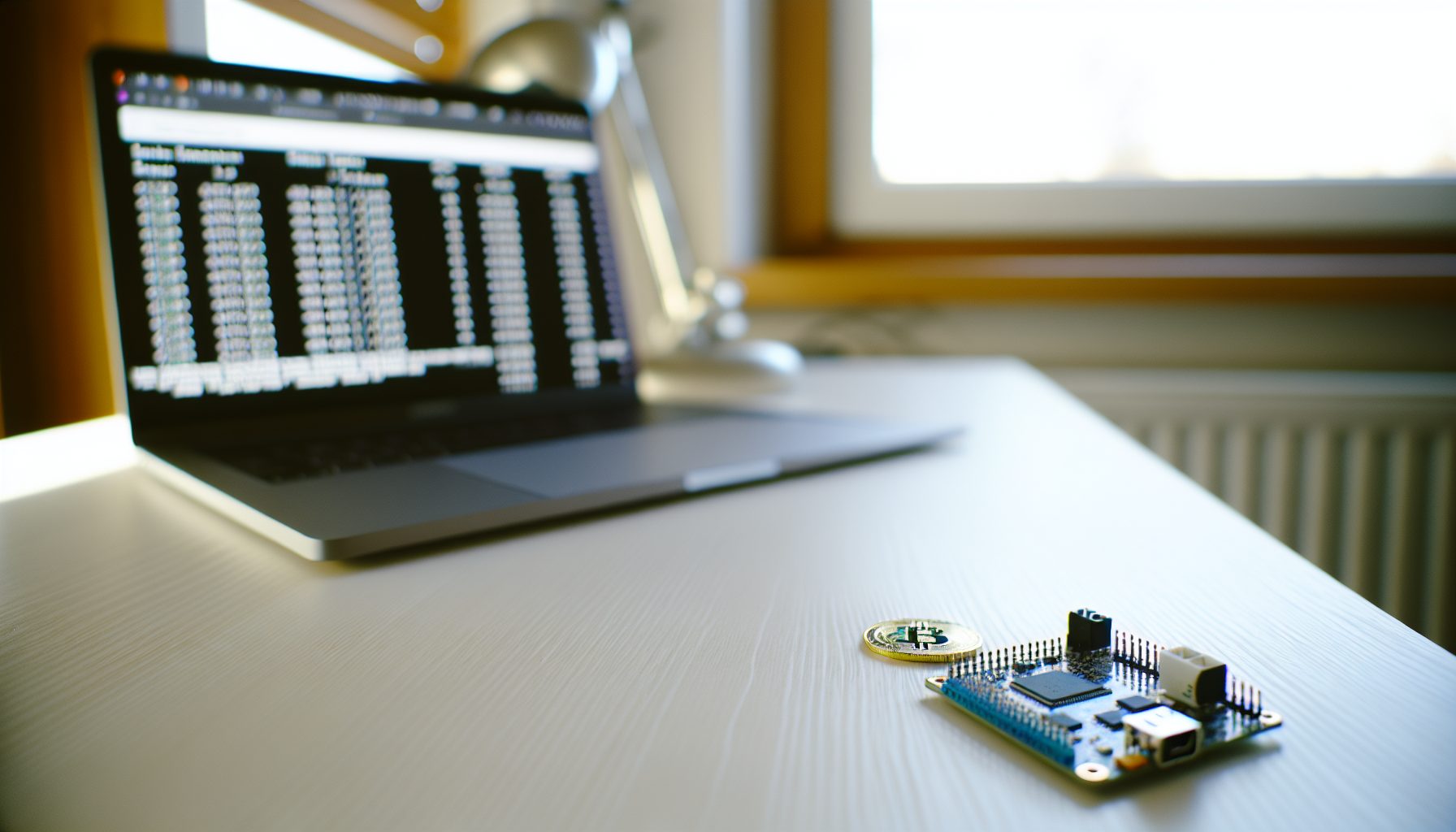
Last winter, I ordered three ESP32 dev boards on a whim. Cost me about $45 shipped. The idea? Turn them into NerdMiners and join what some people call the Bitcoin lottery. Not because I expected to hit a block — let’s be honest about the odds — but because I wanted the simplest possible entry into solo mining Bitcoin without dropping thousands on an ASIC.
The NerdMiner V2 isn’t actually a miner. At least not in any traditional sense. It delivers maybe 78 KH/s on SHA-256. That’s kiloHASHES per second. Your average Bitmain S19 Pro pushes 110 TH/s. That’s 110,000,000,000 hashes per second. The NerdMiner does 78,000.
So why bother with a guide for setting up something that statistically won’t find a block in your lifetime? Because it’s the cheapest way to understand how solo mining Bitcoin actually works. You’ll connect to a solo mining pool, see real shares, watch difficulty changes, and participate in the network without the noise, heat, or power consumption of real mining hardware.
This guide walks through the complete setup process — from flashing the ESP32 firmware to configuring your connection to CKPool. By the end, you’ll have a working device that submits shares to the Bitcoin network. Just don’t expect to retire on the block rewards.
What Exactly Is a NerdMiner V2 and Why Would You Set One Up?
The NerdMiner project started as an educational experiment. Someone took an ESP32 microcontroller — a cheap dev board typically used for IoT projects — and wrote mining firmware for it. The V2 version added a small TFT display that shows your hashrate, pool connection status, and best difficulty share.
It connects to your WiFi, talks to a solo mining pool like CKPool, and actually submits valid shares. Technically, it could find a Bitcoin block. The odds are roughly 1 in 6 billion per day at current difficulty. But the hardware costs under $50, draws maybe 1-2 watts, and fits in your palm.
I built mine primarily to have a physical object that demonstrates how solo mining works without the complexity of GPU rigs or ASIC configurations. When I’m explaining the concept to someone new, I just point at the little screen showing shares scrolling past. It’s real mining. Just microscopically small.
The setup process takes maybe 30 minutes if you’re comfortable with basic tech tasks. Flash the firmware, connect to WiFi, enter your Bitcoin address. Done. No driver installations, no mining software configurations, no thermal management. It’s honestly simpler than setting up a Bitaxe.
Hardware Requirements: What You Need to Build a NerdMiner
The core component is an ESP32 development board with at least 4MB of flash memory. Most modern ESP32 boards meet this requirement. You’ll also want one with a built-in USB port for flashing and power.
The official NerdMiner V2 supports several display types. The most common setup uses a 0.96-inch or 1.3-inch OLED display or a TFT color screen. Some pre-assembled versions include the display already wired. If you’re building from scratch, you’ll need to solder connections between the ESP32 GPIO pins and the display pins.
Most common board for NerdMiner builds. Includes USB port for easy flashing and enough GPIO pins for display connections. Usually around $8-12 per board.
For the display, I prefer the 1.3-inch TFT screens. Better visibility compared to the smaller OLED options, and they’re just as cheap. You can find them for $5-8 typically. Make sure it’s SPI interface — that’s what the NerdMiner firmware expects.
Color display with good visibility in various lighting conditions. Easy to wire to ESP32 GPIO pins. Around $6-8 typically.
You’ll also need a USB cable for power and flashing. Any standard micro-USB cable works — the same type that used to charge older Android phones. For power, any USB port delivers enough juice. I run mine off a phone charger plugged into a power strip.
Optional but useful: A small case to protect the board and display. You can 3D print one using files from the NerdMiner GitHub repository, or just use standoffs and keep it exposed. Mine sits on my desk without a case. Looks like a tiny cyberdeck.
Total cost for components if buying separately: Around $15-25. Pre-assembled kits with everything included run $40-60 depending on the seller and shipping.
Step-by-Step Guide for Setting Up Your NerdMiner V2
The setup process has three main phases: flashing the firmware to your ESP32, connecting it to your network, and configuring the mining settings. I’ll walk through each step assuming you’re starting with a bare ESP32 board.
Preparing Your ESP32 Board
First thing: Make sure your ESP32 board has enough flash memory. Most modern boards include 4MB, but some older or ultra-cheap variants only have 2MB. The NerdMiner firmware won’t fit on 2MB.
If your board includes a display that needs soldering, do that first. The typical wiring connects the display’s VCC to 3.3V, GND to GND, SCL to GPIO 22, and SDA to GPIO 21. For TFT displays, you’ll have additional connections for CS, DC, and RST pins. Check the NerdMiner GitHub documentation for your specific display model.
I made the mistake on my first build of using the 5V pin instead of 3.3V for the display. It worked but ran noticeably warmer. Switched to 3.3V and the temperature dropped. Small detail, but worth getting right.
Flashing the NerdMiner Firmware
The easiest method uses the web-based flasher. Go to the official NerdMiner V2 GitHub page and find the link to the web flasher. It works in Chrome or Edge — basically any Chromium-based browser with Web Serial API support.
Connect your ESP32 to your computer via USB cable. Open the web flasher page. Click “Connect” and select your ESP32 from the list of serial ports. It usually shows up as something like “COM3” on Windows or “/dev/ttyUSB0” on Linux.
Select your board type from the dropdown menu. If you’re using a standard DevKit V1 board with a TFT display, pick that option. The flasher will download the appropriate firmware binary and write it to your ESP32. Takes about 2-3 minutes.
When it finishes, the ESP32 reboots automatically. If everything worked, you should see the NerdMiner logo on the display followed by a WiFi configuration screen.
Alternative method: You can also use ESPTool.py if you prefer command-line tools. Download the firmware binary from the GitHub releases page, then use ESPTool to flash it manually. Gives you more control but requires installing Python and ESPTool first.
Connecting to Your WiFi Network
After the first boot, the NerdMiner creates its own WiFi access point. On your phone or laptop, look for a network called something like “NerdMinerAP” or “ESP32_Setup”. Connect to it.
Your browser should automatically open a configuration page. If it doesn’t, navigate to 192.168.4.1 manually. You’ll see a simple web interface showing available WiFi networks.
Select your home network from the list and enter the password. The NerdMiner will save these credentials and attempt to connect. If successful, the display shows “WiFi Connected” and your local IP address.
Write down that IP address. You’ll need it to access the configuration interface later.
Configuring Mining Settings
Open a browser and navigate to the IP address shown on the NerdMiner display. You’ll see the web-based configuration interface with several sections.
In the “Pool Settings” section, enter the CKPool solo mining server details. The most common setup uses:
- Pool URL: solo.ckpool.org
- Port: 3333
- Your Bitcoin wallet address as the username
- Anything as the password (it’s ignored)
Make sure you use a Bitcoin address you control. If your NerdMiner somehow hits a block, the reward goes to this address. Don’t use an exchange address — most exchanges don’t support mining payouts and might not credit your account.
I use a hardware wallet address. Yeah, the odds are effectively zero. But if by some cosmic luck my 78 KH/s stumbles onto a valid block hash, I want those coins going to cold storage. Current Bitcoin price: $67,523. A full block reward is currently 3.125 BTC plus transaction fees. That’s worth doing correctly even at astronomical odds.
After entering your settings, save and reboot. The NerdMiner will connect to CKPool and start submitting shares. You should see the hashrate display update and shares begin scrolling on the screen.
Understanding What Your NerdMiner Actually Does
Watching the display, you’ll see several pieces of information updating in real-time. Understanding what they mean helps you verify everything’s working correctly.
The hashrate display shows your ESP32’s current mining speed. This typically ranges from 55-80 KH/s depending on the specific board and clock speed. It’s not much. To put it in perspective, hashrate measurements usually scale up to MH/s, GH/s, and TH/s for real mining hardware. You’re several orders of magnitude below even the smallest commercial ASIC.
The “Valid Shares” counter increases each time your NerdMiner finds a hash below the pool’s difficulty threshold. CKPool sets a minimum difficulty to prevent being overwhelmed by submissions. Your shares meet this minimum but are nowhere near the actual Bitcoin network difficulty required to find a block.
Think of it like buying lottery tickets. Each share is a ticket. The network difficulty determines how hard it is to win. Right now, Bitcoin’s difficulty sits around 110 trillion. Your NerdMiner finds maybe one share per minute that meets CKPool’s minimum threshold of difficulty 1024 or so.
The “Best Difficulty” counter tracks the highest difficulty share your NerdMiner has ever submitted. Mine’s been running for eight months and the best share is around 4.7 million. Sounds impressive until you remember the actual block difficulty is 110 trillion. I’m about 23 million times away from finding a block with that share.
The temperature display shows the ESP32’s internal sensor reading. Normal operating temperature is 40-50°C. If it climbs above 60°C, you might want to add a small heatsink or improve ventilation. These boards don’t usually overheat, but sustained high temperatures reduce component lifespan.
Power Consumption and Operating Costs
One advantage of the NerdMiner over traditional mining hardware: It barely uses any power. I measured mine with a USB power meter. Peak consumption is 1.8 watts. Average during normal operation is about 1.4 watts.
Running 24/7 for a full month, that’s approximately 1.08 kWh. At $0.12 per kWh — roughly the US average electricity rate — the monthly cost is about 13 cents. Even at expensive electricity rates of $0.30 per kWh, you’re looking at 32 cents per month.
This is why the NerdMiner works as an educational device or lottery ticket. The operating cost is negligible. You’re not losing money on electricity waiting for an improbable block. You’re spending less than the cost of a cup of coffee annually to participate in the Bitcoin network.
Compare that to an Antminer S19. At 3250 watts and $0.12 per kWh, that’s $280 per month just in electricity. If you’re solo mining with an S19, you need to account for serious operating costs. With a NerdMiner, the electricity cost is a rounding error.
Real Talk About Your Chances of Finding a Block
Let’s do the math. Current Bitcoin network hashrate is approximately 750 EH/s. That’s 750,000,000,000,000,000,000 hashes per second. Your NerdMiner does 78,000 hashes per second.
Your percentage of the total network hashrate: 0.000000000000104%.
Bitcoin finds a block roughly every 10 minutes. That’s 144 blocks per day. With your fraction of the network hashrate, the expected time to find a block is approximately 172,000 years.
Of course, mining is probabilistic. You could find a block on your first share. Statistically unlikely but not impossible. Someone running a NerdMiner could theoretically hit a block tomorrow. The probability is just cosmically small.
This is why I refer to it as lottery mining. You’re not mining in any economically rational sense. You’re buying an extremely cheap, continuous lottery ticket. The operating cost is negligible. The payout would be life-changing. The odds are astronomically against you.
If you want better odds while still solo mining Bitcoin, you need dramatically more hashrate. Even a Bitaxe running at 1.2 TH/s only improves your block-finding timeline to about 11,000 years. The chances with mini-miners remain vanishingly small. For context that makes sense, check the honest assessment of whether solo mining is worth it.
Troubleshooting Common Setup Issues
Most setup problems fall into a few categories. Here’s what I’ve encountered across my own builds and helping others get theirs running.
NerdMiner Won’t Connect to WiFi
First thing to check: Is your WiFi network 2.4 GHz? ESP32 boards don’t support 5 GHz networks. If your router broadcasts both, make sure you’re connecting to the 2.4 GHz band.
If the NerdMiner connects but shows no internet access, check your router’s security settings. Some routers block device-to-device communication or have client isolation enabled. The NerdMiner needs to reach out to CKPool’s servers, so overly restrictive firewall rules can block the connection.
Password issues are also common. The ESP32’s WiFi library can be picky about special characters. If your password includes symbols, try temporarily changing to a simple alphanumeric password for testing.
Display Shows Garbage or Nothing
Usually a wiring issue. Double-check all connections between the ESP32 and display. Make sure you’re using the correct GPIO pins for your specific display type.
If you soldered the connections, verify there are no cold joints or bridged pins. A magnifying glass helps spot solder problems that aren’t obvious to the naked eye.
Some displays require specific firmware builds. The web flasher should handle this automatically, but if you flashed manually, make sure you grabbed the correct firmware binary for your display model.
Hashrate Is Very Low or Zero
Normal hashrate should be 55-80 KH/s depending on your ESP32 board. If you’re seeing significantly lower numbers, the clock speed might be throttled due to power issues or overheating.
Try a different USB cable or power adapter. Cheap cables can have high resistance that limits current delivery. The ESP32 doesn’t draw much power, but insufficient supply can cause stability problems.
If hashrate is zero, check that the pool configuration is correct. An incorrect pool URL or port number will prevent the NerdMiner from connecting and submitting work.
Pool Connection Keeps Dropping
Network instability is usually the culprit. The NerdMiner maintains a persistent connection to the mining pool. If your WiFi signal is weak or your internet connection is unstable, you’ll see frequent disconnections.
Try moving the NerdMiner closer to your router. ESP32 antennas are decent but not amazing. A weak signal can cause packet loss that disrupts the pool connection.
Some users report better stability connecting to alternate CKPool ports. Try port 443 instead of 3333. The protocol is the same, but different ports might route differently through your network.
Alternative Uses and Modifications
Beyond just running as-is, the NerdMiner platform supports some interesting modifications and alternative applications.
You can configure multiple NerdMiners to run as a “mining farm”. Obviously this doesn’t meaningfully improve your block-finding odds — ten NerdMiners running at 78 KH/s each is still only 780 KH/s — but it looks cool. Some people build arrays of 5-10 units just for the aesthetic.
The firmware supports different mining algorithms through modified builds. I’ve seen versions that mine Litecoin using Scrypt, though the hashrate is even more laughable. If you’re interested in Scrypt solo mining, you’re better off with an L3+ or similar ASIC. The ESP32 just doesn’t have the memory bandwidth for Scrypt’s requirements.
Some people use NerdMiners as network indicators or decorations. The display shows you’re actively participating in the Bitcoin network, which is kind of neat from an ideological perspective. You’re contributing work to secure the blockchain, even if your contribution is infinitesimally small.
The GitHub repository includes alternative display layouts and themes. You can customize what information shows on screen and how it’s presented. Some versions include Bitcoin price tickers or animated graphics.
Should You Actually Build a NerdMiner?
Financially? No. The expected value is negative when you account for the time spent building it, even with negligible electricity costs. The odds of finding a block are so small that the expected return approaches zero.
As an educational project? Actually pretty good. If you want to understand solo mining without the complexity and cost of real hardware, a NerdMiner delivers. You’ll see how shares work, how difficulty affects block finding, and how pool connections function. All for under $50 and basically no operating cost.
I keep mine running because it’s a conversation starter. When someone asks about Bitcoin mining, I point at the little ESP32 board humming along on my desk. “That’s mining,” I say. “It’ll probably never find a block, but it’s technically trying.” Then we get into how block rewards work and why solo mining at scale requires massive investment.
For someone just getting into mining, building a NerdMiner teaches basic concepts without significant financial risk. You learn about wallet addresses, pool connections, and network communication. Then when you’re ready to scale up — maybe to a Bitaxe or a small GPU rig for coins like Ergo or Ethereum Classic — you already understand the fundamentals.
Just don’t build one thinking it’s an investment. It’s a lottery ticket that costs 13 cents per month to keep active. Treat it like that and you won’t be disappointed.
Comparing NerdMiner to Other Budget Solo Mining Options
If you’re considering a NerdMiner, you might be wondering how it compares to other entry-level solo mining hardware. Let’s look at a few alternatives.
The Bitaxe series offers significantly more hashrate. A Bitaxe Supra runs at about 600 GH/s — that’s 600,000,000 KH/s compared to the NerdMiner’s 78 KH/s. Obviously much better odds, though still astronomically small. The tradeoff is cost (around $200-300) and power consumption (15-20 watts). Read more about Bitaxe model comparisons if that interests you.
USB miners like the GekkoScience Compac F deliver 200-300 GH/s for around $80-150. Better than a NerdMiner, worse than a Bitaxe. Power consumption sits around 10-15 watts. They’re worth considering if you want better odds but don’t want to spend Bitaxe money.
Old ASICs like the Antminer S9 can be found used for $100-200. They deliver 13-14 TH/s, which dramatically improves your block-finding timeline to “only” a few thousand years. But power consumption is 1300-1400 watts. Operating costs become significant. Not practical for lottery mining unless you have extremely cheap electricity.
For other algorithms, GPU mining offers much better solo mining odds on smaller networks. An RTX 3060 Ti running Alephium solo mining or Conflux has realistic chances of finding blocks monthly or weekly. Power consumption is higher (120-150 watts), but you’re mining coins with manageable difficulty.
The NerdMiner occupies a unique position: Absolute bottom tier for hashrate and odds, but also bottom tier for cost and power consumption. It’s the cheapest entry point to understanding solo mining concepts. Nothing else gets you participating for $50 and a fraction of a watt.
Advanced Configuration Options
Once your NerdMiner is running, you can explore some advanced settings through the web interface or by modifying the firmware.
The configuration page includes options for clock frequency adjustment. The ESP32 normally runs at 240 MHz. You can overclock to 280 MHz for maybe 10-15% more hashrate. Stability varies by board. Some ESP32 chips handle overclocking fine, others crash or become unreliable.
I tried overclocking my first NerdMiner. Got it to 275 MHz before it started randomly rebooting. Backed off to 260 MHz and it ran stable for a few days, then started throwing WiFi errors. Eventually just set it back to stock 240 MHz. The extra hashrate doesn’t meaningfully change your odds anyway.
You can also adjust the screen brightness and timeout settings. The default brightness is usually fine indoors but can be hard to read in direct sunlight. Cranking it to maximum helps visibility but increases power consumption slightly.
For those comfortable with code, the firmware is open source on GitHub. You can modify the display layout, change which information is shown, or even add support for different mining pools. The codebase is Arduino-based, so if you’ve done any ESP32 development before, it’s straightforward to customize.
Some users have modified the firmware to support multiple pool connections with automatic failover. If the primary pool goes down, the NerdMiner automatically switches to a backup. Probably overkill for a device with zero realistic earning potential, but it’s technically possible.
Secure Your Winnings
Finding a solo block means receiving 3.125 BTC directly to your wallet — currently worth over $250,000. That amount should never sit on an exchange.
Two hardware wallets we recommend for solo miners:
Ledger Nano X (~$149) — Industry standard, supports BTC natively
Buy Ledger Nano X
Trezor Model T (~$179) — Open-source firmware, strong community trust
Buy Trezor Model T
Frequently Asked Questions
How long would it take a NerdMiner to actually find a Bitcoin block?
At current network difficulty, the expected time is approximately 172,000 years. That’s the average. Mining is probabilistic, so you could theoretically find a block on your first share, or never find one in millions of years. The odds work out to roughly 1 in 6 billion per day. For comparison, your odds of winning the Powerball lottery are about 1 in 292 million. Finding a Bitcoin block with a NerdMiner is about 20 times less likely than winning Powerball.
Can I run multiple NerdMiners to improve my odds?
Yes, hashrate adds up. Ten NerdMiners gives you ten times the hashrate and ten times the probability of finding a block. But you’re scaling from astronomically unlikely to slightly less astronomically unlikely. Ten NerdMiners would reduce your expected block time from 172,000 years to 17,200 years. Still not practical. If you want meaningfully better odds, you need to jump to much more powerful hardware like a Bitaxe or actual ASIC.
What happens if my NerdMiner actually finds a block?
The block reward would be sent to whatever Bitcoin address you configured in the pool settings. At current rates, that’s 3.125 BTC plus transaction fees — typically around $67,523 total value. Make absolutely sure you’re using an address you control and have backed up. Don’t use an exchange address, as many exchanges don’t properly credit mining payouts. Use a proper wallet where you control the private keys. Read more about choosing the right wallet for solo mining.
Does a NerdMiner support merged mining like Litecoin and Dogecoin?
No. The NerdMiner mines only Bitcoin using SHA-256. While the ESP32 could theoretically be programmed to mine other SHA-256 coins, the standard firmware only supports Bitcoin. If you’re interested in merged mining for Litecoin and Dogecoin simultaneously, you’d need Scrypt mining hardware. The ESP32 doesn’t have the memory bandwidth for Scrypt’s requirements.
Is it legal to run a NerdMiner?
In almost all jurisdictions, yes. Bitcoin mining is legal in most countries, and the NerdMiner is just a very small-scale mining device. It’s no different legally than running mining software on your PC. Countries that have banned or restricted cryptocurrency mining (like China) would technically prohibit it, but enforcement against tiny devices consuming less than 2 watts is nonexistent. If you’re in a jurisdiction where Bitcoin itself is legal, running a NerdMiner is not a legal concern.