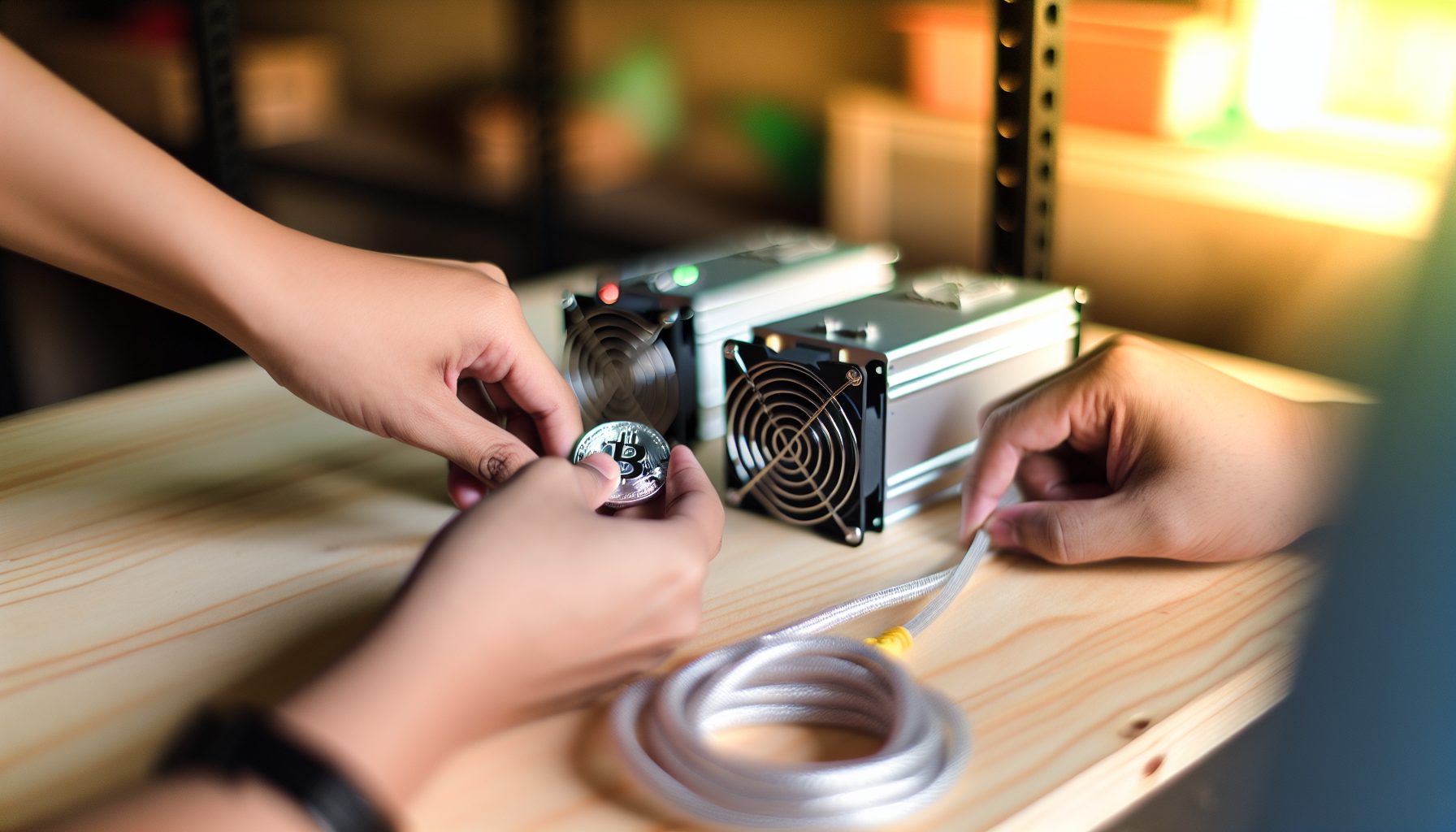
The IceRiver KS3 was my first serious ASIC miner, and honestly, it changed how I think about solo mining Kaspa. When I unboxed this thing in my bedroom, I had no idea it would become my favorite piece of mining hardware. Not because it’s guaranteed to print money — it’s not — but because it hits this sweet spot between “actually has a shot at blocks” and “won’t get me kicked out of the house for the noise.”
Let me be straight with you: mining Kaspa solo with 8 TH/s is still a lottery. But it’s a lottery where you’re buying way more tickets than someone running a KS0 Pro. The math actually makes sense if you understand what you’re getting into.
This review covers everything I learned running the KS3 for solo mining — the good parts, the annoying parts, and the honest numbers you need before spending your money.
Why the IceRiver KS3 Makes Sense for Solo Mining Kaspa
Kaspa is basically built for this kind of experiment. The block time is crazy fast — like one block per second — which means you get way more chances to hit a block compared to Bitcoin where you’re waiting 10 minutes between attempts.
The cool part is: even though blocks come fast, the network difficulty is distributed differently than Bitcoin. You’re not competing against massive farms running petahashes of SHA-256. Kaspa’s kHeavyHash algorithm is newer, and the ASIC market is still small enough that 8 TH/s actually matters.
Current Kaspa price: $0.0293
I did the math when I got mine. At network difficulty levels in early 2026, the KS3 gives you roughly one block every 2-3 months if variance is average. That’s not a guarantee — I’ve gone five months without hitting anything, then landed two blocks in one week. Mining is weird like that.
But here’s why I prefer this over pool mining: when you hit a block solo, you keep the entire block reward. No pool fees. No sharing with thousands of other miners. Just you and approximately 90-110 KAS depending on current reward schedules.
How 8 TH/s Compares to Other Kaspa Miners
The KS3 sits in the middle of IceRiver’s Kaspa lineup. Below it you’ve got the KS0 and KS0 Pro (way less hashrate, basically USB lottery miners). Above it there’s the KS3L and KS3M with higher specs but also higher power draw and cost.
For solo mining specifically, 8 TH/s is the minimum I’d recommend if you actually want to see blocks within a reasonable timeframe. Anything below 5 TH/s and you’re looking at potentially a year or more between blocks. That’s fine if you’re treating it as a pure lottery ticket, but it kills the fun factor.
Running at 8000 GH/s, this thing processes about 8 trillion hashes per second. It’s kinda crazy to think about. Each hash is basically a guess at solving the next block. The faster you guess, the better your odds.
IceRiver KS3 Solo Mining Setup: Getting Started
Setting up the KS3 for solo mining took me about an hour the first time, including all the mistakes. Now I can do it in like 15 minutes. The hardware setup is dead simple — the software part needs more attention.
First, you need a full Kaspa node running. This is non-negotiable for true solo mining. You can’t point an ASIC at a pool’s solo mining port and call it “real” solo — you need your own node validating blocks and communicating directly with the network.
Hardware Requirements Beyond the KS3
- Stable internet connection: Kaspa’s fast block times mean your miner needs consistent network access. I recommend wired ethernet, not WiFi. Latency matters when blocks are coming every second.
- Dedicated circuit (recommended): The KS3 pulls about 3200W at full power. That’s more than most bedroom circuits can handle safely.
- Cooling consideration: This unit generates around 10,900 BTU/hr of heat. In summer, my room became a sauna until I installed a window exhaust setup.
- Noise tolerance: Rated at 75 dB, which is like having a vacuum cleaner running constantly. Not terrible compared to Bitcoin ASICs, but definitely noticeable.
What I wish I knew earlier: The power consumption varies based on your efficiency settings. You can underclock the KS3 to around 2800W and still maintain about 7.2 TH/s. I run mine underclocked during summer months when electricity costs more.
Node Setup for Solo Mining
You’ll need to run Kaspad (the official Kaspa node software) on a separate machine. I use an old gaming PC with an SSD — the node isn’t super demanding, but it does need to sync the entire blockchain initially.
Initial sync took about 18 hours on my setup. After that, the node just maintains sync in real-time. The actual configuration for solo mining involves editing your mining pool settings to point at your local node’s IP address and RPC port.
The command looks something like this when configuring your KS3’s mining address:
Stratum URL: stratum+tcp://YOUR_NODE_IP:16110
Worker: YOUR_KASPA_ADDRESS
Password: x
Once it’s running, you’ll see your hashrate show up in the node logs. That’s when it gets real. Every second, your miner is submitting shares, and any of them could be the next block.
Power Consumption and Electricity Costs Reality Check
Here’s where solo mining gets expensive, and I need to be honest about it. The KS3 at 3200W running 24/7 uses about 2304 kWh per month. Depending on your electricity rate, this could eat your entire profit and then some.
I pay around $0.12 per kWh in my area. That’s roughly $276 per month just in electricity. If I’m averaging one block every 2.5 months, that’s about $690 in electricity costs per block.
Current Kaspa block reward is around 100 KAS. At $0.0293 per KAS, you can do the math. Some months I’m profitable. Other months I’m running at a loss hoping for better variance.
When Solo Mining the KS3 Makes Financial Sense
Real talk: this only works financially if you believe KAS will appreciate in value. I’m mining and holding, not selling immediately. If KAS goes from $0.15 to $0.40 over the next year, suddenly those blocks I mined at a “loss” become really profitable.
But if you need to sell immediately to cover electricity, you’re probably better off pool mining where you get steady payouts. Solo mining profitability depends heavily on price movement and variance luck.
Things that improve your situation:
- Access to cheap electricity (under $0.08/kWh makes this way more viable)
- Ability to absorb losses during dry spells
- Long-term holding strategy for KAS
- Using the heat productively (I warm my room in winter, which offsets heating costs slightly)
Noise and Heat Management in a Home Environment
Let’s talk about the elephant in the room — or rather, the jet engine in the bedroom. The KS3 at 75 dB is loud enough that you’ll hear it through walls. It’s not as insane as some Bitcoin ASICs that hit 85+ dB, but it’s definitely not silent.
I tried running it in my bedroom for exactly two nights before my mom made me move it to the garage. Honestly, good call. Sleeping with that noise is brutal.
Solutions That Actually Work
After trying a bunch of different setups, here’s what actually helped:
Sound dampening box: I built a simple box from acoustic foam panels and plywood. Cut out ventilation holes with inline fans to maintain airflow. Dropped the noise by maybe 10-15 dB, which is the difference between “annoying” and “tolerable.”
Garage placement: Moving it to the garage solved 90% of my noise problems. The remaining issue was heat buildup, which I fixed with a window exhaust fan running whenever the miner is on.
Fan speed control: The KS3 lets you adjust fan speeds through the web interface. Running at 70% speed instead of 100% reduces noise noticeably and only drops hashrate by about 5%. During cooler months, this is totally viable.
For more ideas on managing these issues, check out the quiet solo mining guide — has some really practical tips I wish I’d known earlier.
Real Solo Mining Performance: My Actual Results
I’ve been running the KS3 for about 8 months now. In that time, I’ve hit 3 blocks. That’s actually slightly better than expected variance, which normally would be around 2.5-3 blocks in that timeframe.
No joke: the first block came after 87 days of nothing. I was starting to think something was wrong with my setup. Then I woke up one morning, checked the node logs, and saw that beautiful “Block found” message. My wallet showed 103.7 KAS. Best feeling ever.
The second and third blocks came within 3 weeks of each other. That’s variance for you. Sometimes you’re cold, sometimes you’re hot.
Comparing Solo vs Pool Mining Returns
If I had pool mined those same 8 months at 8 TH/s, I would’ve earned approximately 310-330 KAS total after pool fees (typically 1-2%). Instead, I earned 311 KAS from three blocks.
So basically the same amount. But here’s the difference: pool mining would’ve given me steady small payouts every day. Solo mining gave me three massive dopamine hits and a bunch of waiting in between.
From a pure math perspective, they’re similar. From a fun perspective? Solo mining wins by a mile. There’s nothing like refreshing your wallet and seeing that block reward appear.
8000 GH/s kHeavyHash performance, 3200W power draw, solid middle-tier option for solo mining Kaspa with reasonable block finding odds.
Should You Buy the KS3 for Solo Mining in 2026?
This depends entirely on what you’re trying to accomplish. If you want guaranteed returns and steady income, absolutely not. Pool mine instead.
But if you want the most exciting way to mine Kaspa, learn how the network actually works at a deep level, and you’re okay with the lottery aspect — yeah, the KS3 is pretty solid for this.
Who This Miner Is Perfect For
The KS3 makes sense if you:
- Have access to electricity under $0.10/kWh (ideally under $0.08)
- Can dedicate a garage or basement space where noise isn’t critical
- Understand variance and won’t panic during 3-4 month dry spells
- Believe in Kaspa’s long-term price appreciation
- Want to actually learn about solo mining without waiting years between blocks
- Have at least $3000-4000 to invest (miner cost plus initial electricity buffer)
Honestly, this is how I learned most of what I know about mining. Running your own node, configuring stratum connections, monitoring network difficulty — you learn way more doing this than pointing a GPU at a pool.
Better Alternatives to Consider
If the KS3 doesn’t fit your situation, here are some other options I’d recommend:
IceRiver KS0 Pro: If you want the solo mining experience but can’t commit to the power consumption, the KS0 Pro is basically a lottery ticket miner. You’ll wait way longer between blocks (potentially 1-2 years), but electricity costs are minimal.
GPU mining other coins: If you’re interested in solo mining generally, not just Kaspa, check out profitable GPU solo mining options. Some coins have better odds for smaller hashrates.
Pool mining the KS3: You can always start with pool mining to build up capital, then switch to solo once you have a buffer saved. This is actually pretty smart — you’re earning while learning the hardware.
Advanced Tips for Optimizing KS3 Solo Mining
After running this thing for months, I’ve figured out some tricks that improve either profitability or quality of life. Sharing them here because I wish someone had told me earlier.
Firmware Optimization
The stock firmware is fine, but there are modded firmware versions floating around that let you squeeze out a bit more efficiency. I’m running one that lets me undervolt slightly without losing hashrate. Dropped power consumption from 3200W to around 2950W while maintaining 7.8 TH/s.
Be careful with this stuff though. Modded firmware can brick your miner if you don’t know what you’re doing. I spent like two weeks researching before I tried it, and even then I was nervous.
Network Latency Matters More Than You Think
With Kaspa’s one-second block time, network latency actually affects your orphan rate. I was getting about 2-3% orphan blocks initially, which is basically mining blocks that don’t count because someone else found them first and propagated faster.
I fixed this by moving my node to a VPS with better connectivity, then connecting my home KS3 to that remote node. Orphan rate dropped to under 1%. Over months of mining, that adds up.
The solo mining internet requirements guide has more details on this if you’re seeing high orphan rates.
Monitor Network Difficulty Religiously
Kaspa difficulty adjusts frequently. When difficulty spikes by 20-30%, your expected time between blocks increases proportionally. I actually have alerts set up to notify me of major difficulty changes.
During high difficulty periods, I sometimes switch to pool mining temporarily, then switch back to solo when difficulty drops. It’s more work, but it smooths out the variance a bit.
Staying Away From: Common KS3 Mistakes
I’ve made basically every mistake possible with this miner. Gonna save you some trouble by listing what NOT to do:
Don’t run it on WiFi: Seriously. I tried this for like three days and my orphan rate was insane. The connection kept dropping for microseconds, which is enough to miss block submissions. Wired ethernet only.
Don’t cheap out on the power supply: The KS3 needs stable, clean power. I fried my first unit’s power supply by running it on a sketchy outlet in my garage that had voltage fluctuations. Had to replace the whole PSU. Now I run it through a voltage regulator.
Don’t solo mine without understanding variance: This is the big one. If you’re gonna get discouraged after a month of no blocks and sell the miner, just pool mine instead. Solo mining requires patience and understanding that sometimes you’ll go months without rewards.
Don’t ignore heat in summer: I almost cooked this thing during a heatwave last July. The garage hit like 105°F and the miner started thermal throttling. Now I have temperature monitoring set up with automatic shutdowns if it gets too hot.
Don’t trust pool “solo mining” as the same thing: Some pools offer “solo mining” where you don’t share rewards. That’s not the same as true solo mining where you run your own node. You’re still trusting the pool’s infrastructure and potentially dealing with pool failures or dishonesty.
Comparing the KS3 to Other Mining Hardware Options
The mining hardware landscape is pretty diverse in 2026. The KS3 is good at what it does — Kaspa mining — but it’s worth understanding how it stacks up against other options.
ASIC vs GPU for Solo Mining
I’ve run both ASICs and GPUs for solo mining different coins. The fundamental difference is flexibility vs. efficiency. The KS3 will absolutely crush any GPU setup at mining Kaspa — we’re talking 100x the hashrate. But it can ONLY mine Kaspa (and maybe a few other kHeavyHash coins if they ever become relevant).
GPUs can switch between algorithms and coins. When one coin becomes unprofitable or difficulty spikes too high, you pivot. With the KS3, you’re committed to Kaspa.
For more on this choice, the ASIC vs GPU comparison breaks down the math pretty thoroughly.
How It Compares to Bitcoin Solo Mining
I also run an older Bitcoin ASIC, and the experience is wildly different. With Bitcoin, even with serious hashrate, you’re looking at potentially years between solo blocks. The difficulty is just insane.
Kaspa’s lower difficulty and faster block times make solo mining feel more interactive. You’re actually seeing your hashrate contribute to block finding attempts in real-time rather than throwing hashes into a void for months on end.
If you want the solo mining experience without the decade-long wait, Kaspa is way more accessible than Bitcoin in 2026.
Replacement fans for noise reduction — swap the stock fans for quieter alternatives while maintaining cooling performance.
The Solo Mining Community and Support
One thing that makes solo mining the KS3 more bearable during dry spells is the community. There are a bunch of other miners doing the same thing, and sharing variance stories or optimization tips makes the whole experience way more fun.
I’m in a few Discord servers where people post when they hit blocks. It’s kinda motivating seeing other people succeed — reminds you that blocks ARE being found, you just need patience.
The Kaspa official Discord has a mining channel where people share node configurations, firmware tweaks, and help troubleshoot issues. I probably learned more from random Discord conversations than from any official documentation.
Block Finding Stories from Other Miners
There’s this teenager in one of the Discord servers who hit THREE blocks in his first month with a KS3. Absolutely insane variance. The expected was like 0.4 blocks. But that’s the thing about solo mining — someone’s gonna get lucky, and occasionally that someone is you.
On the flip side, I know a guy who went 7 months with a KS3M (which has HIGHER hashrate than the KS3) without hitting anything. Eventually got two blocks back-to-back, but those 7 months must’ve been brutal psychologically.
Reading these success stories helps maintain perspective. Variance is real. Your experience will differ.
Long-Term Viability: Will the KS3 Still Make Sense in 2026?
The big question everyone asks: is this miner still gonna be relevant a year from now? Honestly, it depends on two main factors — network difficulty growth and KAS price movement.
If network hashrate doubles (which is possible if more KS3 and higher-tier miners come online), your expected time between blocks doubles too. What’s currently 2-3 months becomes 4-6 months. That’s rough for solo mining excitement.
But if KAS price increases proportionally with difficulty, the economic outcome stays similar. You’re finding fewer blocks, but each block is worth more fiat.
Resale Value Considerations
ASIC miners generally hold value better than GPUs if the coin they mine remains relevant. I’ve seen used KS3 units selling for 70-80% of new price even after 6-8 months of use. If you decide solo mining isn’t for you, you can probably recoup most of your investment.
Compare this to GPU mining where cards depreciate faster and are competing with newer gaming GPU releases. The KS3 is purpose-built and only competes with other Kaspa ASICs.
Just don’t expect to sell it at a profit unless KAS absolutely moons and demand for miners exceeds supply. In most cases, you’ll take a small loss on hardware depreciation.
Frequently Asked Questions
How long does it take to find a block solo mining Kaspa with the IceRiver KS3?
At 8 TH/s and current network difficulty (early 2026), expected time between blocks is approximately 2-3 months. But this is an average — variance means you could find a block tomorrow or wait 6+ months. Some miners get lucky and find multiple blocks quickly, others experience long dry spells. The actual timing is random, like rolling dice where you’re improving your odds with more hashrate but never guaranteeing a specific timeframe.
Is solo mining Kaspa with a KS3 more profitable than pool mining?
Mathematically, long-term returns are similar. Pool mining gives you steady daily payouts minus 1-2% fees. Solo mining gives you the full block reward (no fees) but irregular timing. The profitability difference comes down to variance luck and whether you sell KAS immediately or hold it. If you can’t handle irregular income or need to cover electricity monthly, pool mining is safer. Solo mining works better if you’re holding long-term and enjoy the lottery aspect.
What electricity costs make the KS3 unprofitable for solo mining?
Above $0.15 per kWh, you’re likely mining at a loss at current KAS prices ($0.0293). At 3200W consumption, that’s about $350/month in electricity. With expected earnings of one block every 2-3 months (roughly $15-30 depending on KAS price), you’d be underwater. Under $0.10/kWh is comfortable. Under $0.08/kWh is ideal. Factor in that KAS price might increase, which changes the math — but budget for current prices, not future hopes.
Can I run the IceRiver KS3 in my bedroom or apartment?
Technically yes, but practically it’s rough. At 75 dB, it’s loud enough to disrupt sleep and annoy neighbors. Heat output is significant — 10,900 BTU/hr will raise room temperature noticeably. You’d need serious ventilation and probably a soundproofing box. I tried bedroom mining for two days before moving to the garage. If apartment mining is your only option, build a ventilated sound box and plan for higher cooling costs. Basement or garage placement is way more practical for quality of life.
What happens to my KS3 when Kaspa difficulty increases significantly?
Higher difficulty means longer expected time between blocks. If difficulty doubles, your average block finding time doubles from 2-3 months to 4-6 months. The miner doesn’t become useless — it still processes the same 8 TH/s — but your odds decrease proportionally. You can offset this by underclocking to save electricity during high-difficulty periods, switching to pool mining temporarily, or just accepting longer variance. Most solo miners ride out difficulty increases hoping for future KAS price appreciation that makes older blocks more valuable retroactively.