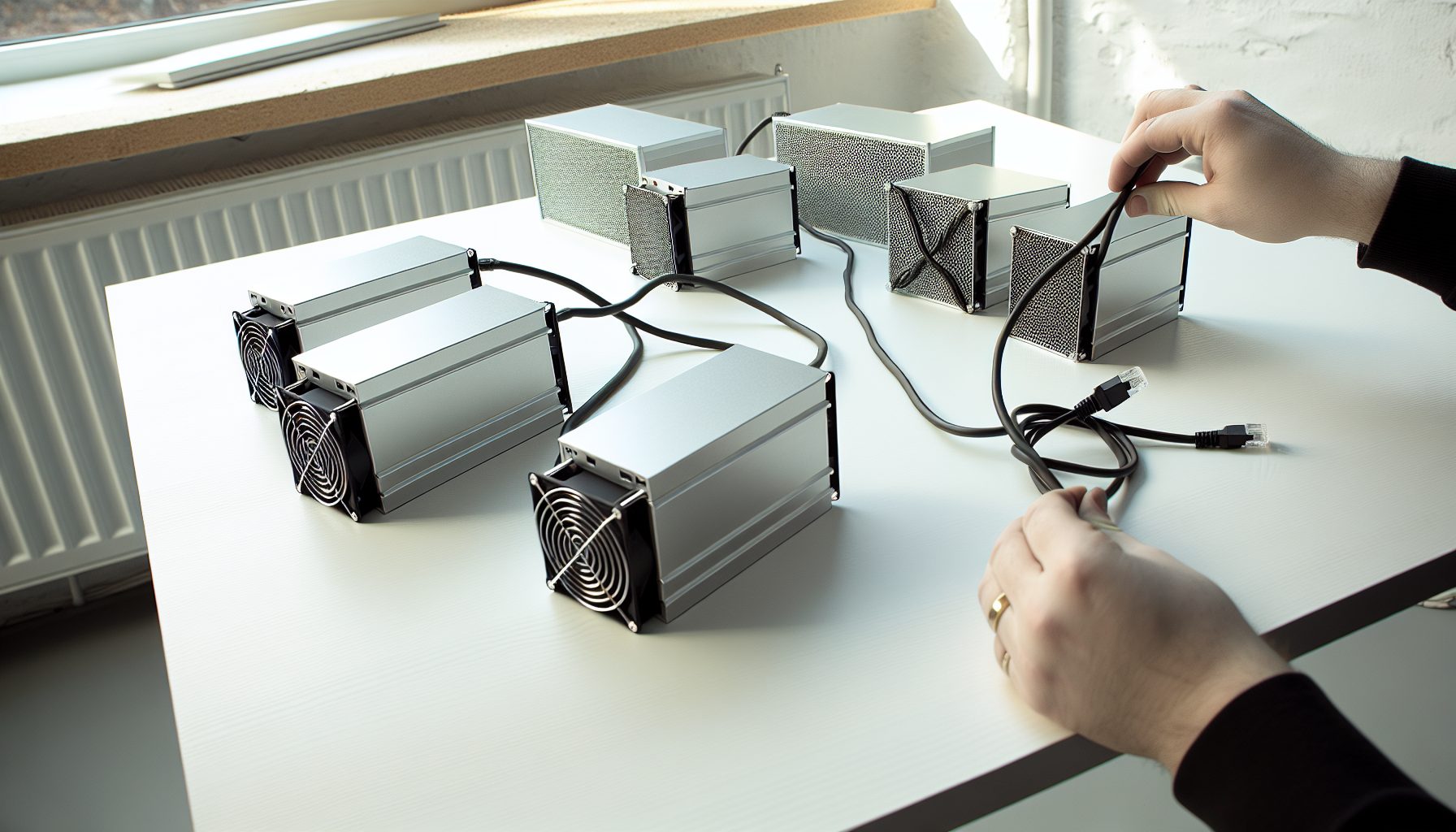
Why I Got Obsessed with Kaspa Mining (And Why IceRiver Changed Everything)
Last summer, I was scrolling through mining Discord servers when someone mentioned Kaspa. The hashrate requirements looked… actually doable? Not like Bitcoin where you need a warehouse full of ASICs. I started researching and kept seeing the same name everywhere: IceRiver.
Here’s the thing about solo mining Kaspa with IceRiver hardware — it’s one of the few scenarios where a solo block is genuinely possible without lottery-ticket odds. Current Kaspa price: $0.0293.
Real talk: I don’t own one of the big IceRiver units yet. My desk can barely handle my Bitaxe setup. But I’ve been tracking these miners for months because Kaspa solo mining actually makes mathematical sense in a way that Bitcoin solo mining doesn’t for most people. The network hashrate is growing, sure, but it’s not at the insane levels where you need petahashes to have a shot.
This guide covers every IceRiver Kaspa miner from the entry-level KS0 Pro to the beast KS7. I’ll break down which one makes sense for solo mining, what your actual odds look like, and the honest electricity cost warnings nobody talks about until your power bill arrives.
Understanding Kaspa Solo Mining with IceRiver Hardware
Before we dive into specific models, let’s talk about what makes an IceRiver Kaspa miner different from other solo mining setups.
Kaspa uses the kHeavyHash algorithm. It’s ASIC-friendly, which means these dedicated machines absolutely dominate GPUs. That’s actually good news for solo miners because the playing field is more level — everyone’s using similar hardware, not some secret optimized setup that crushes hobbyists.
The network difficulty adjusts every block (Kaspa does 1 block per second, which is wild). This means your chances of hitting a solo block change constantly. With an IceRiver unit running strong hashrate, you’re genuinely participating in the competition rather than playing a lottery like you would mining Bitcoin with a NerdMiner.
Current Kaspa Network Stats (What You’re Up Against)
The Kaspa network hashrate sits around 800-1000 PH/s depending on when you check. Block reward is currently 126.69 KAS per block. With blocks every second, that’s a lot of opportunities.
Let’s do quick math. If you’re running 1 TH/s (like a KS0 Pro), you have roughly a 1 in 1,000,000 chance per second. Sounds terrible, right? But that’s 86,400 chances per day. Your odds of hitting a block in a month are actually around 2.5%.
That’s not lottery mining. That’s legitimate solo mining with reasonable probability.
IceRiver KS0 Pro: The Entry-Level Solo Mining Option
The KS0 Pro delivers 200 GH/s for about 100W. It’s the smallest IceRiver Kaspa miner, and honestly, it’s more of a learning tool than a serious solo mining rig.
At 200 GH/s, your chances of hitting a solo Kaspa block in a year are roughly 7%. Not great, not terrible. You’re essentially buying a lottery ticket that runs 24/7.
200 GH/s at 100W — entry-level Kaspa ASIC that’s quiet enough for a bedroom but don’t expect solo blocks often.
Should You Solo Mine with a KS0 Pro?
Depends on your goals. If you want to learn Kaspa mining without spending thousands, the KS0 Pro works. It’s basically the Kaspa equivalent of a Bitaxe for Bitcoin — a small unit that participates in the network and might get lucky.
But here’s my honest take: At 7% annual odds, you’re probably better off pool mining and learning the ecosystem. Save up for something with real solo potential like the KS1 or KS2.
Power consumption is minimal. At $0.12 per kWh, you’re looking at about $10 per month in electricity. The noise level is acceptable — you can run it near your desk without headphones.
IceRiver KS1 and KS2: Where Solo Mining Gets Realistic
Now we’re talking actual solo mining hardware. The KS1 delivers 1 TH/s at 600W, while the KS2 pushes 2 TH/s at 1200W.
With a KS1, your monthly solo block odds jump to about 2.5%. That means statistically, you should hit a block every 40 months. Not amazing, but possible. Some people hit blocks in week one. Others go six months dry. That’s solo mining.
1 TH/s at 600W — first IceRiver unit where solo Kaspa mining becomes mathematically reasonable instead of pure luck.
The KS2 doubles everything. 2 TH/s means roughly 5% monthly block odds. You’re looking at a statistical block every 20 months. Still a gamble, but the kind of gamble where hitting a block feels earned rather than miraculous.
2 TH/s at 1200W — sweet spot for serious solo miners who want reasonable block odds without massive power bills.
Real Electricity Cost Warning
Don’t make my mistake when I was calculating profitability for my dad’s mining setup — I forgot to account for summer cooling costs.
A KS1 at 600W runs $43 per month at $0.12 per kWh. That’s $516 yearly. A KS2 doubles that to $86 monthly or $1,032 yearly. If you’re in a hot climate and need AC, add another 20-30% to those numbers.
At current Kaspa prices, a solo block pays around 126 KAS (exact amount varies with halvings). Do the math for your electricity rate before buying. Solo mining only makes financial sense if you can afford to run the hardware for months without hitting a block.
IceRiver KS3 Series: Professional Solo Mining Territory
The KS3, KS3L, and KS3M represent IceRiver’s mid-tier professional lineup. These aren’t hobby miners — they’re serious hardware for people committed to Kaspa solo mining.
KS3 specs: 8 TH/s at 3200W. This beast gives you roughly 20% monthly block odds. You’re looking at a statistical block every 5 months. Now we’re in territory where solo mining feels less like gambling and more like running a small mining operation.
8 TH/s at 3200W — serious hashrate where solo Kaspa blocks become expected rather than lucky. Requires 240V power.
The KS3L (6 TH/s at 2400W) and KS3M (5 TH/s at 2000W) offer slightly lower hashrate with better power efficiency. For solo mining, I actually prefer these models because the reduced electricity cost means you can stay profitable longer during dry spells.
Infrastructure Reality Check
Here’s what nobody mentions about running a KS3 at home: you need 240V power. Most bedroom outlets won’t cut it. You’re talking dedicated circuits, maybe an electrician visit, definitely conversations with whoever pays your power bill.
The noise level on these units is industrial. Think vacuum cleaner running 24/7. You need a basement, garage, or dedicated mining space. My neighbor tried running one in his apartment and got noise complaints within three days.
But if you have the space and power infrastructure? A KS3-series miner gives you legitimate odds at regular solo blocks. You’re participating in Kaspa network security at a meaningful level, not just hoping for lucky variance.
IceRiver KS5 Series: Where Hobby Ends and Business Begins
The KS5L (12 TH/s at 4800W) and KS5M (15 TH/s at 6000W) are not hobby miners. You’re running small datacenter equipment at home.
With 12 TH/s, your monthly block odds hit 30%. You should statistically hit a block every 3.3 months. At 15 TH/s, you’re at 37.5% monthly odds — a block every 2.6 months.
These numbers make solo mining feel predictable. You’re not playing a lottery anymore. You’re running a mining operation where blocks are expected, and going more than 6 months without one is genuinely unlucky variance.
12 TH/s at 4800W — where Kaspa solo mining transitions from hopeful to statistically reliable. Not for beginners.
The Honest ROI Conversation
A KS5L costs around $15,000-20,000 depending on market conditions. At $0.12 per kWh, you’re paying $345 per month in electricity. That’s $4,140 yearly.
If you hit 4 blocks per year (roughly expected with 30% monthly odds), that’s 506 KAS. At current prices, you need KAS above $40 just to break even on electricity, ignoring hardware costs entirely.
This is why I keep saying: only buy hardware this serious if you believe in Kaspa long-term. You’re betting on price appreciation, network growth, and your ability to maintain uptime. It’s not a get-rich-quick scheme — it’s a multi-year commitment.
IceRiver KS7: The Kaspa Solo Mining King
The KS7 is ridiculous. 35 TH/s at 14,000W. That’s more power draw than most homes’ entire electrical service.
At this hashrate, you have roughly 87% monthly block odds. You’re statistically hitting 10-11 blocks per year. This isn’t solo mining as most people understand it — this is running industrial equipment that happens to solo mine.
35 TH/s at 14,000W — absolute monster that mines Kaspa blocks almost monthly. Requires industrial power setup and serious cooling.
Power cost at $0.12 per kWh: $806 per month. Nearly $10,000 yearly in electricity alone. You need three-phase power. Professional cooling. Sound isolation. This is not bedroom mining equipment.
Who Actually Buys a KS7 for Solo Mining?
People running mining farms who dedicate one high-hashrate unit to solo mining while pool mining with the rest. It’s a hedging strategy — steady pool payouts cover operations while solo blocks provide lottery-win upside.
Or people with nearly-free electricity (hydroelectric, solar farm access, specific industrial rates). If your power cost is $0.03 per kWh instead of $0.12, suddenly the economics change completely.
For regular folks? The KS7 is admire-from-afar hardware. Unless you have very specific circumstances, you’re better off with two or three KS3-series units that offer flexibility and lower operational risk.
Solo Mining Pool Setup for IceRiver Kaspa Miners
One common misconception: solo mining doesn’t mean you mine completely alone. You still connect to infrastructure — either your own full node or a solo mining pool.
For Kaspa, most solo miners use public solo pools. These pools distribute work but don’t split rewards. When you find a block, you keep 100% of it (minus a small pool fee, typically 1-2%).
Recommended Kaspa Solo Mining Pools
- ACC Pool — Popular choice with 1% fee, good uptime, detailed stats dashboard
- WoolyPooly — Supports Kaspa solo mining with 2% fee, reliable payouts
- HeroMiners — Multi-coin pool with Kaspa solo option, 1.5% fee
Configuration is straightforward. You point your IceRiver miner to the pool’s solo mining endpoint with your Kaspa wallet address. When you hit a block, the full reward (minus pool fee) goes directly to your wallet.
If you want more control, you can run your own Kaspa node and mine directly to it. This eliminates pool fees entirely but requires technical knowledge and reliable internet. For most people, solo pools offer the right balance of simplicity and reward structure.
Comparing IceRiver Models: Which One for Solo Mining?
Let’s break down the entire lineup side-by-side with focus on solo mining viability:
KS0 Pro (200 GH/s, 100W) — Educational tool. Solo odds too low for serious mining. Better as a desk decoration that occasionally participates in Kaspa network. Similar role to mini-miners on other networks.
KS1 (1 TH/s, 600W) — Entry point for actual solo mining. 2.5% monthly block odds means you might see a block yearly. Good for learning solo mining dynamics without massive investment. Manageable home operation.
KS2 (2 TH/s, 1200W) — Sweet spot for committed hobbyists. 5% monthly odds provide reasonable block expectation. Power draw is significant but manageable. My personal pick if I were buying today.
KS3 / KS3L / KS3M (5-8 TH/s, 2000-3200W) — Professional territory. 12-20% monthly block odds make this feel like real mining rather than gambling. Requires dedicated space and power. Worth it if you’re serious.
KS5L / KS5M (12-15 TH/s, 4800-6000W) — Small datacenter equipment. 30-37% monthly odds mean blocks become expected. Major electrical and cooling requirements. Only makes sense with cheap power and long-term commitment.
KS7 (35 TH/s, 14000W) — Industrial beast. 87% monthly block odds. Requires three-phase power and professional cooling. Not realistic for home miners unless you have very specific circumstances.
My Recommendation Based on Budget
If you’re just curious about Kaspa mining: Pool mine with GPUs first. Understand the ecosystem before buying dedicated hardware.
Budget under $2000: Skip IceRiver entirely or get a KS0 Pro purely for educational purposes. Use that money for better hardware in other solo mining opportunities or to pool mine Kaspa and other coins.
Budget $3000-8000: KS1 or KS2. These provide legitimate solo mining experience with reasonable odds. You’ll learn operational realities without catastrophic losses if Kaspa prices drop.
Budget $10,000-20,000: KS3 series. This is the goldilocks zone — enough hashrate for regular blocks without requiring industrial infrastructure. Multiple unit strategy works well here.
Budget above $20,000: Multiple KS3s beat a single KS5 or KS7 for most people. Better operational flexibility, easier cooling, lower single-point-of-failure risk. Unless you have industrial power access, stay away from the top-end models.
Electricity Cost Reality: Numbers Nobody Wants to Talk About
Here’s a conversation I had with my dad when calculating mining profitability for his setup. He was excited about potential block rewards until I showed him the yearly power cost spreadsheet.
Let’s use real numbers at $0.12 per kWh (US average):
KS0 Pro: $10.50/month, $126/year
KS1: $43/month, $516/year
KS2: $86/month, $1,032/year
KS3: $230/month, $2,760/year
KS5L: $345/month, $4,140/year
KS7: $806/month, $9,672/year
Now add your local rates. California? Double those numbers. Texas with cheap energy? Cut them by 40%. Washington State near hydroelectric? Cut by 60%.
The math is brutal: If you’re running a KS3 and hit one block every 5 months, that’s 2.4 blocks yearly. At current Kaspa prices around $0.0293, you need each block worth roughly $1,150 just to break even on electricity. That’s before internet, cooling, equipment depreciation, or your actual hardware cost.
The Geographic Advantage
Solo mining Kaspa with IceRiver hardware makes completely different sense depending on your location. Somebody in Washington State with $0.05 per kWh power is playing a different game than someone in California at $0.25 per kWh.
If your power costs are above $0.15 per kWh, solo mining becomes extremely difficult to justify financially unless you’re betting heavily on Kaspa price appreciation. At those rates, you need multiple blocks quickly or sustained price growth to avoid mining at a loss.
This is why understanding your real block reward economics matters so much. The nominal reward looks great until electricity costs eat 60% of it.
Variance and Luck: The Solo Mining Reality
Statistical odds are just averages. You can run a KS3 with 20% monthly odds and go six months without a block. You can fire up a KS1 and hit a block on day three.
No joke: I’ve seen people in mining Discord servers get their first solo block within 48 hours of starting. Others run for a year before their first hit. That’s variance. It’s mathematically expected but emotionally brutal.
This is why I always tell people considering solo mining: Only deploy hardware you can afford to run for 2-3x your statistical block expectation without going broke. If your KS2 should statistically hit a block every 20 months, be prepared financially for it to take 40 months.
The Psychology of Solo Mining Dry Spells
When you’re two months into running a KS3 without a block, you start questioning everything. Is the miner working correctly? Is the pool connection stable? Did I configure something wrong?
Usually the answer is: Nope, you’re just experiencing normal variance. Your 20% monthly odds mean you have an 80% chance of not finding a block any given month. String together three unlucky months (51% probability) and suddenly solo mining feels impossible.
Then you hit two blocks in one week and remember why you started this whole thing.
This psychological reality is why I think KS3 or higher makes sense for solo mining. The faster block times mean you experience the full emotional cycle — dry spells and lucky streaks — at a pace that keeps you engaged rather than discouraged.
Future-Proofing Your IceRiver Kaspa Mining Investment
Kaspa network hashrate has grown significantly over the past year. More miners joining means your individual odds decrease. Difficulty increases affect every solo miner.
When I started tracking Kaspa network stats last summer, total hashrate was around 400-500 PH/s. Now it’s 800-1000 PH/s. That means a KS2 that gave you 5% monthly odds six months ago now gives you 2.5% odds.
This isn’t unique to Kaspa — every profitable coin attracts more hashrate until equilibrium hits. But it means buying hardware today based on current odds is optimistic. By the time your hardware arrives, difficulty may have already adjusted upward.
Strategy for Dealing with Difficulty Growth
Buy hardware with the assumption that your effective odds will be 30-50% worse within a year. If that still makes sense financially, proceed. If your math only works with current difficulty, wait or reconsider.
Consider hardware that retains resale value. IceRiver miners hold value reasonably well because they’re well-built and Kaspa remains popular. You can usually sell used units for 50-70% of purchase price if you decide solo mining isn’t working.
Also think about flexibility. A KS2 that stops being viable for Kaspa solo mining might still work for pool mining or even solo mining other kHeavyHash coins if they emerge. ASIC investments are more rigid than GPUs, but some flexibility exists.
Secure Your Winnings
Finding a solo block means receiving 3.125 BTC directly to your wallet — currently worth over $250,000. That amount should never sit on an exchange.
Two hardware wallets we recommend for solo miners:
Ledger Nano X (~$149) — Industry standard, supports BTC natively
Buy Ledger Nano X
Trezor Model T (~$179) — Open-source firmware, strong community trust
Buy Trezor Model T
Frequently Asked Questions About IceRiver Kaspa Solo Mining
Is solo mining Kaspa with an IceRiver KS2 worth it in 2026?
Depends entirely on your electricity cost and expectations. At $0.12 per kWh, you’re spending $1,032 yearly on power. With 5% monthly block odds, you statistically hit 0.6 blocks per year — not enough to break even at current prices unless Kaspa appreciates significantly. Solo mining makes sense if you have cheap power (under $0.08 per kWh) or you’re betting on long-term Kaspa price growth and willing to treat mining rewards as a bonus rather than guaranteed income.
What’s the difference between solo mining and lottery mining on Kaspa?
Mostly scale. Lottery mining typically refers to extremely low hashrate operations where blocks are wildly unlikely — like mining Bitcoin with a NerdMiner. Solo mining is when your hashrate gives you statistically meaningful block chances. With a KS3 or higher on Kaspa, you’re doing legitimate solo mining. With a KS0 Pro, you’re closer to lottery mining territory. The line is blurry, but generally if your monthly block odds are above 5%, you’re solo mining. Below 1%, you’re lottery mining.
Can I run multiple smaller IceRiver units instead of one big one?
Absolutely, and there are good reasons to do it. Three KS2 units give you the same hashrate as a KS5L but with better operational flexibility. If one unit fails, you still have 66% hashrate running. You can also stagger maintenance and place units in different locations for better cooling. The downside is complexity — three separate miners means three configuration setups, three potential failure points, and more management overhead. For serious solo miners, I actually prefer the multiple-smaller-units approach unless you have industrial-grade infrastructure for the big hardware.
How do I know if my IceRiver miner successfully found a solo block?
Your solo mining pool dashboard will show it immediately. Most pools provide real-time notifications via email or webhook when you find a block. You’ll also see the full block reward appear in your Kaspa wallet after the standard confirmation period (usually around 100 blocks, which is less than 2 minutes on Kaspa). Don’t make my mistake of constantly refreshing the pool dashboard every 30 seconds — set up notifications and go do something else. Solo mining requires patience, and watching the dashboard doesn’t make blocks appear faster.
Should I solo mine Kaspa or join a pool with my IceRiver hardware?
This comes down to personal preference and financial situation. Pool mining provides steady, predictable income. You’ll earn small amounts daily that compound over time. Solo mining is all-or-nothing — long dry spells punctuated by full block rewards. Mathematically, both approaches earn the same over long timeframes (minus pool fees). But emotionally and cash-flow-wise, they’re completely different. If you need steady income to cover electricity costs, pool mine. If you can afford to run hardware for months without payouts and want the excitement of winning full blocks, solo mine. Some people split hashrate — 70% pool mining for steady income, 30% solo mining for lottery upside.
Final Thoughts: Is IceRiver Kaspa Solo Mining Right for You?
After months of researching this stuff and watching mining communities, here’s my honest take: IceRiver Kaspa solo mining sits in a sweet spot between Bitcoin’s lottery-ticket odds and pool mining’s reliable-but-boring payouts.
If you have cheap electricity, believe in Kaspa long-term, and can afford the upfront hardware cost plus months of operation without blocks, something in the KS2 to KS3 range makes sense. You’re participating in a growing network with legitimate block chances.
If you’re treating this as a get-rich-quick scheme or can’t afford to run hardware for 6+ months without positive cash flow, don’t buy IceRiver hardware for solo mining. Pool mine instead, or invest that money differently.
The best advice I got from a veteran miner: “Only solo mine if hitting a block would be exciting but not hitting one for six months wouldn’t financially ruin you.” That’s the mindset you need.
For me personally? Once I have the space and electrical capacity, a KS2 is on my shopping list. Not because I expect to get rich, but because solo mining a block on a coin I genuinely think is interesting would feel amazing. That’s worth the electricity cost and dry spells — as long as I’m realistic about the odds and economics.
Don’t make my mistake of falling in love with hardware specs and forgetting about electricity bills. Run the numbers. Be honest about your power costs. Understand variance. Then decide if IceRiver Kaspa solo mining fits your goals.
The hardware is solid. The network is interesting. The math is transparent. Whether it makes sense for you depends on factors only you can evaluate.
If you decide to take the plunge, check out our solo mining wallet guide to make sure you’re securing your potential block rewards properly. And join the mining communities on Discord and Reddit — they’re incredibly helpful when you’re figuring out your first ASIC setup.