You Want to Get Into Mining But Don’t Know Where to Start?
Look, I get it. You’ve heard about people hitting solo blocks and making bank, you’ve seen the crazy mining farm videos on YouTube, but then you check the price of an Antminer L7 and… yeah, that’s not happening with your allowance money. Or maybe you’re just not ready to commit thousands of dollars to something you’ve never tried before.
That’s exactly why USB miners exist.
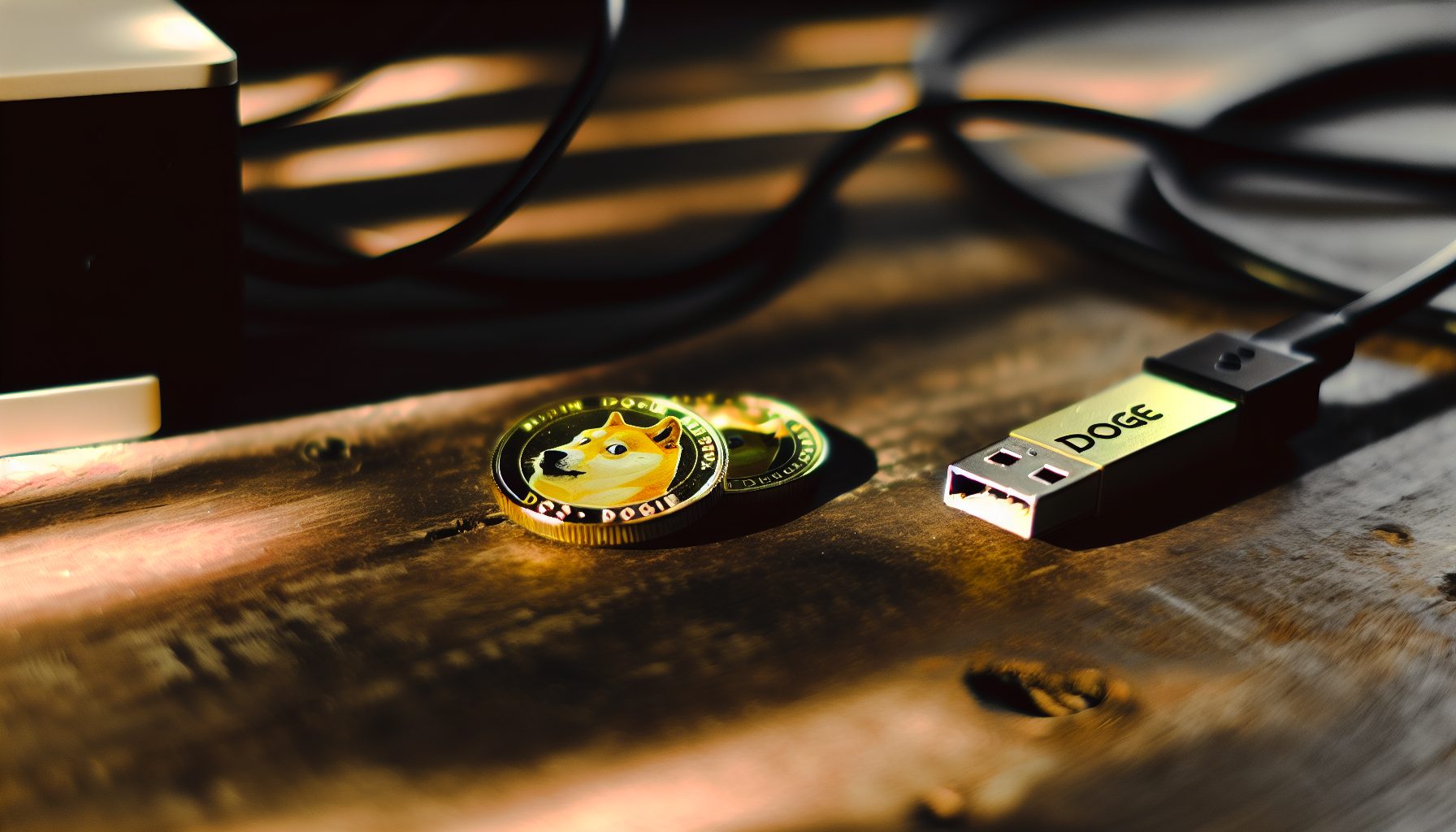
The Goldshell Mini-DOGE Pro is basically the gateway drug to solo mining. It’s a tiny USB stick that mines Dogecoin and other Scrypt coins, pulls maybe 10 watts from your laptop, and costs about as much as a new video game. Will it make you rich? Absolutely not. But will it teach you everything about solo mining without bankrupting you? Yeah, actually it will.
Real talk: I started with one of these before I ever touched a real ASIC. Made zero profit in dollars. Learned a thousand dollars worth of mining knowledge. And you know what? I still run it because watching that hashrate counter is weirdly addictive.
Here’s the thing about using the Goldshell unit for solo mining — it’s essentially playing the world’s slowest lottery. Your odds of hitting a Dogecoin block solo with 205 MH/s are… astronomical. We’re talking strike-by-lightning-while-holding-a-winning-lottery-ticket kind of odds. But that’s not really the point, is it?
What Makes the Mini-DOGE Pro Different from Regular USB Miners
First off, most USB miners you find online are either ancient Gridseed sticks from 2014 or sketchy no-name brands that arrive dead. The Mini-DOGE Pro is different because Goldshell actually has a reputation to protect — they make serious ASICs that cost thousands, so they can’t afford to ship garbage USB sticks.
This little thing pumps out 205 MH/s on the Scrypt algorithm. That’s the same algorithm that powers Dogecoin, Litecoin, and a bunch of other coins that peaked in 2026 and are now quietly chugging along. For comparison, that’s about the same hashrate as 40 old Gridseed USB miners combined, but in a single stick that doesn’t need its own power supply.
Power consumption sits around 10 watts. That’s basically nothing. Your phone charger probably uses more power. This means you can run it 24/7 without your electricity bill looking weird, which is actually pretty important if you’re 13 and your parents monitor that stuff. Don’t make my mistake: I once ran a GPU rig without asking and the electricity bill jumped $80 in a month. Not fun explaining that one.
The build quality is solid. It’s got a metal casing that actually helps with heat dissipation, and there’s a tiny fan inside that’s surprisingly quiet. You can hear it if the room is completely silent, but it’s not annoying like some ASICs that sound like jet engines.
205 MH/s Scrypt hashrate, 10W power draw, perfect entry point for learning solo mining without major investment. Runs cool and quiet enough for bedroom setup.
Setting Up Your Mini-DOGE for Solo Mining Dogecoin
Here’s where things get interesting. Most people who buy this thing just point it at a regular mining pool and earn like 30 cents a month. Boring. We’re solo miners, so we’re doing this properly.
You’ll need three things: the miner itself, the Goldshell mining software, and a Dogecoin full node running on your computer. Yeah, you could technically point it at a solo mining pool, but where’s the fun in that? Plus you’re trusting someone else’s node, and in solo mining, running your own node is half the point.
Setting up a Dogecoin Core node is actually easier than you’d think. Download it from dogecoin.com, install it, and let it sync. Fair warning: the blockchain is about 70GB now, so make sure you’ve got space. The sync takes maybe a day on decent internet. I usually just start it before bed and let it run overnight.
Once your node is synced, you need to edit the dogecoin.conf file to enable mining. Add these lines:
server=1
rpcuser=yourusername
rpcpassword=yourlongpasswordhere
rpcallowip=127.0.0.1
Restart Dogecoin Core, and now your node is ready to accept mining connections. The Goldshell software is pretty straightforward — you just point it at localhost:22555 (that’s Dogecoin’s RPC port), enter your username and password, and hit start.
The cool part is: you can actually watch your node in real-time as it checks blocks. Every time your Mini-DOGE submits a share, you’re essentially buying a lottery ticket for that block. With 205 MH/s against a network hashrate of around 1,200 TH/s… yeah, do the math on those odds.
For those wondering about other Scrypt coins — yeah, you can solo mine Litecoin too, but your odds are even worse because the network hashrate is higher. Some people point these at smaller Scrypt coins like Verge or DigiByte, where your odds might be slightly less astronomically bad. But honestly, if you’re doing this for learning, stick with Dogecoin. The community is way more fun, and there’s something silly-but-awesome about solo mining the meme coin.
Software Alternatives and Configuration Tips
The official Goldshell software works fine, but some people prefer using cgminer or bfgminer instead. These give you more control over things like frequency and voltage, though honestly with a USB stick there’s not much to tweak. The firmware is locked down pretty tight to prevent you from frying it.
One thing I discovered by accident: the Mini-DOGE Pro actually runs slightly cooler if you prop it up vertically instead of laying it flat. The airflow works better that way. I use a little phone stand I got from the dollar store. Temps dropped from around 65°C to 58°C, which probably doesn’t matter much for longevity but makes me feel better.
Real Talk About Solo Mining Odds with 205 MH/s
Let’s do the math that nobody wants to do but everybody should. Current Dogecoin network hashrate hovers around 1,200 TH/s. That’s 1,200,000,000 MH/s. Your Mini-DOGE Pro contributes 205 MH/s to that.
Your share of the network: 0.0000171%.
Dogecoin produces one block per minute. That’s 1,440 blocks per day, 525,600 blocks per year. With your tiny slice of the hashrate, your expected time to find a block is… approximately 8,956 years. Yeah. Not a typo.
But here’s the thing about probability — it’s a cruel mistress. You could hit a block tomorrow. You could run this for 50 years and never hit one. That’s the lottery aspect. The current block reward is 10,000 DOGE, which at $0.0937 per coin is actually… okay, that’s not life-changing money, but it’s a decent chunk of change for finding a random block.
Compare this to pool mining: if you point your 205 MH/s at a Dogecoin pool, you’ll earn roughly $0.30-$0.50 per month after pool fees. That’s consistent but boring. Solo mining gives you a 0.0000003% chance per block of earning 10,000 DOGE all at once. Completely different risk profiles.
Some people run multiple Mini-DOGE Pros to increase their odds. With 10 units (2,050 MH/s), your expected time to block drops to “only” 896 years. With 100 units… you’re spending $15,000 on USB miners when you could just buy an actual Scrypt ASIC. That’s the point where the math stops making sense.
If you want serious odds at solo mining Dogecoin, you need to jump up to something like an Antminer L7 or L9 with multiple gigahash of power. But those cost thousands and sound like vacuum cleaners. Different game entirely.
Electricity Costs and ROI Reality Check (Sorry)
Okay, time for the honest part that most reviews skip. Let’s talk money.
The Mini-DOGE Pro pulls 10 watts. Running 24/7, that’s 0.24 kWh per day, or 7.2 kWh per month. At the US average of $0.15 per kWh, that’s $1.08 per month in electricity. Not terrible, right?
Now your earnings in pool mining mode: roughly $0.40 per month. You’re losing $0.68 per month. Every month. Forever.
The hardware costs around $150 new (prices vary wildly depending on availability). At $0.68 loss per month… you will never break even. Not in 10 years. Not in 100 years. The hardware will die of old age first.
But here’s where it gets interesting: electricity costs vary wildly by location. If you live somewhere with super cheap power (like $0.05/kWh), your monthly cost drops to $0.36, and you might actually squeeze out a tiny profit of $0.04 per month. That’s still 312 years to break even on the hardware, but hey, technically profit!
Some people get creative. I know a guy who solar powers his USB miners — zero electricity cost, so the $0.40/month is pure profit. At that rate you break even in… 31 years. Still not great, but at least you’re headed in the right direction.
The honest answer is: you don’t buy this for profit. You buy it for education, for fun, for the tiny lottery chance of hitting a solo block. If you want actual mining profit, you need to scale way up. Like, hundreds of times up.
Hidden Gem: Using It as a Space Heater Bonus
Here’s something nobody talks about: that 10 watts of power consumption becomes 10 watts of heat. In winter, that’s 10 watts less heating your actual heater needs to produce. It’s not much, but technically every watt your miner produces offsets heating costs.
I run mine next to my desk in winter. Does it noticeably heat my room? No. Does it make me feel better about the electricity cost? Absolutely. It’s all about perspective, right?
Alternative Scrypt Coins for Better Solo Mining Odds
Look, solo mining Dogecoin with a USB stick is fun but statistically hopeless. So let’s talk about coins where your odds aren’t quite as catastrophic.
Some smaller Scrypt coins have way lower network hashrates. I’m talking about coins like Verge, Einsteinium, or DigiByte (on its Scrypt algo). The problem is: lower hashrate usually means lower coin value, and lower coin value means even if you hit a block, the reward isn’t worth much.
But here’s the strategy some people use: mine the obscure Scrypt coins when difficulty is low, hold them hoping for a pump, and cash out if they ever hit a major exchange. It’s basically lottery-ticket-on-top-of-lottery-ticket, but some folks claim it works. I’m skeptical, but I’ve seen weirder things happen in crypto.
The practical approach: stick with Dogecoin or Litecoin for the learning experience, but don’t expect to actually find blocks. Think of it more like donating hashrate to secure the network while learning how solo mining works. That sounds cheesy, but it’s honestly the healthiest mindset.
You could also try merge mining — some pools let you mine multiple Scrypt coins simultaneously. Your Mini-DOGE generates shares that count toward both Dogecoin and Litecoin blocks at the same time. This doubles your lottery chances without doubling your hardware. In pool mode this noticeably increases earnings, but for solo mining it just means you’re losing the lottery twice as often.
Comparing to Other Entry-Level Solo Mining Options
So you’ve got $150 to spend on your first mining hardware. What are your actual options?
The Mini-DOGE Pro is one path — quiet, tiny, easy to set up, learns you Scrypt mining. But there are alternatives worth considering.
You could buy a used GPU for roughly the same price. Something like an old RX 570 or GTX 1660 would give you way more flexibility — you can solo mine Ethereum Classic, Ravencoin, Ergo, or any other GPU-minable coin. Your odds of hitting a solo block on smaller networks are genuinely better than with the Mini-DOGE on Dogecoin. Plus GPUs hold their value better for resale. Check out our Ethereum Classic solo mining guide if this sounds interesting.
Or you could go CPU mining. If you already have a decent computer, solo mining Monero costs you nothing but electricity. Your odds with a modern 8-core CPU are actually comparable to the Mini-DOGE’s odds on Dogecoin — both terrible, but at least you didn’t buy extra hardware. Our Monero CPU solo mining guide breaks down the setup.
There are other USB miners too. The old Gridseed sticks are basically e-waste now but occasionally pop up for $20 on eBay. They do like 350 KH/s — utterly pointless but cheaper for learning. The Goldshell units are the modern equivalent with actual decent hashrates.
For SHA-256 (Bitcoin), USB miners are even more pointless because the network difficulty is insane. But Goldshell makes Bitcoin USB sticks if you want the educational experience there too. Expect even worse ROI though.
My honest recommendation: if you just want to learn and have fun, grab the Mini-DOGE. If you want to actually have a realistic (but still tiny) chance at solo blocks, spend that $150 on a used GPU instead. If you want real mining income, save up for a proper ASIC — but we’re talking thousands of dollars at that point.
My Personal Experience Running This Thing for Six Months
I bought my Mini-DOGE Pro in July last year. Paid $165 including shipping, which felt like a lot for what’s basically a USB toy. But I’d been watching YouTube videos about mining for months and finally convinced my parents it was “educational technology” (which… technically true?).
First week was super exciting. I set up my Dogecoin node, got everything running, watched the shares roll in. I calculated that with my hashrate, I had a 0.0003% chance of finding a block each day. That felt almost achievable! Then I did the actual math and realized that meant I needed to run it for almost 9,000 years.
Reality hit hard.
But here’s what happened: I started learning. Like, really learning. I figured out how difficulty adjustments work. I learned to read blockchain explorers. I joined the solo mining Discord communities and realized there’s this whole subculture of people doing exactly this — running tiny miners for fun, not profit.
Month three, the fan started getting louder. Turns out dust had built up inside. A quick blast with compressed air fixed it. That taught me about hardware maintenance.
Month four, I tried switching to different Scrypt coins to see if my odds improved anywhere. Spoiler: they didn’t really. But I learned how to set up nodes for multiple coins, which is actually a useful skill.
Month six (now), I still run it daily. Have I found a block? Of course not. Has it paid for itself? Not even close. But I’ve learned more about mining from this little USB stick than from hundreds of hours of YouTube videos.
The weirdest part: my friends think it’s the coolest thing ever. I brought it to school once (plugged into my laptop, mining during lunch break) and suddenly I was the crypto kid. Mixed blessing, that.
Advanced Tips for Optimizing Your USB Mining Setup
Okay, so you’ve got your Mini-DOGE running. Here’s some stuff that took me way too long to figure out.
First: USB port quality matters. Plug it into a USB 3.0 port if possible — not for speed, but for better power delivery. Some USB 2.0 ports on older laptops can’t consistently deliver the full 10 watts, and you’ll see hashrate drops. I had mine randomly dropping to 180 MH/s until I switched ports. Drove me crazy for weeks.
Second: cable length affects stability. If you’re using an extension cable, keep it under 6 feet. Longer cables mean more voltage drop, which can cause instability. The miner will still run but might have more hardware errors.
Third: heat management matters more than you’d think. Even though it’s just 10 watts, heat buildup can reduce the lifespan of the internal components. I made a little stand out of LEGO bricks (yeah, seriously) that props it vertical and allows airflow all around. Temps dropped noticeably.
Fourth: mining software settings. In the Goldshell software, there’s a setting called “frequency” that most people ignore. Default is usually fine, but if you’re getting lots of hardware errors, try dropping it one notch. You’ll lose maybe 5-10 MH/s but gain stability. In a lottery game, uptime matters more than peak hashrate.
Fifth: monitor your node, not just your miner. The weak point in solo mining is usually the node, not the hardware. If your Dogecoin Core crashes or gets out of sync, your miner is wasting electricity on outdated block templates. I set up a simple ping monitor that alerts me if the node stops responding. Saved me weeks of wasted mining.
Some people ask about overclocking USB miners. Don’t. The firmware is locked for a reason — these things run right at the edge of thermal limits already. Pushing them harder just means they’ll die sooner. And since you’re playing a 9,000-year lottery, you want that hardware lasting as long as possible, right?
Multi-Device Strategy for Slightly Less Terrible Odds
Here’s a strategy I’ve seen in the teenage miners community: run multiple Mini-DOGEs on different coins simultaneously. One on Dogecoin, one on Litecoin, maybe one on a small Scrypt coin. You’re spreading your lottery tickets across multiple drawings.
Mathematically, this doesn’t really change anything — you’re still losing money overall. But psychologically, it feels like you’re doing more. And who knows? Maybe you hit a block on the tiny altcoin that nobody else is mining. Long shot, sure, but that’s the whole point of solo mining.
Is the Mini-DOGE Pro Worth It for Solo Mining in 2026?
Here’s my final verdict after running this thing for months: it depends entirely on why you’re buying it.
If you want profit: No. Hard no. You will lose money. Even at the absolute lowest electricity costs, you’re barely breaking even on operations, and you’ll never recover the hardware cost. Buy Bitcoin with that $150 instead — you’ll almost certainly end up with more value.
If you want to learn solo mining: Yes, actually. This is maybe the cheapest way to learn proper solo mining without risking serious money. You’ll learn to set up nodes, configure mining software, understand blockchain mechanics, and join the solo mining community. That education is worth way more than $150 if you’re serious about mining.
If you want the lottery thrill: Maybe. Look, I’m not gonna lie to you — your odds are terrible. But sometimes terrible odds hitting would be the coolest thing ever. Some people spend $150 on actual lottery tickets each year. At least with this you get a learning experience and a conversation piece.
If you’re a collector or tech enthusiast: Yeah, it’s pretty cool to own. It’s a functioning ASIC you can hold in your hand. That’s legitimately neat.
The build quality is solid, Goldshell’s support is decent, and the device does exactly what it claims to do. No false promises, no scam vibes. That alone makes it better than 90% of “mining” products on Amazon.
Alternative consideration: that same $150 could buy you 1/10th of a share in a real mining operation through something like a mining co-op or rental service. You’d actually earn consistent (tiny) returns. But you wouldn’t learn anything about solo mining, which is kind of the whole point of this site.
Frequently Asked Questions About Solo Mining with Mini-DOGE Pro
Can the Goldshell Mini-DOGE Pro actually find a Dogecoin block solo?
Technically yes, mathematically extremely unlikely. With 205 MH/s against a network hashrate over 1,200 TH/s, your expected time to find a block is approximately 8,900 years. But probability doesn’t care about averages — you could theoretically hit one tomorrow, or never. That’s the lottery nature of solo mining. People have won bigger lotteries with worse odds, but counting on it would be financial suicide.
How much does it cost to run a Mini-DOGE Pro 24/7?
At 10 watts continuous draw, you’re using about 0.24 kWh per day or 7.2 kWh per month. At the US average electricity rate of $0.15/kWh, that’s roughly $1.08 per month. However, electricity rates vary wildly by location and time of day. Some places pay $0.30/kWh (ouch), others have off-peak rates as low as $0.05/kWh. Calculate your specific cost by checking your utility bill for the per-kWh rate.
Is solo mining with a USB miner better than joining a pool?
For consistent earnings, pools are objectively better — you’ll make $0.30-$0.50 per month reliably with the Mini-DOGE Pro in a pool. For educational value and the (tiny) chance at a 10,000 DOGE block reward, solo mining wins. It’s not about which is “better” — they serve completely different purposes. Pool mining is a side hustle (a terrible one, but still). Solo mining is a hobby-slash-learning-experience-slash-lottery-ticket. Choose based on your actual goals, not what YouTube tells you.
Can I run multiple Mini-DOGE Pros to improve my solo mining odds?
Sure, but the math scales linearly. Ten units give you 2,050 MH/s and drop your expected block time from 8,900 years to 890 years. Still not exactly encouraging. At some point you’re better off saving that money for a real Scrypt ASIC like an Antminer L3+ or L7, which would give you hundreds of times more hashrate per dollar. Multiple USB miners make sense if you’re teaching a class or want backup units, but not for seriously improving solo block odds.
What happens if I actually hit a solo block with my Mini-DOGE?
First, take a screenshot because nobody will believe you. Second, the block reward (10,000 DOGE) goes directly to the wallet address you configured in your Dogecoin node. It requires 100 confirmations before you can spend it, which takes about 100 minutes. Third, you’ll probably get some attention in the solo mining community — people love hearing about long-shot wins. Fourth, seriously consider playing the actual lottery because your luck is clearly insane. The current value of 10,000 DOGE is $0.0937 times 10,000, which… okay it’s not retire-money, but it’s a pretty sweet payoff for a $150 USB stick.