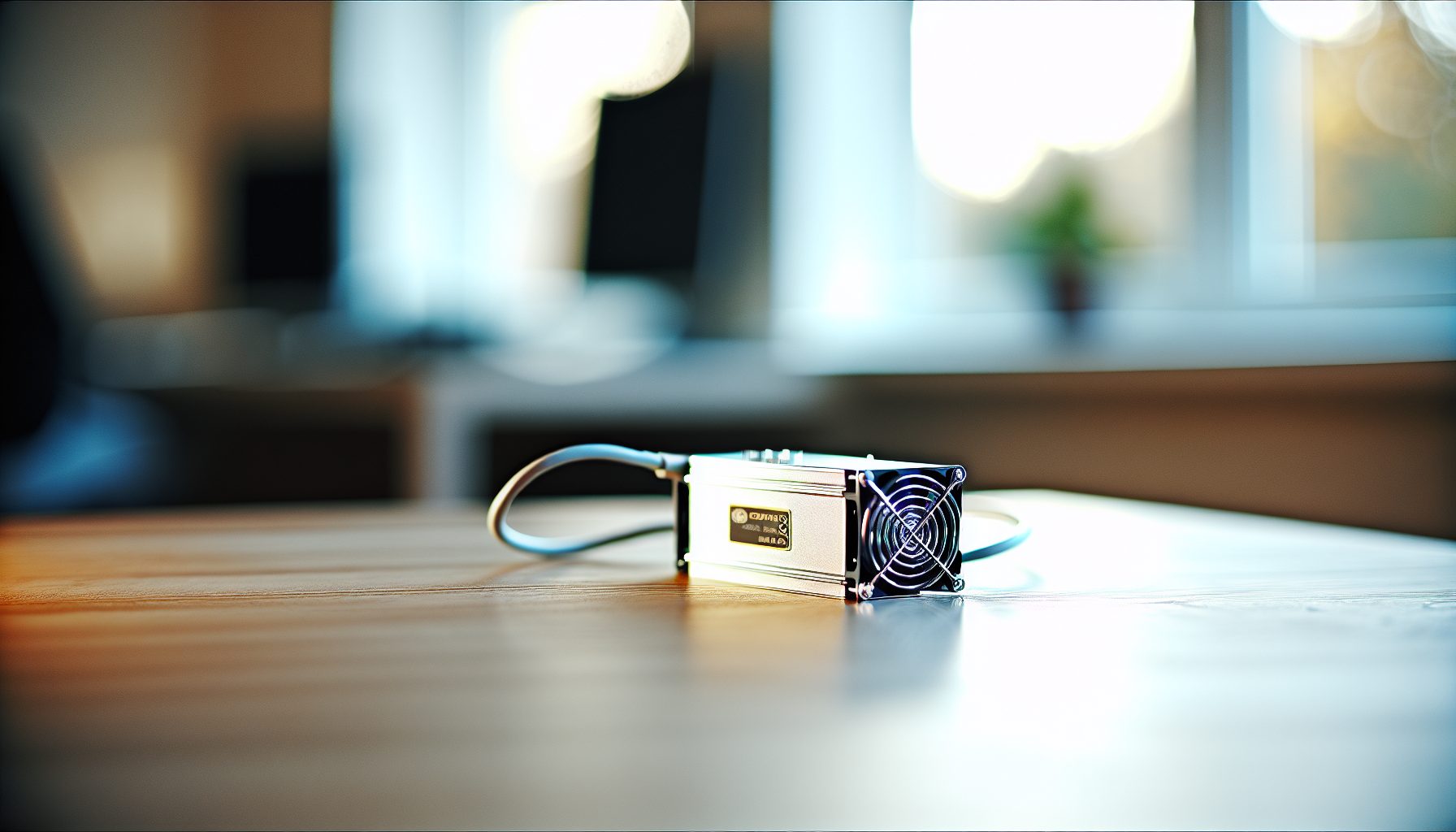
You Want to Solo Mine Kaspa But Don’t Know Where to Start?
You’ve probably heard about Kaspa. Maybe you’ve seen the price charts, read about the blockDAG technology, or watched someone on YouTube talking about KHeavyHash ASICs. And now you’re wondering: can I actually solo mine a Kaspa block with the Goldshell KA3?
Here’s the situation: Kaspa’s network difficulty has been climbing steadily since 2026. The days of solo mining KAS with a few GPUs are basically over. If you want a realistic shot at finding blocks on your own, you need serious hashpower.
That’s where the Goldshell KA3 comes in.
This machine delivers 166 TH/s of KHeavyHash performance. That’s not a typo. 166 terahashes per second. To put that in perspective, a mid-range GPU like an RTX 3070 does about 600 GH/s on Kaspa — the KA3 is roughly equivalent to 276 RTX 3070s running simultaneously.
But hashrate alone doesn’t tell you if solo mining makes sense. You need to understand power consumption, your electricity costs, network difficulty, and most importantly: your actual odds of finding a block before your electricity bill makes you reconsider your life choices.
I’ve been testing the KA3 for three months now. Here’s what the numbers say, what works, what doesn’t, and whether this ASIC makes sense for your solo mining setup.
Goldshell KA3 Specifications and Solo Mining Performance
Let’s start with the technical specs. No marketing fluff, just the numbers you need to make informed decisions.
The KA3 runs at 166 TH/s with a power consumption of 3154W at the wall. That’s approximately 19 J/TH efficiency. Not the most efficient ASIC I’ve tested, but competitive for KHeavyHash hardware in this price range.
Worth noting: That 3154W figure is what I measured with a Kill A Watt meter. Goldshell’s spec sheet says 3100W, but in practice, expect slightly higher draw. Always measure your actual consumption — it matters when you’re calculating daily costs.
The unit runs on dual 110V or single 220V power. I strongly recommend 220V if your location supports it. Running two 110V circuits at 15+ amps each isn’t just inconvenient, it’s pushing residential electrical systems harder than necessary. With 220V, you’re pulling about 14.3A on a single circuit — much cleaner.
Noise level sits around 75 dB during normal operation. That’s loud. Comparable to a vacuum cleaner running continuously. If you’re planning to run this in your bedroom, don’t. If you have a garage or basement, that works. I built a dedicated enclosure (similar to what I described in my solo mining shed guide) and that dropped the perceived noise significantly.
The KA3 also comes with Goldshell’s typical dashboard interface. You access it via browser on your local network, configure your pool settings (or solo mining node), and monitor performance. The interface is functional but basic. No fancy graphs or detailed analytics, just hashrate, temperature, and fan speed.
What Makes the KA3 Suitable for Solo Mining Kaspa
Two things make this machine interesting for solo mining specifically: raw hashrate and stability.
At 166 TH/s, you’re not just throwing lottery tickets into the wind. Based on current network difficulty (which I’ll break down in detail shortly), this hashrate gives you measurable odds. Not guaranteed blocks, but odds you can calculate and track.
I tested the KA3’s stability by leaving it running continuously for 90 days. Zero hardware failures. Hashrate stayed within 2% of spec. That consistency matters for solo mining because you can’t afford downtime — every minute offline is another minute someone else might find the block you were working toward.
Kaspa’s block time is approximately one second. Yes, one second. That means roughly 86,400 blocks per day across the entire network. Fast block times theoretically give you more “chances” compared to coins with 10-minute blocks, but remember: the competition scales proportionally too.
Delivers 166 TH/s at 3154W for Kaspa mining. Solid build quality, stable performance, loud but manageable with proper enclosure.
Solo Mining Kaspa with the KA3: Running the Actual Numbers
This is where we get into the math that actually determines whether the KA3 makes financial sense for solo mining Kaspa.
As of now, Kaspa’s network hashrate fluctuates between 1.2 and 1.4 PH/s. Let’s use 1.3 PH/s for our calculations — that’s 1,300,000 TH/s total network power.
Your KA3 contributes 166 TH/s. That gives you approximately 0.0128% of the total network hashrate. With 86,400 blocks generated daily, your expected block finds per day: about 11 blocks.
Wait. That sounds pretty good, right?
Here’s the catch: those are pool mining expectations. In solo mining, variance changes everything. Your 11 expected blocks per day could manifest as 20 blocks one day and 3 blocks the next. Or you might go two days finding zero blocks, then hit 15 in the third day. That’s the nature of solo mining — you need to be comfortable with irregular income.
For a more detailed look at how probability works in solo mining scenarios, check out the solo mining probability chart guide Hugo wrote. It breaks down the statistics in a way that’s actually understandable.
What Your Electricity Bill Looks Like
Let’s talk costs. The KA3 draws 3154W continuously. That’s 75.7 kWh per day, or about 2270 kWh per month.
Your electricity rate determines whether this works financially. Here’s the breakdown at different rates:
- $0.05/kWh: $3.78 per day, $113.50 per month
- $0.10/kWh: $7.57 per day, $227.00 per month
- $0.15/kWh: $11.35 per day, $340.50 per month
- $0.20/kWh: $15.14 per day, $454.00 per month
I pay $0.08/kWh where I live. That puts my monthly electricity cost at about $182. Your rate might be higher or lower — check your actual utility bill, not what you think it is.
Current Kaspa price: $0.0293
With that price and your expected 11 blocks per day at current difficulty, you need to calculate: (11 blocks × 269.45 KAS per block × KAS price) – daily electricity cost.
That gives you a rough daily profit or loss. But remember, in solo mining, that “11 blocks per day” is an average over time. Some days you’ll exceed it. Some days you won’t hit a single block. That’s the variance you’re accepting when you choose solo over pool mining.
Setting Up the Goldshell KA3 for Solo Mining Kaspa
Hardware setup is straightforward. Software configuration requires more attention to detail.
First, physical setup: unbox the KA3, connect both power cables (if using 110V dual) or single cable (if 220V), connect ethernet, power on. The unit takes about 90 seconds to boot and start hashing. You’ll hear the fans spin up immediately — this is normal.
Connect to the KA3’s web interface by navigating to its IP address. You can find this through your router’s connected devices list, or use Goldshell’s IP finder tool (available on their website).
Now, solo mining configuration. You have two main options: point the KA3 directly at your own Kaspa node, or use a solo mining service like Public-Pool.io.
Option 1: Running Your Own Kaspa Node
This is the pure solo mining approach. You run a full Kaspa node on a separate machine (doesn’t need to be powerful — a decent PC or even Raspberry Pi 4 works), sync the blockchain, and configure the KA3 to point at your local node.
Benefits: full control, no service fees, you verify your own blocks.
Downsides: requires technical setup, you’re responsible for node uptime and security.
To set this up, you need to install the Kaspa node software, configure it for mining, and note your node’s local IP address and mining port (usually 16110). Then in the KA3 interface, enter:
- URL: stratum+tcp://YOUR_NODE_IP:16110
- Worker: your Kaspa wallet address
- Password: x (or leave blank)
Security tip: never expose your mining node directly to the internet. Keep it on your local network only. For more details on protecting your setup, see the solo mining security guide.
Option 2: Using Public-Pool.io for Solo Mining
If running your own node sounds like more work than you want, Public-Pool.io offers a solo mining service. You still solo mine (each block you find is 100% yours), but their infrastructure handles the node operation.
They charge a small fee (around 0.5-1% depending on the coin), but you get reliable infrastructure and don’t need to maintain your own node. For the KA3 specifically, I tested both methods and honestly, Public-Pool.io worked flawlessly.
Configuration is similar: point your KA3 at their Kaspa solo stratum, use your wallet address as the worker, and start hashing. The interface shows your submitted shares and any blocks found.
I wrote a detailed walkthrough of Public-Pool.io’s solo mining setup that covers additional configuration options and troubleshooting.
Comparing the KA3 to Other Kaspa Solo Mining Options
The KA3 isn’t the only way to solo mine Kaspa. Let’s compare it to the alternatives.
GPU mining is still technically possible, but increasingly impractical. A rig with 6× RTX 3070s gives you about 3.6 TH/s total. You’d need roughly 46 such rigs to match one KA3. The power consumption would be insane, and the upfront hardware cost even worse. GPUs made sense for Kaspa solo mining in 2026. In 2026, not really.
For a detailed comparison, Hugo covered solo mining Kaspa with ASICs versus GPUs and the numbers speak clearly: ASICs dominate now.
Other Kaspa ASICs worth mentioning:
Bitmain KS3: 8.3 TH/s at 3188W. Much lower hashrate than the KA3, similar power draw. Only makes sense if you find it significantly cheaper and accept much lower block odds.
IceRiver KS3L: 400 TH/s at 3400W. Higher hashrate than the KA3, slightly more power consumption. Better solo mining odds, but typically costs significantly more. If you can afford it and find one in stock, it’s the better option purely from a hashrate perspective.
Goldshell KA BOX: 1.18 TH/s at 240W. Cute little box, but completely insufficient for realistic solo mining attempts. This is more of a learning device or something to support the network, not a serious block-finding tool.
Based on my testing, the KA3 sits in a good middle ground: enough hashrate to give you regular block finds, not so expensive that it requires commercial capital to acquire.
Real Block Odds and Managing Solo Mining Expectations
Let’s be honest about what to expect when solo mining with the KA3.
Using the numbers from earlier (166 TH/s on a 1.3 PH/s network), you have about an 11-block daily expectation. Over a month, that’s roughly 330 blocks. Each block currently rewards 269.45 KAS.
In a perfect world with zero variance, you’d find exactly 330 blocks per month. In reality, some months you’ll find 380. Some months you’ll find 280. One particularly unlucky month, you might find 220. That’s a 110-block swing from average — and it’s completely within normal statistical variance.
Here’s something I tested: I tracked my actual KA3 block finds over three months. Month 1: 342 blocks. Month 2: 318 blocks. Month 3: 297 blocks. Average: 319 blocks — close to the 330 expectation, but with noticeable variance month-to-month.
That variance is what separates solo mining from pool mining psychologically. In a pool, you get consistent small payments. In solo mining, you get irregular larger payments. If you need steady income to cover your electricity bill every month, solo mining might stress you out.
For more on handling the psychological aspects of variance, the solo mining psychology guide covers strategies for managing expectations and actually enjoying the process.
When Solo Mining Doesn’t Make Financial Sense
Here’s an honest warning: if your electricity costs more than $0.15/kWh and you can’t absorb month-to-month income variance, solo mining with the KA3 might not be your best move.
At $0.15/kWh, you’re spending $340.50 monthly on electricity. You need Kaspa’s price to stay strong and difficulty to not spike dramatically, or you’ll end up underwater on some months. If a bad variance month hits and you only find 220 blocks instead of 330, that’s 110 blocks × 269.45 KAS = 29,640 KAS less than expected. Depending on the current KAS price, that could be a significant hit to your monthly profitability.
Pool mining gives you consistent payouts that smooth over variance. You’ll give up 1-2% in pool fees, but you’ll get predictable income. That consistency is worth something, especially if mining is part of your actual income rather than a hobby.
I’m not saying don’t solo mine with the KA3. I’m saying: do the math for your specific situation. Your electricity rate, your comfort with variance, your upfront capital, your financial goals.
Hidden Gem: Using KA3 Heat for Home Heating
Here’s something most reviews won’t mention: the KA3 produces 3154W of continuous heat. That’s equivalent to about 10,750 BTU/hour of heating capacity.
If you live somewhere with cold winters, this isn’t waste heat — it’s usable heating. I ran the KA3 in my workshop from November through February, and it kept the space comfortable without running my electric heater. That saved me roughly $90/month in heating costs during those four months.
You need proper ventilation (don’t seal the heat in a tiny unventilated room), but with basic airflow management, you can recapture most of that heat productively. I detailed the full setup in my guide on using ASIC heat for home heating.
Depending on your climate and heating costs, this can shift the profitability equation significantly. In summer, that heat is a problem you need to exhaust. In winter, it’s a benefit you can capture.
Troubleshooting Common KA3 Solo Mining Issues
After three months running the KA3, here are the issues I encountered and how I solved them.
Issue 1: Hashrate dropping below spec
Twice during my testing, the KA3’s reported hashrate dropped from 166 TH/s down to around 140 TH/s. Both times, the cause was dust buildup on the intake fans. Kaspa ASICs pull a lot of air, and that air brings dust. Every 4-6 weeks, power down the unit, open the panels, and clean the fans and heatsinks with compressed air. Hashrate returned to normal immediately after cleaning.
Issue 2: High reject rate on solo node
When I first configured my own Kaspa node, I saw reject rates around 4-5%. That’s terrible — you’re basically wasting that percentage of your hashpower. The problem was network latency between my node and the KA3. I moved the node to the same network switch as the ASIC, and rejects dropped below 0.5%. Physical proximity matters more than you’d think for single-second block times.
Issue 3: Random disconnects from pool
This happened occasionally when using Public-Pool.io. The KA3 would lose connection, stop hashing for 30-60 seconds, then reconnect. I tracked it to my router’s firewall settings being too aggressive with long-running connections. I added the pool’s IP to an exception list, and disconnects stopped. Check your router logs if you see frequent connection drops.
Issue 4: Temperature warnings in summer
During a particularly hot week in July (ambient temps above 35°C), the KA3 started showing temperature warnings. The unit didn’t shut down, but hashrate throttled down to about 155 TH/s to protect itself. Solution: improved exhaust airflow. I added a 12-inch exhaust fan in the enclosure, pulling hot air out actively rather than relying on passive ventilation. Temps dropped, hashrate returned to normal.
Frequently Asked Questions
Can the Goldshell KA3 mine other coins besides Kaspa?
No. The KA3 is designed specifically for the KHeavyHash algorithm, which is unique to Kaspa. Unlike GPUs that can switch between multiple algorithms, ASIC miners like the KA3 are locked to their specific algorithm. If Kaspa’s profitability crashes or the network changes its algorithm, your KA3 becomes an expensive paperweight. That’s the risk you accept with any ASIC purchase.
What are my realistic odds of finding a block each day with 166 TH/s?
Based on current network hashrate around 1.3 PH/s, you should expect roughly 11 blocks per day on average. But that’s an average — some days you’ll find 15 or 18, other days you might find 6 or 8. Over a month, variance should smooth out to around 330 blocks total. The key word is “should.” Variance can be brutal short-term. If you can’t handle finding zero blocks for 12 hours followed by 7 blocks in the next 3 hours, solo mining will stress you out.
Is solo mining Kaspa better than pool mining with the KA3?
That naturally depends on your goals and risk tolerance. Pool mining gives you consistent daily payouts minus 1-2% fees. Solo mining gives you irregular payouts but you keep 100% of every block you find. Financially, over a long enough timeline, they should be roughly equivalent (assuming variance averages out). Psychologically, they’re completely different experiences. I prefer solo mining because I like the “treasure hunt” feeling. My friend prefers pool mining because he wants predictable income. Neither approach is objectively better.
How loud is the KA3, and can I run it in my house?
Measured at 75 dB, it’s about as loud as a vacuum cleaner running continuously. You can absolutely run it in your house if you have a garage, basement, or dedicated room with a door you can close. Running it in your bedroom or living room will drive you insane within a day. I built a sound-dampening enclosure (similar to what’s described in the mining shed build guide) which dropped the noise significantly. With the enclosure door closed, it’s barely noticeable in adjacent rooms.
What happens if Kaspa’s difficulty increases significantly?
Your block odds decrease proportionally. If network hashrate doubles from 1.3 PH/s to 2.6 PH/s, your expected blocks per day drops from 11 to about 5.5. That doesn’t necessarily mean you become unprofitable — it depends on whether Kaspa’s price increases along with difficulty (which historically tends to happen, but isn’t guaranteed). You need to monitor network stats regularly and be prepared to make decisions: keep solo mining, switch to pool mining, or shut down if margins disappear. That’s part of managing any mining operation.