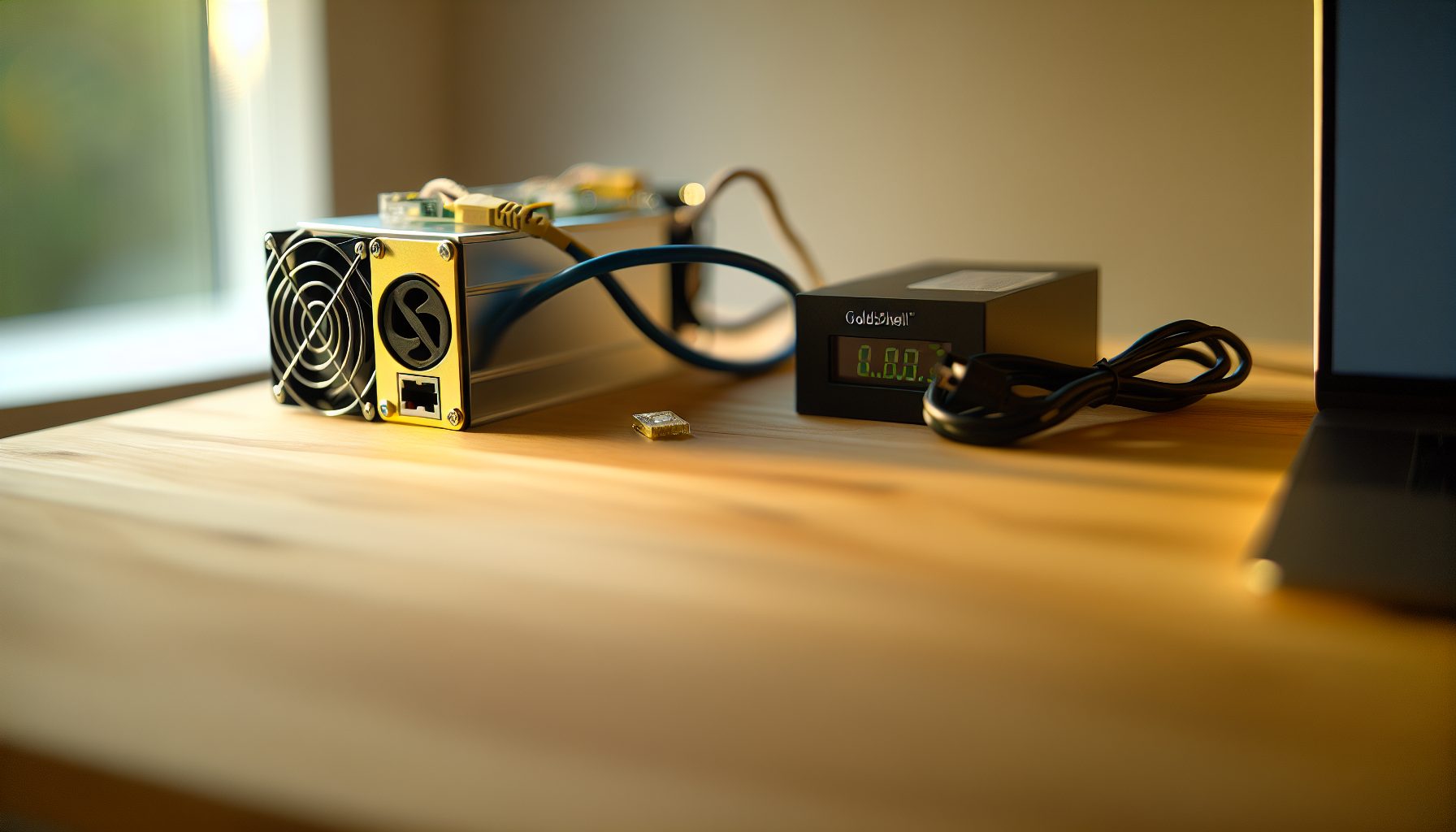
You want to get into mining but don’t know where to start? Honestly, I was in the same spot a while back. Too many coins, too many algorithms, and everyone telling me I needed a massive rig.
Then I found the Goldshell AL Box.
This compact little miner changed how I think about solo mining. It’s small enough to fit on my desk, quiet enough that it doesn’t drive my sister crazy through the wall, and it mines Alephium — a coin that’s actually pretty solid for solo mining attempts.
Real talk: The first week I ran it, I didn’t find a block. Second week, nothing. But week three? Dude, when I saw that notification pop up on my node… 625 ALPH straight to my wallet. No pool. No fees. Just me and the blockchain.
Let me show you exactly how to set up the AL Box for solo mining Alephium, what your actual odds are, and whether this makes sense for you in 2026.
What Makes the Goldshell AL Box Different for Solo Mining
The AL Box isn’t your typical ASIC. Most miners are loud, hot, and basically industrial equipment. This thing? 230 watts, 360 GH/s on Blake3, and about as loud as a desk fan.
For solo mining specifically, it hits a sweet spot. The hashrate is high enough that you’re not completely hopeless, but the power draw is low enough that you can actually run it 24/7 without watching your electricity bill explode.
Alephium uses the Blake3 algorithm, which is fairly new. That means the network difficulty isn’t insane yet compared to Bitcoin or even Litecoin. The AL Box can actually contribute meaningful hashrate to the Alephium network — currently around 0.02-0.04% of the total network depending on the day.
Yeah, that sounds tiny. But in solo mining, tiny percentages actually matter.
Blake3 Algorithm Advantages
Blake3 is fast and energy-efficient. The cool part is that it’s optimized for modern hardware, which means the AL Box can pull really good efficiency numbers. We’re talking about 0.64 J/GH — way better than older algorithms.
The algorithm is also ASIC-friendly by design. Unlike some coins that try to be ASIC-resistant (and fail), Alephium embraced ASICs from the start. This means your AL Box isn’t fighting against algorithm changes or potential forks.
Goldshell AL Box Specifications for Solo Mining
Let’s get into the actual numbers because this matters when you’re calculating block finding odds.
- Hashrate: 360 GH/s ±5%
- Power consumption: 230W from the wall
- Efficiency: 0.64 J/GH
- Noise level: 35 dB (seriously quiet)
- Size: 178mm x 150mm x 160mm
- Cooling: Dual fan setup
- Network: Ethernet only (no WiFi)
The efficiency is actually where this miner shines. At $0.10/kWh electricity, you’re looking at about $16.50 per month in power costs. That’s manageable even if you’re mining from your bedroom like me.
Compare that to something like the Antminer S19k Pro which pulls 2400W for Bitcoin mining. The AL Box is in a completely different category for home miners.
360 GH/s Blake3 miner pulling just 230W. Perfect size for home solo mining Alephium without industrial noise or power requirements.
Setting Up Your Alephium Node for Solo Mining
Here’s where it gets real. You can’t solo mine without running your own node. Pools are easy — just point your miner and forget it. Solo mining means you need to understand the blockchain.
First step: Download the Alephium full node software from the official GitHub. You’ll need a computer that can stay online 24/7. Doesn’t need to be powerful — I run mine on an old laptop with an SSD.
Node System Requirements
Minimum specs that actually work:
- 4GB RAM (8GB recommended)
- 50GB free SSD space (blockchain grows over time)
- Stable internet connection
- Windows, Mac, or Linux
The initial blockchain sync takes about 2-4 hours depending on your internet speed. Don’t skip this step — your miner can’t submit valid blocks if your node isn’t fully synced.
I have a detailed walkthrough on setting up an Alephium node for solo mining that covers all the command line stuff if you’re new to this.
Configuring Your Node for Mining
Once synced, you need to enable mining in the node configuration. Open the user.conf file and add:
alephium.mining.api-interface = "0.0.0.0"
This lets your AL Box connect to the node. By default, the mining API runs on port 10973.
Create a mining wallet address through the Alephium desktop wallet. Important: Write down your seed phrase and store it somewhere safe. When you find a block, those 625 ALPH (current block reward) go straight to this address. No pool to hold it, no recovery option if you lose access.
Seriously, check out the guide on wallet security for solo mining before you start. I’ve heard horror stories of people losing block rewards because they didn’t backup properly.
Connecting the AL Box to Your Node
The AL Box has a web interface that’s actually pretty straightforward. Plug it into power and ethernet, then find its IP address on your router.
Open the web interface by typing the IP into your browser. Default login is usually admin/admin (change this immediately for security).
Mining Configuration Settings
Navigate to the mining settings page. You’ll see fields for pool URL and worker name. For solo mining, you’re pointing directly to your node instead of a pool.
Enter your node’s local IP address and port. Format looks like:
http://192.168.1.XXX:10973
Replace XXX with your actual node computer’s IP address. The port 10973 is standard for Alephium mining API.
In the wallet address field, paste your Alephium address that you created earlier. Double-check this — one wrong character and you’ll never see your block rewards.
Save and restart the miner. Within 30 seconds, you should see the hashrate appear in your node’s mining dashboard.
Real Solo Mining Odds with the AL Box
Okay, let’s talk about the elephant in the room. What are your actual chances of finding a block?
Current Alephium network hashrate sits around 1.2 TH/s. Your AL Box contributes 360 GH/s. That’s about 0.03% of the total network.
Alephium has a unique sharding system with 16 groups. Block time averages 64 seconds across all shards. This means approximately 1,350 blocks per day across the entire network.
With 0.03% of the network hashrate, statistically you should find about 0.4 blocks per day. Or roughly 1 block every 2.5 days.
But here’s the thing about solo mining — variance is huge. You might find 2 blocks in one day, then nothing for a week. That’s not bad luck, that’s just how probability works.
Comparing to Pool Mining Returns
In a pool, you’d earn approximately 0.25 ALPH per day with 360 GH/s (minus pool fees). That’s steady, predictable income.
Solo mining, you get 625 ALPH every 2.5 days on average. Works out to 250 ALPH per day… if you hit the average.
The math clearly favors solo mining IF you can handle the variance. Some months you’ll crush it. Other months you’ll question your life choices.
No joke: My longest dry spell was 11 days. My shortest time between blocks was 4 hours. Solo mining is a rollercoaster.
Profitability and ROI Calculations
Let’s get into the real numbers because pretty charts don’t pay electricity bills.
Current Alephium price: $0.0781
AL Box specs again for reference:
- Power: 230W = 5.52 kWh per day
- At $0.10/kWh: $0.55 per day in electricity
- At $0.15/kWh: $0.83 per day
Expected earnings (based on finding 1 block every 2.5 days):
625 ALPH every 2.5 days = 250 ALPH per day average
At current prices, that’s solid returns. But here’s my honest warning: Alephium price fluctuates. Network difficulty increases as more miners join. Your daily average will change.
The AL Box itself costs around $800-1000 depending on where you buy it. If you hit your statistical average and Alephium price stays stable, you’re looking at 2-3 months to break even.
That’s actually really good compared to Bitcoin solo mining where you might never break even with a single ASIC.
Electricity Cost Reality Check
If your electricity is above $0.20/kWh, you need to do the math carefully. At $0.25/kWh, you’re spending $1.38 per day in power.
That’s still profitable at current Alephium prices, but your margins get tighter. Check out strategies for reducing solo mining electricity costs if you’re in a high-cost area.
I’m lucky with $0.11/kWh residential rates. My dad wasn’t thrilled about another miner running 24/7, but when I showed him the math and offered to pay my share of the power bill, he was cool with it.
Hidden Gem: Alephium’s Sharding Advantage
Here’s something most guides don’t explain properly. Alephium uses a sharded blockchain architecture with 16 groups.
What does this mean for solo mining? More block opportunities.
Instead of competing for one blockchain, you’re essentially competing across 16 parallel chains. Your AL Box mines across all shards simultaneously, which increases your chances of finding a block compared to a single-chain architecture.
This is different from Bitcoin where everyone competes for the same single block. Or even something like Ethereum Classic where the blockchain is singular.
The sharding system also means Alephium can process more transactions without congestion. For miners, this suggests long-term viability — the network can scale without needing massive overhauls that might break mining setups.
Network Growth Considerations
Alephium network hashrate has been growing steadily. In early 2026, total network was around 800 GH/s. Now it’s pushing 1.2 TH/s.
That 50% growth in under a year means your block finding odds decreased proportionally. Something to keep in mind — early solo miners had it easier.
But compared to trying to solo mine Bitcoin with old hardware where your odds are basically zero, Alephium is still accessible.
Advanced Setup Tips from Real Experience
After running the AL Box for months, here’s what I learned the hard way.
Network Connectivity Matters
Use a wired ethernet connection. I tried WiFi initially because my router is across the room. Bad idea. The miner would occasionally disconnect, and you lose mining time every time it reconnects to your node.
A 25-foot ethernet cable costs like $10. Worth it for stability.
Temperature Monitoring
The AL Box runs cool, but placement matters. Don’t stack it on top of other electronics or block the fan vents.
I keep mine on a wire shelf with good airflow. Internal temps stay around 55-60°C, which is perfectly safe for long-term operation.
Backup Node Strategy
This might sound paranoid, but I keep a backup node ready to go. If my primary node computer crashes or needs updates, I can quickly redirect the AL Box to the backup.
You don’t need two nodes running simultaneously. Just have the software installed and synced on a second machine. Update it weekly so it doesn’t fall too far behind.
Block Notification Setup
Configure your node to send notifications when you find a block. I use a simple script that pings my Discord webhook.
The moment you find a block, you want to know immediately. Not hours later when you randomly check. That first notification is genuinely exciting every single time.
Common Problems and Troubleshooting
Things will go wrong. Here’s what I’ve dealt with and how to fix it.
Miner Shows Zero Hashrate
First thing: Check if your node is actually running and synced. The AL Box can’t mine if the node is offline.
Second: Verify the IP address and port. If your router assigned a different IP to your node computer, the miner won’t connect.
I set up a static IP for my node computer to avoid this issue entirely.
High Reject Rate
If you’re seeing rejected shares above 2-3%, something’s wrong. Usually it’s network latency between the miner and node.
Make sure both devices are on the same local network. Don’t try to mine to a node hosted elsewhere — latency kills your chances.
Miner Keeps Restarting
Power supply issues or overheating. The AL Box comes with a power brick, but if you’re using a different one, make sure it can deliver stable 12V at 20A minimum.
Check the exhaust air temperature. If it’s uncomfortably hot, improve airflow around the unit.
Is the AL Box Worth It for Solo Mining in 2026?
Honestly? It depends on what you want from mining.
If you’re looking for guaranteed daily income, pool mining makes more sense. The AL Box in a pool will give you steady returns without the stress of dry spells.
But if you’re like me and you got into crypto because you love the technology and the gambler’s thrill of maybe hitting a block… solo mining with the AL Box is actually really fun.
The barrier to entry is low. $800-1000 for the hardware, minimal electricity cost, quiet enough to run in your room. You’re not betting your college fund or anything.
Compared to trying to solo mine Bitcoin where you need multiple S21s to even have a prayer (check the statistical analysis on solo mining success rates), Alephium with an AL Box gives you realistic odds.
Plus, running your own node and being a true solo miner teaches you way more about how blockchains actually work. I learned more in three months of solo mining than a year of just holding coins and reading Twitter.
Alternative Options to Consider
If you’re not sold on Alephium, the AL Box can be resold fairly easily. Blake3 miners have decent demand.
You could also look at other solo mining opportunities. The Goldshell HS6-SE for Siacoin is similar in terms of size and power consumption. Or if you want to go bigger, something like the Kadena ASIC setup offers different risk/reward profiles.
The beauty of starting with the AL Box is that it’s not a massive commitment. If solo mining isn’t for you, you learned the lesson cheaply.
Optimizing Your Solo Mining Strategy
Once you’re up and running, there are ways to improve your odds slightly.
Keep Your Node Updated
Alephium releases regular updates. New versions sometimes include performance improvements or bug fixes that affect mining.
Update your node during low-network-activity periods. I do mine Sunday mornings when I’m home to monitor it.
Monitor Network Difficulty
Network difficulty adjusts based on total hashrate. When difficulty spikes, your block finding odds decrease proportionally.
I track this weekly in a spreadsheet. Not because I do anything differently, but because it helps manage expectations. If difficulty jumped 20%, I know why my block frequency dropped.
Consider Multiple Units
This is where solo mining gets interesting. If you have the space and power budget, running 2-3 AL Box units significantly improves your odds.
With 1 TH/s total hashrate (about 3 units), you’re at roughly 0.08% of network. Your expected block time drops to under 1 day.
That’s still not pool-level consistency, but it’s way better than the 2.5-day average with one unit.
Comparing Solo Mining Profitability Across Coins
Let’s be real about how Alephium solo mining stacks up against other options in 2026.
Bitcoin solo mining with consumer hardware is basically impossible. Even with multiple S19 or S21 units, you’re fighting against exahashes of network power. Check the profitability comparison across different coins for detailed breakdowns.
Litecoin solo mining is slightly more accessible than Bitcoin, but you still need serious hashrate. The best Litecoin ASICs are expensive and power-hungry.
Kaspa solo mining is interesting right now. Network hashrate is growing fast, but block times are short (1 second), which means more opportunities. However, that also means more competition per block.
Alephium sits in a sweet spot. Network difficulty is manageable, block rewards are substantial, and the hardware requirements aren’t insane.
The Community and Support Resources
Something I really appreciate about Alephium — the community is actually helpful.
The official Discord has dedicated mining channels where people share configurations, troubleshoot issues, and celebrate block finds. Nobody’s gatekeeping information or acting superior.
Reddit’s r/Alephium community is smaller but active. Good place to ask questions without getting roasted for being new.
The developers are also responsive. I’ve seen them jump into Discord threads to help people debug node issues. That level of accessibility is rare in crypto.
Final Thoughts on the Goldshell AL Box for Solo Mining
The cool part is that this miner democratizes solo mining in a way that larger ASICs don’t.
You’re not investing $10,000 and praying. You’re spending under $1000, learning how blockchains work at a deep level, and actually having realistic chances of finding blocks.
My honest assessment: If you have decent electricity rates (under $0.15/kWh) and you’re genuinely interested in mining as a hobby, the AL Box is a solid entry point. You’ll probably profit eventually if you stick with it.
If you’re expecting to quit your job and mine full-time… no. That’s not happening with one AL Box. But as a side project that might actually make money while teaching you valuable skills? Yeah, it’s worth it.
The variance will test your patience. You’ll have weeks where you wonder if your setup is even working correctly. Then you’ll hit three blocks in five days and feel like a genius.
That’s solo mining. It’s not for everyone. But for those of us who love the technical challenge and the treasure-hunt aspect of cryptocurrency, it’s honestly the best way to mine.
Don’t fall for the common myths about solo mining being impossible for small miners. With the right hardware and realistic expectations, it absolutely works.
Frequently Asked Questions
How long does it take to find a block with the Goldshell AL Box?
With 360 GH/s on the current Alephium network (around 1.2 TH/s total), you should statistically find a block every 2-3 days. But variance is huge in solo mining. You might find blocks back-to-back or wait a week. Over months, it averages out to the statistical expectation, but short-term results swing wildly.
Can I run the AL Box without setting up a full node?
Technically no, not for true solo mining. You need a full node to validate blocks and submit your mining work directly to the blockchain. Some pools offer “solo mining” options where they handle the node infrastructure, but you’re trusting them with your block rewards and paying fees. Running your own node is essential for real solo mining where you control everything.
Is the AL Box loud enough to bother roommates or family?
At 35 dB, it’s quieter than most laptop fans. I run mine in my bedroom and it’s barely noticeable. The noise level is similar to a desktop fan on low setting. Way quieter than Bitcoin ASICs that sound like jet engines. If noise is a major concern for you, the AL Box is actually one of the best options for home mining.
What happens if I find a block but my node crashes right after?
The block is already on the blockchain once found. Your node crashing doesn’t invalidate it. The block reward will appear in your wallet address once you restart your node and it syncs. This is why wallet security is critical — make sure you have your seed phrase backed up. I learned this lesson when my node computer died and I had to restore everything.
Should I mine solo or join a pool with my AL Box?
Depends on your personality and financial situation. Pool mining gives you consistent small payments (around 0.25 ALPH daily) with minimal variance. Solo mining gives you 625 ALPH every few days on average, but some weeks you get nothing. If you need predictable income or can’t handle the stress of dry spells, pool mining is better. If you’re okay with variance and want the full block reward experience, solo mining is way more fun. I prefer solo because finding that block myself feels incredible.