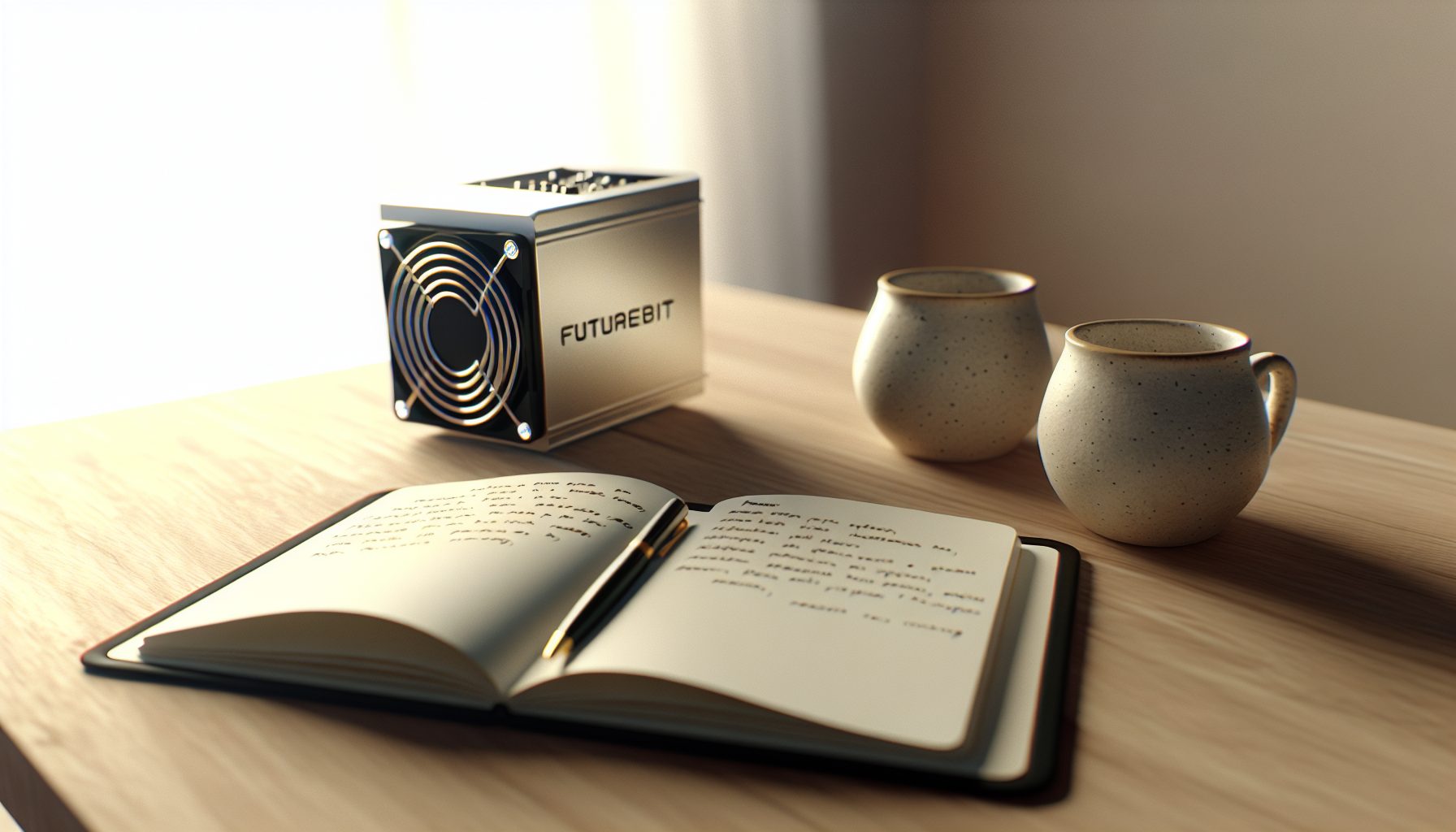
Look, I need to be honest right from the start — I’ve been running a FutureBit Apollo for about seven months now, and it’s become my favorite piece of mining hardware. Not because it’s going to make me rich (spoiler: it won’t), but because it’s actually teaching me how Bitcoin really works while giving me a legitimate shot at solo mining a block.
The cool part is: this thing is a full Bitcoin node AND a miner in one compact package. When I first set it up in my bedroom, I had no idea how much I’d learn just by watching it sync the blockchain and process transactions. Way different from just pointing a GPU at a pool.
Current BTC price sits at $65,107, and yeah, that affects the math. But honestly? If you’re buying an Apollo purely for profit, you’re missing the point. This is about learning, supporting the network, and having a real chance at hitting a solo block without spending $15,000 on an S21.
What Makes the FutureBit Apollo Different for Solo Mining
Most Bitcoin miners are just miners. You plug them in, point them at a pool, and hope for steady payouts. The Apollo is completely different.
It runs a full Bitcoin Core node directly on the device. That means you’re not trusting anyone else’s node — you’re validating every single transaction and block yourself. When you solo mine with an Apollo, you’re mining against YOUR OWN NODE. No pool software, no third-party dependencies, just you and the Bitcoin network.
The current Apollo II (the version I’m running) delivers about 2.2-2.8 TH/s depending on your power settings. Not impressive compared to industrial miners, but here’s what matters: it’s completely silent in ECO mode, draws only 200W, and you can run it in your room without going insane from the noise.
There are three operating modes:
- ECO Mode: ~200W, 2.2 TH/s, basically silent (35 dB)
- Balanced Mode: ~250W, 2.5 TH/s, quiet fan hum (45 dB)
- Turbo Mode: ~300W, 2.8 TH/s, noticeable but not crazy (55 dB)
I run mine in Balanced mode most of the time. Turbo is honestly overkill for what you get — an extra 0.3 TH/s isn’t worth the heat and noise in my setup.
The Bitcoin node functionality is what sold me. I can check my mempool, verify transactions, and even run Lightning Network stuff if I want. It’s like having a dedicated Bitcoin computer that also happens to mine. Compare that to something like a Raspberry Pi Bitcoin mining setup — the Pi can run a node, but it can’t mine worth anything. The Apollo does both properly.
My Apollo Solo Mining Setup Experience
When the package arrived, I was expecting some complicated server-style installation. Nope. The Apollo comes pre-configured with everything you need.
First boot took about 20 minutes to sync the initial blockchain state. FutureBit ships these with a partially synced blockchain (called “assumevalid”) so you’re not waiting three days for the full sync. Smart move. Within an hour, I was fully synced and mining.
The web interface runs on the Apollo itself — you just connect to its IP address from any browser on your network. No special software needed. The dashboard shows your hashrate, node status, connected peers, mempool activity, and mining stats all in one place.
Here’s what I wish I knew earlier: set up port forwarding right away. The Apollo works fine without it, but opening port 8333 lets your node accept incoming connections, which helps the network and improves your sync reliability. Took me three weeks to figure that out because I’m not exactly a networking expert.
Temperature management is pretty straightforward. In ECO mode, my Apollo sits at about 55°C. Balanced mode pushes it to 65°C. Turbo can hit 75°C, which is totally safe but makes me nervous anyway. I keep a small desk fan pointed at it during summer, which drops temps by 5-8 degrees.
One thing that surprised me: the Apollo uses a LOT of disk I/O for the node. You want decent cooling for the SSD, not just the mining chips. I added a small heatsink to the SSD compartment after I noticed it getting warm during heavy blockchain sync activity.
Full Bitcoin node + 2.2-2.8 TH/s solo miner in one quiet package. Draws 200-300W depending on mode. Actually works as a daily Bitcoin node computer.
Real-World Hashrate and Performance Testing
FutureBit claims 2.8 TH/s max hashrate. In my testing, that’s accurate — but only in Turbo mode at the full 300W power draw.
I’ve been tracking my actual performance across all three modes for months. Here’s what I consistently see:
ECO Mode (200W): Averages 2.15-2.25 TH/s. Sometimes dips to 2.1 TH/s during hot days when my room hits 28°C. Rock solid stable though — never crashes, never thermal throttles beyond reasonable limits.
Balanced Mode (250W): Steady 2.45-2.55 TH/s. This is my default setting. Sweet spot between efficiency and performance. The fan noise is barely noticeable with headphones on or music playing.
Turbo Mode (300W): Hits 2.75-2.85 TH/s when cool. Drops to 2.65-2.75 TH/s when ambient temps are high. The extra hashrate costs 50W more than Balanced — that’s only a 12% hashrate increase for a 20% power increase. Not efficient.
Power consumption is accurate to within 5W of FutureBit’s specs. I measured with a Kill-A-Watt meter over a full week. ECO mode pulled 198-203W, Balanced sat at 247-253W, and Turbo ranged from 295-305W depending on load.
The efficiency works out to roughly 100-110 J/TH in Balanced mode. That’s obviously terrible compared to an S21 (around 17 J/TH), but the Apollo isn’t competing with industrial hardware. For a home device that runs a full node, it’s actually decent.
One important detail: the Apollo’s hashrate doesn’t fluctuate wildly like GPU mining does. Bitcoin ASIC chips are purpose-built — they just run at whatever frequency you set and deliver consistent hashes. No driver crashes, no DAG file issues, no weird algorithm switching problems.
Solo Mining Bitcoin Block Odds with an Apollo
Alright, let’s talk about the elephant in the room: your actual chances of finding a block.
At 2.5 TH/s (my Balanced mode average), you’re contributing about 0.0000005% of the Bitcoin network’s total hashrate. The network currently runs at roughly 550-600 EH/s. Do the math, and it’s not pretty.
Using the solo mining probability formulas, here’s your realistic odds:
- Daily chance: About 1 in 6 million
- Monthly chance: About 1 in 200,000
- Yearly chance: About 1 in 16,000
- 10-year chance: About 1 in 1,600
Yeah. Those are lottery odds. Don’t make my mistake: I started with this romantic idea that I’d hit a block within six months. Not happening. Statistically, if 1,600 people run Apollos for 10 years, only one of them finds a block.
But here’s the thing — someone IS finding blocks. Check out the database of every Bitcoin solo block win, and you’ll see small miners occasionally getting lucky. Last year, someone with only 10 TH/s (about 4 Apollos) found a block. Paid out over $400,000 at the time. Insane luck, but it happened.
Compare this to something like Dogecoin solo mining where blocks come every minute, or Litecoin solo mining where difficulty is lower. Bitcoin is the ultimate lottery ticket because blocks are rare (every 10 minutes network-wide) and difficulty is astronomical.
The cool part is: every single hash you submit is a completely independent chance. It doesn’t matter that you’re tiny. If your hash matches the target, you win. Period. That’s the beauty of solo mining — managing those expectations is the real challenge.
Electricity Costs and ROI Reality Check
Let’s do the honest math because this is where most reviews get fuzzy.
My electricity costs $0.14/kWh. Running the Apollo in Balanced mode (250W) for 24/7 operation:
- Daily power: 250W × 24h = 6 kWh
- Daily cost: 6 kWh × $0.14 = $0.84
- Monthly cost: $0.84 × 30 = $25.20
- Yearly cost: $25.20 × 12 = $302.40
Now, if you pointed that 2.5 TH/s at a pool, you’d earn roughly $0.10-0.15 per day at current difficulty and Bitcoin prices. That’s $3-4.50 per month. You’re losing about $21 per month in electricity versus pool earnings.
Over a year, you’re down around $250 in electricity costs BEYOND what pool mining would earn. The Apollo II costs about $1,200-1,500 depending on where you buy it.
So the ROI question: Will this ever pay for itself?
Probably not. Unless you hit a block (statistically unlikely), or Bitcoin’s price explodes while difficulty stays flat (also unlikely), you’re running this at a loss. You need to be okay with that going in.
What you’re really paying for:
- Running your own Bitcoin full node (value: priceless for learning)
- Supporting Bitcoin decentralization (altruistic, no financial return)
- Having a legitimate lottery ticket every 10 minutes (entertainment value)
- Learning how Bitcoin actually works at a technical level (educational value)
I think of my $25/month electricity cost as tuition for an ongoing Bitcoin masterclass. That’s the only way solo mining makes sense financially. If you NEED this to be profitable, don’t mine during a bear market — or don’t solo mine at all.
For comparison, check out the best coins for solo mining with low hashrate if you want better odds than Bitcoin. Stuff like Warthog, Zephyr, or Clore gives you way more realistic block-finding chances.
FutureBit Apollo as a Daily Bitcoin Node
This is where the Apollo really shines and justifies its cost beyond just mining.
I use my Apollo as my primary Bitcoin node for everything. When I check transactions, verify addresses, or interact with Bitcoin software, it all goes through my local node. No trusting blockchain explorers, no relying on third-party APIs.
The node functionality includes:
- Full blockchain validation: Every transaction since 2009
- Mempool monitoring: See pending transactions in real-time
- Transaction broadcasting: Send your own transactions directly
- Peer management: Connect to 8-125 peers (configurable)
- RPC interface: Connect wallet software like Sparrow or Electrum
- Lightning Network ready: Can run LND or C-Lightning if you want
Setting up Sparrow Wallet to connect to my Apollo node took maybe 15 minutes. Now every transaction I make is verified against MY copy of the blockchain, not someone else’s server. That’s proper Bitcoin sovereignty.
The web interface is clean and responsive. FutureBit updates the firmware regularly — I’ve had four updates in seven months, each one improving stability or adding features. The update process is literally one button click. Way easier than maintaining something like a Litecoin Core node where you’re manually compiling software.
Disk space requirement: about 600-650 GB for the full blockchain as of early 2026. The Apollo comes with either 1TB or 2TB SSD options. I got the 2TB version and I’m glad — gives me headroom for years of blockchain growth plus plenty of space for Lightning Network data if I go that route.
One slightly annoying thing: the Apollo’s web interface occasionally logs you out after inactivity. Minor inconvenience, but it happens enough that I notice. Not a dealbreaker, just a small quirk.
Noise, Heat, and Living with an Apollo
Biggest question I get: can you actually run this in your bedroom?
In ECO mode, absolutely. The fan is barely audible from 2 meters away. I measured 35 dB at 1 meter, which is quieter than my desktop PC under normal use. You could sleep with this running in your room no problem.
Balanced mode is louder but still reasonable. About 45 dB — similar to a quiet conversation. I run my Apollo in Balanced mode on my desk while I do homework, and it doesn’t bother me. You notice it in a silent room, but it’s not obnoxious. Background music or a YouTube video completely masks it.
Turbo mode crosses the line for me. At 55 dB, it’s a constant audible hum that gets annoying after an hour. Manageable in a basement or garage, but I wouldn’t want this running 24/7 in my living space. The extra hashrate just isn’t worth the noise increase.
Heat output is manageable. In Balanced mode (250W), it’s like having a space heater on low. During winter, it actually warmed my room noticeably — saved a bit on heating costs, which partially offsets electricity. Check out the guide on recapturing ASIC heat for home heating if you want to optimize that.
During summer, it adds heat you don’t want. I ended up moving my Apollo near a window with a small fan creating airflow. That kept room temps reasonable. People running multiple Apollos or larger miners definitely need proper ventilation — maybe even a dedicated mining shed.
One tip: elevate the Apollo slightly off your desk. I put mine on four rubber feet that raise it about 2cm. Improves airflow underneath and reduces vibration transmission to the desk surface. Dropped perceived noise by maybe 5 dB just from better isolation.
Works great under an Apollo — raises it up for better airflow and reduces desk vibration. Bonus: the fans help with cooling.
Should You Buy a FutureBit Apollo for Solo Mining?
Depends entirely on why you want it.
Don’t buy an Apollo if:
- You need profitable mining — pool mining or don’t mine at all
- You want quick ROI — this will likely never pay for itself in BTC terms
- You’re impatient — solo mining requires accepting you might never find a block
- You have expensive electricity — above $0.20/kWh makes this financially painful
Do buy an Apollo if:
- You want to learn how Bitcoin really works at a technical level
- You care about running your own full node for sovereignty
- You can afford $25-30/month as an educational expense
- You enjoy the lottery aspect and can handle never winning
- You want silent, home-friendly mining hardware that actually works
For me, the Apollo was worth every penny. I’ve learned more about Bitcoin in seven months of running this thing than I did in two years of just reading about it. Watching my own node validate blocks, seeing the mempool flux during busy periods, understanding how transaction fees actually work — you can’t get that from YouTube videos.
The solo mining aspect is honestly secondary. Yeah, I check my miner stats every morning hoping to see that block reward appear. That excitement hasn’t faded. But even if I never find a block, I’ve already gotten my money’s worth in education and node functionality.
If you’re comparing the Apollo to other lottery-ticket miners, consider your priorities. Want better block odds? Look at solo mining multiple coins with GPU setups. Want pure Bitcoin? The Apollo is your best option for home use. Want even cheaper entry? Check out the comparison between NerdQaxe++ and Avalon Nano 3S for ultra-budget Bitcoin lottery tickets.
One more thing: secure your node and wallet properly. Running a full node means you’re a more visible target on the network. Not a huge risk, but worth setting up basic firewall rules and keeping your system updated.
Frequently Asked Questions
Can the FutureBit Apollo actually find a Bitcoin block solo mining?
Yes, but the odds are extremely low. At 2.5 TH/s, you have about a 1 in 16,000 chance per year of finding a block. Someone with an Apollo COULD get lucky — solo mining is a true lottery where every hash has an independent chance of winning. Just don’t expect it to happen. The Apollo’s real value is as a learning tool and full node, with solo mining as a bonus lottery ticket.
How much does it cost to run a FutureBit Apollo per month?
Depends on your electricity rate and power mode. In Balanced mode (250W), at $0.14/kWh, expect around $25-26 per month. ECO mode (200W) costs about $20-21 monthly. Turbo mode (300W) runs $30-32 per month. If you have solar panels or very cheap electricity under $0.08/kWh, the costs drop significantly. But most home miners should budget $20-30 monthly for electricity.
Is the Apollo better than pool mining with an S19 or other ASIC?
Different purposes entirely. An S19 is a profitable pool mining machine if you have cheap electricity. The Apollo is an educational device that happens to mine. The S19 will earn steady pool payouts — the Apollo probably won’t earn anything ever, but it runs your own full node and teaches you Bitcoin. Don’t compare them on profitability — the Apollo loses every time. Compare them on learning value and home usability — the Apollo wins.
Can you run multiple Apollos for better solo mining odds?
Absolutely. Running 10 Apollos (25 TH/s total) gives you 10x better odds — roughly 1 in 1,600 chance per year instead of 1 in 16,000. Problem is you’re now spending $250-300 per month on electricity and upfront costs around $12,000-15,000 for the hardware. At that scale, pool mining makes way more financial sense. Multiple Apollos only make sense if you’re treating them as node infrastructure with mining as secondary.
What happens if I find a block with my Apollo?
Your node validates the block, broadcasts it to the network, and you receive the full block reward (currently 3.125 BTC plus transaction fees) directly to your configured wallet address. No pool fees, no sharing — the entire reward is yours. At current Bitcoin prices around $65,107, that’s over $200,000. The Apollo automatically handles everything — you just wake up to a life-changing wallet balance. Then you post about it on Reddit and become a