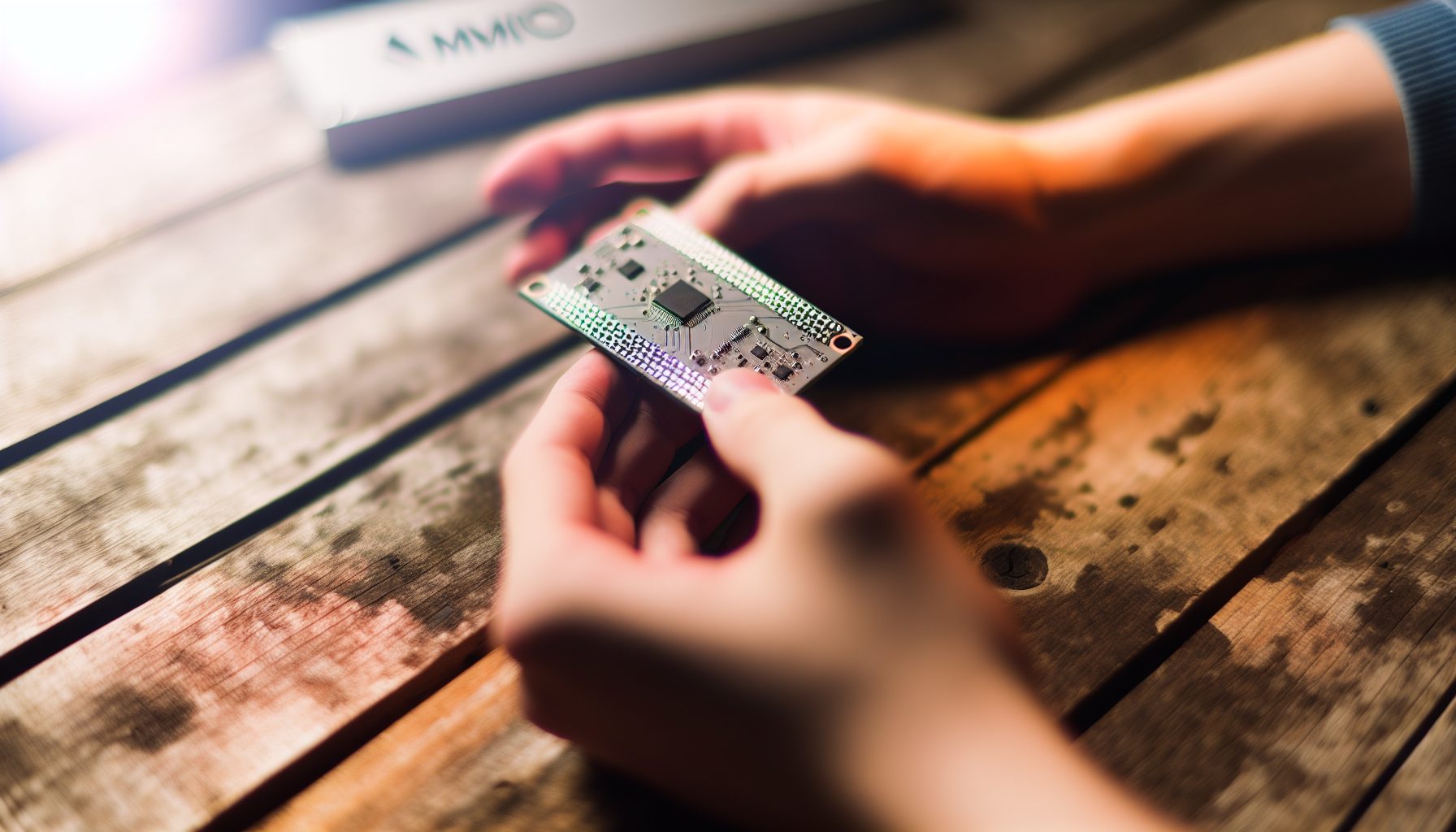
FPGAs (Field-Programmable Gate Arrays) occupy this weird middle ground between GPUs and ASICs. They’re more efficient than graphics cards but more flexible than dedicated mining hardware. For solo miners, that flexibility can be either a blessing or a headache, depending on what you’re trying to mine.
I’ve been testing FPGAs on and off since 2026, and honestly? My first attempt was a disaster too. Spent three days trying to flash a bitstream, bricked the board, had to start over. But once you get past the learning curve, FPGAs open up mining opportunities that neither GPUs nor ASICs can touch.
This guide walks you through everything from choosing hardware to calculating your actual odds of finding a block solo. No gatekeeping, no assuming you already know what a bitstream is. Step by step.
What Makes FPGAs Different for Solo Mining
Before diving into setup, you need to understand why someone would choose an FPGA over a GPU or ASIC for solo mining.
GPUs are plug-and-play. Download mining software, enter your wallet, done. ASICs deliver massive hashrate but only for one algorithm. FPGAs? They sit in between. You can reprogram them for different algorithms, but the setup requires actual technical work.
For solo mining specifically, FPGAs shine on lower-difficulty coins where you need efficiency without massive hashrate. Think coins that GPUs have mostly abandoned but ASICs haven’t targeted yet. That’s your sweet spot.
The efficiency matters more when you’re solo mining because you might go weeks between blocks. Every watt counts when you’re paying electricity with no guaranteed income. My electricity cost is around $0.12/kWh, and that basically rules out GPU solo mining for most coins. With FPGAs pulling 50-150W instead of 300W+, the math changes.
But here’s the honest warning: FPGAs have a brutal learning curve. If you’ve never compiled code or worked with hardware configuration files, expect to spend your first week just getting the thing to hash at all.
Step 1: Choosing Your FPGA Hardware
Not all FPGAs are created equal for mining. Most miners use Xilinx-based boards because that’s where the community development happens.
The popular options:
- Xilinx VCU1525: The classic mining FPGA. Used cards go for $600-1000. Pulls around 70-90W depending on algorithm. Solid community support.
- BCU1525: Cheaper alternative to VCU1525, often $400-700 used. Nearly identical performance, sometimes needs cooling mods.
- FK33 (Squirrel Miner): Purpose-built mining FPGA, easier setup than generic boards. Around $1200 new. Better for beginners.
- Xilinx U200: Newer, more powerful, also more expensive ($1500+). Overkill for most solo mining projects.
I started with a used BCU1525 I found on eBay for $550. Needed to add better thermal pads, but it’s been running stable for two years now. Don’t worry about getting the newest hardware — older boards work fine and the bitstreams are more mature.
Search for used VCU1525 or BCU1525 boards. Check seller feedback carefully and verify the board hasn’t been abused in mining farms.
What to avoid: Random Chinese FPGA boards with no community support. You’ll find them for $200-300 claiming “mining ready.” They’re not. No bitstreams available, no documentation, no support forums. Don’t waste your money.
You’ll also need a host computer. The FPGA plugs into a PCIe slot, so basically any desktop with a spare x8 or x16 slot works. Doesn’t need to be powerful — I run mine from an old office PC with an i5-4590. The FPGA does the heavy lifting, the computer just manages it.
Power Supply Considerations
FPGAs need both PCIe power (usually 8-pin) and sometimes auxiliary power. Check your board’s requirements before buying. Most need 150-200W dedicated, so factor that into your PSU planning.
A quality 650W power supply handles one FPGA plus the host computer easily. If you’re planning to run multiple FPGAs, calculate properly — two boards can pull 300W combined, plus your computer’s 100W, you’re already at 400W minimum.
Step 2: Installing Drivers and Basic Software
This is where things get technical. FPGAs don’t just work when you plug them in — you need specific drivers and tools.
For Xilinx boards, you need Xilinx Runtime (XRT). Download it from Xilinx’s website. The installation process varies by operating system, but most FPGA miners run Ubuntu Linux because that’s where the tooling works best.
Step by step on Ubuntu:
- Install Ubuntu 20.04 or 22.04 (18.04 works but is outdated now)
- Download Xilinx Runtime from the official site
- Install XRT following their documentation (usually a .deb package)
- Reboot
- Run
xbutil examineto verify the board is detected
When I set up my first board, xbutil examine returned nothing. Board wasn’t detected at all. Turned out I needed to disable Secure Boot in BIOS. Spent four hours troubleshooting before finding that solution in a mining forum.
If your board shows up in xbutil output, you’re golden. If not, check PCIe connection, verify power cables, and make sure BIOS settings aren’t blocking the device.
You might also need to install build tools if you plan to compile bitstreams yourself (most people don’t). For now, skip that — you’ll use pre-built bitstreams from mining projects.
Windows vs Linux for FPGAs
Can you run FPGAs on Windows? Technically yes, but honestly, it’s not worth the hassle. Driver support is spotty, most mining software is Linux-first, and troubleshooting is harder.
If you’re already comfortable with Linux, perfect. If not, this is your opportunity to learn. Ubuntu Desktop is pretty user-friendly these days, and you don’t need to be a command-line wizard to get basic mining working.
Step 3: Flashing Your First Bitstream
Here’s where FPGAs differ completely from ASICs or GPUs. Instead of just pointing software at the hardware, you need to flash a bitstream — basically programming the FPGA to become a miner for a specific algorithm.
Different algorithms need different bitstreams. Want to mine RandomX? Flash a RandomX bitstream. Switch to Ethash later? Flash an Ethash bitstream. The hardware stays the same, the configuration changes.
Most miners use pre-built bitstreams from projects like:
- VeriBlock’s vBitstream: RandomX and other algorithms
- 0xBitcoin mining: 0xBTC-specific bitstreams
- AllMine: Hosting platform with multiple bitstreams
- SQRL (Squirrel Research Labs): Commercial bitstreams for popular algorithms
Some bitstreams are free, some require payment or pool fees. SQRL charges around $99-199 per bitstream but they’re well-optimized. Free community bitstreams work but might be less efficient.
Flashing process (using xbutil):
- Download the .xclbin file for your algorithm and board
- Run
xbutil program --device [device_id] --user [path_to_xclbin] - Wait for programming to complete (1-3 minutes usually)
- Reboot the board or reload the driver
- Verify with
xbutil examine
Don’t worry if this sounds complicated — it gets routine after the first time. My first bitstream flash took 45 minutes because I kept second-guessing myself. Now it takes three minutes.
Pro tip: Keep your working bitstream files organized. Label them clearly: “VCU1525_RandomX_v2.xclbin” beats “download_file_3.xclbin” when you’re trying to remember which is which six months later.
Step 4: Setting Up Solo Mining Software
Now that your FPGA is programmed for an algorithm, you need mining software that can talk to it. This part is more familiar if you’ve done any GPU mining before.
Popular FPGA mining software:
- SRBMiner-Multi: Supports multiple algorithms, works with several FPGA types, has solo mining capability
- lolMiner: Primarily GPU but has FPGA support for some algorithms
- custom miners: Some coins have FPGA-specific miners (0xBTC, for example)
For solo mining, you’ll typically configure the software to connect to your own node or a solo mining pool. The setup looks similar to GPU solo mining, but with FPGA-specific device selection.
Example configuration for SRBMiner-Multi (solo mining to your own node):
./SRBMiner-Multi --algorithm randomx --pool 127.0.0.1:18081 --wallet YOUR_WALLET_ADDRESS --fpga-device 0
The --fpga-device parameter tells the software which FPGA to use. If you have multiple boards, you’d add multiple devices: --fpga-device 0,1,2.
You need to run a full node of whatever coin you’re solo mining. That’s non-negotiable. The miner sends shares to the node, the node validates blocks, and if you find one, the node broadcasts it to the network.
Setting up a node is its own topic, but basically: download the coin’s wallet software, sync the blockchain (can take hours or days depending on the coin), enable RPC access, and point your miner at it.
Testing Your Setup
Start the miner and watch for accepted shares. If you see your hashrate displayed and shares being submitted, you’re successfully mining. Whether you ever find a block solo? That depends on network difficulty and luck.
My BCU1525 does about 1.2 KH/s on RandomX. That’s better than a CPU but nowhere near competitive on Monero’s main network. But on smaller RandomX coins? That hashrate actually gives me a shot at blocks.
Calculating Profitability and Solo Mining Odds
Let’s get brutally honest about FPGA solo mining profitability. The math is different from pool mining and different from ASIC mining.
First, calculate your costs:
- Hardware cost: $500-1200 for used FPGA board
- Bitstream cost: $0-200 depending on algorithm
- Power consumption: 70-150W (varies by board and algorithm)
- Electricity cost: Multiply watts by hours by your kWh rate
At 100W and $0.12/kWh, you’re paying $0.288 per day in electricity. About $8.64 per month. That’s actually quite reasonable compared to GPU mining.
Now the hard part: calculating solo mining odds. This requires knowing:
- Network hashrate of your target coin
- Your FPGA’s hashrate
- Block time and block reward
Let’s use a real example. Say you’re solo mining a smaller RandomX coin with 50 MH/s network hashrate, and your FPGA does 1.2 KH/s (0.0012 MH/s). That’s 0.0024% of the network hashrate.
If the network finds one block per minute (common for RandomX coins), you’d statistically expect to find one block every 41,666 minutes. That’s about 694 hours. Or 29 days.
But statistics lie. You might find a block tomorrow. You might not find one for three months. That’s solo mining — high variance, lottery mechanics.
For comparison, check out what the chances look like for USB miners — FPGAs give you better odds than those, but still nowhere near guaranteed income.
When FPGA Solo Mining Makes Sense
You want low-difficulty coins where your hashrate represents a meaningful percentage of the network. At least 0.1%, preferably more.
If you’re at 0.001% of network hashrate or less, you’re basically playing the lottery with worse odds than actual lottery tickets. Your electricity costs will exceed your expected return unless you get extremely lucky.
The sweet spot: coins with 1-100 MH/s total network hashrate (for RandomX) or equivalent for other algorithms. You need to do this research per coin before committing hardware.
Best Coins for FPGA Solo Mining
Finally, what should you actually mine? This changes constantly as network difficulty fluctuates and new coins launch, but here are algorithm categories that work well with FPGAs.
RandomX Family
RandomX is CPU/FPGA friendly by design. Monero uses it, but Monero’s network hashrate makes solo mining impractical even with FPGAs. Look at smaller RandomX coins instead:
- ArQmA (ARQ): Lower network hashrate, uses RandomX variant
- Townforge: Gaming-focused coin, smaller network
- Wownero (WOW): Monero fork, slightly lower difficulty
None of these are financial advice, just examples of where FPGA hashrate might matter. Always check current network difficulty before starting.
With a VCU1525 getting 1-1.5 KH/s on RandomX, you need coins with under 50 MH/s network hashrate to have reasonable solo odds. Anything above that and you’re better off pool mining or switching coins.
Ethash and Etchash
Ethereum moved to Proof of Stake, but Ethash isn’t dead. Ethereum Classic still uses Etchash (similar algorithm). However, network hashrate on ETC is massive — 180 TH/s at time of writing. That makes solo mining impractical.
FPGAs can run Ethash efficiently (around 100-200 MH/s depending on board and bitstream), but you’re competing against huge GPU farms and ASICs. This is pool mining territory, not solo.
For comparison, check out coins like Alephium or Flux for GPU mining alternatives — FPGAs don’t really compete on these.
Specialized Algorithms
This is where FPGAs really shine: niche algorithms where ASIC development hasn’t happened and GPUs aren’t optimized.
- 0xBitcoin (0xBTC): Uses Keccak-256, FPGA-friendly, smaller network hashrate
- Blake3: Newer algorithm with FPGA bitstreams available, used by some emerging coins
- Kadena (KDA): Uses Blake2s, but network is large now. Was good for FPGAs in 2026-2026.
0xBitcoin is probably the best FPGA solo mining opportunity right now. Network hashrate fluctuates between 100-500 GH/s. An optimized FPGA can hit 500-800 MH/s on Keccak-256, which is 0.1-0.8% of the network. Those are workable solo odds.
The block reward is 4 0xBTC currently (halves over time), and blocks come every 10 minutes on average. At 0.5% of network hashrate, you’d expect one block every 1,388 minutes, or about 23 hours. That’s actually manageable.
I ran my BCU1525 on 0xBTC for two months last year. Found three blocks. At the time, each block was worth about $6. Minus electricity, I basically broke even, but it was more about proving the concept than making money.
Mining Pool Recommendations
If you want to test your FPGA setup before going solo, or if solo odds are too low, some pools support FPGA miners:
- WoolyPooly: Multiple algorithms, reliable payouts
- HeroMiners: Good for smaller coins
- SoloPool: Pool infrastructure but solo mining rewards (you keep full block reward if you find one)
SoloPool is interesting because you get pool stability with solo rewards. You connect like a normal pool, but if your worker finds a block, you get the entire reward minus a small pool fee (usually 1-2%). For detailed pool concepts, check out the pool mining glossary.
Advanced Tips and Troubleshooting
After you’ve got basic mining working, there are optimization opportunities and common problems to watch for.
Cooling and Thermal Management
FPGAs run hot under mining loads. Most boards have active cooling (fans), but you’ll want to monitor temperatures. Xilinx boards typically have temperature sensors you can read through xbutil.
Target temperature: Under 75°C for core temperature. If you’re hitting 80°C+, improve airflow or add supplementary cooling. I zip-tied a 120mm Noctua fan over my BCU1525’s heatsink because the stock fan was loud and inadequate. Dropped temps from 78°C to 68°C.
Hot FPGAs throttle performance or crash. If your hashrate keeps dropping or the miner disconnects randomly, check temperatures first.
Optimizing Hashrate
Some bitstreams have configurable parameters. Clock speeds, voltage settings, memory timings. This is advanced territory — you can brick your board if you push too hard — but there’s usually 5-15% performance headroom.
Start conservative. Small clock bumps (50-100 MHz) and test stability for 24 hours before pushing further. Monitor temperature and power draw continuously.
Honestly, for most solo miners, stock bitstream settings are fine. The complexity of optimization usually outweighs the small hashrate gains unless you’re running multiple boards.
Common Problems
Board not detected after reboot: Check PCIe connection. Sometimes boards work loose in the slot. Reseat and try again.
Mining software can’t find FPGA device: Driver issue. Reinstall XRT or check that the bitstream actually flashed successfully.
Hashrate lower than expected: Compare to known benchmarks for your board and bitstream. Thermal throttling or incorrect configuration are common causes.
Random crashes: Power supply problems or unstable overclock. Go back to stock settings and verify PSU can handle the load.
Real ROI Expectations
Let’s be completely honest about return on investment. FPGA mining is not a get-rich-quick scheme.
Hardware cost: $500-1200. At current coin prices and difficulty levels (2026), you’re looking at $5-20 per month in solo mining value, assuming you actually hit blocks. That’s not profit — that’s gross revenue before electricity.
Subtract $8-15/month in electricity costs. You’re at break-even or small profit in the best case. Hardware payback time: 2-5 years if everything goes well.
Compare that to USB miners which never pay back their investment, or GPU rigs which might pay back in 12-18 months if you pool mine. FPGAs are in the middle — not the worst, definitely not the best.
Why bother then? Flexibility and learning. You can reprogram your FPGA when a new coin launches. You learn actual mining technology instead of just clicking “start mining” on NiceHash. And occasionally you catch a coin early before network hashrate explodes and actually make money.
But don’t invest money you can’t afford to lose. Hardware might fail. Coins might die. Difficulty might spike. This is hobby-level mining, not an income source.
Building Your Complete Setup
If you’re ready to actually build an FPGA solo mining rig, here’s what you need:
Any ATX or mATX board with at least one x8 PCIe slot. Used office PC motherboards work fine — no need for expensive gaming boards.
Quality PSU with sufficient PCIe power connectors. EVGA, Corsair, or Seasonic. Don’t cheap out here — bad PSUs kill hardware.
For supplementary cooling. Noctua or Arctic are reliable and quiet. Mount for direct airflow over FPGA heatsink.
Total investment: $800-1500 depending on whether you buy used components and which FPGA board you choose. For context on what complete mining setups look like, check the beginner setup checklist.
You’ll also want monitoring software to track temperatures and hashrate remotely. I use a combination of SSH access and simple temperature logging scripts. Nothing fancy needed.
Secure Your Winnings
Finding a solo block means receiving 3.125 BTC directly to your wallet — currently worth over $250,000. That amount should never sit on an exchange.
Two hardware wallets we recommend for solo miners:
Ledger Nano X (~$149) — Industry standard, supports BTC natively
Buy Ledger Nano X
Trezor Model T (~$179) — Open-source firmware, strong community trust
Buy Trezor Model T
Frequently Asked Questions
Can you mine Bitcoin with an FPGA?
Technically yes, but it’s completely impractical. Bitcoin’s network hashrate is around 500 EH/s. An FPGA might deliver 100 GH/s on SHA-256. That’s 0.00000002% of the network. You’d mine for centuries without finding a block. Bitcoin requires ASICs, period. FPGAs work for smaller coins with lower difficulty.
How long does an FPGA board last with continuous mining?
FPGAs are built for 24/7 operation in data centers. With proper cooling, expect 5+ years of mining life. The fans might die before the board does. My BCU1525 has been running 2+ years continuously with zero hardware problems. Keep temperatures reasonable and power supply stable, and they’re quite reliable.
Is FPGA mining better than GPU mining for solo miners?
Depends entirely on the coin and network conditions. FPGAs win on power efficiency and flexibility across algorithms. GPUs win on raw hashrate and ease of use. For high-difficulty networks, neither is practical for solo mining. For low-difficulty coins, FPGAs give you better odds per dollar spent on electricity. But setup complexity is much higher with FPGAs.
Do I need programming knowledge to mine with FPGAs?
Basic Linux command-line skills are necessary. You don’t need to write code or understand Verilog (the hardware programming language FPGAs use). Pre-built bitstreams and mining software handle the technical parts. But you do need to be comfortable with terminal commands, config files, and basic troubleshooting. If you’ve only ever used Windows and never opened a command prompt, there’s a learning curve here.
What’s the minimum network hashrate for practical FPGA solo mining?
You want your hashrate to represent at least 0.1% of total network hashrate for reasonable solo odds. So if your FPGA does 1 MH/s, target coins with under 1000 MH/s network hashrate. Below 0.01% network share, you’re essentially gambling with very long odds. Do the math per coin before committing. Network hashrate data is available on block explorers and mining pool stats pages.