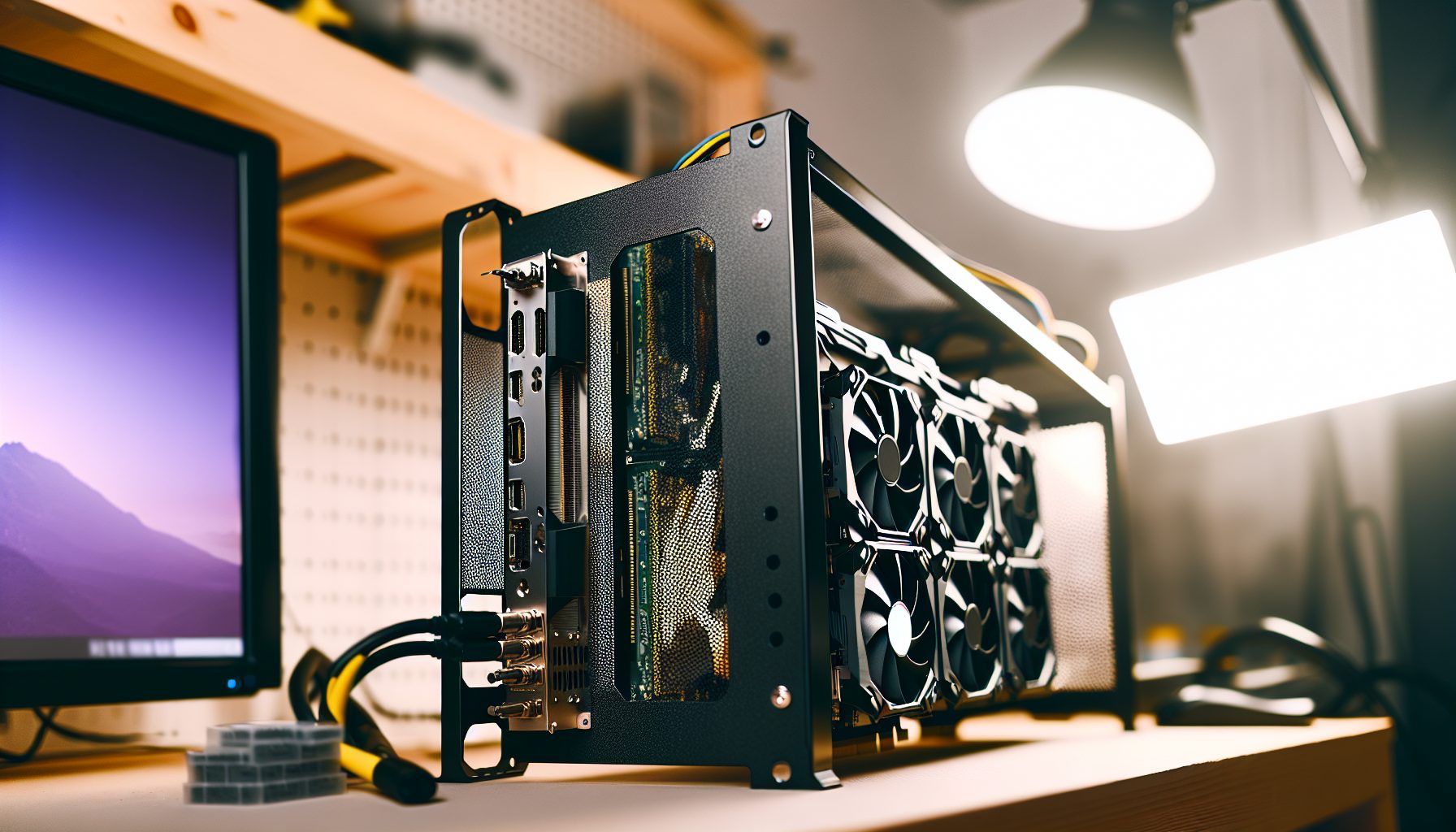
Why I Started Mining Flux After the Ethereum Merge
When Ethereum moved to proof-of-stake in September 2026, I had twelve GPUs sitting in my garage collecting dust. The math was simple: either sell them at a loss or find another coin to mine. Flux caught my attention because of its fundamentals — decentralized cloud infrastructure backed by Proof of Work. But honestly, the deciding factor was different: the profitability numbers actually made sense.
My calculation back then: RTX 3070s pulling 120W each, generating roughly $1.20 per day at $0.12 per kWh electricity cost. Not amazing. Not terrible either. The ROI would take forever, but I already owned the hardware.
Fast forward to 2026, and the profitability of GPU mining Flux has shifted quite a bit. Some months better, some worse. Let me walk you through the real numbers — not the YouTube hype versions where everyone pretends electricity is free.
Understanding Flux Mining and Its Algorithm
Flux uses the ZelHash algorithm, which is memory-intensive and works well with modern GPUs. The network supports decentralized cloud computing services, meaning miners secure both the blockchain and provide computational resources for FluxOS applications.
From a mining perspective, this matters because the coin has actual utility beyond speculation. That naturally depends on whether you care about fundamentals or just want quick profits. I tend to prefer coins with real-world use cases — they survive bear markets better.
The block reward sits at 75 FLUX per block currently, with a 2-minute block time. Network difficulty fluctuates based on total hashrate, which affects your daily mining output. When big farms jump in, your share of the pie shrinks. When they leave, you benefit.
One thing worth mentioning: Flux has a halving schedule. The next halving is expected in 2026, cutting block rewards in half. Plan accordingly.
Real GPU Mining Profitability for Flux in 2026
Bottom line: profitability with GPU hardware depends heavily on your electricity rate. I’ve crunched numbers for various cards based on current network conditions (current data, which will fluctuate).
NVIDIA Cards Performance
The RTX 30-series remains competitive for mining Flux. Here’s what I’m seeing across different models:
- RTX 3060 Ti: Around 26 MH/s at 120W. Daily revenue roughly $0.85 before electricity costs
- RTX 3070: Approximately 28 MH/s at 120W. Similar profitability to the 3060 Ti but slightly higher used prices
- RTX 3080: Pushes 45 MH/s but draws 230W. Better hashrate but efficiency suffers
- RTX 3090: Hits 50 MH/s at 290W. High power consumption kills profitability unless you have cheap electricity
The newer RTX 40-series cards are efficient but expensive. My calculation: the upfront cost doesn’t justify the efficiency gains for most miners. You’d break even faster with used 30-series cards.
AMD Cards in the Mix
AMD’s RX 6000 series performs solidly on Flux:
- RX 6600 XT: Around 17 MH/s at 75W. Actually my favorite efficiency-wise
- RX 6700 XT: Roughly 24 MH/s at 100W. Pretty strong efficiency for the hashrate
- RX 6800: Hits 32 MH/s but draws 165W. Solid middle ground
- RX 6900 XT: Pushes 34 MH/s at 200W. Not worth the power consumption in most cases
The RX 6600 XT stands out because of its low power draw. At $0.12 per kWh, electricity only costs about $0.22 per day per card. That matters more than you’d think over a year of 24/7 operation.
The Electricity Cost Reality Check
Here’s where most mining calculators lie to you. They show gross revenue but hide electricity costs.
Let’s take an RTX 3070 as an example. Assuming $1.20 daily revenue and 120W power draw running 24/7:
- Daily electricity at $0.12/kWh: $0.35
- Net profit per day: $0.85
- Monthly net profit: $25.50
Now bump that electricity rate to $0.20/kWh (common in California or parts of Europe):
- Daily electricity: $0.58
- Net profit per day: $0.62
- Monthly net profit: $18.60
The difference compounds. Over a year, that’s $82.80 less profit per card. With twelve cards, you’re looking at $993.60 in lost earnings just from regional electricity pricing.
Always calculate your actual costs. Mining influencers who only show profits but hide electricity costs are doing you a disservice.
Solid balance of hashrate (26 MH/s) and efficiency at 120W. Best value for money among RTX 30-series cards for Flux mining.
Excellent efficiency champion at just 75W power draw. Delivers 17 MH/s with lowest electricity costs per hashrate.
Pool Mining vs Solo Mining Flux: Which Makes Sense?
This comes up constantly. Should you pool mine or try your luck solo?
For Flux, the answer is straightforward for most miners: stick with pools. The network hashrate sits around 9-10 GH/s as of 2026. Your single GPU contributing 25-50 MH/s represents roughly 0.0004% of the total network.
My calculation: with one RTX 3070 at 28 MH/s, you’d find a solo block roughly every 500-600 days on average. That’s a 75 FLUX reward (currently about $30-35) if you’re lucky. Meanwhile, pool mining gives you consistent daily payouts of $0.85.
The variance is too high for solo mining unless you’re running 50+ GPUs. Even then, pools make more financial sense because of the steady cash flow. You need predictable income to cover electricity bills.
For more context on solo mining dynamics, check out our guide on what solo mining is and how it works.
Recommended Flux Mining Pools
I’ve tested several pools over the past two years. Here are the ones that actually pay out reliably:
- FluxPools: 0.5% fee, PPLNS payout scheme, minimum 10 FLUX payout threshold
- WoolyPooly: 0.9% fee, solid uptime, pays out at 1 FLUX minimum
- HeroMiners: 0.9% fee, good dashboard, 5 FLUX minimum payout
- 2Miners: 1% fee, well-established pool with transparent stats
I currently split my hashrate between FluxPools and WoolyPooly. The 0.5% fee difference matters when you’re running multiple rigs for months on end. Over a year with twelve cards, that 0.4% difference saves me roughly $150 in fees.
Setting Up Your GPU for Optimal Flux Mining
Getting your mining rig configured properly makes a measurable difference. I learned this the hard way when my first setup was pulling 20% more power than necessary.
Mining Software Options
You need software that supports ZelHash. The main options:
- lolMiner: Solid NVIDIA and AMD support, decent fee structure (0.7% dev fee)
- miniZ: Specifically optimized for ZelHash, 2% dev fee but sometimes faster
- GMiner: User-friendly interface, 2% dev fee, works well on both GPU brands
I use lolMiner on most of my rigs. The lower dev fee adds up, and the performance difference compared to miniZ is negligible on my RTX 3070s — maybe 1-2% hashrate variance.
Overclocking and Power Tuning
This is where you actually improve profitability. Default card settings waste electricity.
For NVIDIA RTX 30-series cards, my tested settings:
- Core clock: -200 to -300 MHz
- Memory clock: +1000 to +1200 MHz (depends on card quality)
- Power limit: 60-70% of maximum
- Fan speed: 60-70% (balance between cooling and noise)
For AMD RX 6000 series:
- Core clock: 1100-1200 MHz
- Memory clock: 2100-2150 MHz
- Core voltage: 750-800 mV
- Power limit: 70-80%
Last year during the difficulty spike in summer 2026, I spent a weekend optimizing all twelve cards. The result: 18% reduction in power consumption with only 3% hashrate drop. That translated to an extra $4.20 per day in net profit across the whole rig.
Use MSI Afterburner for NVIDIA cards or AMD’s software for Radeon GPUs. Test stability for 24 hours before considering settings final. Cards can run fine for hours then crash when memory thermals build up.
Cooling and Ambient Temperature
Your garage or basement temperature matters more than most guides mention. GPUs throttle when they overheat, reducing hashrate.
I keep my mining space below 28°C using two large fans. In summer, that means opening windows at night and closing them during the day. Sounds basic, but my hashrate drops 8-10% when ambient temp hits 32°C because cards start thermal throttling.
Budget for cooling costs. Those fans run 24/7, adding another 120W of power draw. That’s $10.50 per month at $0.12/kWh. Factor it into your calculations.
ROI Calculations: When Will You Break Even?
ROI promises above 200% are almost always a scam. Let’s run realistic numbers instead.
Scenario: You buy a used RTX 3070 for $350 (current used market price as of 2026).
Assumptions:
- Hashrate: 28 MH/s
- Power consumption: 120W
- Electricity cost: $0.12/kWh
- Daily revenue: $1.20
- Daily electricity: $0.35
- Net daily profit: $0.85
Bottom line: $350 / $0.85 = 412 days to break even. That’s 13.7 months assuming FLUX price and network difficulty remain constant.
But here’s the catch — they won’t remain constant. FLUX price fluctuates. Network difficulty changes when miners enter or exit. The upcoming halving will cut your revenue in half overnight.
More realistic calculation accounting for halving in roughly 6 months:
- First 6 months: 180 days × $0.85 = $153
- After halving: Daily profit drops to roughly $0.425
- Remaining $197 / $0.425 = 463 more days
- Total time to break even: 643 days (21.4 months)
That’s assuming FLUX price doesn’t drop further. If it does, your break-even point extends even more.
You should plan for the next halving BEFORE it happens, not after. Many miners get caught off guard and suddenly find their operations unprofitable.
Hidden Costs Nobody Talks About
Hardware depreciation is real. GPUs wear out. Fans fail. Power supplies die.
From my experience running twelve cards for two years:
- Two GPU fans needed replacement: $25 each
- One power supply failed: $90 replacement
- Thermal paste replacement on four cards: $20 total
- Riser cable failures: $15 each, replaced three
That’s $215 in maintenance costs over 24 months, or roughly $9 per month. With twelve cards, that’s $0.75 per card per month. Add it to your calculations.
Also consider resale value decline. That $350 RTX 3070 might only sell for $200 in two years. That’s $150 in depreciation you need to factor into true ROI calculations.
Best Practices for Long-Term Profitable Mining
Profitability isn’t just about choosing the right GPU. It’s about operational efficiency over months and years.
Monitor Your Rig Daily
I check my mining dashboard every morning with coffee. Takes three minutes. Catches problems before they cost you money.
What I look for:
- Hashrate drops (indicates card issues or overclock instability)
- Rejected shares (network connectivity problems)
- Temperature spikes (cooling failure or dust buildup)
- Power consumption changes (indicates failing hardware)
Last month, I caught an RTX 3070 running 15% below normal hashrate. Turned out thermal paste had dried out. Fixed it within hours instead of losing days of reduced mining output.
Diversify Your Mining Strategy
Don’t put all your GPUs on Flux forever. The market changes.
I keep an eye on WhatToMine and similar calculators weekly. When another coin becomes 20% more profitable for several days straight, I consider switching a portion of my hashrate temporarily.
Dual mining isn’t really viable with Flux due to memory intensity, but you can switch between coins relatively easily with modern mining software.
HODL Strategy vs Immediate Sales
This is personal preference, but it affects profitability significantly.
My approach: sell 60% of mined FLUX immediately to cover electricity and build a cash reserve. Hold 40% as long-term speculation. This way, even if FLUX price drops, I’m covered operationally.
Some miners hold everything and get wrecked when prices crash. Some sell everything and miss potential gains. Find your own balance based on risk tolerance and monthly expenses.
Essential tool for measuring actual power consumption. Real numbers instead of manufacturer specs. Pays for itself in accurate cost calculations.
Stay Updated on Network Changes
Flux development is ongoing. Network upgrades can affect mining parameters.
Join the Flux Discord or Telegram channels. You don’t need to be active, but check announcements weekly. Knowing about upcoming changes helps you adjust strategy before they impact profitability.
For miners just getting started with understanding the fundamentals, our beginner setup checklist covers essential equipment and considerations.
Is GPU Mining Flux Still Worth It in 2026?
Honestly? It depends entirely on your situation.
If you already own GPUs and pay below $0.15/kWh for electricity, yes, mining Flux can generate decent supplementary income. You won’t get rich, but you can cover costs and maybe save some FLUX for potential future appreciation.
If you’re buying new hardware specifically to mine Flux, the math gets tougher. ROI timelines stretch beyond two years with halving factored in. That’s a long time in crypto, where entire networks can shift fundamentally.
The reality is that GPU mining in 2026 is a thin-margin business compared to 2017 or 2026. Competition increased. Block rewards on most coins decreased. Electricity costs went up in many regions.
My honest assessment: treat GPU mining Flux as a business, not a get-rich-quick scheme. Track every expense. Monitor profitability weekly. Be ready to pivot when numbers stop working.
I continue mining because I enjoy the technical aspects and my electricity rate makes it viable. But I’m not expanding my operation. The risk-reward ratio doesn’t justify buying ten more GPUs right now.
Alternative Coins to Consider
Don’t tunnel-vision on Flux. Other GPU-mineable coins exist:
- Ravencoin (RVN): Similar profitability, different algorithm, active community
- Ergo (ERG): Good fundamentals, Autolykos algorithm, decent GPU profitability
- Kaspa (KAS): Growing network, kHeavyHash algorithm, sometimes more profitable than Flux
- Neurai (XNA): Smaller network, higher variance, worth monitoring
I typically split my twelve-card rig: eight on Flux, four testing other coins. When something shows consistently better numbers for a week, I shift more hashrate over.
Flexibility beats loyalty in mining. The most profitable coin today might not be tomorrow.
Secure Your Winnings
Finding a solo block means receiving 3.125 BTC directly to your wallet — currently worth over $250,000. That amount should never sit on an exchange.
Two hardware wallets we recommend for solo miners:
Ledger Nano X (~$149) — Industry standard, supports BTC natively
Buy Ledger Nano X
Trezor Model T (~$179) — Open-source firmware, strong community trust
Buy Trezor Model T
Frequently Asked Questions
What hashrate can I expect mining Flux with different GPUs?
Hashrate varies significantly by GPU model. RTX 3060 Ti delivers around 26 MH/s, RTX 3070 hits 28 MH/s, and RTX 3080 pushes 45 MH/s. On the AMD side, RX 6600 XT generates roughly 17 MH/s while RX 6800 reaches 32 MH/s. Actual performance depends on your overclocking settings and silicon lottery. I’ve seen two identical RTX 3070 cards differ by 2-3 MH/s due to memory chip quality. Always test your specific hardware rather than relying solely on published benchmarks.
How much electricity does GPU mining Flux actually cost per month?
A single RTX 3070 running optimally at 120W draws 2.88 kWh per day. At $0.12 per kWh, that’s $0.35 daily or $10.50 monthly per card. Scale that across multiple GPUs and add cooling costs. My twelve-card setup with two fans pulls roughly 1,680W total, costing $145 per month in electricity. At $0.20 per kWh (common in some regions), that same setup costs $242 monthly. This is why location matters tremendously for mining profitability. Always calculate using your actual electricity rate, not national averages.
Should I mine Flux solo or join a pool?
For nearly all GPU miners, pools make more sense. The Flux network hashrate sits around 9-10 GH/s. Your single GPU at 25-50 MH/s represents a tiny fraction of total network power. Solo mining means you might find a block every 500-600 days with one card — pure gambling. Pool mining delivers consistent daily payouts that cover electricity and provide predictable income. I only recommend solo mining if you’re running 100+ GPUs and can stomach high variance. For hobby miners and small operations, pools win every time. Check our article on block mining chances for more mathematical context.
When will I break even mining Flux with my GPU investment?
ROI timelines depend heavily on hardware costs, electricity rates, and FLUX price stability. Buying a used RTX 3070 for $350 with $0.12/kWh electricity takes roughly 13-14 months to break even at current profitability — assuming nothing changes. But the upcoming halving will cut your revenue roughly in half, extending break-even to 21+ months realistically. New GPUs take even longer. Factor in hardware depreciation, maintenance costs, and potential market volatility. My experience: plan for 24-30 months to truly break even when accounting for all real costs. Anything faster is bonus.
What happens to my Flux mining profitability after the halving?
The halving cuts block rewards from 75 FLUX to 37.5 FLUX, directly slashing your daily revenue by approximately 50% unless FLUX price doubles to compensate. Most miners see their net profit drop significantly or even go negative if they were already operating on thin margins. My calculation: an RTX 3070 generating $0.85 daily net profit before halving might only make $0.25-$0.35 daily afterward. Some operations become unprofitable overnight. You should plan for the next halving BEFORE it happens, not after. Consider selling or switching to more profitable coins if your margins can’t absorb a 50% revenue cut. This is basic mining economics that t