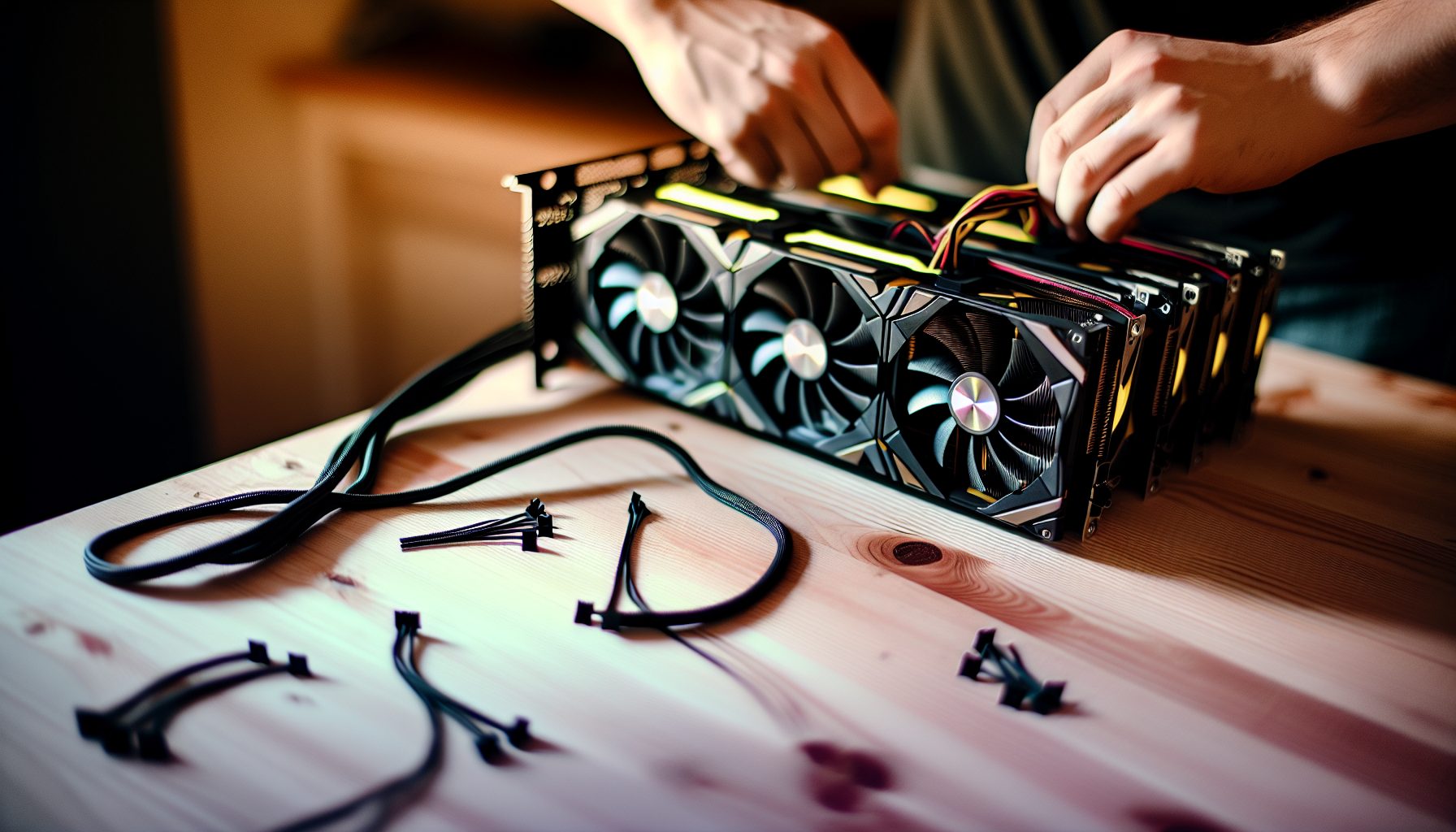
Look, I’ll be honest — when I first tried to configure BzMiner for solo mining, I almost gave up after two hours of staring at config files. The documentation is solid but assumes you already know what you’re doing. Here’s the thing: BzMiner is actually one of the most powerful GPU miners out there for solo mining, especially if you’re running a mixed rig with AMD and NVIDIA cards. But the setup? Yeah, it can be confusing.
Trust me on this: Once you nail the configuration, BzMiner becomes your best friend for multi-algorithm solo mining. I’ve been running it for about eight months now, and it’s hands-down the most stable miner I’ve used. No random crashes at 3 AM. No weird hashrate drops. Just steady hashing toward that solo block.
Why BzMiner Works Great for Solo Mining Configuration
Most miners are designed for pools. BzMiner? It’s built different. The developer clearly understands that some of us want to solo mine, and the software actually makes it easy once you understand the syntax.
Here’s what makes BzMiner stand out for solo mining:
- Native multi-algorithm support — You can mine different coins on different GPUs simultaneously. Like, my RX 6800 mines Kaspa while my RTX 3060 Ti mines Ravencoin. Same rig, same miner instance.
- Mixed GPU compatibility — AMD and NVIDIA cards in the same rig? No problem. Most other miners freak out when you try this.
- Built-in solo mining options — The config syntax for solo mining is cleaner than NBMiner or lolMiner. You just point it at your node or a solo pool.
- Advanced tuning parameters — If you’re into overclocking and power limiting (which you should be for solo mining), BzMiner gives you crazy detailed control.
- Real-time hashrate monitoring — The console output actually tells you what’s happening, unlike some miners that just show “Mining…” and leave you guessing.
I switched from NBMiner to BzMiner last year, and honestly, I should’ve done it sooner. The extra effort in setup pays off in stability and flexibility.
Installing BzMiner for Solo Mining: The Basics
Before we get into the complicated multi-algorithm stuff, let’s cover the basics. You need to download BzMiner from the official GitHub or website — don’t download it from random forums. Seriously, I’ve seen fake versions with malware.
Download and extract it to a folder. I keep mine in C:MiningBzMiner on Windows or ~/mining/bzminer/ on Linux. Simple folder structure keeps things organized when you’re managing multiple configs.
BzMiner works on Windows and Linux. I run both — Windows on my gaming PC (which mines when I’m at school), and Linux on my dedicated mining rig in the garage. The configuration syntax is identical, which is convenient.
One thing: BzMiner has a dev fee. It’s 1% on most algorithms. That means every 100 minutes, it mines for the developer for 1 minute. For solo mining, this is actually fine — you’re not losing any solo blocks because the fee only kicks in during regular pool mining mode. When solo mining, the fee works differently and doesn’t affect your block chances.
System Requirements
You don’t need a monster system. BzMiner is surprisingly lightweight compared to some other miners:
- Any modern CPU (even a cheap Celeron works)
- 4 GB RAM minimum (8 GB if you’re mining Ethereum-based coins with large DAG files)
- AMD GPUs: Drivers 21.10.2 or newer
- NVIDIA GPUs: Driver version 510.x or newer
- Stable internet connection (for solo mining you need reliable blockchain access)
Basic BzMiner Solo Mining Configuration Syntax
Okay, here’s where people usually get confused. BzMiner uses command-line parameters or config files. I strongly recommend config files — they’re way easier to manage and debug.
Create a file called config.txt in your BzMiner folder. Here’s the basic structure for solo mining a single coin:
-a ALGORITHM
-w WALLET_ADDRESS
-p stratum+tcp://POOL_OR_NODE_ADDRESS:PORT
--nc 1
Let me break this down:
-a= Algorithm (like kawpow, ethash, kaspa, etc.)-w= Your wallet address where the block reward goes-p= Pool or node address (for solo mining, this is your local node or a solo pool)--nc 1= Forces solo mining mode (no shares submitted, only valid blocks)
That --nc 1 parameter is critical. It tells BzMiner “hey, I’m solo mining, don’t submit shares.” Without it, BzMiner might try to submit pool shares which wastes bandwidth and processing power.
Solo Mining with Your Own Node
If you’re running your own node (which I recommend for true solo mining), your configuration looks like this:
-a kawpow
-w YOUR_RVN_WALLET_ADDRESS
-p stratum+tcp://127.0.0.1:8766
--nc 1
The 127.0.0.1 is localhost — your own computer. Port 8766 is the default stratum port for Ravencoin nodes with mining enabled. Different coins use different ports.
Solo Mining with a Solo Pool
Don’t want to run a full node? You can use a solo mining pool like Public-Pool.io. Configuration is almost identical:
-a kawpow
-w YOUR_RVN_WALLET_ADDRESS
-p stratum+tcp://solo-rvn.2miners.com:6060
--nc 1
Solo pools handle the blockchain connection for you. You still get 100% of the block reward if you find one (minus a small pool fee, usually 1-2%).
Multi-Algorithm Solo Mining Configuration: The Cool Part
Here’s where BzMiner really shines. You can mine different algorithms on different GPUs in the same rig. This is perfect for diversifying your solo mining attempts.
Let me show you my actual config. I’m running:
- GPU 0 (RX 6800) — Kaspa solo mining
- GPU 1 (RTX 3060 Ti) — Ravencoin solo mining
- GPU 2 (RTX 2026) — Ergo solo mining
Here’s the configuration file that makes this work:
# GPU 0 - Kaspa
-a kaspa
-w kaspa:YOUR_KASPA_ADDRESS
-p stratum+tcp://pool.woolypooly.com:3112
--nc 1
--device 0

# GPU 1 - Ravencoin
-a kawpow
-w YOUR_RVN_WALLET_ADDRESS
-p stratum+tcp://solo-rvn.2miners.com:6060
--nc 1
--device 1

# GPU 2 - Ergo
-a autolykos2
-w YOUR_ERG_WALLET_ADDRESS
-p stratum+tcp://ergo.2miners.com:8888
--nc 1
--device 2
The --device X parameter assigns each algorithm to a specific GPU. GPU 0 is usually the first card in your PCIe slots, GPU 1 is the second, etc.
When I first set this up last winter, I made a stupid mistake — I forgot to assign devices and all three GPUs tried to mine Kaspa simultaneously. The miner crashed within 30 seconds. Don’t make my mistake: Always specify device assignments when doing multi-algorithm configurations.
Finding Your GPU Device Numbers
Not sure which GPU is which number? Run BzMiner with the --list_devices parameter:
bzminer.exe --list_devices
This shows you all detected GPUs and their assigned device numbers. Super helpful when you’re running a mixed rig.
AMD-Specific BzMiner Solo Mining Configuration
AMD cards need a bit of extra tuning in BzMiner. The miner doesn’t automatically optimize them like it does with NVIDIA cards.
Here’s a solid configuration for AMD GPUs (using an RX 6800 as example):
-a kaspa
-w kaspa:YOUR_KASPA_ADDRESS
-p stratum+tcp://pool.woolypooly.com:3112
--nc 1
--device 0
--amd_intensity 25
--amd_oc_fan_speed 70
--amd_oc_core_clock 1200
--amd_oc_memory_clock 1075
--amd_oc_core_volt 750
Let me explain those AMD-specific parameters:
--amd_intensity— Controls mining intensity (higher = more hashrate but more power). Range is usually 0-31. Start at 25 and adjust.--amd_oc_fan_speed— Fan speed percentage. 70% keeps temps reasonable without sounding like a jet engine.--amd_oc_core_clock— Core clock in MHz. You’ll need to experiment based on your specific card and algorithm.--amd_oc_memory_clock— Memory clock in MHz. Critical for memory-intensive algorithms like Ethash.--amd_oc_core_volt— Core voltage in mV. Lower voltage = less power consumption. This is where efficiency gains happen.
For Kaspa mining on AMD, you want high core clock and moderate memory clock. For KawPow (Ravencoin), balanced core and memory works best.
AMD Configuration for Different Algorithms
Kaspa (RX 6800):
--amd_intensity 25
--amd_oc_core_clock 1200
--amd_oc_memory_clock 1075
--amd_oc_core_volt 750
KawPow/Ravencoin (RX 6800):
--amd_intensity 23
--amd_oc_core_clock 1150
--amd_oc_memory_clock 1100
--amd_oc_core_volt 775
Autolykos2/Ergo (RX 6800):
--amd_intensity 24
--amd_oc_core_clock 1175
--amd_oc_memory_clock 1050
--amd_oc_core_volt 760
These are starting points. Every GPU is different — even two RX 6800s from different manufacturers will need slightly different settings. Spend an afternoon testing and logging your results.
NVIDIA-Specific BzMiner Solo Mining Configuration
NVIDIA configuration is a bit simpler than AMD. BzMiner has better default optimization for NVIDIA cards, but you still want to tune for efficiency.
Here’s my RTX 3060 Ti configuration for Ravencoin solo mining:
-a kawpow
-w YOUR_RVN_WALLET_ADDRESS
-p stratum+tcp://solo-rvn.2miners.com:6060
--nc 1
--device 1
--nvidia_oc_core 100
--nvidia_oc_memory 1200
--nvidia_oc_power 140
--nvidia_oc_fan 75
NVIDIA-specific parameters:
--nvidia_oc_core— Core clock offset in MHz (not absolute value). +100 means 100 MHz above base.--nvidia_oc_memory— Memory clock offset in MHz. +1200 is common for GDDR6.--nvidia_oc_power— Power limit in watts. This is your efficiency control.--nvidia_oc_fan— Fan speed percentage.
The power limit is where NVIDIA really shines for solo mining. You can drastically reduce power consumption with minimal hashrate loss. My 3060 Ti pulls 140W instead of 200W stock, and only loses about 8% hashrate. That’s worth it for 24/7 solo mining.
NVIDIA Configuration for Different Algorithms
KawPow/Ravencoin (RTX 3060 Ti):
--nvidia_oc_core 100
--nvidia_oc_memory 1200
--nvidia_oc_power 140
Autolykos2/Ergo (RTX 3060 Ti):
--nvidia_oc_core 150
--nvidia_oc_memory 1000
--nvidia_oc_power 120
Kaspa (RTX 3060 Ti):
--nvidia_oc_core 200
--nvidia_oc_memory 800
--nvidia_oc_power 150
Notice how settings change per algorithm. Kaspa loves core clock but doesn’t care much about memory. Ergo is the opposite. KawPow wants both.
Advanced Multi-GPU Solo Mining Configuration
When you’re running multiple GPUs of different types, the configuration gets more complex. But it’s also where BzMiner really shows its power.
Here’s a complete config file for a mixed 4-GPU rig:
# Global settings
--pool_password x
--reconnect_timeout 10

# GPU 0 - RX 6800 - Kaspa solo
-a kaspa
-w kaspa:YOUR_KASPA_ADDRESS
-p stratum+tcp://pool.woolypooly.com:3112
--nc 1
--device 0
--amd_intensity 25
--amd_oc_core_clock 1200
--amd_oc_memory_clock 1075
--amd_oc_core_volt 750

# GPU 1 - RTX 3060 Ti - Ravencoin solo
-a kawpow
-w YOUR_RVN_WALLET_ADDRESS
-p stratum+tcp://solo-rvn.2miners.com:6060
--nc 1
--device 1
--nvidia_oc_core 100
--nvidia_oc_memory 1200
--nvidia_oc_power 140

# GPU 2 - RTX 2026 - Ergo solo
-a autolykos2
-w YOUR_ERG_WALLET_ADDRESS
-p stratum+tcp://ergo.2miners.com:8888
--nc 1
--device 2
--nvidia_oc_core 150
--nvidia_oc_memory 1000
--nvidia_oc_power 120

# GPU 3 - RX 5700 XT - Also Kaspa solo
-a kaspa
-w kaspa:YOUR_KASPA_ADDRESS
-p stratum+tcp://pool.woolypooly.com:3112
--nc 1
--device 3
--amd_intensity 24
--amd_oc_core_clock 1150
--amd_oc_memory_clock 1000
--amd_oc_core_volt 775
This configuration solo mines four different GPU configurations on three different coins. GPU 0 and GPU 3 both mine Kaspa but with different settings because they’re different AMD cards.
The --reconnect_timeout 10 is important for solo mining. If your connection drops, BzMiner waits 10 seconds before reconnecting. This prevents spam reconnects if your node or solo pool has temporary issues.
Power Consumption Reality Check
Let’s talk electricity costs, because this matters a lot for solo mining. That 4-GPU rig I just showed? Here’s the actual power draw:
- RX 6800: ~140W
- RTX 3060 Ti: ~140W
- RTX 2026: ~120W
- RX 5700 XT: ~135W
- System overhead (mobo, CPU, fans): ~80W
Total: Around 615W continuous draw. At $0.12/kWh (typical US residential rate), that’s about $53 per month in electricity. If you’re paying more than $0.15/kWh, solo mining gets expensive fast unless you find blocks regularly.
Here’s the thing: For solo mining psychology, you need to be okay with that electricity cost as “lottery ticket” money. You might not find a block for months. But when you do? On Ravencoin, current block reward is 2,500 RVN. At current prices around $0.005653, that’s meaningful.
Best Coins for BzMiner Solo Mining Configuration
Not all coins are equally suited for solo mining with GPUs. Based on my testing and actual attempts, here are the coins that make sense with BzMiner:
Kaspa (KAS) – Best Overall for GPU Solo Mining
Algorithm: kHeavyHash
Current price: $0.0293
Block time: ~1 second
Network hashrate: High but still GPU-accessible
Kaspa is honestly the most fun coin to solo mine with GPUs right now. The one-second block time means you’re constantly rolling the dice. I’ve been solo mining Kaspa with GPUs for about six months.
My RX 6800 gets about 900 MH/s on Kaspa. The RTX 3060 Ti gets around 800 MH/s. Those are solid numbers, and the one-second block time makes it feel more engaging than waiting 10 minutes per block like on Ravencoin.
BzMiner configuration for Kaspa solo mining:
-a kaspa
-w kaspa:YOUR_KASPA_ADDRESS
-p stratum+tcp://pool.woolypooly.com:3112
--nc 1
You can also check the best solo mining coins for low hashrate guide to see if Kaspa fits your setup.
Ravencoin (RVN) – Classic GPU Solo Mining
Algorithm: KawPow
Current price: $0.005653
Block time: ~1 minute
Block reward: 2,500 RVN
Ravencoin is probably the most popular coin for GPU solo mining. The network hashrate is high enough to be challenging but low enough that a decent GPU has legitimate chances.
My RTX 3060 Ti gets about 30 MH/s on KawPow. That gives me roughly one block attempt every few months statistically. Not great odds, but hey, that’s solo mining.
BzMiner configuration:
-a kawpow
-w YOUR_RVN_WALLET_ADDRESS
-p stratum+tcp://solo-rvn.2miners.com:6060
--nc 1
For more Ravencoin GPU recommendations, check out the best GPUs for solo mining Ravencoin guide.
Ergo (ERG) – Lower Network Hashrate
Algorithm: Autolykos2
Current price: $0.3491
Block time: ~2 minutes
Block reward: 67.5 ERG + fees
Ergo has a lower network hashrate than Ravencoin, which improves your solo mining odds. The Autolykos2 algorithm is also quite efficient on both AMD and NVIDIA cards.
My RTX 2026 gets about 85 MH/s on Ergo. Power consumption is great — only about 120W with tuning.
BzMiner configuration:
-a autolykos2
-w YOUR_ERG_WALLET_ADDRESS
-p stratum+tcp://ergo.2miners.com:8888
--nc 1
Coins to Avoid for GPU Solo Mining
Look, I need to be honest here. Some coins are complete wastes of electricity for GPU solo mining:
- Bitcoin — Forget it. Even a massive GPU farm has basically zero chance. Stick to Bitcoin lottery miners if you want to play the BTC lottery.
- Litecoin and Dogecoin — ASIC-dominated. Your GPU will earn nothing. Check the Dogecoin solo mining guide to see why.
- Zcash — Network hashrate is too high for meaningful solo mining chances with GPUs now. See the Zcash GPU solo mining 2026 analysis.
- Monero — CPU-only mining. You can’t use GPUs efficiently.
Troubleshooting BzMiner Solo Mining Configuration Issues
Okay, let’s talk about the common problems you’ll run into. I’ve hit basically all of these at some point.
Problem: “Connection Failed” or “Pool Not Responding”
This usually means your node address or solo pool address is wrong. Double-check:
- Is your node actually running? Test by opening the wallet or checking the node status.
- Is the stratum port correct? Different coins use different ports.
- Did you include
stratum+tcp://in the address? BzMiner needs this prefix. - Firewall blocking the connection? Check Windows Firewall or Linux iptables.
I spent three hours once troubleshooting a “connection failed” error. Turned out I had the wrong port number. It was 8766 instead of 8676. Dumb mistake but easy to make when you’re setting up multiple coins.
Problem: High Reject Rate
For solo mining, you shouldn’t see many rejects because you’re only submitting valid blocks, not shares. If you see rejects in solo mode:
- Your internet connection might be unstable — solo mining needs reliable, low-latency connection
- Your GPU overclock is too aggressive and producing invalid hashes
- The blockchain sync might be lagging (if using your own node)
Reduce your overclock by 10% and test again. Stability matters more than raw hashrate for solo mining.
Problem: BzMiner Crashes on Startup
Usually this is a syntax error in your config file. BzMiner is pretty picky about syntax. Common mistakes:
- Missing the
-or--prefix on parameters - Mixing single-dash and double-dash parameters incorrectly
- Typos in algorithm names (it’s
kawpownotkawpaw— yes, I made that typo) - Device numbers that don’t exist (like specifying –device 3 when you only have 2 GPUs)
Run BzMiner from command line instead of a batch file to see the actual error message. It’ll tell you exactly what’s wrong.
Problem: One GPU Works, Others Don’t
This happens with mixed AMD/NVIDIA rigs. Usually it’s a driver issue. Make sure:
- AMD drivers are up to date (21.10.2 or newer)
- NVIDIA drivers are up to date (510.x or newer)
- You’re not mixing too many different GPU architectures (like trying to run a GTX 1060 with an RTX 4070 — the driver overhead can cause issues)
Sometimes you need to restart after installing drivers. Yeah, it’s annoying, but Windows especially needs a reboot to properly initialize GPU drivers.
Problem: Low Hashrate Compared to Expected
If your hashrate is way lower than it should be:
- Check GPU temperature — thermal throttling kills performance
- Power limit might be too low — increase it in 10W increments
- Intensity setting might be too low (AMD) — try increasing
--amd_intensity - Another program might be using the GPU — close Chrome, games, etc.
- Virtual memory (page file) might be too small for large DAG algorithms
Monitoring Your BzMiner Solo Mining Setup
BzMiner has a built-in web dashboard that’s actually really useful. Enable it by adding these parameters to your config:
--http_enabled 1
--http_port 4014
--http_address 0.0.0.0
Then open your browser and go to http://localhost:4014. You’ll see real-time stats for all your GPUs, including:
- Current hashrate per GPU and total
- Temperature, fan speed, power draw
- Accepted and rejected shares (or blocks for solo mining)
- Uptime and connection status
I keep this dashboard open on a spare monitor. It’s satisfying to watch the hashrate graphs, and it makes troubleshooting way easier because you can see exactly when something goes wrong.
Remote Monitoring
If your mining rig is in another room (mine’s in the garage because the noise drives my parents crazy), you can access the dashboard remotely. Change --http_address 0.0.0.0 to allow connections from your local network.
Then from another computer on the same network, go to http://MINING_RIG_IP:4014. Replace MINING_RIG_IP with your actual rig’s IP address.
Don’t expose this to the internet though. There’s no password protection by default, and you don’t want random people poking around your miner settings.
Solo Mining Multiple Coins: Diversification Strategy
Here’s my actual strategy: I don’t put all my GPUs on one coin. That’s boring and statistically less fun. Instead, I diversify across three or four coins with different block times and network difficulties.
My current setup:
- 60% of hashpower on Kaspa (highest probability of finding blocks)
- 25% on Ravencoin (bigger block reward, lower probability)
- 15% on Ergo (medium reward, medium probability)
This gives me frequent “near misses” on Kaspa (which is fun psychologically), occasional serious attempts on Ravencoin, and Ergo as a wild card.
Is this optimal from a mathematical expected value perspective? Probably not. But solo mining is about psychology as much as math. Diversifying makes it more engaging.
For more on this approach, check out the solo mining multiple coins simultaneously guide.
Realistic Expectations: My Actual Solo Mining Results
I need to be totally honest here. In eight months of solo mining with my 4-GPU rig (combined ~80 MH/s on various algorithms), I’ve found exactly three blocks:
- One Kaspa block (March 2026) — reward worth about $45 at the time
- One Ergo block (July 2026) — reward worth about $180
- One Kaspa block (November 2026) — reward worth about $50
Total rewards: Roughly $275 over eight months. Electricity cost in that time: About $424. So I’m technically down $149.
But here’s the thing: I don’t care. Seriously. I’m 13, I’m learning about cryptocurrency, blockchain technology, mining optimization, overclocking, Linux systems, network protocols, probability theory… the education value is worth way more than $149 to me.
If you’re doing solo mining purely for profit, you’re doing it wrong. Pool mining is more profitable. Solo mining is about the thrill of finding blocks, learning the tech, and supporting decentralization. Check the solo mining odds calculator to understand your actual chances.
For perspective on how rare solo blocks actually are, see the complete database of Bitcoin solo block wins. These events are rare but they do happen.
Power Efficiency Optimization for 24/7 Solo Mining
Since solo mining runs 24/7, power efficiency matters a lot. Here are my tested configurations for maximum efficiency:
RX 6800 Efficiency Settings (Kaspa)
--amd_oc_core_clock 1125
--amd_oc_memory_clock 1050
--amd_oc_core_volt 725
Result: ~850 MH/s at ~135W (6.3 MH/W efficiency). Compared to stock settings getting 950 MH/s at 180W (5.3 MH/W), I lose 10% hashrate but gain 19% efficiency. For 24/7 mining, that’s the right trade-off.
RTX 3060 Ti Efficiency Settings (KawPow)
--nvidia_oc_core 75
--nvidia_oc_memory 1100
--nvidia_oc_power 135
Result: ~28 MH/s at ~135W. Stock gets ~30.5 MH/s at 200W. I lose 8% hashrate but save 33% power. Over a month, that’s about $15 saved in electricity.
These efficiency settings make 24/7 solo mining financially less painful while only marginally reducing your block finding probability.
Advanced: Automatic Failover and Backup Pools
BzMiner supports multiple pools with automatic failover. This is useful for solo mining because:
- If your primary solo pool goes down, you don’t lose mining time
- You can set a backup regular pool to keep earning something while your solo pool is offline
- Protects against node crashes if you’re mining to your own node
Configuration syntax:
-a kawpow
-w YOUR_RVN_WALLET_ADDRESS
-p stratum+tcp://solo-rvn.2miners.com:6060 stratum+tcp://rvn.2miners.com:6060
--nc 1
The first address is your solo pool. The second is a regular pool as backup. BzMiner tries them in order. If the solo pool fails, it switches to the regular pool automatically.
When the solo pool comes back online, BzMiner switches back. Pretty smart failover system.
Frequently Asked Questions
Is BzMiner better than NBMiner for solo mining?
In my experience, yes — but it depends on your setup. BzMiner handles mixed AMD/NVIDIA rigs way better than NBMiner. The configuration is also cleaner once you understand it. However, NBMiner is easier for beginners because it has simpler syntax. If you’re only running NVIDIA cards and want something simple, NBMiner is fine. For complex multi-algorithm setups with mixed GPUs, BzMiner wins.
Can I solo mine Bitcoin with BzMiner?
Technically yes, but realistically no. BzMiner supports SHA256 algorithm used by Bitcoin, but GPU mining Bitcoin is completely pointless. The network is 100% ASIC-dominated. Even if you ran 100 GPUs, your odds of finding a Bitcoin block in your lifetime are essentially zero. If you want to solo mine Bitcoin, get a lottery miner like a Bitaxe or NerdQaxe. They’re cheap, fun, and at least honest about being lottery tickets. You can read more in this guide about Bitcoin mining with low power.
What’s the minimum hashrate needed for realistic solo mining with BzMiner?
It really depends on the coin and your definition of “realistic.” For Kaspa with its one-second blocks, even 500 MH/s gives you frequent attempts — you won’t find blocks constantly, but you’ll see occasional wins. For Ravencoin with its longer block time and higher difficulty, I’d say minimum 50 MH/s to have meaningful chances. Below that, you’re looking at potentially years between blocks. Check the solo mining probability chart to calculate your specific odds based on your hashrate and chosen coin.
How much can I earn solo mining with BzMiner?
Honestly? Maybe nothing for months. Solo mining earnings are extremely unpredictable. You might find a block in your first week (I found my first Kaspa block after only 11 days). Or you might mine for six months with zero blocks (which happened to me between my first and second blocks). The expected value is roughly the same as pool mining minus pool fees, but the variance is enormous. Don’t solo mine if you need consistent income. Do it if you find the lottery aspect fun and can afford the electricity costs as entertainment expense.
Does BzMiner work with HiveOS or other mining operating systems?
Yes, BzMiner works great with HiveOS, RaveOS, and SimpleMining. The configuration syntax is identical to standalone installation. In HiveOS, you just paste your config parameters into the miner’s configuration field in the web interface. HiveOS actually makes BzMiner easier to manage because you can update settings remotely without SSHing into the rig. I use HiveOS on my main rig and it’s honestly way more convenient than managing config files manually.