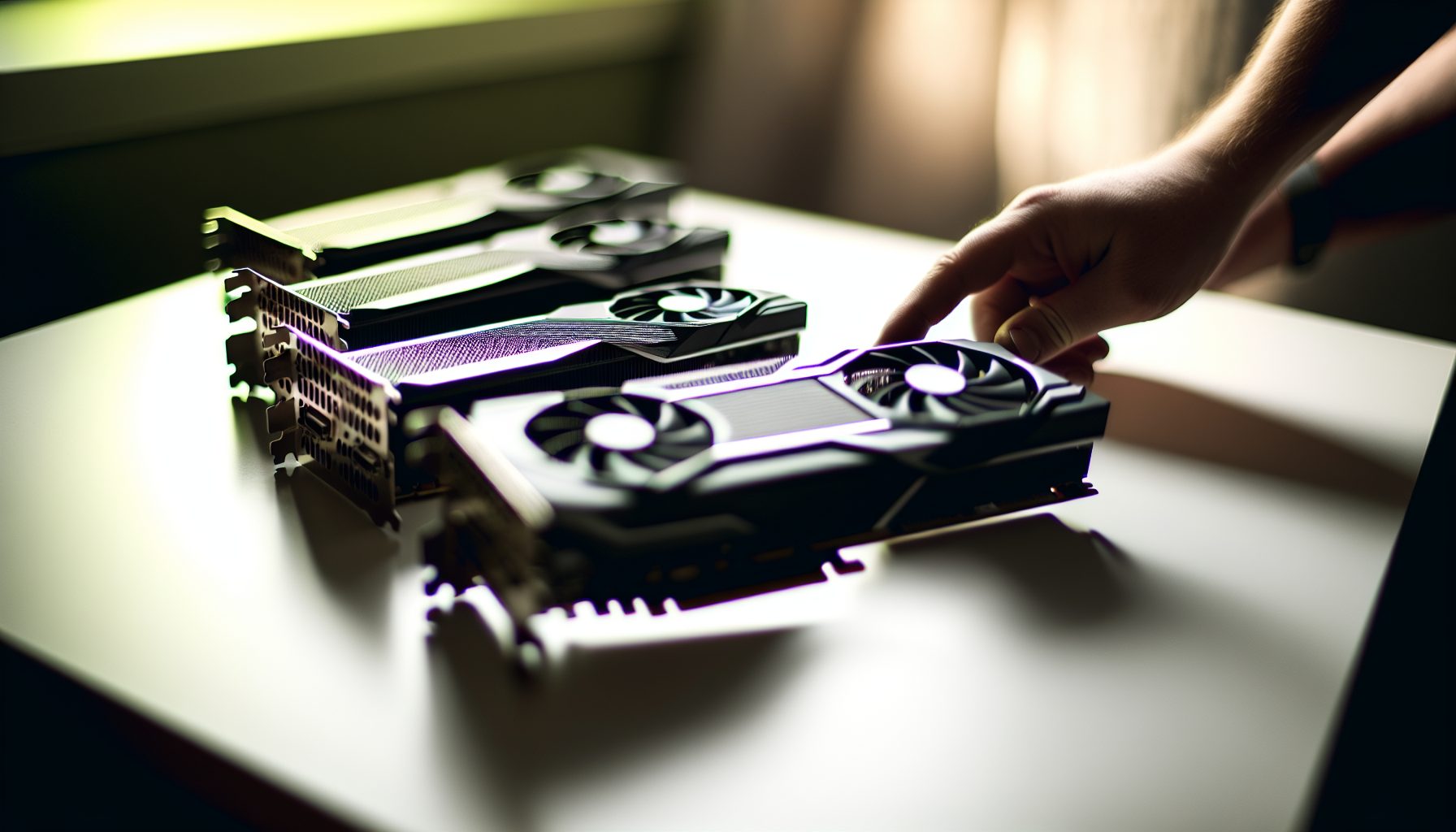
Look, I know most people think GPUs are dead for mining after Ethereum went proof-of-stake. But here’s the thing: if you’re into solo mining like me, GPUs are actually still one of the most interesting ways to hunt for blocks on smaller chains. Not Bitcoin — that ship sailed years ago — but there are coins where a decent GPU setup can give you a legitimate shot at hitting a solo block.
I’ve been running GPUs alongside my Bitaxe setup for about eight months now. Started with an old RX 580 my uncle gave me (which honestly barely paid for its electricity), then upgraded to something more serious. And yeah, I’ve learned the hard way which cards are worth it and which ones are just burning money.
TL;DR: GPU Solo Mining in 2026
Here’s what you need to know before we dive deep:
- NVIDIA dominates power efficiency — AMD brings raw hashrate for less money upfront
- The best coins for GPU solo mining: Ergo, Kaspa (Blake3), Flux, Alephium, Ethereum Classic
- Your realistic solo chances depend more on picking the right coin than having the absolute best GPU
- Electricity costs will make or break you — seriously, calculate before buying
- Most profitable GPU right now for solo mining: RTX 4070 for efficiency, RX 7900 XTX for raw power
Don’t make my mistake: I bought my first “mining GPU” based on YouTube videos from 2026. Those numbers are ancient history now. The mining landscape changed completely, and honestly? That’s actually good for solo miners on the right coins.
Why GPUs Still Matter for Solo Mining in 2026
Yeah, Bitcoin and Litecoin are ASIC territory now. No GPU can touch those networks anymore. But that actually created an opportunity.
When Ethereum switched to proof-of-stake in 2026, millions of GPUs suddenly needed something else to mine. Most miners jumped to pools on whatever was most profitable that day. But some coins — especially newer ones with smaller network hashrates — became actually viable for solo mining if you had decent hardware.
The math is pretty straightforward. On Ergo solo mining, for example, the total network hashrate sits around 15-20 TH/s depending on the day. A solid GPU puts out 200-300 MH/s on Autolykos v2. That’s not lottery-ticket odds anymore — that’s something you can actually calculate and plan around.
I personally hit my first solo block on Ergo about three months after I started. Pure luck? Maybe partially. But I also picked a coin where my hashrate actually mattered instead of trying to solo mine something impossible.
NVIDIA GPUs: The Efficiency Champions
NVIDIA cards cost more upfront, but they sip power compared to AMD. If you’re paying normal electricity rates (not sneaking free power from your parents like… never mind), efficiency matters way more than you think.
RTX 4070: Best Overall Value for Solo Miners
This card is honestly my top recommendation for most solo miners in 2026. Here’s why:
- Power draw: Around 200W when properly tuned (not the 285W reference spec)
- Ergo (Autolykos v2): ~180-190 MH/s
- Flux (ZelHash): ~65-70 Sol/s
- Kaspa (Blake3): Decent but not the best algorithm for NVIDIA
- Price: Usually $550-650 depending on the model
What I wish I knew earlier: The aftermarket models with better cooling actually let you push higher hashrates without increasing power much. I’m running an MSI Gaming X Trio version, and it stays cool enough that I can overclock memory pretty aggressively.
180-190 MH/s on Ergo at just 200W. Best efficiency-to-hashrate ratio for solo mining in 2026. Runs cool and quiet enough for a bedroom setup.
RTX 4090: Maximum Hashrate But Expensive
If money isn’t the main concern (lucky you), the 4090 delivers insane hashrate:
- Ergo: ~350-370 MH/s
- Power: 350-400W depending on tune
- Price: $1,600-2,000
Honestly? For solo mining specifically, I’d rather buy two RTX 4070s than one 4090. You get similar total hashrate, but if one card dies or you want to mine different coins simultaneously, you have flexibility. Plus two cards means twice the solo chances if you’re pointing them at different coins.
Maximum NVIDIA hashrate at 350+ MH/s on Ergo, but draws 400W and costs almost 3x a RTX 4070. Only worth it if you’re all-in on GPU solo mining.
RTX 3060 Ti: Budget Entry Point
Used market is full of these from the previous mining boom. If you find one for under $250, it’s actually a pretty solid entry point:
- Ergo: ~130-140 MH/s
- Power: 120-130W when optimized
- Extremely efficient J/MH ratio
This was my second GPU after that old RX 580. I paid $220 for a used one locally, and it taught me everything about tuning and optimization without breaking the bank.
AMD GPUs: Raw Power for Less Money
AMD cards generally cost less than comparable NVIDIA models and often deliver higher raw hashrate. The tradeoff? They consume more power and run hotter. But for some algorithms, they’re simply better.
RX 7900 XTX: The AMD Flagship
This is AMD’s answer to the RTX 4090, and for certain algorithms, it actually wins:
- Ergo: ~320-340 MH/s
- Ethereum Classic (Etchash): ~95-100 MH/s
- Power: 300-350W
- Price: $900-1,100 (cheaper than the 4090)
For solo mining Ethereum Classic, AMD cards dominate NVIDIA on efficiency. The 7900 XTX is basically the go-to if ETC solo mining is your plan.
320+ MH/s on Ergo and crushes Ethereum Classic mining. Costs less than RTX 4090 but draws 350W. Best AMD option for serious solo miners.
RX 6800 XT: Sweet Spot for AMD Fans
Older generation but still competitive:
- Ergo: ~220-230 MH/s
- Power: 220-250W
- Price: $450-550 used
You can find these used from miners who upgraded. Solid choice if you want AMD performance without spending $1,000+.
RX 6600 XT: Budget AMD Option
Entry-level AMD card that doesn’t suck:
- Ergo: ~115-125 MH/s
- Power: 100-110W (surprisingly efficient)
- Price: $250-300
Honestly, at this price point, I’d probably still go for a used RTX 3060 Ti over this. But if you prefer AMD drivers or already have an AMD-based system, it works.
Which Coins Actually Make Sense for GPU Solo Mining
Here’s the reality: Most coins are either too difficult for GPU solo mining (network too big) or too small to be worth your electricity. But a few sit in that sweet spot where your GPU hashrate actually matters.
Ergo (ERG): Best Overall GPU Solo Mining Target
Current Ergo price: $0.3491
Network hashrate: ~15-20 TH/s (varies)
Why it works: Autolykos v2 algorithm is ASIC-resistant by design. The network is big enough to be stable but small enough that a decent GPU gives you realistic solo odds. Block reward is 51 ERG currently.
With a single RTX 4070 (180 MH/s), you’re looking at roughly 0.0009% of the network. That sounds tiny, but it translates to a block roughly every 2-4 months if luck is average. That’s not “win the lottery” odds — that’s “actually possible.”
I hit my first Ergo solo block with about 200 MH/s total (two GPUs) after three months. Pure euphoria when I saw that block confirmation.
Alephium (ALPH): Multi-Chain Architecture
Alephium uses Blake3 and has an interesting multi-chain setup that actually helps solo miners. Lower difficulty on individual chains means smaller hashrate can still find blocks.
Check the detailed Alephium solo mining profitability guide for specifics, but GPUs do reasonably well here. Network isn’t huge, and the multi-chain design spreads hashrate across different shards.
Ethereum Classic (ETC): The OG That Stayed GPU-Friendly
Current ETC price: $1,976
Network hashrate: ~150-180 TH/s
Okay, I’ll be honest: ETC solo mining is tough. The network is pretty big. But it’s not impossible, especially if you run multiple high-end GPUs. And some people just like the idea of solo mining something with actual history and exchange presence.
AMD cards absolutely dominate on Etchash. An RX 7900 XTX at 100 MH/s is way more efficient than equivalent NVIDIA cards.
Flux (FLUX): ZelHash Algorithm
Current Flux price: $0.0230
Flux sits in an interesting middle ground. Network isn’t tiny, but a solid GPU setup can find blocks. The coin also has utility beyond just mining (decentralized cloud infrastructure), which means it might actually be worth something long-term.
Check the Flux GPU mining profitability breakdown for current numbers. They fluctuate quite a bit based on price movement.
What About Kaspa?
Kaspa blew up in 2026-2026, and yeah, you can still GPU mine it. But honestly? If you’re serious about Kaspa solo mining, just get an ASIC. The IceRiver Kaspa miners are way more efficient than any GPU setup. GPUs on Kaspa are basically just burning electricity for no reason at this point.
Power Consumption: The Real Cost of GPU Solo Mining
Dude, this is where most beginners mess up completely. They see hashrate numbers and get excited, then their electricity bill arrives and suddenly GPU mining doesn’t seem so fun.
Let me give you actual numbers from my setup:
RTX 4070 mining Ergo:
- Hashrate: 185 MH/s
- Power draw: 205W at the wall (measured with a Kill-A-Watt meter)
- My electricity cost: $0.12/kWh (pretty average in the US)
- Daily cost: 205W × 24 hours × $0.12 = $0.59/day
- Monthly cost: ~$18
Now the big question: Is that worth it for solo mining?
It depends. If I find a block every 3 months on average, I’m paying $54 in electricity for a 51 ERG block. At current prices, that’s profitable. But if Ergo price drops or network hashrate spikes, suddenly I’m just paying to maybe win a prize that’s worth less than my electricity.
Don’t make my mistake: I ran my old RX 580 for two months before I actually sat down and calculated costs. I spent $32 in electricity and found exactly zero blocks. That card pulled 180W for only 85 MH/s — absolutely terrible efficiency.
Calculating Break-Even
Here’s the formula that actually matters for solo miners:
Break-even = (Monthly Electricity Cost × Months to Block) ÷ Block Reward Value
If that number is above 1.0, you’re losing money. If it’s below, you’re profitable (assuming average luck).
Example with RTX 4070 on Ergo:
- Monthly electricity: $18
- Expected months to block: 3
- Total electricity cost: $54
- Block reward: 51 ERG × current price
- If ERG is $2: Break-even = $54 ÷ $102 = 0.53 (profitable)
- If ERG is $1: Break-even = $54 ÷ $51 = 1.06 (losing money)
See how price movement completely changes the equation? That’s why you need cheap electricity to survive the down markets.
NVIDIA vs AMD: The Actual Differences That Matter
Okay, beyond just the numbers, there are practical differences between NVIDIA and AMD that affect solo mining specifically.
Power Efficiency: NVIDIA Wins
NVIDIA’s newer architectures (especially RTX 40-series) are legitimately more efficient. We’re talking 20-30% less power for similar hashrate on most algorithms. Over months of 24/7 mining, that adds up to real money.
If your electricity is above $0.15/kWh, basically just go NVIDIA. The power savings pay for the higher upfront cost within 6-12 months.
Resale Value: NVIDIA Wins
Let’s be real — you might want to sell this GPU eventually. NVIDIA cards hold value way better than AMD. Gamers prefer them, demand is higher, and you’ll get more of your money back.
I could sell my RTX 4070 right now for probably 70-80% of what I paid. An equivalent AMD card? More like 50-60%.
Software and Compatibility: Slight NVIDIA Edge
Most mining software works fine with both, but NVIDIA generally has fewer weird driver issues. AMD drivers on Linux can be… let’s just say “character building.”
If you’re running Windows, it mostly doesn’t matter. On Linux (which a lot of serious miners prefer), NVIDIA is less headache.
Raw Performance on Specific Algorithms: AMD Sometimes Wins
For Etchash (Ethereum Classic), AMD cards absolutely crush NVIDIA on efficiency. The memory architecture just works better for that algorithm.
For Autolykos v2 (Ergo), it’s pretty even with recent generations.
For ZelHash (Flux), NVIDIA tends to be more efficient.
Overclocking and Tuning: NVIDIA Easier
MSI Afterburner works great with NVIDIA and has mature support. AMD needs different tools, and honestly, the tuning process is more finicky in my experience.
When you’re trying to squeeze every last MH/s out of your card without increasing power draw, NVIDIA’s tools just work better.
Building a Multi-GPU Solo Mining Rig
If you’re serious about GPU solo mining, you’re probably thinking about multiple cards. Here’s what actually matters from a solo miner perspective:
Don’t Mix NVIDIA and AMD
Seriously, just pick one brand and stick with it. Mixing them creates driver conflicts, makes tuning way more complicated, and some mining software doesn’t like mixed setups.
PCIe Riser Quality Matters
I learned this the hard way when a cheap riser literally caught fire. Spend the extra $5 per riser for good ones with proper capacitors. Your house not burning down is worth it.
Motherboard Considerations
You need enough PCIe slots, obviously. But also check if your motherboard supports “Above 4G Decoding” and “Resizable BAR” in BIOS — these settings can improve mining performance on newer cards.
Power Supply Math
Add up total GPU power draw, then add 100-150W for CPU/motherboard/fans/etc., then multiply by 1.2 for safety margin. That’s your minimum PSU wattage.
Example: Four RTX 4070s = 4 × 200W = 800W + 150W system + 20% safety = 1,140W minimum. Get a 1,200W+ PSU.
Cooling Is Not Optional
GPUs running 24/7 need good airflow. I just use a cheap box fan pointed directly at my rig. Keeps temps way down and costs like $20.
What I wish I knew earlier: Hot GPUs don’t just throttle (lowering hashrate) — they also die faster. Keeping temps under 65-70°C extends hardware life significantly.
Mining Software for GPU Solo Mining
You need different software depending on which coin you’re targeting:
For Ergo: lolMiner or TeamRedMiner
Both work great. lolMiner is my preference because it shows really detailed stats and has good auto-tuning.
Configuration is straightforward — just point it at your solo mining pool (yes, you can use a “solo pool” which is different from a regular pool — check the solo mining pool explained guide for details).
For Ethereum Classic: lolMiner or TeamRedMiner
Same miners, different algorithm. Both support Etchash.
For Flux: lolMiner or Gminer
Gminer tends to be slightly more efficient on ZelHash in my testing, but the difference is small.
For Alephium: lolMiner
Pretty much the standard for Blake3 mining.
Important note: Most mining software takes a 1-2% dev fee. That means 1-2% of your mining time goes to the developer. This is normal and honestly fair — these tools are sophisticated.
Setting Realistic Expectations
Look, I need to be brutally honest here because too many YouTube videos make GPU mining sound like free money.
With a single mid-range GPU, you’re probably finding a solo block every 2-6 months on appropriate coins. That’s assuming average luck. Variance is real — you might go 8 months without a block, then hit two in one week.
This is not steady income. This is not replacing your job. This is a hobby that might occasionally pay for itself and teach you a ton about cryptocurrency, mining, and hardware.
If you want steady, predictable mining income, join a pool. If you want the excitement of actually finding a full block yourself and learning how blockchain mining really works, solo mine. Just know what you’re signing up for.
I’ve been solo mining for eight months now. I’ve found three blocks total across different coins. My total profit after electricity? About $180. But I’ve learned more about crypto in these eight months than in the previous year of just reading about it.
The Electricity Cost Warning You Need to Hear
If your electricity cost is above $0.15/kWh, GPU solo mining probably doesn’t make financial sense unless you’re running the absolute most efficient cards (RTX 4070, RTX 4090, RX 7900 XTX) and hitting blocks regularly.
If you’re above $0.20/kWh, honestly, just buy the cryptocurrency directly instead of mining it. You’ll get more coins for your money.
Don’t make my mistake: I didn’t even check my electricity rate when I started. I assumed it was “average” but it turned out we pay $0.18/kWh because of state renewable mandates. That completely changed my profitability calculations.
Call your power company or check your bill. Do the actual math before buying a $600 GPU for mining.
Secure Your Winnings
Finding a solo block means receiving 3.125 BTC directly to your wallet — currently worth over $250,000. That amount should never sit on an exchange.
Two hardware wallets we recommend for solo miners:
Ledger Nano X (~$149) — Industry standard, supports BTC natively
Buy Ledger Nano X
Trezor Model T (~$179) — Open-source firmware, strong community trust
Buy Trezor Model T
Frequently Asked Questions
Can you still solo mine Bitcoin with a GPU?
Technically yes, practically no. The Bitcoin network difficulty is so insanely high that even a thousand top-end GPUs wouldn’t find a block in your lifetime. Bitcoin solo mining needs ASIC hardware — check out my Bitaxe solo mining setup or NerdMiner V2 guide for fun lottery-style Bitcoin solo mining, but GPU solo mining Bitcoin is dead.
Is NVIDIA or AMD better for solo mining in 2026?
NVIDIA wins on efficiency and resale value, AMD wins on upfront cost and raw hashrate for your dollar. If electricity is cheap, AMD. If electricity is expensive or you care about long-term costs, NVIDIA. For most people, I’d recommend NVIDIA RTX 4070 as the sweet spot.
How much can you make solo mining with one GPU?
It’s extremely variable. With a RTX 4070 mining Ergo, you might find a block worth $80-120 every 2-4 months, minus about $18/month in electricity. That’s roughly $20-40 profit per block if luck is average. But you could also go 6 months without finding anything. This is gambling with better odds than the lottery, not a salary.
What’s the most profitable coin to solo mine with GPUs right now?
Ergo has the best balance of network size, block reward value, and ASIC resistance in my experience. Alephium is also worth looking at. Ethereum Classic is possible but harder due to higher network hashrate. Check current network difficulties and coin prices before deciding — what’s best changes constantly.
Do you need multiple GPUs for solo mining to be worth it?
Not necessarily. One good GPU on the right coin can work. But multiple GPUs increase your chances proportionally — two RTX 4070s have roughly twice the probability of finding a block compared to one. Whether that’s “worth it” depends on your goals. If you’re doing this to learn and have fun, one GPU is fine. If you want better odds and can afford the electricity, scale up to 2-4 cards.