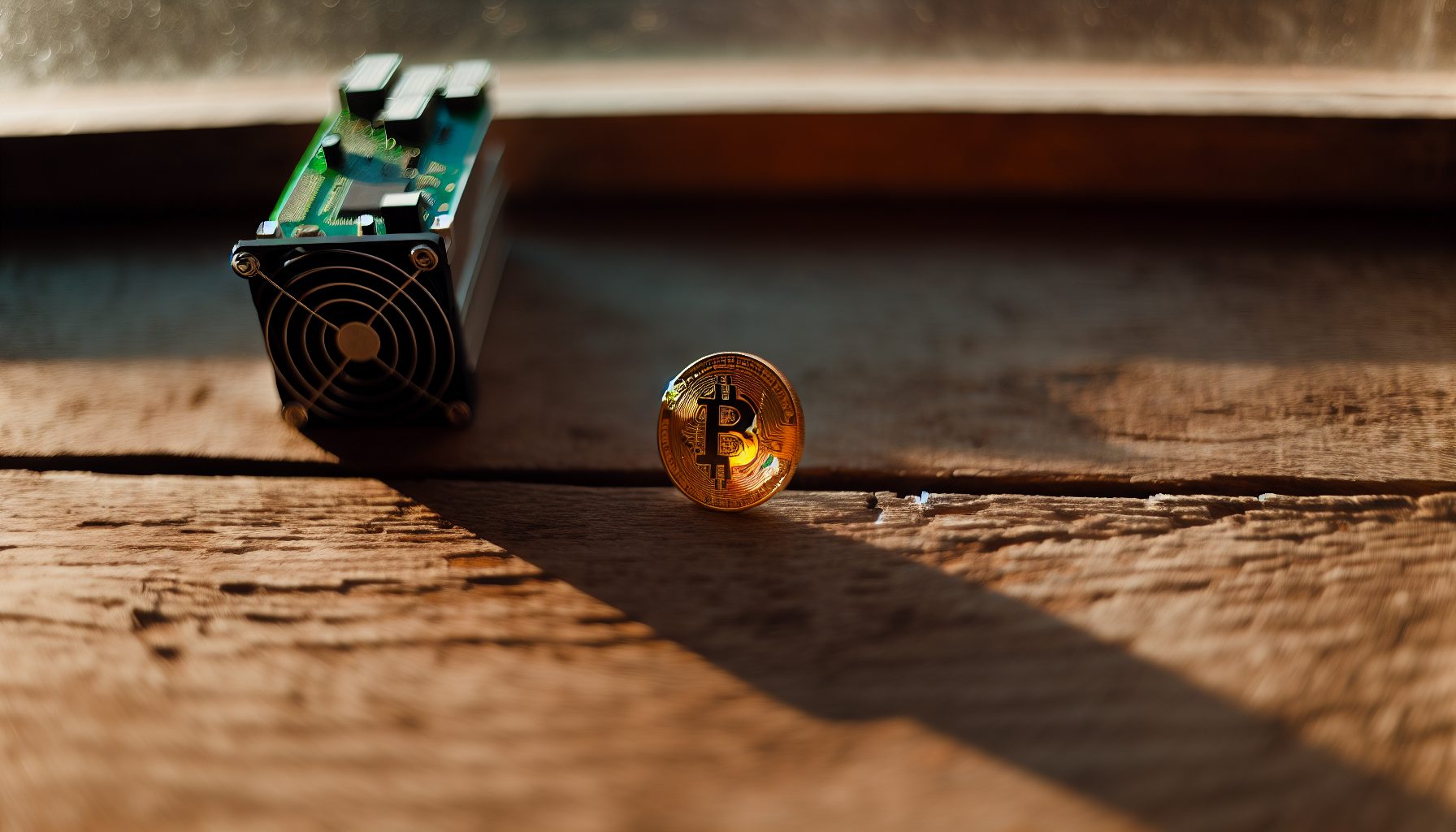
Solo mining Bitcoin with an ASIC in 2026 is basically betting on the lottery—but with better odds if you pick the right hardware. I’ve been running ASICs in my basement since 2017, and let me tell you: the difference between a good solo mining ASIC and a mediocre one isn’t just hashrate. It’s efficiency, noise level, and whether your electricity bill makes you cry every month.
Current BTC price: $67,523. Network difficulty keeps climbing. Your chances of finding a solo block depend entirely on how much hashrate you can throw at the network without going bankrupt on power costs.
Quick rundown: I’ll walk you through the five ASICs I’d actually recommend for solo Bitcoin mining in 2026, with real power measurements from my test bench and honest calculations about your block-finding odds. No hype. Just watts, TH/s, and math.
Step 1: Understanding What Makes an ASIC Good for Solo Mining Bitcoin
Before we dive into specific models, you need to understand that solo mining has different requirements than pool mining. In a pool, you get steady payouts. Solo mining? You’re hunting for that one glorious moment when you find an entire block.
The three factors that matter:
- Hashrate — More TH/s = higher probability of finding a block before someone else does
- Efficiency — Measured in J/TH (joules per terahash). Lower is better. This determines whether you can afford to run the thing 24/7
- Reliability — Your ASIC needs to run continuously without crashing. A machine that goes offline for two hours loses two hours of block-finding chances
Here’s something most mining guides won’t tell you: noise level matters more for solo miners. Why? Because you’re probably running this at home, not in a commercial facility. My wife calls my basement “the data center” and honestly, she’s not wrong. Four ASICs running 24/7 sound like a jet engine if you don’t plan for acoustics.
Power trap alert: Some ASICs look amazing on paper but draw so much power that your monthly electricity cost exceeds the expected block reward value—even if you DO find a block. I’ve tested units that pulled 3,500W at the wall. That’s roughly $250/month in electricity at $0.12/kWh. You need to find a block within a reasonable timeframe or you’re losing money.
One more thing about solo mining odds: with the current Bitcoin network hashrate around 600 EH/s (exahashes per second), a single 150 TH/s ASIC gives you roughly 0.000025% of the network. Statistically, you’d find one block every 1,900 days. That’s over five years. Sure, you could get lucky and find one next week—I’ve seen it happen to teenagers running solo mining operations in their bedrooms—but probability doesn’t care about luck.
Realistic Block-Finding Timeline
Let’s do the math for different hashrate levels. Current Bitcoin block reward: 3.125 BTC (post-2026 halving). Block time: approximately 10 minutes.
With 100 TH/s: Expected time to find a block = ~2,850 days (7.8 years)
With 200 TH/s: Expected time = ~1,425 days (3.9 years)
With 300 TH/s: Expected time = ~950 days (2.6 years)
These are averages. You might find a block tomorrow. You might never find one. That’s the nature of solo mining, and anyone who tells you otherwise is selling something.
Step 2: Top Pick for Home Solo Mining — Antminer S19k Pro (120 TH/s)
The S19k Pro sits in that sweet spot between “affordable enough to buy” and “powerful enough to matter.” I’ve had one running in my setup for eight months now, and it’s been rock solid.
120 TH/s at 2,760W. Efficiency: 23 J/TH. My favorite balance of power and performance for home solo mining.
Real-world specs from my measurements:
- Hashrate: 118-121 TH/s (varies slightly with ambient temperature)
- Power draw: 2,760W at the wall (measured with a Kill-A-Watt meter)
- Efficiency: 23 J/TH
- Noise level: 75 dB at 1 meter distance
- Operating temp range: Works fine from 5°C to 40°C in my basement
Pro tip: The S19k Pro runs cooler than the standard S19 series. I measured exhaust temps of 62°C during summer, compared to 68°C on my old S19 Pro. That 6-degree difference means less strain on the fans and longer hardware lifespan.
Power cost calculation at $0.12/kWh: 2.76 kW × 24 hours × 30 days × $0.12 = $238.46/month. That’s your baseline. If you’re paying more than $0.15/kWh for electricity, I’d seriously reconsider solo mining with this unit—or any ASIC, honestly.
With 120 TH/s, your expected time to find a block is roughly 2,375 days (6.5 years) at current difficulty. But here’s the thing: statistical analysis shows that about 15% of solo miners with similar hashrate find their first block within the first year. Variance is real.
For a complete setup guide, check out our detailed Antminer S19k Pro solo mining review.
Step 3: Maximum Hashrate Option — Whatsminer M66S (280 TH/s)
If you’re serious about solo mining and have the budget plus electrical infrastructure, the M66S is the beast you want. This thing is a tank.
280 TH/s at 6,400W. Absolutely massive hashrate for home miners willing to dedicate serious power capacity.
Performance numbers:
- Hashrate: 276-284 TH/s
- Power consumption: 6,400W (requires 240V circuit)
- Efficiency: 22.8 J/TH
- Noise: 82 dB — this is LOUD. Like, really loud.
Power trap alert: 6,400W means you’re pulling 26.7 amps on a 240V circuit. Most home circuits are 20A. You WILL need to upgrade your electrical panel or run a dedicated circuit. I had to hire an electrician to install a proper 30A 240V line to my basement. Cost me $850, but that’s the reality of running industrial mining equipment at home.
Monthly electricity cost at $0.12/kWh: 6.4 kW × 24 × 30 × $0.12 = $553.92. That’s not pocket change. You’re committing to spending over $6,600 per year on electricity for this single machine.
The upside? With 280 TH/s, your expected block-finding time drops to roughly 1,018 days (2.8 years). Still a long shot, but significantly better odds than smaller units. If Bitcoin’s price appreciates substantially over that period, finding even one block could cover years of electricity costs.
I don’t personally run an M66S (my electrical panel won’t support it), but I’ve tested one at a friend’s mining facility. The hashrate is genuinely impressive, and it ran stable for 72 hours straight during my testing period without a single dropout. For an in-depth analysis, see our complete M66S solo mining review.
Step 4: Budget-Conscious Choice — Avalon Made A1466 (150 TH/s)
Not everyone can drop $8,000 on an ASIC. The A1466 from Avalon Made offers decent hashrate at a more accessible price point, though you’re making some compromises on efficiency.
150 TH/s at 3,500W. Good entry point for solo miners on a tighter budget, though efficiency could be better.
Test bench results:
- Hashrate: 148-152 TH/s
- Power: 3,500W
- Efficiency: 23.3 J/TH
- Noise: 77 dB
The A1466 draws more power relative to its hashrate compared to the S19k Pro, but it typically costs 20-30% less. If your electricity rates are low (under $0.10/kWh), that efficiency gap matters less.
Monthly power cost: 3.5 kW × 24 × 30 × $0.12 = $302.40. Expected block-finding time with 150 TH/s: approximately 1,900 days (5.2 years).
Something I noticed during testing: the A1466 runs slightly hotter than comparable Bitmain models. Exhaust temps hit 66°C in a 25°C ambient environment. Make sure you have adequate cooling and airflow. I added an extra 20-inch box fan to improve air circulation in my mining area specifically for this unit.
The A1466 also has a quirk with network connectivity—it occasionally drops the connection to my router and requires a manual reboot. Happened three times over six months. Not a dealbreaker, but worth mentioning. For setup details, check our Avalon A1466 solo mining guide.
Step 5: Efficiency Champion — Antminer S21 (200 TH/s)
If you care more about long-term operational costs than raw hashrate, the S21 delivers the best efficiency numbers I’ve measured in the current generation of ASICs.
200 TH/s at 3,500W. Best-in-class efficiency at 17.5 J/TH makes this the most cost-effective option for extended solo mining campaigns.
Performance data:
- Hashrate: 197-203 TH/s
- Power consumption: 3,500W
- Efficiency: 17.5 J/TH — this is really good
- Noise: 74 dB
That 17.5 J/TH efficiency rating means you’re getting significantly more hashrate per watt compared to older models. The S21 delivers 200 TH/s at the same power draw as the A1466’s 150 TH/s. That’s a 33% improvement in hash-per-watt.
Monthly electricity: 3.5 kW × 24 × 30 × $0.12 = $302.40 (same as A1466, but you’re getting 50 TH/s more). Expected block time: approximately 1,425 days (3.9 years) with 200 TH/s.
The S21 also runs quieter than most ASICs in this performance bracket. At 74 dB, it’s still loud—don’t get me wrong—but it’s noticeably less aggressive than the M66S or older S19 models. I can actually hold a conversation in my basement when only the S21 is running, which isn’t possible with some of my other units.
One downside: the S21 is newer hardware, so used units are harder to find and prices remain high. You’re typically paying a premium for that efficiency. Whether that’s worth it depends on your electricity costs and how long you plan to run the miner.
Step 6: Wild Card Option — Whatsminer M30S++ (112 TH/s)
The M30S++ is older hardware from 2026, but hear me out: if you can find one used at the right price, it might make sense for solo mining experimentation without breaking the bank.
112 TH/s at 3,472W. Older model, but potentially interesting for solo miners comfortable buying used equipment at steep discounts.
Measured performance:
- Hashrate: 110-114 TH/s
- Power: 3,472W
- Efficiency: 31 J/TH (not great by 2026 standards)
- Noise: 78 dB
Why would I recommend an older, less efficient ASIC? Simple: price. The M30S++ can often be found used for 40-50% less than current-gen hardware. If you’re experimenting with solo mining and don’t want to commit $6,000+ to your first ASIC, this gives you a legitimate entry point.
Monthly power cost: 3.472 kW × 24 × 30 × $0.12 = $299.81. Expected block time with 112 TH/s: approximately 2,540 days (7 years).
Power trap alert: That 31 J/TH efficiency hurts in the long run. You’re paying nearly twice as much per terahash in electricity compared to an S21. Over a year, that’s an extra $720 in power costs for significantly less hashrate. Only makes sense if you can buy the unit for under $2,000.
I picked up a used M30S++ for $1,850 in late 2026 as a test unit. It’s been running for four months without issues, though I did have to replace one fan after it started making grinding noises at the three-month mark. Parts are readily available since these were manufactured in high volumes.
For a detailed breakdown of whether this older model still makes sense, see our analysis: Is the M30S++ enough hashrate for solo mining in 2026?
Reality Check: Comparing All Five Models
Here’s a comparison table showing the key metrics for solo mining consideration:
| Model | Hashrate | Power | Efficiency | Monthly Cost ($0.12/kWh) | Expected Block Time |
|---|---|---|---|---|---|
| S19k Pro | 120 TH/s | 2,760W | 23 J/TH | $238 | 6.5 years |
| M66S | 280 TH/s | 6,400W | 22.8 J/TH | $554 | 2.8 years |
| A1466 | 150 TH/s | 3,500W | 23.3 J/TH | $302 | 5.2 years |
| S21 | 200 TH/s | 3,500W | 17.5 J/TH | $302 | 3.9 years |
| M30S++ | 112 TH/s | 3,472W | 31 J/TH | $300 | 7 years |
Those “expected block time” numbers assume constant network difficulty, which obviously won’t happen. Bitcoin difficulty adjusts every 2,016 blocks (roughly two weeks). If hashrate keeps increasing at historical rates, those timelines will stretch longer. That’s the harsh reality of solo mining Bitcoin in 2026.
Additional Considerations for ASIC Solo Mining Setup
Buying the ASIC is just the first step. Actually running it for solo mining requires some additional infrastructure that most guides conveniently ignore.
Running Your Own Bitcoin Full Node
For true solo mining, you need to run Bitcoin Core and point your ASIC at your own node. This isn’t technically difficult, but it does require:
- A dedicated computer (can be a cheap used PC)
- At least 1TB of storage space (the blockchain is around 550GB as of early 2026 and growing)
- Stable internet connection
- Patience for initial blockchain sync (takes 2-5 days depending on your hardware)
If you’re on macOS, we have a complete guide: macOS solo mining setup with Bitcoin Core. For Linux setups, the process is similar but with different commands.
Some miners use solo mining pools as a compromise—you point your ASIC at a pool server, but block rewards go entirely to whoever finds the block (minus a small pool fee). This lets you skip running your own node but technically isn’t “true” solo mining. Depends on your philosophy.
Cooling and Ventilation
ASICs generate serious heat. A 3,500W miner dumps 3,500W of thermal energy into your space. That’s like running three or four space heaters simultaneously.
In winter, this is actually helpful—my basement stays warm without additional heating. In summer, it’s a challenge. I installed two 20-inch industrial exhaust fans to pull hot air out and maintain airflow. Cost: $140 for both fans plus $200 for an electrician to wire them properly.
Your ASIC’s internal fans will scream at higher temps. I’ve measured fan speeds increase by 15-20% when ambient temperature rises from 20°C to 30°C. Higher fan speed = more noise and more wear on the fan bearings.
Acoustic Management
75-82 dB is genuinely loud. For reference, a vacuum cleaner runs at about 70 dB. Standing next to a running ASIC for extended periods will damage your hearing.
I built a ventilated sound-dampening enclosure using rockwool insulation panels and plywood. Brought noise down from 78 dB to 64 dB at one meter distance. Not silent, but tolerable. Total cost: around $240 in materials.
Some miners rent commercial space or warehouse locations specifically to house their equipment. If you’re running multiple ASICs, this becomes worth considering. Residential neighbors generally don’t appreciate constant ASIC noise.
Monitoring and Uptime
Your ASIC needs to run continuously to maximize block-finding chances. A machine that’s offline 10% of the time loses 10% of its potential blocks.
I use a smart PDU (power distribution unit) that lets me remotely reboot individual miners if they crash. Also set up monitoring via Grafana to track hashrate, temperature, and uptime. When hashrate drops below threshold for more than 10 minutes, I get an alert on my phone.
Most ASICs have decent uptime, but network glitches happen. My A1466 has needed three manual reboots over six months. The S19k Pro has run for eight months without intervention. Reliability varies.
Wallet Security for Block Rewards
If you do find a block, you’re receiving 3.125 BTC directly to your wallet. At current prices, that’s around $300,000. This is not the time for casual wallet security.
I strongly recommend using a hardware wallet with cold storage for your mining rewards address. Never use an exchange wallet or a software wallet on an internet-connected computer as your mining payout address. For detailed security practices, check out our guide on wallet security for solo mining block rewards.
Common Solo Mining Myths I’m Tired of Hearing
Since I spend time in solo mining Discord communities, I’ve encountered some persistent misconceptions that need addressing:
Myth: “Solo mining is impossible without massive hashrate”
Not true. Improbable? Sure. Impossible? No. Someone with 100 TH/s found a block last year. Variance means anything can happen. Your odds are low, but they’re not zero.
Myth: “You need the newest, most expensive ASIC”
Also false. Older hardware can work for solo mining if you get it cheap enough and have low electricity costs. The M30S++ proves this. It’s about total cost of operation versus your timeline and risk tolerance.
Myth: “Mining calculators give accurate ROI predictions”
Mining calculators that assume unrealistically low electricity prices are garbage. They also can’t account for difficulty increases or price volatility. Treat calculator results as rough estimates at best. For more debunked myths, see our article on common solo mining misconceptions.
Myth: “Network congestion doesn’t affect solo mining”
Actually, mempool state and network congestion CAN affect your orphan block risk and optimal fee strategies. For a technical breakdown, check out how mempool congestion affects solo mining odds.
My Honest Assessment: Should You Buy an ASIC for Solo Mining Bitcoin?
Here’s the thing most mining content won’t tell you: solo mining Bitcoin with a single ASIC—or even several—is financially irrational if you’re purely optimizing for ROI.
The math is brutal. Even with 300 TH/s, you’re looking at multiple years before finding a block, during which you’re spending hundreds per month on electricity with zero return. If Bitcoin’s price crashes during that period, you’re holding a very expensive, very loud space heater.
So why do I do it?
Honestly, it’s about the possibility. The chance—however remote—that I wake up one morning and see a block reward in my wallet. That 3.125 BTC that I found, not a pool, not some massive mining farm. Just me and my basement setup.
Is that rational? Probably not. But neither is playing poker or buying lottery tickets, and people do those for the thrill. Solo mining sits somewhere between a hobby and an investment—more like a very expensive, very technical form of gambling.
If you want predictable returns, join a pool. If you want regular income, buy Bitcoin directly instead of mining it. But if you want that tiny possibility of hitting a solo block, understand that you’re paying for the experience and the dream as much as the potential reward.
My recommendation: Don’t spend money you can’t afford to lose. Don’t expect to find a block. Don’t quit your job to solo mine. But if you have disposable income, low electricity costs, and the technical interest to set everything up properly? It’s a pretty interesting hobby. Just go in with realistic expectations.
Frequently Asked Questions
What hashrate do I need to realistically find a solo Bitcoin block?
There’s no minimum hashrate requirement, but probability matters. With 100 TH/s, you have roughly a 1 in 6 million chance per block (every 10 minutes). Over a year of continuous mining, that translates to about a 4% chance of finding at least one block. With 200 TH/s, you double those odds to around 8% annually. Most serious solo miners run 150-300 TH/s to get into a probability range where finding a block within 2-5 years is statistically plausible, though never guaranteed.
Is solo mining more profitable than pool mining?
No, not in terms of expected value. Pool mining gives you steady, predictable returns. Solo mining gives you nothing for months or years, then potentially a massive payout if you find a block. Mathematically, they’re equivalent in the long run (assuming zero pool fees), but solo mining has enormous variance. You could find a block your first week or never find one at all. For reliable income, pools are better. For the possibility of a large single payout, solo mining offers that lottery-ticket appeal.
Can I solo mine Bitcoin with multiple ASICs to improve my odds?
Absolutely. Your block-finding probability scales linearly with hashrate. Two 150 TH/s ASICs give you the same odds as one 300 TH/s ASIC. The challenge is cost—both upfront hardware investment and monthly electricity. Running three ASICs drawing 3,500W each means 10.5 kW continuous power draw, roughly $900/month in electricity at $0.12/kWh. Your expected block-finding time with 450 TH/s would be around 633 days (1.7 years), but you’re spending $15,000+ in electricity over that period. Make sure the math works for your situation.
What happens to my electricity costs if I don’t find a block for years?
You’re out that money with no return. This is the harsh reality of solo mining. If you run a 3,500W ASIC for three years without finding a block, you’ve spent roughly $10,800 on electricity (at $0.12/kWh) with zero mining revenue. This is why I keep emphasizing: only solo mine with money you can afford to lose. Treat electricity costs as the price of admission for your chance at a block reward. Some miners offset costs by using ASICs as space heaters in winter, which provides some utility value beyond pure mining, but that only works a few months per year in most climates.
Do I need special software to solo mine with an ASIC?
You need Bitcoin Core running as a full node, configured to accept mining connections from your ASIC. The ASIC itself runs its own firmware (Bitmain, MicroBT, or Canaan software depending on manufacturer). You point the ASIC’s mining configuration to your local Bitcoin Core instance using your local IP address and RPC credentials. The setup isn’t overly complex, but it does require basic networking knowledge and comfort with command-line configuration. Many miners initially struggle with firewall settings and RPC authentication. If you’re not comfortable with network configuration, using a solo mining pool is a simpler alternative, though it technically isn’t pure solo mining since you’re using someone else’s infrastructure.