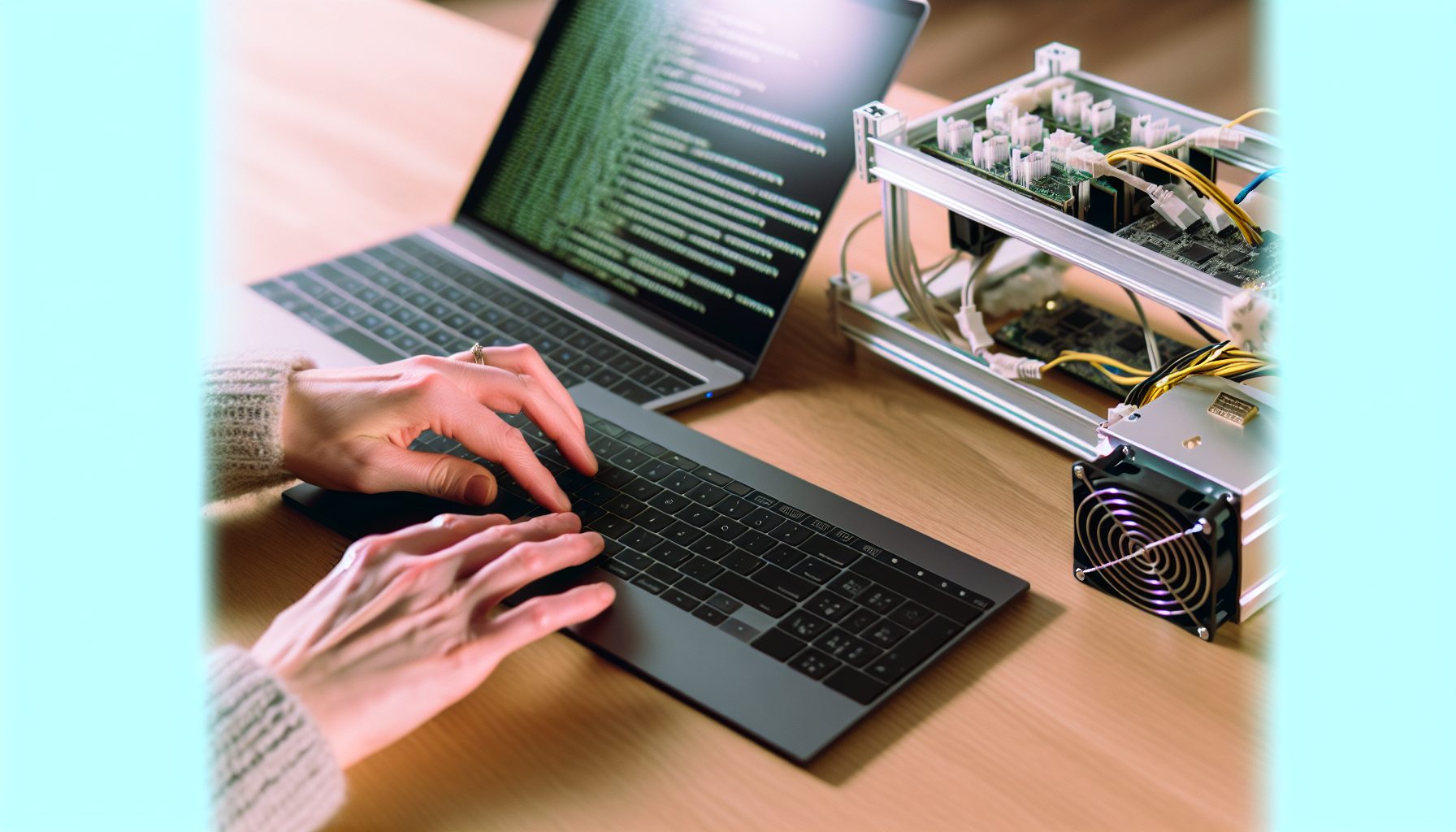
Look, I’ll be straight with you — CGMiner isn’t the easiest mining software to set up, especially when you’re configuring it for solo mining. But here’s the thing: once you understand how it actually works, you’ve got one of the most powerful and flexible mining tools out there. I spent like three days figuring this stuff out when I first started, and I totally wish someone had just explained it the way I’m about to.
CGMiner is open-source mining software that’s been around since 2011. It works with ASICs, GPUs (older versions), and even FPGAs. The reason a lot of serious solo miners use it? Complete control over your hardware and mining strategy. No bloated interfaces, no pool fees automatically configured — just raw mining power pointed wherever you want it.
This guide covers everything you need to know about setting up CGMiner specifically for solo mining — not pool mining with a different config file. We’re talking about pointing your hashrate directly at your own node or a solo mining pool like CKPool.
Why Use CGMiner for Solo Mining
Most mining software these days comes with fancy GUIs and automatic pool configurations. That’s great for beginners who just want to point-and-click. But when you’re solo mining, you need different things.
CGMiner gives you granular control over your hardware settings. Want to underclock your ASIC to save on electricity while still taking lottery shots? You can do that. Need to configure multiple devices with different settings? Easy. Want to monitor every single metric without third-party software? Built-in.
Real talk: CGMiner has a learning curve. The command-line interface scares some people off. But honestly, once you run it a few times, it becomes second nature. And for solo mining, where every configuration detail matters, having that control is worth the initial headache.
The other advantage? CGMiner works with almost everything. If you’ve got an older Antminer, a Bitaxe, or even some random ASIC you picked up cheap on eBay, CGMiner probably supports it. Not every mining software can say that.
CGMiner Solo Mining Configuration Basics
Here’s what most guides won’t tell you upfront: configuring CGMiner for solo mining is fundamentally different from pool mining. You’re not just changing a URL and calling it done.
When you solo mine, you need either:
- A full Bitcoin node running on your network (like Bitcoin Core)
- A connection to a solo mining pool that does the node work for you
- A specialized mining device that includes node functionality (like the FutureBit Apollo II)
Don’t make my mistake: I tried to solo mine by just changing the pool URL in my config file without understanding what I was actually connecting to. Spent half a day troubleshooting why nothing worked. Turns out I was still sending shares to a regular pool server that just rejected them.
Your CGMiner config file needs these key elements for solo mining:
- The correct RPC credentials for your Bitcoin node
- Proper difficulty settings (or leave it to auto-adjust)
- Hardware-specific parameters for your ASIC or device
- Monitoring settings so you actually know what’s happening
Let me show you what a basic solo mining config actually looks like.
Basic CGMiner Configuration File Structure
CGMiner uses JSON format for its config files. Here’s a stripped-down example for solo mining Bitcoin through your own node:
cgminer.conf:
{
  "pools": [
    {
      "url": "http://127.0.0.1:8332",
      "user": "your_rpc_username",
      "pass": "your_rpc_password"
    }
  ],
  "api-listen": true,
  "api-port": "4028",
  "suggest-diff": 1024
}
That’s the absolute minimum for solo mining to your local Bitcoin Core node. The IP address 127.0.0.1 means “this computer” — your node is running locally. Port 8332 is the default Bitcoin RPC port.
If you’re using CKPool for solo mining instead (which is honestly what I recommend for most people just starting out), your config looks slightly different:
{
  "pools": [
    {
      "url": "stratum+tcp://solo.ckpool.org:3333",
      "user": "YOUR_BITCOIN_ADDRESS",
      "pass": "x"
    }
  ],
  "api-listen": true,
  "api-port": "4028"
}
Notice how the username is actually your Bitcoin wallet address? That’s how CKPool knows where to send your block reward if you actually find a block. Check out our complete CKPool setup guide for more details on that approach.
Hardware-Specific CGMiner Setup for Solo Mining
This is where things get interesting. Different mining hardware requires different CGMiner parameters. What works for an Antminer won’t work for a Bitaxe. Let me break down the most common setups.
Antminer Configuration for Solo Mining
Most modern Antminers (like the S19, S21, or L7) run their own modified version of CGMiner in their firmware. You don’t actually download CGMiner separately — you just configure it through the web interface.
But if you’re running custom firmware (like Braiins OS or vnish), you get access to the raw CGMiner config. Here’s what I use on my L7 for solo mining Litecoin:
{
  "pools": [
    {
      "url": "stratum+tcp://solo.ckpool.org:3333",
      "user": "YOUR_LTC_ADDRESS.worker1",
      "pass": "x"
    }
  ],
  "bitmain-fan-ctrl": false,
  "bitmain-fan-pwm": "100",
  "bitmain-freq": "470"
}
The frequency setting (470 MHz in this case) determines your hashrate and power consumption. Lower frequency = less power, lower hashrate. For solo mining, I sometimes underclock to like 400 MHz because I’m playing the long game anyway. Why burn extra electricity?
If you’re running an Antminer S21 or Antminer L7 for solo mining, definitely check out those specific guides. The power requirements alone can surprise you.
USB ASIC Miners with CGMiner
Now we’re talking about devices like the Bitaxe, NerdAxe, or GekkoScience miners. These actually run vanilla CGMiner on a separate computer, and you need to specify the USB device.
For a Bitaxe setup, you’d typically run CGMiner from the command line like this:
cgminer -o stratum+tcp://solo.ckpool.org:3333 -u YOUR_BTC_ADDRESS -p x --compact --real-quiet
The --compact flag gives you a cleaner display, and --real-quiet reduces log spam. Trust me, you want those flags when you’re running a low-hashrate device that finds shares every few hours.
For devices like the NerdQAxe++ with its 6 TH/s, you might want to add frequency control:
cgminer -o stratum+tcp://solo.ckpool.org:3333 -u YOUR_BTC_ADDRESS -p x --gekko-compacf-freq 450
The frequency parameter depends on your specific hardware. Start conservative (around 400) and work your way up while monitoring temperatures.
GPU Solo Mining with Legacy CGMiner
Important note: Modern CGMiner versions don’t support GPUs anymore. They dropped GPU support around version 3.7.2 because ASICs made GPU Bitcoin mining pointless.
But if you’re solo mining altcoins that still work with GPUs (like Ethereum Classic, Ravencoin, or Kaspa), you’d use different software anyway. Check out our Ethereum Classic GPU guide for alternatives like lolMiner or TeamRedMiner that actually support modern GPUs.
That said, if you somehow have ancient GPUs and want to mine something obscure with old CGMiner versions, the config looks similar:
{
  "pools": [
    {
      "url": "stratum+tcp://POOL_URL:PORT",
      "user": "YOUR_WALLET_ADDRESS",
      "pass": "x"
    }
  ],
  "intensity": "13",
  "gpu-threads": "2",
  "worksize": "256"
}
But honestly? Don’t bother with GPU support in CGMiner in 2026. Use modern mining software designed for whatever algorithm you’re targeting.
Advanced CGMiner Parameters for Solo Miners
Okay, so you’ve got the basics working. Now let’s talk about the parameters that actually matter when you’re solo mining.
Difficulty and Share Submission Settings
This one confused me for weeks when I started. In pool mining, the pool tells your miner what difficulty to use for shares. In solo mining, you’re setting your own difficulty.
The suggest-diff parameter in your config file tells your mining software what difficulty to target. Higher difficulty means fewer shares submitted but each share represents more work.
For solo mining Bitcoin with significant hashrate (like 100+ TH/s), you might set:
"suggest-diff": 4096
For smaller devices like a Bitaxe (around 500 GH/s), you want lower difficulty:
"suggest-diff": 512
Real talk: If you’re using CKPool or another solo mining pool, they usually handle difficulty adjustment automatically. You can actually leave this parameter out entirely in most cases.
Hardware Monitoring and Failover Configuration
Solo mining means you might wait weeks or months between blocks. You need to know your hardware is actually running that whole time.
Enable API access in your config:
"api-listen": true,
"api-port": "4028",
"api-allow": "W:127.0.0.1"
This lets you query CGMiner’s status remotely. You can use tools like cgminer-monitor or just telnet to localhost:4028 and type “summary” to see current stats.
For failover (in case your primary connection drops), add multiple pools:
{
  "pools": [
    {
      "url": "stratum+tcp://solo.ckpool.org:3333",
      "user": "YOUR_ADDRESS",
      "pass": "x"
    },
    {
      "url": "stratum+tcp://backup.pool:3333",
      "user": "YOUR_ADDRESS",
      "pass": "x"
    }
  ],
  "failover-only": true
}
The failover-only flag means it only switches to pool 2 if pool 1 goes down. Otherwise it tries to load-balance between them, which you don’t want for solo mining.
Power Optimization for Long-Term Solo Mining
This is where solo mining gets strategic. When you’re playing the lottery, efficiency matters more than raw hashrate.
For Antminers, the key settings are:
"bitmain-freq": "400",
"bitmain-voltage": "1300"
Lower frequency and voltage = less power consumption. You’ll hash slower, but your electricity bill won’t destroy your potential profits. I run my gear underclocked by about 15-20% when solo mining. The odds barely change, but my power draw drops significantly.
You can also configure sleep/wake cycles if your electricity has time-of-use rates:
"sched-time": "0700-2200"
This would only mine during off-peak hours (7 AM to 10 PM in this example). Depends on your electricity setup, but for solo mining where timing doesn’t really matter, why not optimize for cheap power?
Recommended Hardware for CGMiner Solo Mining
Not all mining hardware plays nice with CGMiner, especially when you’re configuring for solo mining. Here’s my honest take on what actually works well.
Best Budget Option: Bitaxe Devices
Open-source Bitcoin ASIC that runs CGMiner natively. Around 15W power draw, perfect for learning solo mining without destroying your electricity bill. Check out our Bitaxe comparison guide to see which model fits your needs.
I started with a Bitaxe, and honestly it’s the best introduction to solo mining you can get. You configure CGMiner directly, learn how everything works, and your electricity cost is like $2/month. Sure, your odds of finding a Bitcoin block are basically zero, but you’re learning the real skills.
Mid-Range Power: GekkoScience Miners
USB stick miner that works great with CGMiner for educational solo mining. About 10W power draw. Way less powerful than a Bitaxe but super portable and fun to tinker with.
GekkoScience devices are solid for learning CGMiner configuration without spending serious money. They won’t make you rich (or find blocks), but they’re great for understanding how difficulty, shares, and mining actually work.
Serious Hashrate: Antminer Series
Real mining hardware that gives you actual odds at solo mining Bitcoin. Around 3000W power draw means you need serious electrical infrastructure. Read our ASIC power requirements guide first.
If you’re actually trying to find blocks (not just learning), you need serious hashrate. An S19 XP gives you around 140 TH/s, which translates to roughly a 1 in 2,000 chance of finding a block per year. Still lottery odds, but at least you’re buying real tickets.
The challenge? These things are loud (like 75+ dB) and hot. You’ll want to check out our guides on ASIC noise reduction and possibly immersion cooling if you’re running this at home.
Alternative Coins: Antminer L7 and KS3
Bitcoin isn’t the only option for CGMiner solo mining. Litecoin, Dogecoin, and Kaspa offer better odds with lower network difficulty.
Powerhouse for solo mining Litecoin and merged-mining Dogecoin simultaneously. Better odds than Bitcoin, still uses CGMiner. Our L7 solo mining guide covers the full setup.
Kaspa mining with decent solo odds due to faster block times. Around 3200W power draw. Check out our KS7 review for the newer model comparison.
For altcoins, the configuration is basically identical to Bitcoin. Just change your pool URL and wallet address to match the coin you’re mining.
What to Avoid (Honest Assessment)
Not everything marketed as “mining hardware” actually works well with CGMiner for solo mining.
Avoid cloud mining contracts. They don’t give you access to CGMiner or any real mining hardware. You’re just buying hashrate from someone else’s pool mining operation. Zero control, zero learning.
Avoid older ASICs (S9 and earlier) unless electricity is free. Sure, you can configure CGMiner on them, but the efficiency is terrible. You’ll spend $50/month in electricity to have a 0.001% chance at a block reward. Not worth it.
Avoid USB miners marketed as “profitable.” They’re not. They’re educational tools. I love my USB miners, but I’m honest about what they are — learning devices, not money-makers.
Troubleshooting Common CGMiner Solo Mining Issues
You’re going to run into problems. Everyone does. Here are the issues I hit (and how I fixed them).
CGMiner Won’t Connect to Pool/Node
This was my first major issue. CGMiner would start, then immediately show “Pool 0 not responding” and shut down.
Common causes:
- Wrong RPC credentials in your config file (check your bitcoin.conf for the actual username/password)
- Bitcoin Core not fully synced (it needs to download the entire blockchain first)
- Firewall blocking port 8332 or whatever port you’re using
- Typo in your pool URL (I once spent an hour debugging “solo.ckpool.og” instead of .org)
Test your connection separately before blaming CGMiner. If you’re using your own node, try this command:
curl --user your_rpc_username:your_rpc_password --data-binary '{"jsonrpc":"1.0","id":"test","method":"getblockchaininfo","params":[]}' -H 'content-type: text/plain;' http://127.0.0.1:8332/
If that returns blockchain info, your node is working and CGMiner should be able to connect with the same credentials.
No Shares Being Accepted
CGMiner runs, shows hashrate, but zero accepted shares. This usually means:
- Your difficulty is set too high for your hashrate (lower suggest-diff)
- You’re mining to the wrong address format (some coins need legacy addresses, others need SegWit)
- Time drift on your mining computer (sync your system clock)
For solo mining with low hashrate, you might wait hours between valid shares. That’s normal. But if you’re running 10+ TH/s and seeing nothing after an hour, something’s wrong.
Hardware Not Detected
CGMiner starts but doesn’t see your ASIC or USB miner. On Linux, this is usually permissions:
sudo usermod -a -G dialout $USER
sudo usermod -a -G plugdev $USER
Log out and back in for the changes to take effect. On Windows, you might need to install driver software specific to your device.
For USB miners, make sure you’re using the right USB port. Some devices need USB 3.0, others work better on USB 2.0. Weird, but true.
CGMiner Crashes or Freezes
This usually means hardware issues (overheating, power problems) or software conflicts.
Check temperatures first. If your ASIC is running above 75°C, that’s your problem. Better cooling or lower frequency settings will help.
For software crashes, try the --text-only flag to disable the ncurses interface. Sometimes the display code causes issues on certain systems.
And make sure you’re running a recent version of CGMiner. Old versions have bugs that were fixed years ago. Download from the official GitHub repository, not random mining forums.
Realistic Expectations: Solo Mining Odds with CGMiner
Time for the honest part that most guides skip. Your odds matter, and you should understand them before burning electricity for months.
Current Bitcoin network hashrate is around 650 EH/s (that’s 650 million TH/s). If you’re running a 100 TH/s Antminer S19 XP, your odds of finding a block in any given 10-minute period are roughly:
100 / 650,000,000 = 0.00000015 or about 1 in 6.5 million
Over a year, that works out to around a 1 in 1,236 chance of finding a block. Those are lottery odds. You might hit it on day one, you might never hit it.
At current Bitcoin price of $66,077, a block reward is 3.125 BTC (plus transaction fees, usually 0.5-2 BTC). That’s a huge payout if you hit it. But the odds…
For perspective, I’ve been running a 600 GH/s Bitaxe for eight months now. Zero blocks found. Was I expecting any? No. But the learning experience was worth the $3/month electricity cost.
If you want better odds, consider:
- Solo mining Litecoin with an L7 (faster blocks, lower difficulty)
- Solo mining Kaspa with a KS series miner (1-second block times improve odds)
- Solo mining smaller coins where your hashrate is a meaningful percentage of the network
Check out our guide on whether solo mining is worth it for a deeper dive into the economics.
Secure Your Winnings
Finding a solo block means receiving 3.125 BTC directly to your wallet — currently worth over $250,000. That amount should never sit on an exchange.
Two hardware wallets we recommend for solo miners:
Ledger Nano X (~$149) — Industry standard, supports BTC natively
Buy Ledger Nano X
Trezor Model T (~$179) — Open-source firmware, strong community trust
Buy Trezor Model T
Frequently Asked Questions
Can I use CGMiner for GPU solo mining in 2026?
Modern CGMiner versions (4.0+) don’t support GPUs at all. GPU support was removed because ASICs made GPU Bitcoin mining obsolete. If you want to solo mine GPU-friendly coins like Ethereum Classic, Ravencoin, or Ergo, you need different software — lolMiner, TeamRedMiner, or T-Rex Miner. Check our GPU solo mining guide for current recommendations.
What’s the minimum hashrate needed for CGMiner solo mining?
Technically? There is no minimum. You can solo mine with a NerdMiner doing 50 KH/s if you want. But realistically, for Bitcoin, you want at least 50-100 TH/s to have any meaningful chance at finding a block in your lifetime. For altcoins with lower difficulty, even a few TH/s can give you decent odds. It depends entirely on the network hashrate of whatever you’re mining.
Is CKPool better than running my own Bitcoin node for solo mining?
For most people? Yeah, CKPool is way easier. Running your own node means downloading 600+ GB of blockchain data, keeping it synced 24/7, and handling all the technical configuration yourself. CKPool does all that for you while still giving you the full block reward if you find a block. The tradeoff? You’re trusting their infrastructure instead of running fully independent. For learning and smaller operations, CKPool makes sense. If you’ve got serious hashrate and want complete sovereignty, run your own node. Our guide on solo mining with your own node covers that setup.
How do I monitor CGMiner remotely when solo mining?
Enable the API in your config file with "api-listen": true and "api-port": "4028". Then you can use tools like cgminer-monitor, connect via telnet, or build your own monitoring scripts. You can also use mining management software like Awesome Miner or Hive OS that integrates with CGMiner’s API. For simple monitoring, I just SSH into my mining box and run echo 'summary' | nc localhost 4028 to get current stats.
What happens if I find a block while solo mining with CGMiner?
If you’re using CKPool or similar, they automatically submit the block to the Bitcoin network and the reward gets sent to your wallet address (the one you configured as your username). If you’re running your own node, CGMiner submits the block through your node, and Bitcoin Core sends the reward to the address configured in your bitcoin.conf file. Either way, expect to wait 100 confirmations (about 16-17 hours) before you can spend the reward. That’s how Bitcoin’s coinbase maturity works. And honestly? You’ll probably notice your Discord/Telegram blowing up from pool notifications before you even check CGMiner’s output.