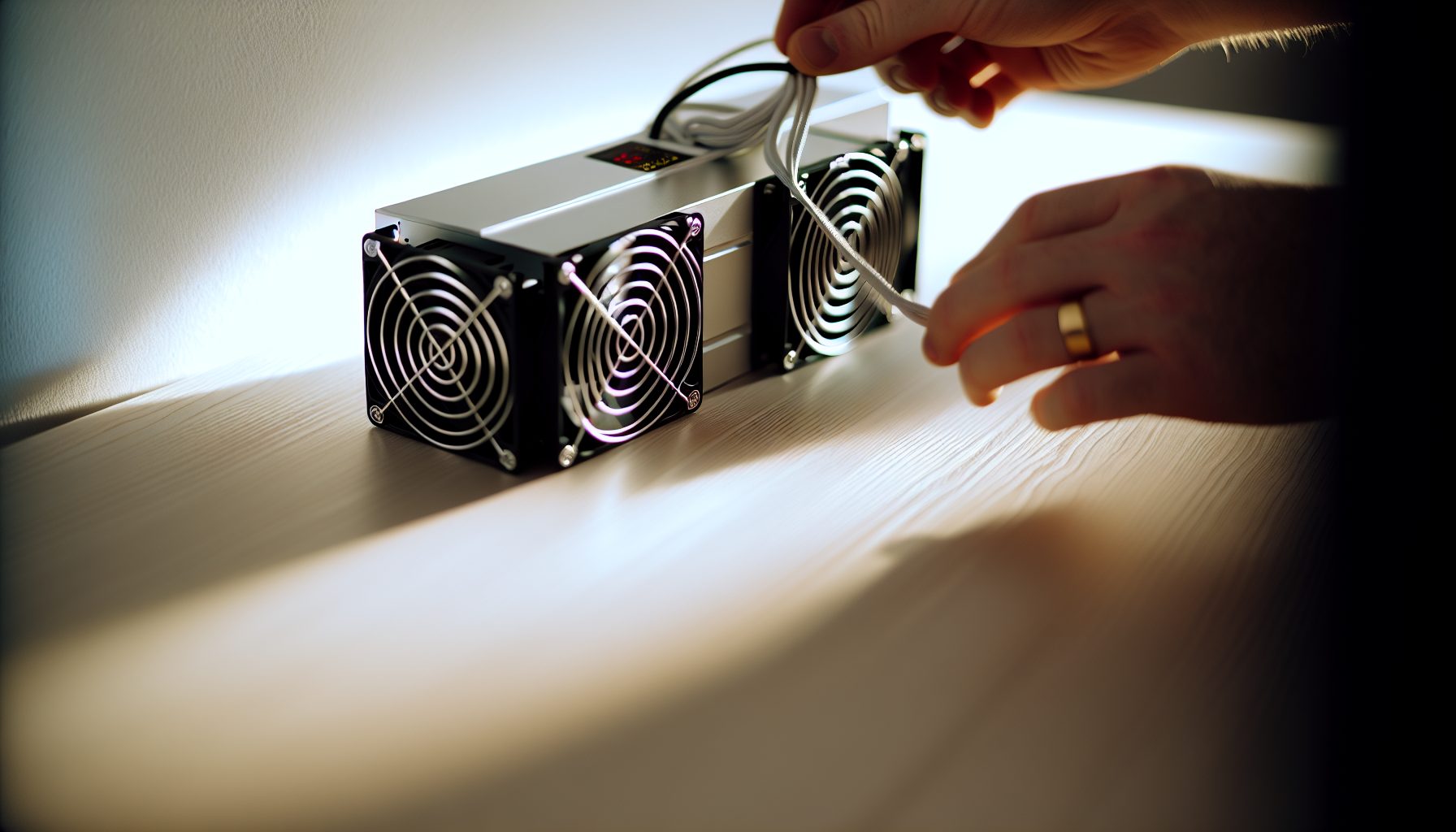
Okay, so I need to be completely honest upfront — I don’t actually own an Antminer S21. At 13, my budget is more “Bitaxe and NerdMiner” territory than “$5,000+ flagship ASIC” level. But here’s the thing: I’ve spent probably way too many hours researching whether the S21 makes sense for solo mining, because eventually I want to upgrade from my small setup to something that actually has a chance at hitting blocks.
The Antminer S21 is Bitmain’s current flagship SHA-256 miner. It delivers 200 TH/s at around 3,500W — absolute beast specs. But for those of us trying to solo mine Bitcoin from home? The question isn’t just “can this machine mine Bitcoin?” It’s “does this machine give me realistic odds of finding a solo block before I graduate high school?”
This guide walks through the entire decision-making process. Whether the S21 actually makes sense for your solo mining setup, what it costs to run, and — most importantly — your actual chances of hitting that life-changing solo block.
Step 1: Understanding What the Antminer S21 Actually Delivers
The S21 comes in a few variants, but the standard model pushes 200 TH/s. That’s 200 trillion hashes per second. To put that in perspective: my Bitaxe runs at about 0.5 TH/s, so the S21 is like having 400 Bitaxes running simultaneously. That’s genuinely insane.
Power consumption sits at 3,500W under normal operation. Some people get it down to 3,200W with undervolting, but that typically drops hashrate to around 190 TH/s. The efficiency rating is approximately 17.5 J/TH — which is actually pretty solid compared to older models like the S19 series that ran closer to 25-30 J/TH.
Here’s what that looks like in concrete terms for someone considering solo mining with this thing:
- Hashrate: 200 TH/s (SHA-256 algorithm, Bitcoin only)
- Power draw: 3,500W (3.5 kW continuous)
- Noise level: Around 75 dB — literally as loud as a vacuum cleaner running 24/7
- Heat output: Approximately 12,000 BTU/hour (you’re basically running a space heater)
- Size: 195 x 290 x 370 mm, roughly 13 kg
The machine requires 220-240V power. You can’t just plug this into a regular wall outlet. If you haven’t checked your home electrical setup, read through our ASIC power requirements guide first, because you might need an electrician to install proper circuits.
Trust me on this: Research your electrical situation before buying any ASIC. I’ve seen way too many Reddit posts from people who bought miners and then realized their house can’t handle the power draw.
Step 2: Calculate Your Actual Solo Mining Odds with an S21
Okay, here’s where we get into the math that actually matters. Everyone talks about hashrate, but what does 200 TH/s mean for your actual chances of finding a solo Bitcoin block?
Bitcoin network hashrate currently fluctuates around 700-750 EH/s (exahashes per second). That’s 700,000,000 TH/s. Your S21 contributes 200 TH/s to that massive number. Let’s do the math:
200 TH/s ÷ 700,000,000 TH/s = 0.0000002857 (or 0.00002857%)
Bitcoin finds a block roughly every 10 minutes on average. That’s approximately 144 blocks per day. With your S21’s hashrate, you’re participating in that lottery with about 0.00002857% of all tickets.
Here’s what that translates to in realistic timelines:
- Expected time to find 1 block: Approximately 9.7 years
- Chance of finding a block in 1 month: About 0.3%
- Chance of finding a block in 1 year: About 10.3%
That’s… actually better than I expected when I first ran these numbers. With a Bitaxe at 0.5 TH/s, my expected time is closer to 4,000 years. So the S21 genuinely does give you odds that aren’t completely astronomical.
But here’s what you need to understand about solo mining: This is essentially a lottery with better odds than Powerball, but it’s still a lottery. That 9.7 years is a statistical average — not a guarantee, not a schedule, not a promise. You could find a block in your first week of mining. You could run continuously for 20+ years and never find anything. The probability stays the same with each hash attempt, and past results don’t influence future odds. You’re accepting significant financial risk running hardware at a loss for potentially years with no payout. Most solo miners never find a block.
For comparison, check out our solo mining vs lottery mining guide which breaks down these probability concepts more clearly.
Step 3: Count the Real Operating Costs
The S21’s purchase price is just the beginning. Running this thing 24/7 costs serious money, and you need to factor that in before you decide whether solo mining with flagship hardware actually makes sense.
At 3,500W continuous operation, the S21 draws 84 kWh per day (3.5 kW × 24 hours). Monthly electricity consumption: 2,520 kWh.
Now here’s where your location matters enormously. Electricity costs vary wildly:
- $0.05/kWh (cheap hydro regions): $126/month
- $0.10/kWh (average US residential): $252/month
- $0.15/kWh (expensive coastal areas): $378/month
- $0.20/kWh+ (parts of California, Europe): $504+/month
I’m in a $0.12/kWh area, so an S21 would cost me roughly $302/month just in electricity. That’s $3,624/year. And that’s before considering:
- Cooling costs (if you’re running AC to offset the heat)
- Internet bandwidth (minimal, but still a cost)
- Potential need for noise reduction solutions
- Wear and tear on the hardware
Don’t make my mistake: When I first got excited about mining, I only looked at hardware costs. I completely forgot that electricity isn’t free. My dad wasn’t thrilled when our power bill jumped up even with just a small Bitaxe running.
The S21 generates about 12,000 BTU/hour of heat. During summer, that’s essentially adding a portable air conditioner running in reverse to your house. If you need AC to stay comfortable, that heat adds to your cooling bill. During winter, you at least get free heating out of it.
Step 4: Compare S21 Solo Mining vs Pool Mining Returns
Here’s where the decision gets interesting. With an S21, you actually have options beyond solo mining. Let’s compare the numbers.
Pool Mining with 200 TH/s:
If you join a normal mining pool with 2-3% fees, your S21 would generate approximately 0.000285 BTC per month at current difficulty levels (results vary with network conditions and Bitcoin’s current difficulty level). Based on recent Bitcoin price ranges of $60,000-75,000, that would translate to roughly $17-21 per month after electricity costs at $0.10/kWh — though actual returns fluctuate with both BTC price and network difficulty.
Not amazing returns, honestly. But it’s steady, predictable income. Every month you get a small payout. It’s like having a part-time job that pays minimum wage.
Solo Mining with 200 TH/s:
Your expected return over time is actually similar — mathematically, solo mining and pool mining have the same expected value if pool fees are low. But the payout structure is completely different.
Instead of getting approximately $20/month consistently, you’re playing for the full block reward. One Bitcoin block currently pays 3.125 BTC (after the 2026 halving). At recent Bitcoin prices in the $60,000-75,000 range, that would represent roughly $187,500-$234,000 per block — though Bitcoin price volatility means this dollar value changes constantly.
But remember: Your expected time to hit that block is 9.7 years. So instead of $20/month for 116 months (9.7 years), you’re hoping for one massive $200k+ payout. Same mathematical expectation, wildly different experience.
Which one makes more sense? That naturally depends on your situation. If you need mining to generate consistent income to offset electricity costs, pool mining is safer. If you can afford to treat this as a long-term lottery ticket with phenomenal odds compared to actual lotteries, solo mining is way more exciting.
I’m personally team solo mining, but I’m also 13 and not depending on mining income to pay bills. Your situation might be different.
Step 5: Solve the Noise and Heat Problems
Okay, so you’ve decided the economics work for you. Great. Now let’s talk about the practical nightmare of running an S21 in a home environment.
The S21 runs at approximately 75 dB. That’s legitimately vacuum-cleaner loud. If you’ve ever been in a room with a running vacuum for more than five minutes, imagine that sound 24/7. It’s not subtle background noise — it’s intrusive, constant, and will absolutely drive you insane if you can hear it from your bedroom.
Real solutions for noise:
- Separate outbuilding: Garage, shed, or basement far from living areas
- Fan replacement: Swap the stock fans for Noctua industrialPPC fans (reduces noise to ~60 dB but might affect cooling)
- Soundproof enclosure: Build or buy a mining cabinet with acoustic foam
- Immersion cooling: Submerge the miner in dielectric fluid (expensive but silent)
We’ve got a detailed guide on ASIC noise reduction methods if you’re serious about quieting this thing down. Honestly, immersion cooling is probably the ultimate solution if you can afford it — check out our immersion cooling guide for details.
Heat management is the other challenge. At 12,000 BTU/hour, the S21 outputs as much heat as a small space heater. In a closed room, temperatures will spike quickly. You need:
- Proper ventilation (exhaust fans to push hot air outside)
- Fresh air intake (to replace exhausted air)
- Ambient room temperature below 30°C ideally
- Dust management (regular filter cleaning or positive pressure setup)
What I wish I knew earlier: Heat management isn’t optional. ASICs will thermal throttle if they get too hot, reducing your hashrate and potentially damaging components. Plan your ventilation before you power on the miner.
Step 6: Set Up Your S21 for Actual Solo Mining
Finally, the technical setup. Actually configuring an S21 to solo mine requires a few decisions.
Option 1: Solo Mine to Your Own Full Node
This is the purest form of solo mining. You run your own Bitcoin Core full node and point your S21 directly at it. Benefits: no pool fees, no middleman, you’re fully sovereign. Downside: more technical setup required.
Our guide to solo mining with your own full node walks through the entire process. You’ll need a computer running Bitcoin Core, properly configured firewall rules, and your S21 pointed to your node’s IP address.
Option 2: Use CKPool’s Solo Mining Service
CKPool (solo.ckpool.org) is the most popular solo mining pool. It’s not really a “pool” in the traditional sense — you still get the full block reward if you find a block, minus a 2% fee that only applies if you actually win. If you don’t find a block, you pay nothing.
Setup is simpler than running your own node. You just point your S21 to solo.ckpool.org:3333, use your Bitcoin wallet address as the username, and start mining. Our CKPool setup guide has detailed instructions.
Honestly, for most people starting with solo mining, CKPool makes more sense. The 2% fee is worth the convenience of not managing your own node infrastructure.
Configuration Settings:
Access your S21’s web interface (usually at 192.168.1.X after connecting via ethernet). Navigate to the miner configuration page. You’ll enter:
- Pool URL: solo.ckpool.org:3333 (or your own node IP:port)
- Worker: YourBitcoinAddress.WorkerName
- Password: x (doesn’t matter for most solo pools)
Make absolutely sure your Bitcoin address is correct. If you find a solo block and the address is wrong, that’s $200k+ sent to the wrong place with zero recourse. Double-check it. Triple-check it. I’m paranoid about this stuff because one typo would be devastating.
For wallet recommendations, check our solo mining wallet guide. You want a wallet you fully control (not an exchange address).
Is the Antminer S21 Worth It for Solo Mining? My Honest Take
So after all that research, here’s my actual opinion: The S21 makes sense for solo mining only if you meet specific criteria.
You should consider the S21 for solo mining if:
- Your electricity costs are below $0.12/kWh (ideally closer to $0.08 or less)
- You have proper infrastructure (220V power, ventilation, separate room for noise)
- You can afford to run it for years without finding a block
- The ~10% annual chance of hitting a block genuinely excites you
- You’re treating this as a long-term hobby/lottery, not income generation
You should probably skip the S21 for solo mining if:
- Your electricity is above $0.15/kWh (economics don’t work long-term)
- You need consistent income to justify running the miner
- You can’t solve the noise problem (trust me, you’ll regret it)
- You’d be devastated running for 2-3 years without finding a block
- You don’t have $5,000-7,000 for the hardware plus infrastructure setup
For me personally? I’d love to run an S21 solo mining setup eventually, but realistically I need to start smaller. Something like the FutureBit Apollo II makes more sense at my budget and noise tolerance level. The Apollo only gives you about 2-3 TH/s, so odds are much lower, but it’s also quiet enough to run in my room and doesn’t require rewiring the house.
If your budget is more flexible, alternatives worth considering:
Older generation but still solid at 140 TH/s, usually cheaper on used market. Less efficient than S21 but lower upfront cost for similar solo mining experience.
Flagship 200 TH/s SHA-256 miner, 3,500W power draw. Top-tier efficiency at 17.5 J/TH. Extremely loud at 75 dB.
For those curious about alternative coins that might offer better solo mining odds, check out our guides on solo mining Kaspa with the KS7 or solo mining Litecoin and Dogecoin with the L7. Depending on network conditions, some altcoins give you better odds of hitting blocks more frequently.
Secure Your Winnings
Finding a solo block means receiving 3.125 BTC directly to your wallet — currently worth over $250,000. That amount should never sit on an exchange.
Two hardware wallets we recommend for solo miners:
Ledger Nano X (~$149) — Industry standard, supports BTC natively
Buy Ledger Nano X
Trezor Model T (~$179) — Open-source firmware, strong community trust
Buy Trezor Model T
Frequently Asked Questions
How long would it take an Antminer S21 to find a solo Bitcoin block?
With Bitcoin network difficulty at current levels (around 700 EH/s), an S21 running 200 TH/s has an expected time of approximately 9.7 years to find one block. That’s a statistical average — you could find a block tomorrow, or you could run for 20 years without success. Your chance of finding at least one block within one year is roughly 10.3%. The math behind these odds is explained in our block reward guide.
What’s the minimum electricity cost where the S21 makes sense for solo mining?
For solo mining specifically, I’d say you need electricity below $0.12/kWh, ideally closer to $0.08/kWh or less. At $0.12/kWh, the S21 costs about $302/month to run. At $0.15/kWh, you’re paying $378/month. Those costs add up fast over the years you’ll likely run before finding a block. Higher electricity costs mean you’re essentially paying more for each lottery ticket, which doesn’t make economic sense unless you have a really high risk tolerance.
Can I run an Antminer S21 in my house without disturbing everyone?
Not without serious noise reduction measures. The S21 runs at approximately 75 dB, which is vacuum-cleaner loud — way too intrusive for normal living spaces. You need either a separate outbuilding (garage, shed, basement), a soundproof enclosure, or immersion cooling to make it tolerable. Some people swap the stock fans for quieter Noctua models, but that only reduces noise to around 60 dB and might affect cooling performance. Our noise reduction guide covers all the realistic options.
Is solo mining with an S21 better than just buying Bitcoin?
Financially? Probably not. If you took the $5,000+ cost of an S21 plus the monthly electricity costs and just bought Bitcoin instead, you’d likely end up with more BTC over time. But solo mining isn’t purely about financial optimization — it’s about participating in the network, learning how Bitcoin works, and the genuine excitement of potentially finding a block. If you’re treating this as an investment with estimated returns, just buy Bitcoin. If you want the experience of mining and can accept the lottery-like odds, solo mining with an S21 is pretty compelling.
What happens if I find a block while solo mining with the S21?
If your S21 finds a valid block, you receive the full block reward (currently 3.125 BTC plus transaction fees). That’s roughly $190,000-250,000 depending on current Bitcoin price. If you’re using CKPool’s solo mining service, they take a 2% fee from that reward. If you’re mining to your own full node, you keep everything. The reward gets sent to whatever Bitcoin address you configured in your miner settings — which is why it’s absolutely critical to verify that address is correct before you start mining. One typo means losing a life-changing amount of money.