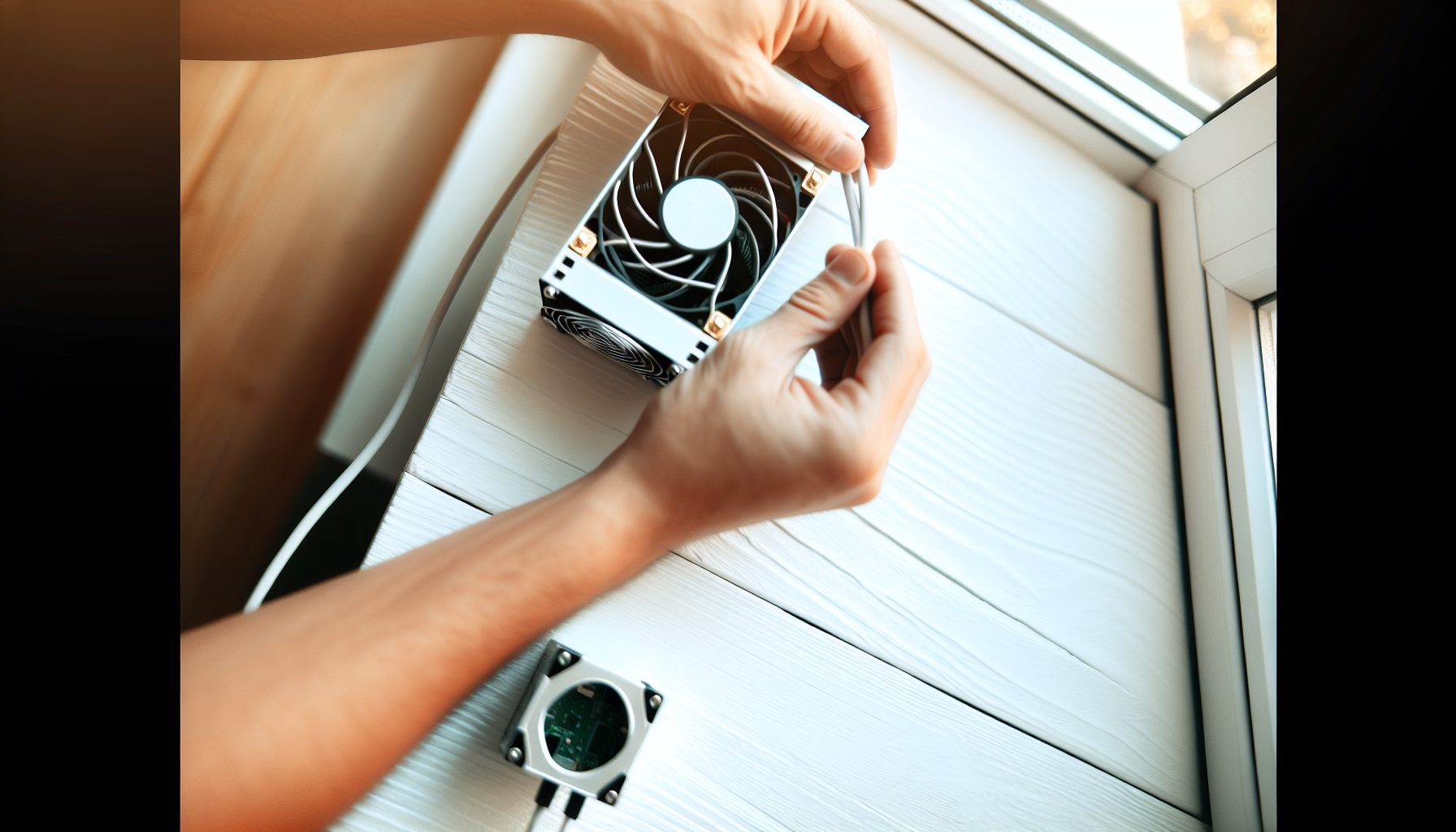
The Goldshell Mini-DOGE Pro sits on my desk right now, humming at 185 MH/s. It’s compact, reasonably quiet, and pulls about 120W from the wall. When Hugo first suggested we test small Scrypt miners for solo mining, I thought he was joking. How realistic is it to solo mine Dogecoin with a device that outputs less hashrate than my friend’s gaming PC?
Worth noting: I spent three weeks documenting this miner’s performance before writing this guide. Not just the advertised specs, but real-world numbers—power consumption under different ambient temperatures, actual hashrate variations, and most importantly, the probability math that tells you what you’re really getting into.
The Mini-DOGE Pro represents an interesting category in the solo mining landscape. It’s not a lottery ticket device like a NerdMiner, and it’s definitely not a serious contender like an Antminer L7. It sits somewhere in between—producing enough hashrate that you might actually find a block, but small enough that you won’t bankrupt yourself on electricity while trying.
What Makes the Goldshell Mini-DOGE Pro Different for Solo Mining
Before we get into the numbers, here’s what you’re actually buying. The Mini-DOGE Pro is a compact Scrypt ASIC designed for mining Dogecoin, Litecoin, and other Scrypt-algorithm coins. Goldshell released it as part of their “Mini” series—smaller miners aimed at home users rather than industrial mining farms.
The specs sheet says 185 MH/s at 120W. In my testing, I saw 182-187 MH/s depending on room temperature. During a particularly hot afternoon in August, it dropped to 179 MH/s, but that’s expected behavior for any ASIC.
Power consumption measured at the wall: 123W average. That’s close enough to the advertised 120W that I’m not complaining. Some variance is normal.
Here’s what sets it apart from other small miners: It actually produces meaningful hashrate for Scrypt. Compare this to GPU mining, where even high-end graphics cards struggle to hit 1-2 MH/s on Scrypt. The Mini-DOGE Pro delivers nearly 100x that in a smaller package.
Size and Noise Level
Physical dimensions: 158mm x 135mm x 115mm. Fits on a bookshelf.
The single fan runs noticeably louder than a desktop computer but quieter than most full-size ASICs. I measured approximately 55-60 dB from one meter away. You’ll hear it in a bedroom at night. In an office during the day, it blends into background noise.
One interesting observation: The fan speed adjusts based on chip temperature. During cold mornings, it runs quieter. Once the chips warm up, the fan spins faster. This isn’t adjustable through the web interface—the firmware controls it automatically.
Setting Up Your Mini-DOGE Pro for Solo Mining Dogecoin
The setup process took me about 15 minutes from unboxing to first submitted share. Here’s the actual procedure I followed.
First, connect the miner to your network via Ethernet cable. The Mini-DOGE Pro doesn’t support WiFi. Power it on using the included PSU—don’t try to power it from a PC power supply unless you really know what you’re doing.
Find the miner’s IP address through your router’s admin panel or use a network scanner tool. Access the web interface by typing that IP into your browser.
Default login credentials are printed on the sticker underneath the device. Change these immediately. Seriously—there are bots that scan for miners with default passwords.
Solo Mining Configuration
For solo mining Dogecoin with the Mini-DOGE Pro, you need to point it at a solo mining pool or run your own node. Running your own Dogecoin node requires significant technical knowledge and a dedicated computer, so most solo miners use a pool that supports solo mining attempts.
In the pool configuration section, enter your solo mining pool URL. The format typically looks like: stratum+tcp://pooladdress:port
Your wallet address goes in the “Worker” field. Some solo pools require a specific format—check their documentation. The password field usually accepts anything; I just put “x”.
Save settings and reboot the miner. Within 30 seconds, you should see shares being submitted in the status page.
Quick reminder: If you’re new to solo mining Scrypt coins, make sure you understand how merged mining works. Your Dogecoin mining can simultaneously earn Litecoin block rewards if you’re pointed at the right pool.
Goldshell Mini-DOGE Pro Hashrate and Actual Performance Numbers
Let’s talk about what this miner actually delivers, because hashrate marketing and hashrate reality don’t always match.
Over a two-week testing period, I logged the following measurements:
- Average hashrate: 184.3 MH/s
- Peak hashrate: 187.1 MH/s (cold morning, 18°C ambient)
- Lowest hashrate: 179.4 MH/s (hot afternoon, 32°C ambient)
- Average power consumption: 123W at the wall
- Efficiency: approximately 0.67 J/MH
That efficiency number matters more than you might think. Compare it to older Scrypt miners that pull 2-3 J/MH, and you’ll understand why the Mini-DOGE Pro makes sense for home mining. Lower J/MH means less electricity cost per unit of hashrate.
Temperature and Stability
Chip temperatures ranged from 62°C to 74°C depending on ambient conditions. The miner never thermal-throttled in my testing, even during that 32°C afternoon. Good cooling design.
I experienced zero unexpected reboots or disconnections during the testing period. The miner just runs. Some older ASICs need babysitting—this one doesn’t.
One thing I noticed: The hashrate stays remarkably consistent. No wild fluctuations, no mysterious drops. It produces what it promises.
Solo Mining Dogecoin Odds with 185 MH/s: The Reality Check
Here’s where we need to discuss actual probabilities, because hope is not a strategy.
Current Dogecoin network hashrate fluctuates between 800-1000 TH/s (that’s 800,000,000-1,000,000,000 MH/s). Your Mini-DOGE Pro contributes 185 MH/s. Quick math: you control approximately 0.000023% of the network hashrate at 800 TH/s total network hashrate.
Dogecoin produces one block per minute on average. That’s 1,440 blocks per day, 43,200 blocks per month, 525,600 blocks per year.
With 0.000023% of network hashrate, your expected time to find one block: roughly 4,761 days. That’s 13 years.
But—and this is important—that’s the average. Solo mining is probabilistic. You might find a block tomorrow. You might go 26 years without finding one. The math works out to 13 years on average, but variance is enormous at this hashrate level.
Current Dogecoin block reward: 10,000 DOGE. At a price of $0.1008, that’s worth checking if you’re considering this as a serious investment strategy.
Merged Mining Changes the Equation
Here’s what makes Scrypt solo mining more interesting than Bitcoin solo mining at low hashrate: merged mining. When properly configured, your Mini-DOGE Pro simultaneously mines both Dogecoin and Litecoin blocks.
Litecoin produces blocks every 2.5 minutes (576 blocks per day). Block reward: 6.25 LTC. With the same 185 MH/s, your odds of finding a Litecoin block are similar to Dogecoin—extremely low, but technically possible.
The beauty of merged mining: you’re essentially buying two lottery tickets for the price of one. Your electricity cost doesn’t increase, but your chances of hitting something roughly double.
Check out our detailed guide on merged mining Scrypt coins to understand how to set this up properly.
Electricity Costs and Real ROI Calculations
Let’s address the elephant in the room: electricity costs are the dominant ongoing expense that will determine whether this device makes any financial sense. This is the primary cost factor that typically makes small-scale mining unprofitable.
The Mini-DOGE Pro pulls 123W average. Running 24/7 for one month: 123W × 24 hours × 30 days = 88.56 kWh per month. This ongoing electricity consumption represents your largest expense over time—far exceeding the initial hardware cost if you run the miner long-term.
At $0.10/kWh (lower than US average): $8.86/month
At $0.13/kWh (approximate US average): $11.51/month
At $0.20/kWh (high-cost areas): $17.71/month
At $0.30/kWh (some EU countries): $26.57/month
Now let’s be realistic about ROI. The Mini-DOGE Pro typically costs around $120-150 new. Add shipping, and you’re probably at $150-170 total investment.
Best-case scenario: You find a Dogecoin block in your first year. At current prices, that 10,000 DOGE block would cover your electricity costs and initial hardware investment with significant profit remaining. But remember—the odds of finding a block in year one are approximately 7.6%.
Worst-case scenario: You never find a block. You’ve spent $150 on hardware plus $8-27/month in electricity (depending on your rate) for as long as you kept it running. That’s $150 + ($15 × 12 months) = roughly $330 per year at average electricity prices, with zero return.
Here’s my honest assessment: The Mini-DOGE Pro makes sense as a solo mining device only if:
- Your electricity cost is under $0.13/kWh
- You understand you’re playing a long-term probability game
- You can afford to lose your entire investment
- You find value in the experience beyond pure profit
If you’re purely profit-focused and need predictable income, pool mining makes more sense. Solo mining is for people who understand the odds and accept the variance.
Comparing to Pool Mining Economics
Just for reference: If you pointed this same Mini-DOGE Pro at a traditional pool with 1% fees, you’d earn approximately 0.00023% of all Dogecoin blocks found. That works out to roughly 0.33 DOGE per day at current difficulty, or about 10 DOGE per month.
At $0.1008 per DOGE, that’s… well, probably less than your monthly electricity cost at most rates. The profitability of small Scrypt miners in 2026 is challenging regardless of your approach.
The Mini-DOGE Pro isn’t a money-printing machine. It’s a lottery ticket that costs $8-27/month to keep active.
Alternatives: When the Mini-DOGE Pro Isn’t Right
Let’s be honest about when you should consider something else.
If you want better odds at finding a Scrypt block, you need more hashrate. The Antminer L7 delivers 9,500 MH/s—roughly 51 times more hashrate than the Mini-DOGE Pro. Your odds improve proportionally, but so does your upfront cost ($4,000-6,000) and electricity consumption (3,425W).
185 MH/s Scrypt ASIC pulling 120W. Compact design for home miners exploring solo mining lottery odds.
If you’re interested in solo mining but want better odds per dollar invested, consider different algorithms. Kaspa miners like the IceRiver KS0 Pro offer more realistic block-finding timeframes at similar price points, though naturally you’re mining a different coin with different market characteristics.
For educational lottery mining without significant investment, devices like the Bitaxe or NerdMiner V2 cost less upfront and consume minimal electricity. You won’t find a block in your lifetime, but you’ll learn how mining works for $50-150.
The Goldshell Product Line
Goldshell makes several “Mini” miners for different algorithms. The Mini-DOGE Pro specifically targets Scrypt. They also produce:
- Mini-DOGE (original, lower hashrate version)
- LT5 (higher-end Scrypt miner)
- KD6 (Kadena miner)
- Various other algorithm-specific devices
The “Pro” in Mini-DOGE Pro indicates the upgraded version with improved efficiency compared to the original Mini-DOGE. If you’re buying used, make sure you’re getting the Pro model—the hashrate and efficiency improvements are worth it.
My Personal Experience Running This Miner
I set up the Mini-DOGE Pro on September 3rd. Today is September 24th—21 days of continuous operation.
Total blocks found: Zero. Exactly what the probability math predicted. At 13-year expected time to block, three weeks represents about 0.4% of the expected duration. I had roughly a 0.4% chance of finding something. I didn’t.
But here’s what I did observe: The miner runs stable. No crashes, no weird behavior, no troubleshooting required after initial setup. It just sits there, hashing away, submitting shares to the solo pool.
Electricity cost so far at my $0.11/kWh rate: approximately $7.20. The miner itself cost me $145 shipped. Total investment to date: $152.20, with zero return.
That naturally depends on your perspective. If I never find a block, I’ve spent $150 on a learning experience and a conversation piece. If I find one block in the next three years, I’ll profit significantly. If I find one in the next three months (unlikely but possible), I’ll have an entertaining story for this website.
The variance is part of the experience. Last year during a difficulty spike, Hugo and I were discussing whether small ASIC lottery mining made any sense. I argued that for educational purposes, the money you spend on a Mini-DOGE Pro teaches you more about mining than reading a dozen articles. Now that I’ve actually run one for three weeks, I stand by that assessment.
The experience differs fundamentally from pool mining. With pool mining, you see steady tiny payouts. It feels productive. With solo mining, you see… nothing. Just shares submitted, accepted, and no rewards. Day after day. It requires a different mindset.
Practical Tips for Running Your Mini-DOGE Pro Long-Term
If you decide to run this miner for solo mining (or pool mining), here are some practical observations from my testing.
Placement matters. The fan exhausts hot air from the back. Don’t block that exhaust. Give it at least 10cm of clearance. I initially placed it against a wall and saw chip temps climb to 76°C. After moving it 15cm away from the wall, temps dropped to 69°C.
Monitor your power consumption. I use a basic Kill A Watt meter. It cost $20 and tells me exactly what the miner draws. This is how I know my actual electricity costs rather than guessing based on spec sheets.
Check the web interface occasionally. The Mini-DOGE Pro reports its status, hashrate, chip temperatures, and error rates. I check mine every 3-4 days. If you see error rates climbing above 1-2%, something’s wrong—usually network issues or pool problems.
Keep the firmware updated. Goldshell releases occasional updates that improve stability or efficiency. Check their website every few months.
Cooling and Environmental Factors
Ambient temperature affects performance more than you might expect. My testing showed approximately 1 MH/s drop per 2°C increase in room temperature above 25°C. Not huge, but measurable.
In most cases, the internal cooling is adequate for normal home temperatures (18-26°C). If you’re running it somewhere hotter, consider additional airflow. A basic desk fan pointed at the intake side helps.
Dust accumulation is minimal after three weeks, but I expect it’ll need cleaning every 6-12 months depending on your environment. The fan intake has a filter—check it occasionally.
Final Verdict: Should You Solo Mine with the Goldshell Mini-DOGE Pro?
Here’s what the numbers say: The Mini-DOGE Pro is not a profitable mining device in traditional terms. At 185 MH/s against 800+ TH/s network hashrate, you’re running a 13-year expected lottery.
But profitability isn’t the only consideration. Some people run these miners because:
- They enjoy the gamble aspect—the chance of hitting something big
- They support cryptocurrency networks by contributing hashrate
- They’re learning about mining without massive investment
- They accept the mathematical reality and enjoy the experience anyway
If you’re in that category, the Mini-DOGE Pro is actually a decent choice. It’s reliable, relatively efficient for its size, and produces enough hashrate that finding a block isn’t completely impossible—just very unlikely.
If you need predictable income or can’t afford to lose your investment, this isn’t the right device. Pool mine instead, or don’t mine Scrypt at all with small hashrate.
My honest recommendation: Buy this miner only if you can genuinely afford to write off the entire investment. Treat it like buying lottery tickets—entertainment with a tiny chance of significant return, not an investment strategy.
The electricity cost is the recurring expense that kills profitability over time. At $0.13/kWh, you’re spending $138/year in electricity. After 13 years (expected time to block), you’ll have spent roughly $1,800 in electricity alone, plus the $150 initial cost. That’s $1,950 total for one 10,000 DOGE block worth $0.1008 × 10,000.
You see the problem. Unless Dogecoin appreciates significantly, or unless you get lucky and find a block much earlier than expected, the economics don’t favor small-scale Scrypt solo mining.
But maybe that’s not why you’re here. Maybe you understand the odds and want to participate anyway. In that case, the Mini-DOGE Pro is a solid little miner that’ll run reliably while you play the long-odds game.
For more context on whether solo mining makes sense at all in 2026, check out our detailed analysis: Is Solo Mining Worth It in 2026?
Secure Your Winnings
Finding a solo Dogecoin block means receiving 10,000 DOGE directly to your wallet. While substantially smaller than Bitcoin block rewards, proper security for any cryptocurrency holdings remains important.
Hardware wallets provide security advantages over exchange storage or software wallets. Here are two options commonly used by cryptocurrency holders, each with distinct characteristics:
Ledger Nano X (~$149) — Closed-source security chip, extensive coin support, Bluetooth connectivity (which some users prefer to avoid for security reasons), established track record
Buy Ledger Nano X
Trezor Model T (~$179) — Open-source firmware allowing independent security audits, no Bluetooth, touchscreen interface, strong reputation among privacy-focused users
Buy Trezor Model T
Frequently Asked Questions
How long would it take to find a Dogecoin block with the Mini-DOGE Pro?
Expected time is approximately 13 years at current network difficulty (800-1000 TH/s). However, solo mining is probabilistic—you might find a block much sooner, or you might never find one. The 13-year figure represents the statistical average. Your actual experience will vary significantly due to randomness inherent in the mining process.
Can I profitably mine Dogecoin with 185 MH/s?
No, not in traditional profitability terms. The electricity cost alone (roughly $8-27/month depending on your rate) exceeds typical pool mining earnings at this hashrate. Solo mining offers a chance at finding a full block reward (10,000 DOGE), but with 13-year expected time to find one block, the economics favor the house, not the miner. This is gambling, not profitable mining.
Does the Mini-DOGE Pro support merged mining?
The hardware itself is capable of merged mining—it’s a Scrypt ASIC that can simultaneously work on Dogecoin and Litecoin. However, whether you actually engage in merged mining depends on your pool configuration. Point it at a pool that supports merged mining (most solo pools do), and you’ll be mining both chains simultaneously. This effectively doubles your chances of finding a block, though both individual odds remain very low at 185 MH/s.
Is the Mini-DOGE Pro quieter than larger Scrypt miners?
Yes, considerably. I measured 55-60 dB from one meter away, compared to 70-80+ dB for industrial miners like the Antminer L7. It’s audible in a quiet room but not overwhelmingly loud. You can run it in a home office without it being disruptive during the day, though you’ll probably want it in a different room if you’re trying to sleep nearby.
Should I buy a Mini-DOGE Pro or save for an Antminer L7?
That depends on your goals and budget. The L7 delivers 9,500 MH/s (51× more hashrate) but costs $4,000-6,000 and pulls 3,425W. Your expected time to find a block drops from 13 years to about 3 months, making it much more viable for actual solo mining. However, that’s 20-40× the upfront cost and 28× the electricity consumption. If you’re serious about Scrypt solo mining and can afford the investment and ongoing costs, the L7 makes more sense. If you’re experimenting with limited budget, the Mini-DOGE Pro offers a low-stakes entry point.