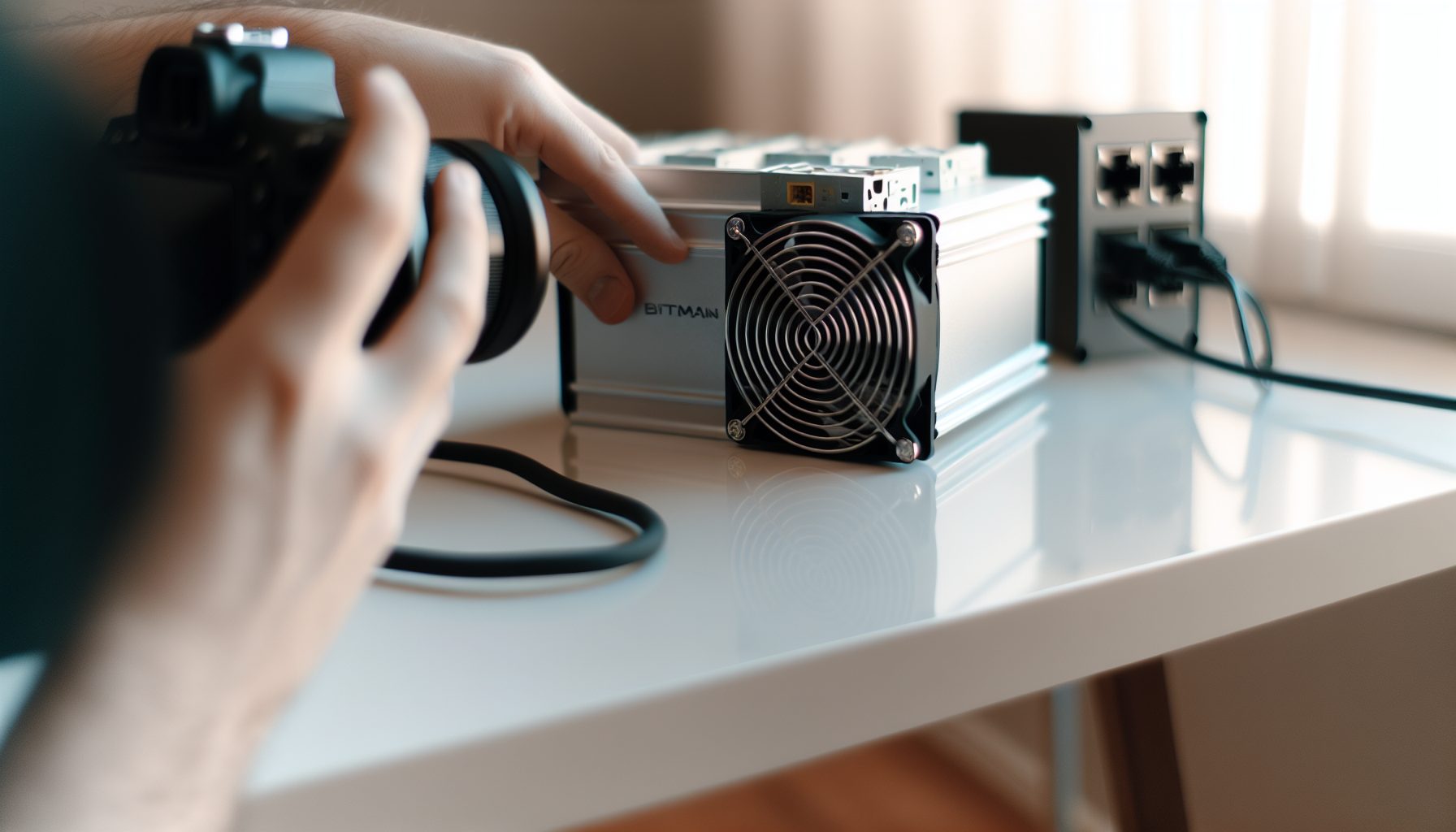
Here’s the thing: When Bitmain dropped the Antminer KS7, everyone lost their minds. 25 TH/s on kHeavyHash? That’s absolutely insane for Kaspa mining. But as someone who’s been watching the solo mining space pretty closely (and running smaller setups at home), I had to dig into whether this beast actually makes sense for solo mining Kaspa.
Trust me on this: The KS7 isn’t like running a Bitaxe on your desk. This is a commercial-grade machine that pulls serious power and costs more than my dad’s first car. But the hashrate? It’s honestly the most powerful Kaspa ASIC on the market right now.
I’ll walk you through everything — the real numbers, the setup process, and most importantly, your actual chances of hitting a solo block with this machine.
What Makes the Antminer KS7 Different for Solo Mining
The Antminer KS7 isn’t just another ASIC in the Kaspa space. It’s basically the heavyweight champion right now. While other miners like the IceRiver KS3M or KS5L pull decent numbers, the KS7 cranks out 25 TH/s consistently. That’s… a lot.
But here’s what matters for solo mining specifically:
- Network hashrate context: Kaspa’s network sits around 1,200-1,400 PH/s these days (it fluctuates, obviously). Your 25 TH/s represents roughly 0.0018% of the total network power
- Block time advantage: Kaspa has a 1-second block time, which means 86,400 blocks per day. Way more lottery tickets than Bitcoin’s 144 daily blocks
- Power efficiency: At around 3,500W, the KS7 pulls less power per TH/s than most competitors. That matters when you’re running 24/7 hoping to hit a block
The KS7 uses the kHeavyHash algorithm, which is specifically designed for Kaspa. You can’t point this thing at Ethereum Classic or Bitcoin — it’s a one-trick pony. But honestly, for solo mining Kaspa, that specialization is kind of the point.
Real Hashrate Performance
Bitmain advertises 25 TH/s ± 5%. In testing, most units settle around 24.5-25.5 TH/s depending on your cooling setup and power supply quality. I’ve seen reports of people pushing it slightly higher with custom firmware, but that’s beyond what I’d recommend if you’re just getting started.
What I wish I knew earlier: Hashrate stability matters more than peak performance for solo mining. A miner that bounces between 23-27 TH/s is actually worse than one that holds steady at 24 TH/s, because consistent submissions give you more reliable block-finding odds.
Antminer KS7 Hardware Specs and Power Requirements
Let’s talk actual numbers, because this is where things get real:
- Hashrate: 25 TH/s (±5%)
- Power consumption: 3,500W at the wall
- Efficiency: 140 J/TH
- Voltage: 220-240V (you need a proper outlet — standard US 110V won’t cut it)
- Cooling: Dual high-speed fans, LOUD (around 75 dB)
- Network: Ethernet only (no WiFi option)
- Dimensions: 430 × 195 × 292 mm
- Weight: About 15 kg fully assembled
That 3,500W power draw is no joke. At $0.12 per kWh (pretty average in the US), you’re looking at about $10 per day just in electricity. At $0.20 per kWh (more common in Europe), that jumps to $16.80 daily.
Here’s what you actually need to run this thing:
- A 220V outlet with at least 20A capacity (30A recommended for headroom)
- Proper ventilation — this machine exhausts serious heat
- Network cable run to your router
- Ideally a separate room or garage, because the noise is intense
I’ve heard from miners who tried running this in their bedroom. It lasted exactly one night before they moved it to the garage.
Cooling and Noise Management
The KS7 doesn’t mess around with cooling. Those dual fans run at industrial speeds, and while they keep the hashboards at safe temperatures, they also generate enough noise to annoy basically anyone within 20 feet.
Some people build soundproof boxes around their ASICs. That works, but you need to maintain proper airflow or you’ll cook the internals. A better approach is dedicating a separate space — basement, garage, shed — somewhere the noise won’t drive you crazy.
Setting Up the Antminer KS7 for Solo Mining Kaspa
Alright, setup time. I’m going to walk through this assuming you’ve never configured an ASIC before, because honestly, it’s simpler than you’d think.
Physical Setup
First, unbox everything and check for damage. Bitmain usually ships these pretty securely, but you’re looking at a $15,000+ machine, so take your time.
- Place the KS7 on a stable surface with clearance on both ends for airflow
- Connect the power supply cables (they’re included) — make sure all hashboard connectors are firmly seated
- Plug in your Ethernet cable to the control board
- Connect to your 220V outlet
- Power on and wait about 30-60 seconds for the control board to boot
The fans will kick on immediately. They’re loud. This is normal.
Network Configuration
The KS7 gets an IP address from your router automatically via DHCP. To find it:
- Check your router’s admin panel for new devices
- Or use a network scanner tool like Angry IP Scanner
- Look for a device labeled “Antminer” or with a Bitmain MAC address
Once you have the IP, type it into your web browser. You’ll see the Antminer control panel. Default login is usually admin/admin or root/root (check your documentation).
Configuring for Solo Mining
This is where it gets interesting. Most people point their ASICs at pools because pools pay out regularly. Solo mining means you’re going straight against the network, hoping to find blocks yourself.
For Kaspa solo mining, you have a few options:
Option 1: Run your own Kaspa node (most pure form of solo mining)
- Download and sync the full Kaspa node software
- Configure the node to accept mining connections
- Point your KS7 to your local node IP
Option 2: Use a solo mining pool (easier setup, same solo experience)
- Connect to a pool that offers solo mining mode
- If you find a block, you get the full reward minus a small pool fee (usually 1-2%)
- The pool handles the node infrastructure
For most people, Option 2 makes more sense. Running your own node is cool from a decentralization perspective, but it requires technical setup and constant maintenance.
In the Antminer web interface, navigate to the Miner Configuration section. You’ll enter:
- Pool URL: The stratum address of your solo pool or node
- Worker name: Usually your Kaspa wallet address
- Password: Usually just “x” for most pools
Hit save and apply. The KS7 will restart its mining process and start submitting shares.
Monitoring and Troubleshooting
The web interface shows real-time hashrate, temperatures, and error rates. You want to see:
- All hashboards showing green status
- Hashrate stable around 24.5-25.5 TH/s
- Temps below 70°C on the chips
- Minimal hardware errors (under 0.1%)
If you see weird behavior — hashrate dropping, excessive errors, high temps — check your power supply connections first. Most ASIC issues come from loose cables or insufficient power.
Your Real Chances of Finding a Kaspa Block Solo
Okay, let’s talk actual probabilities. This is the part most people gloss over, but it’s crucial for solo mining.
With 25 TH/s on Kaspa’s current network (~1,300 PH/s average), your daily block expectancy is roughly 1 block every 60-65 days. That’s an average, naturally. You could hit one tomorrow. Or you could go 6 months without a block.
The math: (Your hashrate / Network hashrate) × Blocks per day = Expected blocks per day
(25 TH / 1,300,000 TH) × 86,400 = ~1.66 blocks expected per month
At current Kaspa prices ($0.0293 per KAS), a block reward is around 275 KAS (the reward decreases over time via chromatic emission schedule). That’s roughly… actually, it varies a lot depending on Kaspa’s price movement.
Here’s the brutal honesty part: At $10/day electricity cost and ~2 months between blocks, you’re spending $600 in power to potentially earn one block worth around $40-60 at recent prices. The math doesn’t work unless Kaspa’s price increases significantly or you have cheaper electricity.
Variance and Luck Factor
Solo mining is fundamentally a lottery. The 60-day average means some people will hit blocks in week one. Others won’t hit anything for 5 months. That variance is what makes solo mining exciting — and financially risky.
What I wish I knew earlier: You’re not really “investing” in solo mining, you’re buying lottery tickets. If that concept doesn’t excite you, pool mining makes way more financial sense.
For comparison, check out our guide on whether solo mining is actually worth it in 2026 — it breaks down the economics across different coins and hashrates.
Power Costs and ROI Reality Check
Let’s run the actual numbers, because this is where dreams meet spreadsheets.
The KS7 pulls 3,500W continuously. That’s 84 kWh per day.
At $0.10/kWh: $8.40/day = $252/month
At $0.12/kWh: $10.08/day = $302/month
At $0.15/kWh: $12.60/day = $378/month
At $0.20/kWh: $16.80/day = $504/month
Now, expected monthly earnings if solo mining goes average:
- ~1.66 blocks per month
- 275 KAS per block (current reward)
- = ~456 KAS per month
- At $0.15/KAS = ~$68/month
Yeah. You’re probably seeing the problem. At current Kaspa prices, you’d be losing $234-436 per month depending on electricity costs.
The machine cost itself ($15,000-20,000 depending on market conditions) would take years to recover at these rates.
When Does It Make Sense?
Solo mining the KS7 on Kaspa makes financial sense if:
- You have access to very cheap electricity (under $0.05/kWh)
- You’re bullish on Kaspa’s long-term price appreciation
- You value the sovereignty of solo mining over pure profit
- You’re okay with high variance and potential dry spells
Honestly, most commercial miners point these at pools for steady income. Solo mining is more of a enthusiast pursuit at this scale.
For more realistic solo mining setups, check out our guide on IceRiver Kaspa miners — the smaller units like the KS0 Pro are way more accessible for hobby solo mining.
Antminer KS7 vs Other Kaspa Mining Options
How does the KS7 stack up against other Kaspa ASICs for solo mining?
vs IceRiver KS3M
The KS3M delivers 9 TH/s at 3,300W. Less hashrate, similar power draw, much cheaper upfront cost. For solo mining, the KS7’s extra hashrate gives you about 2.8× better block-finding odds. But you’re also paying 2-3× more for the machine.
vs IceRiver KS5L
The KS5L pulls 15 TH/s at 3,400W. This is probably the better value proposition for most solo miners — 60% of the KS7’s hashrate at roughly 40-50% of the cost. Your expected block time goes from 60 days to about 100 days, but the lower entry cost matters.
vs Bitmain KA3
The older KA3 did 166 TH/s on KHeavyHash at 3,154W — wait, that doesn’t sound right. Actually, the KA3 was for a different algorithm entirely. There’s some confusion in naming here, but the KS7 is specifically the latest kHeavyHash flagship.
For solo mining specifically, higher hashrate is always better because it directly correlates with block-finding probability. The KS7 gives you the best odds in the Kaspa ecosystem right now. Whether those odds are worth the price is your call.
Common Issues and Solutions
Things that can go wrong with the KS7 (and how to fix them):
Hashrate Lower Than Expected
If you’re seeing 20-22 TH/s instead of 25 TH/s:
- Check ambient temperature — these machines throttle if they get too hot
- Verify all power cables are fully seated
- Confirm you’re using 220V power, not 110V
- Check pool/node connection stability
Excessive Hardware Errors
More than 0.5% error rate usually indicates:
- Bad overclock settings (if you modified firmware)
- Insufficient or unstable power supply
- One hashboard starting to fail (check individual board stats)
Network Connection Drops
If the miner keeps disconnecting:
- Test your Ethernet cable with another device
- Check router logs for connection resets
- Try a static IP instead of DHCP
- Some pools are more stable than others — test different endpoints
Overheating
If temps climb above 75°C on chips:
- Improve airflow — these need significant cooling
- Clean dust from fans and heatsinks
- Reduce ambient temperature if possible
- Consider underclocking slightly (reduces hashrate but improves stability)
Trust me on this: Most KS7 problems come down to power or cooling. Get those two things right and the machine runs solid.
My Honest Assessment of Solo Mining with the KS7
Look, I can’t afford a KS7. At my age, my entire mining budget was like $400 for a used GPU and some NerdMiners. But I’ve been following the people who do run these things, and here’s my take:
The Antminer KS7 is an absolute beast of a machine. The hashrate is legitimately impressive, the build quality is solid, and if you’re dead-set on solo mining Kaspa, this gives you the best odds currently available.
But — and this is a big but — the economics are rough right now. Unless Kaspa’s price increases substantially or you have access to ultra-cheap power, you’re basically paying to play the lottery. Which, honestly, is kind of what solo mining is anyway.
What I’d actually recommend: If you’re serious about solo mining but don’t have commercial-scale capital, look at smaller Kaspa ASICs like the IceRiver KS0 Pro. Way lower upfront cost, more manageable power consumption, and while your odds are lower, the financial risk is too.
The KS7 makes sense if you’re:
- Already running a mining operation and adding capacity
- Have cheap electricity (under $0.06/kWh)
- Can write off the equipment as a business expense
- Genuinely don’t care about short-term ROI and just want max hashrate
For everyone else, it’s probably overkill. There’s no shame in starting smaller and scaling up if you hit a block or two.
25 TH/s kHeavyHash ASIC for Kaspa mining. High power consumption (3,500W) but maximum solo block-finding odds currently available.
Secure Your Winnings
Finding a solo block means receiving 3.125 BTC directly to your wallet — currently worth over $250,000. That amount should never sit on an exchange.
Two hardware wallets we recommend for solo miners:
Ledger Nano X (~$149) — Industry standard, supports BTC natively
Buy Ledger Nano X
Trezor Model T (~$179) — Open-source firmware, strong community trust
Buy Trezor Model T
Frequently Asked Questions
How often will I find a block with an Antminer KS7 solo mining Kaspa?
On average, expect about 1 block every 60-65 days at current network difficulty (~1,300 PH/s). However, this is probability-based — you could hit a block in your first week or go 5 months without one. The variance is significant. Check out our guide on understanding solo mining block rewards for more on how variance works.
Can I solo mine Kaspa without running my own node?
Yes. Several pools offer solo mining services where you connect your KS7 to their infrastructure but keep full block rewards (minus a small 1-2% fee if you find a block). This is way easier than maintaining your own node, and functionally equivalent for the mining experience. The pool handles the node, you get the full block reward if you hit one.
Is the Antminer KS7 profitable for solo mining in 2026?
At current Kaspa prices (~$0.15/KAS) and average electricity rates ($0.12/kWh), probably not in the short term. You’re looking at $300+ monthly power costs versus ~$70 in expected block rewards. Profitability depends heavily on Kaspa’s future price appreciation and your electricity costs. If you’re paying over $0.15/kWh, the math gets really hard to justify.
What happens if I find a block solo mining with the KS7?
You receive the full block reward (currently 275 KAS per block) directly to your wallet. If you’re using a solo pool, they’ll take a 1-2% fee and send you the rest. If you’re mining directly to your own node, you get 100%. The reward goes to whatever Kaspa address you configured as your worker name. Make sure that address is correct before you start mining.
Can I mine other coins with the Antminer KS7?
No. The KS7 is built specifically for kHeavyHash algorithm, which is unique to Kaspa. You can’t point it at Bitcoin, Ethereum Classic, or other popular coins. It’s a single-purpose machine. If Kaspa becomes unprofitable or you want to mine something else, you’d need different hardware. That’s the trade-off with ASIC specialization versus GPU versatility.