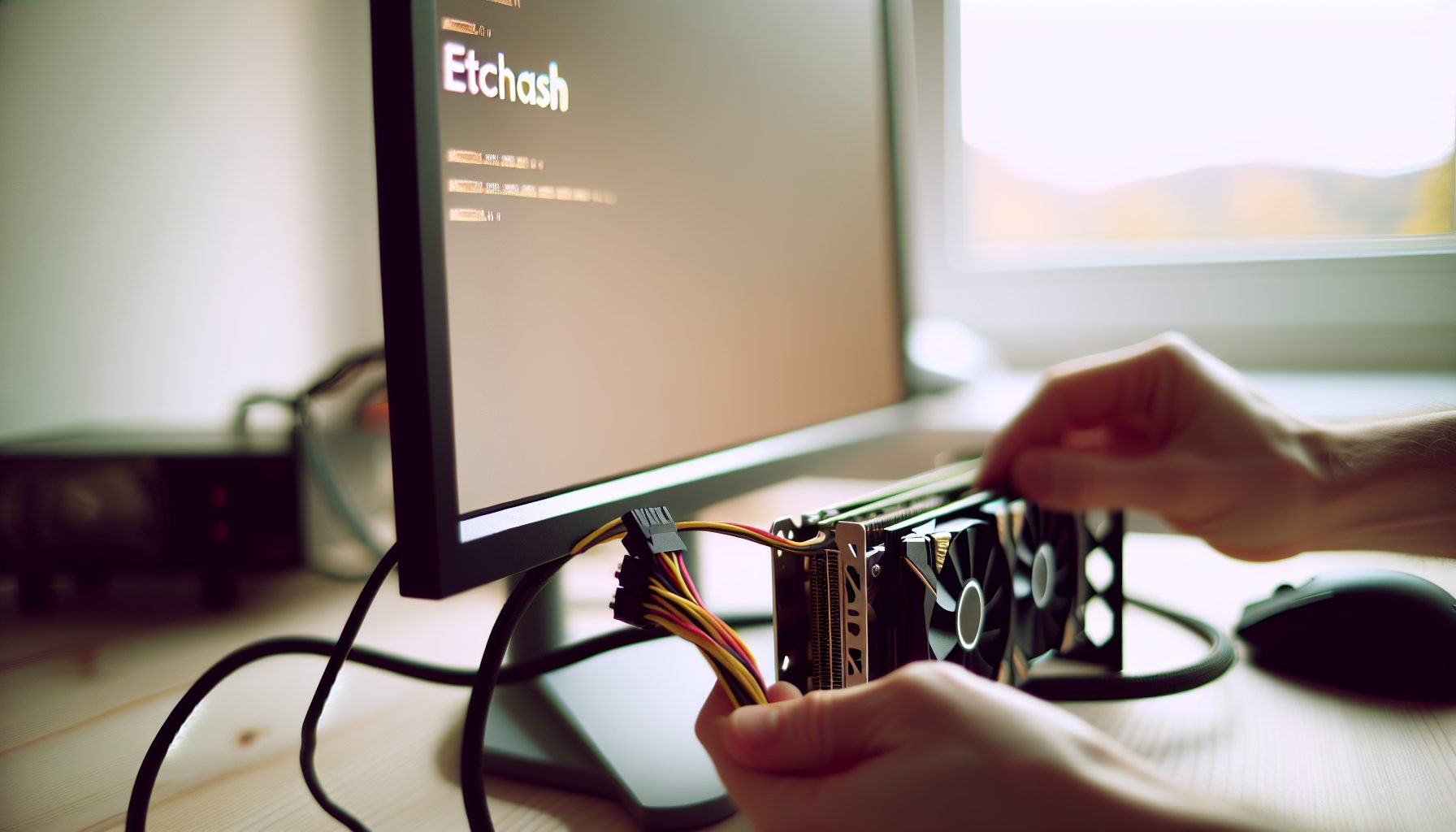
So you want to try solo mining Ethereum Classic with your GPU? Good choice. ETC is one of the few GPU-mineable coins where solo mining actually makes sense if you have decent hardware. I’ve been mining it on and off for about a year now, and honestly, it’s way more interesting than just pointing your cards at a pool and watching tiny payouts trickle in.
The cool part is: ETC uses the Etchash algorithm, which is basically Ethereum’s old Ethash with a smaller DAG size. That means older GPUs can still mine it. Plus, the network difficulty is low enough that hitting a block solo isn’t completely insane if you have 500+ MH/s. Not easy, but not lottery-ticket territory either.
This guide covers everything I learned the hard way — from choosing the right mining software to calculating your actual odds of finding a block. I’ll be honest about what works, what doesn’t, and which hardware is worth running.
Why Solo Mine Ethereum Classic with a GPU Instead of Pool Mining
Let’s get real about this. Most people will tell you pool mining is “safer” and “more consistent.” They’re right, but they’re also missing the point.
When you solo mine ETC, you’re going after the full block reward — currently 2.56 ETC plus transaction fees. At today’s ETC price of price unavailable, that’s a decent chunk of change. In a pool, you’d get tiny daily payouts that barely feel like anything.
Here’s what I actually like about it: The suspense is wild. You could go weeks without hitting anything, then boom — full block reward in your wallet. It’s like a treasure hunt that runs 24/7 in your basement. Way more engaging than watching $0.83 show up in your pool balance every morning.
But there’s a practical angle too. Pool fees typically eat 1-2% of your earnings. Over months of mining, that adds up. Solo mining means you keep 100% of whatever you find. Plus, you’re not dependent on pool uptime or payout thresholds.
The downside? Variance. If you only have one GPU pushing 30 MH/s, you might wait months or even years for a block. That’s why I recommend at least 300-500 MH/s to make it remotely viable. More on the math later.
Understanding Etchash: What Makes ETC Different from Regular Ethash
Etchash is basically Ethash’s little brother. When Ethereum went proof-of-stake, Ethereum Classic kept the Ethash algorithm but tweaked it slightly to handle the growing DAG size issue.
The DAG (Directed Acyclic Graph) is this huge file your GPU needs to load into memory to mine. With regular Ethash, it grew so big that 4GB cards couldn’t mine anymore. Etchash fixed that by using epoch calibration — basically resetting the growth curve so older cards stay viable longer.
Right now, the ETC DAG is around 3.4 GB. That means 4GB cards can still technically mine it, though you’re cutting it close. I’d recommend 6GB minimum for stable long-term mining.
From a technical standpoint, Etchash performs almost identically to Ethash. Same mining software works, same overclocking principles apply. If you mined ETH before The Merge, you already know 90% of what you need.
What I wish I knew earlier: The DAG size still grows over time, just slower. Plan ahead. That 4GB card might work now but could be obsolete in 12 months.
Best GPUs for Solo Mining Ethereum Classic in 2026
Alright, let’s talk hardware. Not all GPUs are created equal for Etchash mining, and definitely not all are worth running solo.
My Top Picks (GPUs I Actually Run)
Pulls about 60 MH/s at 120W when properly tuned. Solid efficiency, widely available used. This is my workhorse card — I have three of them running right now.
Around 65 MH/s at 100W with good tuning. Better efficiency than NVIDIA equivalents, but harder to optimize. Worth it if you can grab one cheap.
Approximately 62 MH/s at 115W. Very common on the used market post-crypto-crash. Good balance of cost and performance for a starter solo rig.
Honestly, those three are your sweet spot. Newer cards like the RTX 4000 series can mine ETC, but they’re not significantly better at Etchash — the architecture was optimized for gaming, not memory-intensive mining algorithms.
Budget Options That Still Work
If you’re building on a tight budget, older cards can get you started:
- RX 5700 XT: About 55 MH/s at 130W. Runs hot but cheap on the used market.
- RX 580 8GB: Around 30 MH/s at 135W. Terrible efficiency but dirt cheap. Good for learning without big investment.
- GTX 1660 Super: Roughly 31 MH/s at 75W. Actually pretty efficient for older hardware.
Trust me on this: Don’t buy 4GB cards in 2026. You’re too close to the DAG limit. Spend the extra $30-50 for 6GB or 8GB models.
Stay Away From These
Some GPUs just aren’t worth it for solo mining ETC:
- Any 4GB card: You’re on borrowed time with the DAG size.
- RTX 4060 / 4060 Ti: Terrible memory bandwidth for mining. Built for gaming, not Etchash.
- Old GTX 900 series: They technically work but pull too much power for the hashrate you get.
Setting Up Your Solo Mining Rig: Software and Configuration
Hardware sorted? Cool. Now let’s get the software side running. This is where I totally screwed up my first attempt, so learn from my mistakes.
Option 1: Running Your Own ETC Node (My Favorite)
This is the true solo mining approach. You run a full Ethereum Classic node and point your miner directly at it. No third parties involved.
You’ll need Core-Geth, which is the main ETC client. Download it from the official GitHub, sync the blockchain (takes 12-24 hours on a decent SSD), and configure it to accept mining connections.
Basic Core-Geth command to enable mining:
geth --classic --http --http.api eth,web3,net --http.addr 127.0.0.1 --http.port 8545 --mine --miner.threads=0 --miner.etherbase=YOUR_ETC_WALLET
Replace YOUR_ETC_WALLET with your actual ETC address. The --miner.threads=0 tells it not to CPU mine, just handle block templates for your GPUs.
What I wish I knew earlier: Make sure your firewall allows the connections. I spent two hours troubleshooting why my miner wouldn’t connect, then realized Windows Firewall was blocking everything.
Option 2: Solo Mining Pool (Easier for Beginners)
If running your own node sounds intimidating, you can use a solo mining pool. These maintain the node infrastructure for you, but still pay the full block reward if you find a block.
I’ve used solo-etc.2miners.com and it works solid. Your miner connects to their servers, and if your GPU finds a valid block, the full reward goes to your wallet minus a tiny 1.5% fee.
It’s basically training wheels for solo mining. You get the same payout structure without managing blockchain sync or node uptime. Definitely recommend starting here if you’re new to this whole thing.
For more background on how these services work, check out my solo mining pool explanation.
Choosing Mining Software
For Etchash, you have a few solid options:
- TeamRedMiner: Best for AMD cards. Great optimization, regular updates.
- T-Rex Miner: My pick for NVIDIA. Simple configuration, reliable hashrate reporting.
- lolMiner: Works on both AMD and NVIDIA. Good all-rounder.
I run T-Rex on my NVIDIA rigs. Configuration is dead simple. Create a .bat file with something like this:
t-rex.exe -a etchash -o stratum+tcp://solo-etc.2miners.com:1010 -u YOUR_ETC_WALLET -w RIG_NAME
Replace YOUR_ETC_WALLET with your ETC address and RIG_NAME with whatever you want to call your rig. Done.
For your first setup, I’d suggest using the solo mining pool approach. Once you’re comfortable and want full control, switch to your own node.
Calculating Your Actual Odds: Can You Really Hit a Block?
Let’s do the math honestly. This is the part most guides skip because it’s not always encouraging.
Ethereum Classic’s current network hashrate hovers around 150 TH/s (that’s 150,000 GH/s or 150,000,000 MH/s). Average block time is about 13 seconds.
If you have 500 MH/s, your share of the network is:
500 MH/s ÷ 150,000,000 MH/s = 0.00000333 or about 0.0003%
That means on average, you’ll find one block every:
(150,000,000 MH/s ÷ 500 MH/s) × 13 seconds = 3,900,000 seconds = about 45 days
That’s average. Variance means you could hit one in a week, or go four months dry. That’s just how probability works.
With 1000 MH/s (roughly 16 RTX 3060 Ti cards), you’re looking at around 22 days average per block. Better, but still significant variance.
Here’s my honest take: If you have less than 300 MH/s, solo mining ETC is more of a lottery than a strategy. Sure, you could hit a block with a single GPU, but you’re probably waiting months. For context, check out my piece on whether solo mining is actually worth it.
Between 500-1000 MH/s, it’s legitimately fun. You’ll likely see a few blocks per year, which feels rewarding enough to keep going.
Above 2000 MH/s, you’re in semi-serious territory. Blocks every week or two makes it feel less random and more like actual mining income.
Trust me on this: Run the numbers for your specific hashrate before committing to solo. The math doesn’t care about your enthusiasm.
Power Costs and ROI: The Brutal Truth About GPU Solo Mining
Okay, real talk time. Solo mining ETC with GPUs can be profitable, but electricity costs will make or break you.
Let’s say you’re running four RTX 3060 Ti cards at 60 MH/s each. That’s 240 MH/s total at about 480W (120W per card). Add in system overhead — motherboard, CPU, fans, PSU inefficiency — and you’re pulling maybe 550W from the wall.
At $0.12/kWh (US average), that’s:
550W × 24 hours × 30 days = 396 kWh/month = $47.52
Now, at 240 MH/s, you’d expect to hit a block roughly every 81 days based on current network conditions. That’s 2.56 ETC at price unavailable per coin.
If ETC is at $20, that’s $51.20 per block. After three months of electricity costs ($142.56), you’d net about -$91 until you hit that first block. Then you’re up $51.20 – $142.56 = -$91.36. You need to hit multiple blocks to actually profit.
But here’s the thing: Variance could mean you get lucky and hit two blocks in 60 days. Or you could go 150 days and hit one. The math averages out eventually, but “eventually” might be 6-12 months.
What I wish I knew earlier: Solo mining ETC only makes financial sense if either (a) you have cheap electricity under $0.08/kWh, or (b) you genuinely enjoy the process and don’t mind breaking even or slight losses.
I mine during winter because my rig doubles as a space heater. That’s not a joke — 550W of heat is 550W of heat. Might as well mine instead of running an electric heater. Summer? I shut it down unless ETC pumps.
Optimizing Your Setup: Overclocking, Cooling, and Efficiency Tips
If you’re going to solo mine, you might as well squeeze every last hash out of your GPUs.
Overclocking for Etchash
Etchash is memory-intensive, so you want to push memory clocks while keeping core clocks low. This reduces power draw while maintaining hashrate.
For RTX 3060 Ti, my settings in MSI Afterburner:
- Core Clock: -200 MHz
- Memory Clock: +1200 MHz
- Power Limit: 65%
- Fan Speed: 60% (adjust based on temps)
That gets me 60 MH/s at 115-120W per card. Temps stay around 55-60°C.
For AMD cards like RX 6800, you’ll use different software (usually AMD’s own tools or TeamRedMiner’s built-in tuning). Push memory clocks, drop core voltage, increase memory timings if your model supports it.
Warning: Don’t just copy my settings. Every GPU is different. Start conservative, bump clocks in small increments, and watch for crashes or invalid shares.
Cooling Matters More Than You Think
I totally fried my first RX 580 because I stacked cards too close together with garbage airflow. Temps hit 90°C+, and after two months, the card started artifacting and eventually died.
Proper mining rig setup:
- Space cards at least 2-3 inches apart
- Use box fans if you’re on a budget (seriously, a $20 fan works wonders)
- Keep ambient room temp reasonable — don’t mine in a closed closet
- Monitor temps with HWiNFO or GPU-Z. Memory junction temps are critical, not just GPU core
I run my rigs in the basement where it’s naturally cooler. Keeps fans quieter and cards happier.
Remote Monitoring
Set up some kind of remote monitoring so you know if your rig crashes. I use a simple Discord webhook that pings me if hashrate drops to zero for more than 5 minutes.
Nothing worse than losing three days of mining time because your miner crashed and you didn’t notice. Been there, don’t recommend it.
Wallet Setup and Security for Ethereum Classic Solo Mining
Before you mine a single share, you need a proper ETC wallet. Not an exchange address — an actual wallet where you control the keys.
I use Exodus for ETC. Simple interface, supports multiple coins, and recovery phrase backup makes it easy. MetaMask also works if you configure it for the ETC network.
For more detailed wallet recommendations, check out my solo mining wallet guide.
Critical security points:
- Write down your recovery phrase on paper. Don’t store it digitally.
- Never use an exchange deposit address for mining payouts. Exchanges can randomly disable deposits during maintenance, and you’d lose your block reward.
- Test your wallet by sending a tiny amount first. Make sure you can receive and send before mining to that address.
When you hit a block, it goes directly to this address. There’s no “pending” period like with pools. You’ll see the full 2.56 ETC plus fees show up immediately after block confirmation.
That first notification when a block hits your wallet? Absolutely wild feeling. Way better than watching $3.42 accumulate in a pool dashboard.
Alternative Coins Worth Considering for GPU Solo Mining
ETC is solid, but it’s not your only option if you want to use GPUs for solo mining.
Coins I’ve Also Tried
Ergo (ERG): Uses Autolykos v2 algorithm. Lower network hashrate than ETC, so your odds are better with the same hardware. Block time around 2 minutes, reward is 66 ERG per block. I’ve written a full Ergo solo mining setup guide if you’re interested.
Ravencoin (RVN): KawPow algorithm. Even lower network hashrate. You can realistically hit blocks with 200-300 MH/s. Block reward is 2500 RVN every minute. Way more frequent blocks than ETC.
Flux (FLUX): ZelHash algorithm. Similar hashrate to Etchash on most GPUs. Decent block rewards. I covered the profitability breakdown here.
Honestly, Ravencoin is probably the easiest for GPU solo mining because blocks come so fast. ETC is more challenging but the rewards feel more substantial.
Why Not Just Mine Bitcoin?
GPUs can’t mine Bitcoin anymore. The difficulty is so high that even a massive GPU rig contributes essentially zero hashrate to Bitcoin’s network. You’d need ASICs for BTC.
That said, I do run a BitAxe USB miner just for fun to lottery mine Bitcoin via CKPool. It’s basically a lottery ticket that costs $2/month in electricity. If you’re curious about Bitcoin solo mining, I wrote about running your own full node too.
Common Mistakes I Made (So You Don’t Have To)
Let me save you some frustration by sharing what I screwed up:
Mistake #1: Not accounting for DAG generation time. When your miner first starts, it takes 3-5 minutes to generate the DAG file. I thought my rig was broken the first time because it just sat there. It’s normal — be patient.
Mistake #2: Mining to an exchange address. I mentioned this earlier but it’s worth repeating. Coinbase disabled ETC deposits for “maintenance” once, and I would’ve lost a block reward if I’d mined to that address. Use a real wallet.
Mistake #3: Not monitoring rejected shares. If you’re getting more than 1-2% rejected shares, something’s wrong. Could be unstable overclocks, network issues, or miner misconfiguration. Fix it immediately or you’re wasting hashrate.
Mistake #4: Running too hot for too long. I already mentioned the dead RX 580. Don’t be me. Proper cooling from day one saves you money long-term.
Mistake #5: Ignoring electricity costs. I mined through a hot summer once and my power bill jumped $80. My girlfriend was NOT happy. Calculate costs before you start, and consider seasonal adjustments.
Is Solo Mining Ethereum Classic with GPU Actually Worth It?
Alright, honest assessment time.
Financially? It depends entirely on your electricity costs and how much hashrate you can deploy. If you’re paying $0.15/kWh and running a single GPU, you’re probably losing money or barely breaking even. If you have cheap power and 500+ MH/s, you can make modest profits while having way more fun than pool mining.
But here’s the thing: Most people who solo mine GPU coins aren’t doing it purely for ROI. They’re doing it because the experience is genuinely more engaging. Finding your first block solo is an incredible feeling that pool mining will never replicate.
I keep mining ETC with my GPUs even though I’d make marginally more in a pool because I love the variance and suspense. Some months I hit two blocks. Some months nothing. Over the long run it averages out, and I keep 100% of what I find.
My recommendation: If you already have a gaming PC with a decent GPU (RTX 3060 Ti or better), try solo mining ETC for a month or two. Use a solo pool to start, mine during winter when the heat is useful, and see if you enjoy it. If you hit a block, awesome. If not, you learned something new and helped secure the network.
If you’re thinking about buying GPUs specifically to solo mine? Run the numbers extremely carefully. Factor in current ETC price, network difficulty, your local electricity rate, and realistic timeframes for ROI. Mining profitability changes constantly.
For more context on whether solo mining in general makes sense, I’ve written a detailed assessment about solo mining in 2026.
Secure Your Winnings
Finding a solo block means receiving 3.125 BTC directly to your wallet — currently worth over $250,000. That amount should never sit on an exchange.
Two hardware wallets we recommend for solo miners:
Ledger Nano X (~$149) — Industry standard, supports BTC natively
Buy Ledger Nano X
Trezor Model T (~$179) — Open-source firmware, strong community trust
Buy Trezor Model T
Frequently Asked Questions
How long does it take to solo mine one Ethereum Classic block with a GPU?
It depends entirely on your hashrate and luck. With 500 MH/s, you’d average about 45 days per block based on current network difficulty. With 1000 MH/s, around 22 days. But variance means you could hit one tomorrow or wait three times longer. That’s the nature of solo mining — pure probability with no guarantees.
Can I solo mine Ethereum Classic with a 4GB GPU in 2026?
Technically yes, but I wouldn’t recommend it. The ETC DAG size is currently around 3.4 GB, so 4GB cards are cutting it extremely close. You might experience crashes or reduced hashrate as the DAG continues growing. Spend a bit more for a 6GB or 8GB card to future-proof your setup for at least another year or two.
What’s better for beginners: running my own ETC node or using a solo mining pool?
Start with a solo mining pool like 2miners’ solo ETC service. You get the same payout structure (full block rewards) without dealing with blockchain syncing, node maintenance, or configuration headaches. Once you’re comfortable and want complete control, then consider running your own node. I started with the pool approach and switched to my own node after about three months.
Do I pay taxes on Ethereum Classic I mine solo?
Yeah, unfortunately. In most countries, mined cryptocurrency is taxable as income at the fair market value when you receive it. So if you mine 2.56 ETC and it’s worth $51 at that moment, you owe taxes on $51 of income. Keep records of every block you hit — date, amount, and value. I’m not a tax expert though, so definitely consult one if you’re mining seriously.
Can I switch between solo mining and pool mining without changing hardware?
Absolutely. It’s literally just changing the server address in your mining software configuration. You can mine solo for a month, switch to a pool to get consistent payouts, then switch back to solo whenever you want. Same hardware, same software, just different target. I do this seasonally — solo in winter when I want the heat, pool in summer when electricity costs more.