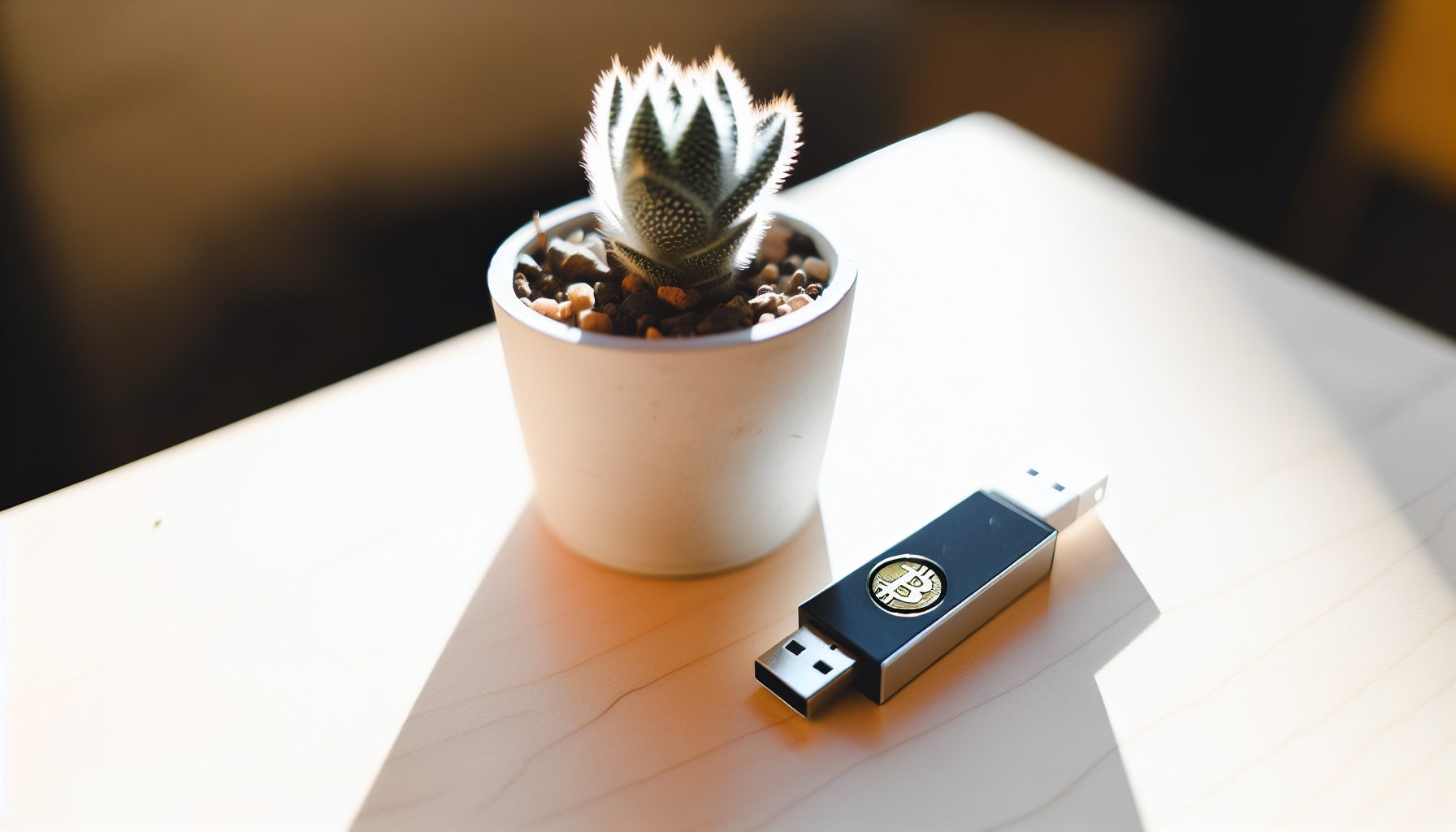
TL;DR: Can You Actually Solo Mine in a Home Office?
Yes, but it depends on your hardware choices and realistic expectations about noise and heat. Most ASIC miners sound like a jet engine and will make your office unbearable. GPU rigs can work if properly configured. USB lottery miners and CPU setups are genuinely quiet enough for shared spaces.
Let me break this down: A typical ASIC like the Antminer S19 produces 75-80 dB of noise — that’s lawnmower territory. Your family won’t appreciate that during Zoom calls. But a well-tuned GPU rig with aftermarket cooling? That can stay under 40 dB, which is quieter than most conversations.
I’ve been running different mining setups in my room for the past year, and the heat issue surprised me more than the noise. My first GPU rig turned my room into a sauna within two hours. Had to completely rethink ventilation before I could run it overnight.
This guide focuses specifically on solo mining scenarios where you’re trying to find blocks yourself while maintaining a functional workspace. Different challenge than pool mining — you need equipment that can run 24/7 without driving you insane, but also delivers enough hashrate to have realistic solo odds on certain coins.
Understanding Noise Levels for Quiet Solo Mining in Your Home Office
The decibel scale matters more than most people realize when setting up mining hardware at home. Important detail: dB is logarithmic, so 70 dB isn’t just slightly louder than 60 dB — it’s ten times more intense to your ears.
Here’s what different noise levels actually mean in practice:
- 30-35 dB: Whisper-quiet. Most USB miners and idle PCs operate here. You can sleep in the same room.
- 40-45 dB: Refrigerator hum. Noticeable but not disruptive. GPU rigs with good cooling fall here.
- 50-55 dB: Normal conversation volume. Gets annoying during video calls. Some compact ASICs at low fan speeds.
- 60-70 dB: Vacuum cleaner range. Absolutely not suitable for an office where you need to concentrate or take calls.
- 75-80 dB: Standard ASIC territory. This will damage your hearing with prolonged exposure and definitely end any hope of a functional home office.
When people talk about “quiet mining,” they usually mean anything under 50 dB. That’s the threshold where it stops interfering with normal activities.
The challenge for solo mining: You need enough computational power to have reasonable block-finding odds, but most high-hashrate equipment is loud. This naturally pushes home office solo miners toward either CPU mining on coins like Monero, GPU mining on mid-difficulty coins, or USB lottery miners as a hobby rather than profit strategy.
Measuring Actual Noise Levels
Manufacturer specs lie. Constantly. A miner rated at “65 dB” often measures 72 dB in real conditions.
I picked up a basic sound meter for about $25 on Amazon, and it completely changed how I evaluate hardware. The data shows that ambient room temperature affects fan curves dramatically — a miner that’s quiet at 20°C might scream at 28°C when your office warms up in summer.
If you’re serious about maintaining a functional workspace with mining equipment, measure noise at your actual working distance. Standing 1 meter away from hardware gives you very different readings than sitting 3 meters away at your desk.
Heat Management Solutions That Actually Work
Heat is often the limiting factor for home office mining setups, not noise. Sure, you can soundproof or move equipment, but if your office becomes uninhabitable at 32°C, the whole project fails.
A mid-range GPU rig pulling 800W generates roughly 800W of heat. That’s like running a portable space heater at full blast. For context, a typical 15 m² home office needs about 1500-2000 BTU of cooling capacity just for normal summer temps. Add 800W of mining hardware, and you’ve increased cooling requirements by roughly 2700 BTU.
I learned this the expensive way last summer. Ran two GPUs in my room without adequate ventilation. Within three hours, room temperature hit 34°C and the GPUs started throttling. Lost about 15% hashrate just from thermal issues, which directly impacts your solo mining odds.
Ventilation Strategies
Proper airflow matters more than raw cooling power in most cases. You need to move hot air out and bring cool air in — sounds obvious, but most people get the execution wrong.
The basic setup: Intake fan on one side of the room (preferably pulling from a cooler area like a hallway), mining hardware in the middle, exhaust fan on the opposite wall pushing hot air out. Create a path for air movement rather than just stirring the same hot air around.
Window mounting works well if you have the right space. Install a fan box that pushes hot air directly outside. This prevents heat from accumulating in your room or spreading through your house. Your family will thank you.
For GPU rigs specifically, case airflow design determines everything. Positive pressure (more intake than exhaust) keeps dust out but can trap heat. Negative pressure (more exhaust than intake) pulls hot air away from components but sucks in dust. I run slightly negative pressure and clean filters weekly.
AC Units and Supplemental Cooling
A portable AC unit rated for your room size plus mining load can work, but watch the electricity cost. Running a 1000W AC unit to cool 800W of mining hardware… the math doesn’t favor profitability.
That naturally depends on your electricity rates and what coin you’re solo mining. If you’re running a Goldshell Mini-DOGE Pro as a lottery setup, cooling costs are negligible. If you’re running serious GPU hashrate trying to solo mine something like Karlsen, cooling might exceed your mining power draw in summer months.
Mini-split AC systems offer better efficiency than portable units if you own your space and can install them. Higher upfront cost but much lower operating cost per BTU moved.
Hardware Selection for Quiet Home Office Solo Mining
Let’s get specific about what actually works in a home office environment. I’ll break this down by hardware category with honest assessments of noise, heat, and solo mining viability.
USB ASIC Miners: The True “Office-Friendly” Option
USB miners are genuinely quiet enough to run on your desk during work hours. Most produce less than 35 dB even under full load.
Scrypt miner delivering 205 MH/s at 11W. Completely silent operation, generates minimal heat. Perfect for Dogecoin or Litecoin solo lottery mining from your desk.
The trade-off: Your solo mining odds are lottery-tier. With 205 MH/s on the Dogecoin network, you’re looking at extremely long expected block times. But that’s kind of the point — this is hobby mining that doesn’t disrupt your workspace.
Heat output from USB miners is negligible. 11W generates about as much heat as an LED light bulb. Your laptop probably produces more thermal load.
CPU Mining: Monero and RandomX Algorithms
CPU solo mining on Monero actually makes sense for home office setups. Your computer is already running, the cooling solution is already designed for enclosed spaces, and modern CPUs can deliver competitive RandomX hashrate.
A Ryzen 9 5950X pulls about 105W under full load mining Monero and generates maybe 19-20 KH/s. The stock cooler will keep it under 75°C without excessive noise if your case has decent airflow. More powerful setups like the AMD Threadripper options require better cooling but can actually find solo blocks on Monero with some regularity.
Current Monero network hashrate hovers around 2.7-3.0 GH/s depending on market conditions. With 20 KH/s, you’re looking at roughly 1-in-150,000 chance per block, or an expected time of about 300 days per block at current difficulty. Not great odds, but possible.
The nice thing about CPU mining: You can dial back the thread count during work hours when you need system resources, then ramp up to full hashrate overnight. Check out our complete Monero solo mining guide for configuration details.
GPU Mining: Where Heat and Noise Balance Gets Tricky
GPUs offer the best middle ground for home office solo mining — enough hashrate to have realistic odds on certain coins, but manageable noise and heat if you configure things properly.
Efficient GPU pulling 120-130W while delivering strong hashrate across multiple algorithms. Modern cooling solutions keep noise under 40 dB at reasonable fan speeds.
The key to quiet GPU mining: Undervolting and custom fan curves. Most GPUs ship with aggressive voltage settings that aren’t necessary for mining workloads. By reducing voltage and core clock slightly, you can cut power draw by 20-30% while only losing 5-10% hashrate.
Example with RTX 3060 Ti mining Ethereum Classic (Etchash algorithm): Stock settings pull 170W and run fans at 70% for about 50 dB. Undervolt to 0.75V and lock core at 1400 MHz, and you drop to 125W with fans at 45% for maybe 38 dB. Hashrate goes from 45 MH/s to 42 MH/s — totally worth the trade-off in a home office.
Heat management: Each GPU in your rig adds thermal load. A single GPU is manageable with room ventilation. Two GPUs start pushing limits. Three or more absolutely require dedicated exhaust ventilation unless you have a very large, well-ventilated space.
For solo mining viability, GPUs work well on mid-difficulty coins where network hashrate isn’t dominated by huge farms. Coins like Karlsen, Nexa, or Meowcoin offer reasonable block-finding probabilities with 100-200 MH/s depending on the algorithm.
Compact ASICs: Usually a Compromise Too Far
Some manufacturers market “home mining” ASICs that are supposedly quieter than industrial models. In my testing, most still produce 55-65 dB, which is too loud for actual office work.
The Goldshell AL Box for Alephium mining comes close at around 35-40 dB and only 400W power draw. That’s one of the few compact ASICs that genuinely qualifies as office-friendly.
But here’s the problem: Most compact ASICs sacrifice hashrate to achieve lower noise and power draw. You end up with hardware that’s still somewhat annoying and doesn’t deliver enough computational power for realistic solo odds on the target coins.
Soundproofing and Acoustic Treatment Options
If you’re committed to running slightly louder hardware in your home office, soundproofing can help. But it won’t solve heat problems — in most cases, it makes them worse.
Acoustic foam on walls absorbs mid and high frequencies, making fan noise less sharp and intrusive. Costs maybe $50-100 to treat a small office. Actually works pretty well for GPU rig noise.
Sound-dampening enclosures for mining hardware sound great in theory. In practice, they trap heat and cause thermal throttling unless you also engineer proper ventilation through the enclosure. That ventilation path then becomes a noise leak that defeats the soundproofing.
I tried building a soundproof box for a small ASIC miner. Lined it with acoustic foam, added ventilation holes with acoustic baffles. Noise dropped by maybe 8-10 dB, which was noticeable. But internal temps rose 15°C and the miner started shutting down randomly. Had to choose between quiet operation and stable operation.
What works better: Physical distance. If you can put mining hardware in an adjacent room, closet, or basement with ventilation ducting for heat, you solve both noise and heat issues without engineering compromises.
Electricity Cost Reality Check
Running mining hardware in your home office means paying for both mining power and cooling/ventilation. This significantly impacts profitability calculations, especially for solo mining where you might go weeks or months between successful blocks.
Let’s run actual numbers for a mid-range GPU setup:
- Hardware: 2x RTX 3060 Ti GPUs undervolted to 125W each = 250W
- System overhead: Motherboard, CPU, fans, etc. = 100W
- Summer cooling: Small AC unit running during hot hours = 400W average (8 hours/day)
- Ventilation fans: Intake and exhaust = 50W
Total power draw: 800W continuous mining + cooling costs
At $0.12/kWh (US average residential rate), that’s roughly $70/month just in electricity. If you’re solo mining Ethereum Classic with 84 MH/s total from those two GPUs, current ETC price around price unavailable, you’d need to find roughly 2-3 blocks per month just to break even on electricity after cooling costs.
The data shows that home office mining setups face higher operational costs than garage or basement setups because you’re actively fighting heat during work hours. Overnight-only mining reduces cooling costs but also reduces your block-finding opportunities.
When the Math Actually Works
CPU mining Monero in a home office has better economics because you’re not adding dedicated hardware. If your computer is running anyway for work, the incremental cost is just the CPU power draw — maybe 80-100W or $7-9/month.
USB lottery miners like the Mini-DOGE Pro at 11W cost about $1/month in electricity. Even if you never find a block, you’re not hemorrhaging money.
GPU mining makes financial sense when you’re targeting coins with network hashrate low enough that your home office rig has realistic block-finding probability. Solo mining Bitcoin with GPUs? That’s just an expensive space heater. Solo mining something like Conflux or Ethereum Classic where a few hundred MH/s gives you monthly block potential? The math can work.
Practical Setup: My Current Home Office Mining Configuration
Since I actually run mining equipment in my room while doing homework and working on solominer.com, here’s my current setup that balances noise, heat, and solo mining viability:
Hardware:
- 1x RTX 3060 Ti undervolted to 125W, mining Ethereum Classic (42 MH/s)
- Ryzen 5 5600X with 6 cores allocated to Monero mining overnight (8 KH/s)
- Goldshell Mini-DOGE Pro running 24/7 as lottery mining (205 MH/s Scrypt)
Cooling and Ventilation:
- 120mm intake fan pulling cool air from hallway
- Mining rig positioned near window
- 140mm exhaust fan pushing hot air out window
- Room temperature stays at 24-25°C year-round with this setup
Noise levels: GPU at current settings produces about 38 dB measured from my desk (2 meters away). Mini-DOGE Pro is inaudible. CPU mining adds no noticeable noise since it’s just the existing PC. Total ambient noise in the room during operation: 40-42 dB, which is quieter than outdoor traffic.
Power consumption: GPU rig with system overhead pulls 180W. CPU mining adds 65W when active. Mini-DOGE Pro adds 11W. Total continuous load: 256W, plus CPU mining nights which brings it to 321W during those hours.
Block finding results: Found 1 ETC block in 4 months (expected time was roughly 3 months at current network difficulty, so slightly lucky). No Monero blocks yet with my limited CPU hashrate. Mini-DOGE Pro has found zero blocks (expected — it’s pure lottery).
Would I recommend this setup for someone starting out? Depends on your goals. If you want the experience of running a full solo mining node and occasionally finding blocks without destroying your home office environment, yes. If you want predictable income, no — pool mine instead.
Alternative Locations Within Your Home
Sometimes the best solution for quiet solo mining isn’t making your office quieter — it’s moving the loud equipment somewhere else.
Garage/Basement: Ideal for ASIC miners or larger GPU rigs. Noise doesn’t matter, and heat is easier to exhaust. Run network cables back to your office for monitoring. I’ve seen several solo mining setups in Discord communities using this approach — they monitor everything from their office computer while hardware runs in isolated spaces.
Closet: Can work for compact GPU rigs if you install proper ventilation. Cut ventilation holes top and bottom, install fans, maybe add a small AC vent if you have central air. Not suitable for ASICs due to extreme heat concentration.
Outdoor enclosures: Some miners build weatherproof boxes for mining hardware on balconies or in backyards. Solves noise and heat completely but adds complexity for weatherproofing, theft protection, and reliable power/network access.
If you go the remote location route, invest in proper monitoring. Set up temperature sensors, remote power switches (like smart plugs), and alerts if equipment goes offline. Your solo mining odds drop to zero if hardware crashes overnight and you don’t notice until morning.
Software Optimizations for Lower Heat and Noise
Mining software configuration affects both noise and heat output significantly. Most miners don’t optimize these settings and end up with unnecessarily hot, loud hardware.
For GPU mining, MSI Afterburner or similar overclocking tools are required. Set a custom fan curve that keeps temps around 60-65°C while minimizing fan speed. Undervolt the core to reduce power draw. Lock memory clock at optimal speeds for your algorithm — pushing memory higher often adds heat for minimal hashrate gains.
For CPU mining Monero, the XMRig software lets you specify thread count and CPU affinity. Using fewer threads reduces heat and power draw proportionally. On my 6-core Ryzen, I run 5 threads for mining which leaves one core free for system tasks and reduces power draw by about 15W compared to full 6-thread operation. Check the Windows 11 optimization guide for detailed configuration steps.
Some mining software supports automatic power limiting. You can cap total power draw and let the software adjust clocks dynamically. This prevents thermal spikes when hashrate demands fluctuate.
Scheduled Mining for Heat Management
You don’t need to run mining hardware 24/7 for solo mining to work. Yes, less runtime means fewer block opportunities, but for home office setups the trade-off often makes sense.
I run GPU mining only during night hours (22:00-08:00) and when I’m not in the room. This cuts cooling requirements completely and reduces electricity costs by about 40%. My block-finding probability drops proportionally, but my home office stays functional.
For coins with lower network difficulty, overnight-only mining can still yield blocks. With 42 MH/s on Ethereum Classic, I’m looking at roughly 2-3 month expected block time when running 24/7. Running only nights increases that to 6-9 months. Still within the realm of “actually possible” rather than pure lottery territory.
Cost Analysis: Home Office vs. Dedicated Mining Space
Let me break down actual costs comparing home office mining with proper heat/noise management versus running the same equipment in a basement or garage where those factors don’t matter.
Home Office Setup (2x RTX 3060 Ti):
- Initial hardware: $800 (used market pricing 2026)
- Cooling fans and ventilation: $100
- Acoustic treatment: $75
- Monthly electricity (mining + cooling): $70
- Noise constraint: Must undervolt, reducing hashrate by ~8%
Garage/Basement Setup (same hardware):
- Initial hardware: $800
- Basic ventilation: $50
- No acoustic treatment needed: $0
- Monthly electricity (mining only, natural ventilation): $45
- No noise constraint: Can run full power for maximum hashrate
The garage setup saves $25/month in operating costs and delivers 8% more hashrate. Over a year, that’s $300 in electricity savings plus increased block-finding probability from higher hashrate.
However, running equipment in your home office means you can respond immediately to issues, monitor more easily, and maintain the setup more consistently. That naturally depends on your personal situation and available space.
Solo Mining Coin Selection for Home Office Setups
Not all coins make sense for home office solo mining. You need to target coins where your realistically achievable hashrate (given noise and heat constraints) provides block-finding probability measured in weeks or months rather than decades.
Good candidates for GPU home office mining:
- Ethereum Classic: Lower difficulty than many alternatives, Etchash algorithm works well on modern GPUs. 100 MH/s gives you blocks every few months depending on network conditions.
- Ravencoin: KawPow algorithm, accessible network difficulty. Similar block times to ETC with comparable hashrate.
- Ergo: Autolykos algorithm, GPU-friendly. Network hashrate fluctuates with market conditions, creating opportunities.
- Karlsen: Lower network hashrate than major coins, making solo blocks achievable with modest GPU setups.
Good candidates for CPU home office mining:
- Monero: The primary RandomX coin. High-end CPUs can achieve block times measured in months rather than years.
USB miner lottery options:
- Dogecoin: Scrypt algorithm. Mini-DOGE Pro won’t realistically find blocks, but it’s genuinely office-quiet if you want the experience.
- Litecoin: Also Scrypt. Same situation as Dogecoin.
For detailed setup guides, check our coin-specific articles on Karlsen, Ethereum Classic, and others.
Frequently Asked Questions
Can I really solo mine Bitcoin from a home office without noise issues?
No, not with any hope of finding blocks. The only Bitcoin ASIC miners powerful enough to have non-lottery odds produce 75+ dB of noise and consume thousands of watts. A Whatsminer M66S or similar industrial miner is completely incompatible with a functional home office. USB miners can run quietly but have essentially zero chance of finding Bitcoin blocks. If you want to solo mine from a home office, target different coins where your realistic hashrate provides measurable block probability.
How much does cooling actually add to my electricity bill?
It depends on your climate and room size, but cooling often equals 30-50% of your mining power draw in summer months. A 400W GPU rig might require a 200W window AC unit running 6-8 hours daily in hot weather, adding $15-20/month to electricity costs. Winter actually helps — mining heat offsets your regular heating costs, potentially making winter mining “free” from a total energy perspective. In my room, summer cooling adds about $12/month to run the AC unit during afternoon hours when my room gets direct sun.
What’s the quietest GPU configuration that can still find solo blocks?
A single RTX 3060 Ti or similar card, heavily undervolted, can operate at 35-40 dB while delivering 40-45 MH/s on Etchash (Ethereum Classic). That hashrate gives you realistic monthly block-finding probability on lower-difficulty coins. Two cards in a well-ventilated case with custom fan curves can stay under 45 dB total while doubling your hashrate and block odds. Three or more cards start pushing into the 50+ dB range even with careful tuning, which begins interfering with normal office work.
Is CPU mining really worth it for solo mining, or should I just use GPUs?
CPU mining makes sense specifically for Monero solo mining if you already have a capable CPU. A high-end Ryzen or Threadripper can deliver competitive RandomX hashrate with minimal added noise or heat since you’re using your existing computer. However, your block-finding probability is limited by single-CPU hashrate — even a Threadripper setup might see 6-12 month block times on Monero. GPU mining offers better hashrate scaling and more coin options but requires dedicated hardware. I run both — CPU mining Monero overnight costs me almost nothing, while GPUs target coins where I can find blocks more frequently.
Should I soundproof my home office for mining or move the hardware elsewhere?
Moving hardware to a garage, basement, or closet almost always works better than trying to soundproof your office. Soundproofing creates heat management problems that often negate the acoustic benefits. The only scenario where office soundproofing makes sense: You’re running genuinely quiet equipment (under 45 dB) and just want to drop that further for Zoom calls or similar. For anything louder than a quiet GPU rig, remote location with monitoring tools gives you better results with less engineering complexity.