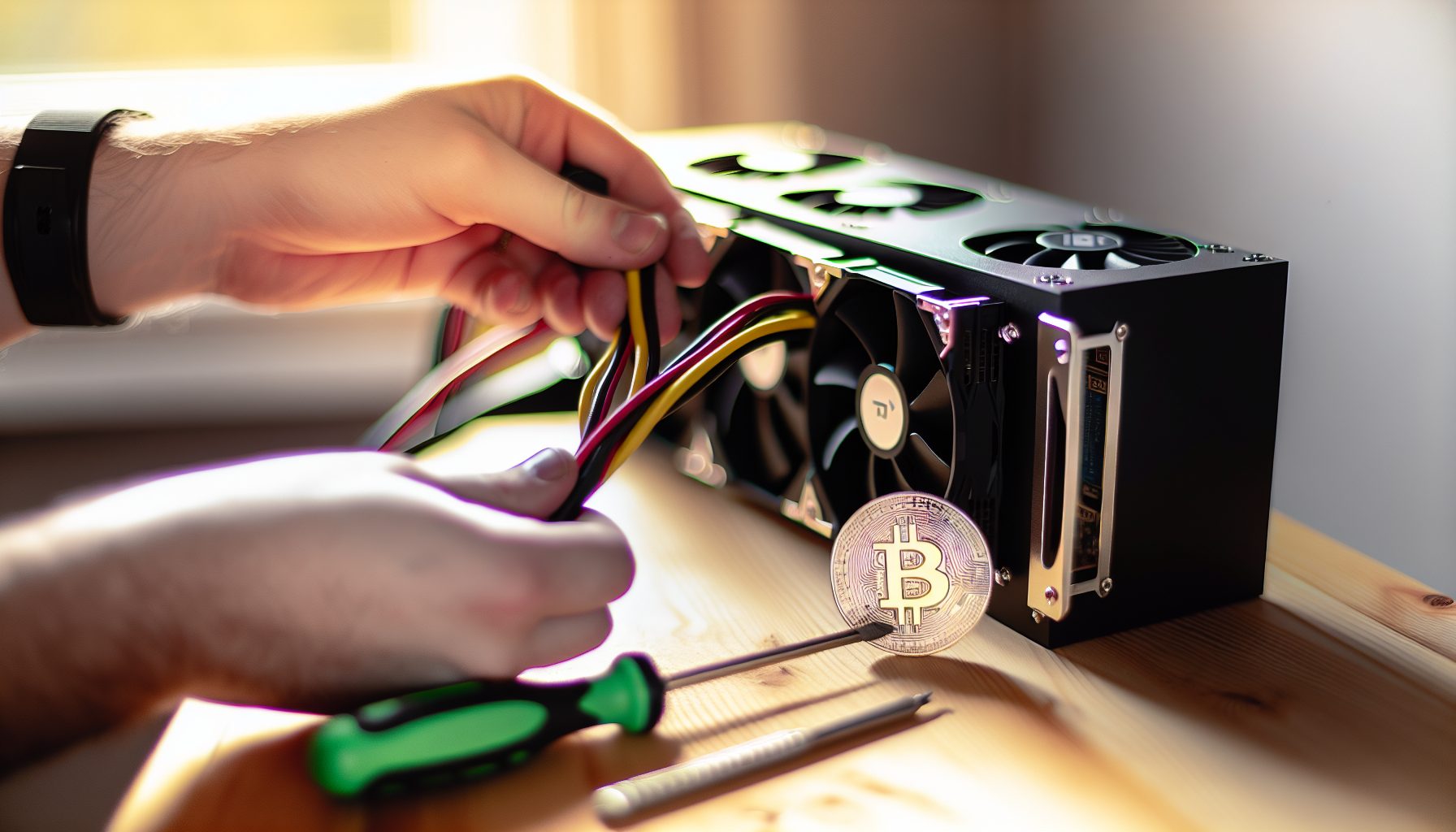
You want to get into mining but don’t know where to start? Here’s the thing: most established coins are dominated by ASICs or pools so massive that going solo feels pointless. But Nexa is different. It’s a GPU-only coin that actually kicked ASICs to the curb, and the network is small enough that solo mining isn’t some pipe dream.
I got into Nexa mining last year after watching my neighbor waste money on an old Bitcoin ASIC that found exactly zero blocks. He was basically burning electricity for nothing. That got me thinking about coins where solo mining actually makes sense — where you don’t need a warehouse full of equipment or a PhD in computer science.
Nexa caught my attention because it uses NexaPow, which is built to resist ASICs. The developers actually forked the blockchain when ASICs showed up, keeping it GPU-friendly. For a 13-year-old with two mid-range GPUs and a dream, that’s exactly the kind of project I wanted to solo mine.
What Makes Nexa Different for Solo GPU Miners
Most GPU mineable coins either have massive network hashrates or allow ASICs to take over eventually. Nexa chose a different path.
The NexaPow algorithm is memory-intensive, making it expensive to build ASICs for. When ASICs did appear on the original chain in 2026, the community hard-forked to maintain GPU mining. That’s commitment to keeping mining accessible.
Network hashrate sits around 15-20 PH/s depending on the day. That sounds huge until you realize Bitcoin is at like a million times that. For GPU miners, this is actually manageable territory. A single RTX 4090 pushes about 3 GH/s on NexaPow, meaning you’d need roughly 6-7 million of them to match the entire network.
Block time is 2 minutes with a current block reward of 10,000,000 NEXA. Yeah, that’s a lot of zeros, but the coin has pretty tiny unit pricing. Current NEXA price hovers around $66,512 — wait, that’s Bitcoin. Nexa trades at fractions of a cent, so don’t get too excited about those million-coin blocks until you check actual USD value.
The cool part? Block difficulty adjusts every block, not every few thousand like Bitcoin. This means if big miners drop off, your odds improve almost immediately. I’ve seen difficulty swing 15-20% in a single day when hashrate changes.
GPU Hardware Requirements for Solo Mining Nexa
You don’t need top-tier hardware, but you definitely need something halfway decent. My first attempt with a GTX 1060 taught me that older cards just burn power without competitive hashrates.
NexaPow loves memory bandwidth and core count. Cards with GDDR6X or high memory clocks perform best.
Recommended GPU specs:
- Minimum 8GB VRAM (6GB might work but gets sketchy with DAG growth)
- GDDR6 or GDDR6X memory
- At least 1.5 GH/s on NexaPow (anything less and you’re basically lottery mining)
- Efficient power draw — you’ll be running 24/7
Solid 2.2 GH/s at around 180W, great efficiency for home mining. Best bang-for-buck in the 4000 series for Nexa.
Pulls about 2.8 GH/s but drinks 300W+. Raw performance king if you’ve got cheap electricity and good cooling.
Still competitive at 2.0 GH/s, often available used. Watch the VRAM temps though — these cards run hot on memory-intensive algos.
Intel Arc cards are interesting but inconsistent. I tested an A770 and got okay results, but driver support for mining software is still spotty. Check my Intel Arc mining performance article if you want the full breakdown.
Multi-GPU setups work great for solo mining Nexa. The software supports it, and since you’re not sharing with a pool, all that hashrate goes toward YOUR block chance. I’m running two RTX 4060 Tis (yeah, budget life) and they combine for about 2.6 GH/s total.
Setting Up Your Nexa Full Node for Solo Mining
You can’t solo mine without running your own node. That’s like… the whole point of solo mining. You’re validating blocks yourself instead of trusting a pool.
The Nexa node software is surprisingly lightweight compared to Bitcoin Core. The blockchain is only a few GB right now, and sync time takes maybe 2-3 hours on a decent internet connection.
Step-by-step node setup:
1. Download Nexa node software
Grab the latest release from the official Nexa GitHub. Available for Windows, Linux, and macOS. I’m on Windows 11, which has its quirks but works fine with proper optimization — check my Windows 11 mining optimization guide if you’re dealing with weird performance issues.
2. Install and configure
Extract to a folder with plenty of space. The blockchain grows over time, so don’t install it on a tiny SSD.
3. Edit nexa.conf file
You need to enable RPC access for your mining software to connect. Create a nexa.conf file in the data directory with:
- rpcuser=yourusername
- rpcpassword=strongpassword123
- rpcallowip=127.0.0.1
- server=1
Don’t make my mistake: I used “password123” as my RPC password and felt like an idiot when someone mentioned that’s the first thing any attacker would try. Use something actually secure.
4. Launch the node
Run nexad.exe (or the Mac/Linux equivalent). It’ll start syncing. You can keep mining with pools during this time, but wait for full sync before trying solo.
5. Verify sync status
Use the command line tool or the GUI to check block height. Compare it to a block explorer to confirm you’re fully synced.
The node uses about 1-2 GB RAM and minimal CPU once synced. Way easier than running a Bitcoin node, which is like 600 GB and takes forever to sync.
macOS users might run into permissions issues. My macOS solo mining guide covers similar node setup problems that apply here.
Configuring Mining Software for Nexa Solo
You need mining software that supports NexaPow. Not all miners do — this isn’t Ethereum where everything works with everything.
Best miners for NexaPow:
BzMiner — My go-to. Supports both NVIDIA and AMD, has built-in solo mining mode, and the dev fee is only 1%. Interface is clean, configuration is straightforward.
SRBMiner-MULTI — Works great on AMD cards specifically. Slightly better hashrate on Radeon GPUs than other software. Also supports CPU mining if you want to throw in a Ryzen processor, though honestly CPU hashrate on Nexa is pretty negligible.
WildRig Multi — Another AMD favorite. Good stability, decent performance. Some people prefer it over SRBMiner, but I haven’t noticed huge differences.
T-Rex miner added NexaPow support recently for NVIDIA cards, but I had weird crashes with it on my RTX 4060 Ti. Might just be my setup, but BzMiner has been rock solid.
Example BzMiner solo configuration:
Create a .bat file (Windows) or .sh script (Linux) with:
bzminer.exe -a nexapow -w YOUR_NEXA_WALLET_ADDRESS -p solo --solo_node http://127.0.0.1:7227 --solo_user yourusername --solo_pass strongpassword123
Replace YOUR_NEXA_WALLET_ADDRESS with your actual receiving address. Replace yourusername and strongpassword123 with whatever you put in nexa.conf.
The -p solo flag is critical — that tells BzMiner you’re solo mining instead of connecting to a pool.
Launch the script and watch your GPUs spin up. You should see hashrate reports and your node accepting shares. If you get connection errors, double-check your RPC credentials and make sure the node is running.
Multi-GPU? Just run the same command. BzMiner auto-detects all compatible cards. You can manually select specific GPUs with -d 0,1,2 if you want to exclude some.
Real Solo Mining Odds and Profitability for Nexa
Let’s talk actual numbers, because this is where most mining articles get super vague or overly optimistic.
Network hashrate: ~18 PH/s (changes constantly)
Your hashrate: Let’s say 3 GH/s (single RTX 4090)
Block time: 2 minutes
Blocks per day: 720
Your percentage of network hashrate: 3 GH/s ÷ 18,000,000 GH/s = 0.0000167%
Expected blocks per day: 720 × 0.0000167% = 0.012 blocks
In other words, you’d expect to find a block roughly every 83 days with 3 GH/s. That’s actually way better odds than solo mining Bitcoin with ASICs, where you need petahashes to see similar timeframes.
But here’s the brutal truth about profitability: Nexa’s price is extremely volatile and pretty low. Even when you hit a block for 10 million NEXA, you might only get $20-50 USD depending on market conditions. And that’s BEFORE electricity costs.
Electricity cost reality check:
RTX 4090 pulls ~300W mining Nexa. That’s 7.2 kWh per day. At $0.12/kWh (US average), you’re paying $0.86 per day in electricity.
Over 83 days until your expected block: $71.38 in electricity costs.
If that block is worth $30 at current prices, you’re mining at a massive loss. Even at $100 per block, you’re barely breaking even.
No joke: I spent three months mining Nexa solo and found exactly one block. The excitement of seeing that notification was incredible. The $42 payout after selling the NEXA? Less incredible. My electricity cost for those three months was probably around $150.
So why do it? Because speculation mining is a thing. Some people believe Nexa will appreciate significantly. If you mine now at a loss but the coin 10x’s in a year, suddenly those blocks were extremely profitable. That’s gambling though, not guaranteed income.
Honest assessment: Solo mining Nexa makes sense if you have cheap/free electricity, believe in the project long-term, or just want the experience and satisfaction of finding blocks yourself. It doesn’t make sense if you need monthly income or can’t afford to potentially lose money.
Hidden Gem: Dual Mining Strategy with Nexa
Here’s something most Nexa guides don’t mention: you can potentially dual-mine with certain CPU algorithms while your GPU handles NexaPow.
Your GPU is maxed out on Nexa, sure. But your CPU is just sitting there doing basically nothing except running the node (which uses minimal resources).
I tried dual-mining Monero with my Ryzen 5600X while my GPUs mined Nexa. The RandomX algorithm for Monero is CPU-only, so there’s zero conflict. My CPU added about 6 KH/s, which is pretty pathetic for solo mining Monero, but I figured why not.
After a month, the Monero mining had earned about $3 worth of XMR in a pool (way too low hashrate for solo), which covered maybe 10% of my electricity costs. Not amazing, but better than nothing.
Another hidden approach: mine Nexa during low-difficulty periods and switch to pool mining when difficulty spikes. This requires monitoring and isn’t fully “solo,” but it maximizes your block-finding chances when odds are best.
I built a simple script that checks network difficulty every hour and switches my miner between solo and pool mode based on a threshold. When difficulty drops below 450,000, I go solo. Above that, back to pool. It’s a hybrid strategy but way more practical than pure solo if you actually want some regular income.
You could also check out dual-coin strategies like Siacoin and Handshake if you want ideas on how miners combine different coins strategically, though those use Blake2b ASICs instead of GPUs.
Common Problems and Troubleshooting Solo Mining Nexa
Problem: Mining software won’t connect to node
Check your nexa.conf file. The rpcuser and rpcpassword must match exactly what you put in your mining command. Also verify the RPC port — default is 7227, but if you changed it, update your mining software accordingly.
Make sure Windows Firewall isn’t blocking localhost connections. Sounds dumb, but I’ve seen it happen.
Problem: Hashrate way lower than expected
This is usually a driver issue. Update to the latest GPU drivers. On NVIDIA, you want at least 535.x or newer. AMD should be on 23.x drivers minimum for Radeon cards.
Also check thermals. NexaPow is memory-intensive, and if your VRAM is hitting 100°C+, the card will throttle hard. On my RTX 3080, I had to repad the VRAM to keep temps reasonable. Dropping from 104°C to 88°C gave me back like 15% hashrate.
Problem: Found a block but it’s not showing in wallet
Wait for confirmations. Nexa requires 100 confirmations before block rewards are spendable. That’s about 200 minutes (3+ hours). Don’t panic if it doesn’t show immediately.
Also double-check you used YOUR wallet address in the mining command. Sounds obvious, but people have copy-pasted example addresses and mined to someone else’s wallet.
Problem: Node keeps crashing or freezing
Could be a disk space issue. The blockchain is growing, and if your drive fills up, bad things happen. Make sure you have at least 50 GB free.
Also check RAM usage. If you’re running other heavy software, the node might not have enough memory. Close unnecessary programs or add more RAM.
Problem: High stale share rate
Your internet connection might be too slow or unstable. Solo mining needs fast submission of found blocks. If your latency is high or you’re on sketchy WiFi, you might find blocks that someone else submits first, resulting in orphaned blocks.
Use wired ethernet, not WiFi. Seriously, this made a noticeable difference for me. My stale rate dropped from 8% to under 1% after switching from WiFi to a direct ethernet connection.
For more general troubleshooting, my solo mining myths article covers some common misconceptions that cause problems.
Is Solo Mining Nexa Worth It in 2026?
Depends entirely on your goals and situation.
You should solo mine Nexa if:
- You have cheap electricity (under $0.08/kWh ideally)
- You believe in Nexa long-term and want to accumulate regardless of current price
- You enjoy the process and satisfaction of finding blocks yourself
- You’re okay with inconsistent, unpredictable income
- You already have GPUs and aren’t buying specifically for mining
You should NOT solo mine Nexa if:
- You need steady monthly income from mining
- Your electricity costs are above $0.15/kWh
- You’re buying GPUs specifically for this and expecting quick ROI
- You can’t afford to potentially mine at a loss for months
- You don’t want to deal with running a full node and troubleshooting
Honestly, Nexa is more of a hobbyist/enthusiast solo mining coin than a profit machine. The network is small enough that your odds aren’t completely absurd, but the coin value is low enough that profitability is questionable.
I keep one GPU on it because I think the ASIC resistance angle is cool and I want to support that kind of project. My other GPU does pool mining on more profitable coins to actually cover electricity. That hybrid approach works for me.
If you’re a teenager like me without huge electricity bills (thanks Mom and Dad for not tracking the power usage too closely), then experimenting with solo mining Nexa is a pretty fun learning experience. You’ll understand network difficulty, block probability, and node operation way better than if you just pool mine.
The teenage solo mining community has a few people mining Nexa and sharing their block finds. It’s motivating to see other young miners hitting blocks and learning the tech.
Comparing Nexa to Other GPU Solo Mining Options
How does Nexa stack up against other GPU mineable coins for solo mining?
Ethereum Classic: Way bigger network (~170 TH/s), uses Etchash. Your odds of soloing a block are much lower unless you have a serious GPU farm. But ETC has better liquidity and value per block. Check my ETC solo mining guide for comparison.
Ravencoin: KawPow algorithm, similar network size to Nexa. Block rewards have more established value though. Comparable solo mining difficulty, but RVN is easier to sell on exchanges.
Meowcoin: Smaller network than Nexa, also uses KawPow. Better solo odds but even lower liquidity. Read my Meowcoin solo guide — similar vibes to Nexa in terms of being a smaller community-driven project.
Conflux: Octopus algorithm, larger network. Decent exchange support. Probably better profitability than Nexa but lower solo block odds. My Conflux solo mining article has the details.
Ergo: Autolykos algorithm, much bigger network than Nexa. Solo mining is pretty tough unless you have 10+ high-end GPUs. But ERG has way better exchange support and liquidity.
Nexa sits in an interesting middle ground — better solo odds than the big GPU coins, but worse profitability and liquidity. It’s a trade-off.
If you want the absolute best solo odds, look at tiny coins with under 1 PH/s network hashrate. But good luck selling those coins for anything meaningful. If you want actual profit, you’re better off pool mining something like ETC or Ergo and occasionally trying solo on Nexa for fun.
Community and Resources for Nexa Solo Miners
Mining alone doesn’t mean you have to figure everything out alone. The Nexa community is pretty helpful, even if it’s smaller than Bitcoin or Ethereum crowds.
Discord servers: The official Nexa Discord has a mining channel where people share hashrates, block finds, and troubleshooting help. I’ve gotten quick answers there about node issues and software configurations. There’s also a broader solo mining Discord community where miners of all coins hang out and share strategies.
Reddit: r/Nexa is pretty quiet but has occasional mining discussions. Better for project updates than mining help though.
Telegram: A few mining-focused Telegram groups include Nexa discussions. More active than Reddit for real-time questions.
Block explorers: Use Nexa explorers to track your wallet, verify blocks, and monitor network stats. Watching the mempool and difficulty trends helps you time your solo mining attempts. Similar to how network congestion affects solo mining odds on other chains.
GitHub: The Nexa GitHub repo has documentation, release notes, and issue tracking. If you run into weird node problems, searching closed issues there often reveals solutions.
One cool thing about smaller mining communities: people actually remember and celebrate block finds. When someone posts a solo block in Discord, you get congratulations and discussion. In Bitcoin circles, nobody cares about individual blocks unless it’s some massive ASIC farm operation.
Frequently Asked Questions
How long does it take to find a block solo mining Nexa with one GPU?
Depends entirely on your hashrate and network difficulty. With a single high-end GPU doing 3 GH/s, you’re looking at roughly 60-100 days between blocks on average at current network conditions. But that’s just probability — you might find two blocks in a week or go six months with nothing. That’s solo mining. If you have 10 GH/s from multiple GPUs, expect blocks every 20-30 days. Network hashrate changes constantly though, so these are rough estimates.
Can I solo mine Nexa without running a full node?
Technically you could connect to someone else’s node with RPC access, but that defeats the entire purpose of solo mining. You’d be trusting their node to validate blocks and pay you correctly. The whole point of solo mining is being your own validator. Just run the node — it’s only a few GB and syncs fast. If disk space is really tight, you could run a pruned node, but I haven’t tested that with Nexa specifically.
Is Nexa more profitable than pool mining Ethereum Classic?
In most cases, no. Pool mining ETC provides steady daily payouts that typically beat Nexa’s value even when you account for block rewards. Nexa solo mining only wins if you get lucky with block timing AND the coin appreciates in value after you mine it. I pool mine ETC for consistent income and solo mine Nexa as a side project with one GPU. That split strategy works way better than going all-in on Nexa solo.
What happens if two miners find a Nexa block at the same time?
The network follows the longest valid chain. Whichever block gets built on top of first becomes the accepted one, and the other becomes an orphan block. That miner doesn’t get the reward. This is pretty rare but happens occasionally. Your node will show the found block initially, then might reorganize if the network accepts a different block. It sucks when it happens, but it’s just part of how blockchain consensus works. Fast internet helps reduce orphan risk.
Should I overclock my GPU for solo mining Nexa?
Undervolting is usually better than overclocking for 24/7 mining. You want efficiency, not maximum hashrate at any cost. I run my RTX 4060 Ti at -150 core clock and +800 memory clock, with power limit at 75%. This gives me 95% of the hashrate at about 65% of the power draw. That’s way better for profitability and hardware longevity. NexaPow loves memory speed though, so memory overclocking does help more than core. Just watch your VRAM temps carefully.