TL;DR: What You Need to Know About Solo Mining Conflux
Real talk: Conflux is one of the few GPU-mineable coins that actually makes sense for solo miners in 2026. The Octopus algorithm runs efficiently on most modern graphics cards, network hashrate is lower than the mega-chains, and block times are fast enough that you’re not waiting months for a shot at finding something.
I’ve been running solo mining experiments on the Octopus algorithm for about four months now. Started with my RTX 3060 Ti when I wasn’t gaming, then got serious enough to build a dedicated two-GPU rig. Found my second solo block ever on Conflux — first one was a random altcoin nobody cares about, but this felt different because CFX actually trades on real exchanges.
Here’s what makes Conflux interesting for solo GPU miners: block time is around 0.5 seconds (seriously), the network isn’t dominated by massive mining farms yet, and the Octopus algorithm is memory-intensive which means ASICs aren’t crushing the difficulty. Your gaming GPU actually has a chance.
This guide covers everything from understanding how Octopus works technically, to setting up your node, configuring miners, calculating your actual odds, and whether the electricity bill makes sense. No fluff, just the setup that works.
Understanding the Octopus Algorithm for Solo Mining
The Octopus algorithm was specifically designed for Conflux Network when they launched. It’s a modified version of Ethash — if you mined Ethereum before the merge, you’ll recognize some similarities. But there are key differences that affect how you approach solo mining it.
Octopus uses a DAG (Directed Acyclic Graph) like Ethash did, which means it’s memory-intensive. The current DAG size is around 2.5 GB and grows slowly over time. This matters because it keeps GPU memory requirements reasonable — a 4 GB card can still mine it, though 6 GB or more is better for future-proofing.
What makes Octopus different from Ethash? The hashing function uses a different mix sequence. It’s actually less compute-intensive than Ethash was, which means your GPU pulls slightly less power for the same hashrate. My RTX 3060 Ti gets about 48-50 MH/s on Octopus while only drawing around 110W with a mild overclock.
Block time is incredibly fast. Around 0.5 seconds per block. Don’t make my mistake of thinking “fast blocks = easy solo mining” though. The network adjusts difficulty so the total blocks per day stays consistent. What fast block times actually mean is lower variance — instead of one huge block reward every few days, you’re looking for smaller rewards more frequently.
Network hashrate sits around 5-6 TH/s as of early 2026. That’s terahashes per second total across the entire Conflux network. To put that in perspective, that’s about 100,000 RTX 3060 Ti cards running at 50 MH/s. Sounds massive, but compared to what Ethereum had before the merge (900+ TH/s), it’s actually pretty accessible.
Your Hardware Options for Solo Mining Octopus
Let’s talk about what actually works. I’ve tested this on NVIDIA and AMD cards, and honestly both manufacturers handle Octopus fine. NVIDIA generally gets slightly better efficiency (hashrate per watt), but AMD cards can be cheaper for equivalent hashrate.
Starting with budget options — if you’ve got an older gaming card like an RX 580 or GTX 1660 Super lying around, those can still mine Octopus. The RX 580 8GB does around 25-28 MH/s at maybe 120W. The GTX 1660 Super gets similar hashrate but more efficiently, around 30 MH/s at 75-80W.
Solid mid-range option hitting 48-50 MH/s at 110W with optimization. Great efficiency for 24/7 solo mining without destroying your power bill.
The sweet spot for price-to-performance? Probably the RTX 3060 Ti or RX 6700 XT. Both hit around 45-50 MH/s, pull reasonable power, and don’t cost as much as the flagship cards. I’m biased because that’s what I run, but the numbers back it up.
AMD alternative delivering 47-49 MH/s at similar power draw. Often cheaper than NVIDIA equivalents on the used market.
High-end cards like the RTX 4070 Ti or RX 7900 XTX can push 80-100+ MH/s but we’re talking $700-900+ cards. For solo mining specifically, I’d rather have two mid-range cards than one flagship. More hashrate for the money, and you can place them in different systems for redundancy.
One thing nobody tells you — cooling matters more for 24/7 mining than gaming. That card that stays cool during three-hour gaming sessions might thermal throttle after eight hours of constant mining. Make sure your case airflow is decent or consider open-air frames if you’re building a dedicated rig.
Setting Up Your Conflux Full Node for Solo Mining
This is where it gets real. You can’t solo mine without running your own node — that’s literally the definition of solo mining. No pool, no middleman, just you and the blockchain. Setting up a Conflux node isn’t as scary as it sounds, but it does require some technical comfort.
First, hardware requirements for the node itself (separate from your mining GPU). You need at least 250 GB of SSD storage for the blockchain data. Regular hard drive won’t cut it — blockchain sync needs fast reads. 8 GB RAM minimum, 16 GB is better. Any modern CPU works; even an old i5 or Ryzen 5 handles it fine.
Download the Conflux node software from their official GitHub (conflux-chain/conflux-rust). There are pre-compiled binaries for Windows, Linux, and macOS. I run mine on an old gaming PC I converted into a dedicated mining/node box running Ubuntu because it’s more stable for 24/7 operation.
Initial sync takes anywhere from 6-24 hours depending on your internet connection and SSD speed. The blockchain is around 200 GB, and you’re downloading and verifying every block from genesis. No joke: I started the sync before bed, woke up, went to school, came back, and it was still syncing. Be patient.
Once synced, you need to configure your node for mining. Edit the configuration file (usually `run/default.toml`) and enable mining mode. Set your mining wallet address — this is where block rewards go if you find one. Double-check that address. Triple-check it. I’ve seen people mine for weeks to the wrong address because of one typo.
The node needs to stay online and synced. If your internet drops or the node crashes, you’re not mining. I learned this the hard way when a Windows update restarted my node machine overnight. Set your OS to never auto-update, or at least only update when you manually tell it to.
Configuring Mining Software for Octopus Algorithm
Node is running, GPU is ready, now you need mining software that connects the two. Several miners support Octopus, but the big three are NBMiner, T-Rex Miner, and lolMiner. I’ve used all three; each has pros and cons.
NBMiner is my go-to. It’s actively maintained, supports a ton of algorithms including Octopus, and has good documentation. Download it, create a batch file with your mining parameters, and you’re basically done. Here’s a sample command:
nbminer -a octopus -o stratum+tcp://127.0.0.1:32525 -u YOUR_CFX_ADDRESS
That assumes your node is running locally (127.0.0.1) and listening on the default mining port (32525). If your node is on a different machine on your network, replace 127.0.0.1 with that machine’s IP address.
T-Rex Miner is another solid option, especially if you’re on NVIDIA. It sometimes squeezes an extra 1-2 MH/s out of NVIDIA cards compared to other miners. The downside? It has a 1% dev fee (most miners do, it’s how developers get paid). For solo mining that means 1% of your hashrate goes to the developer’s pool automatically.
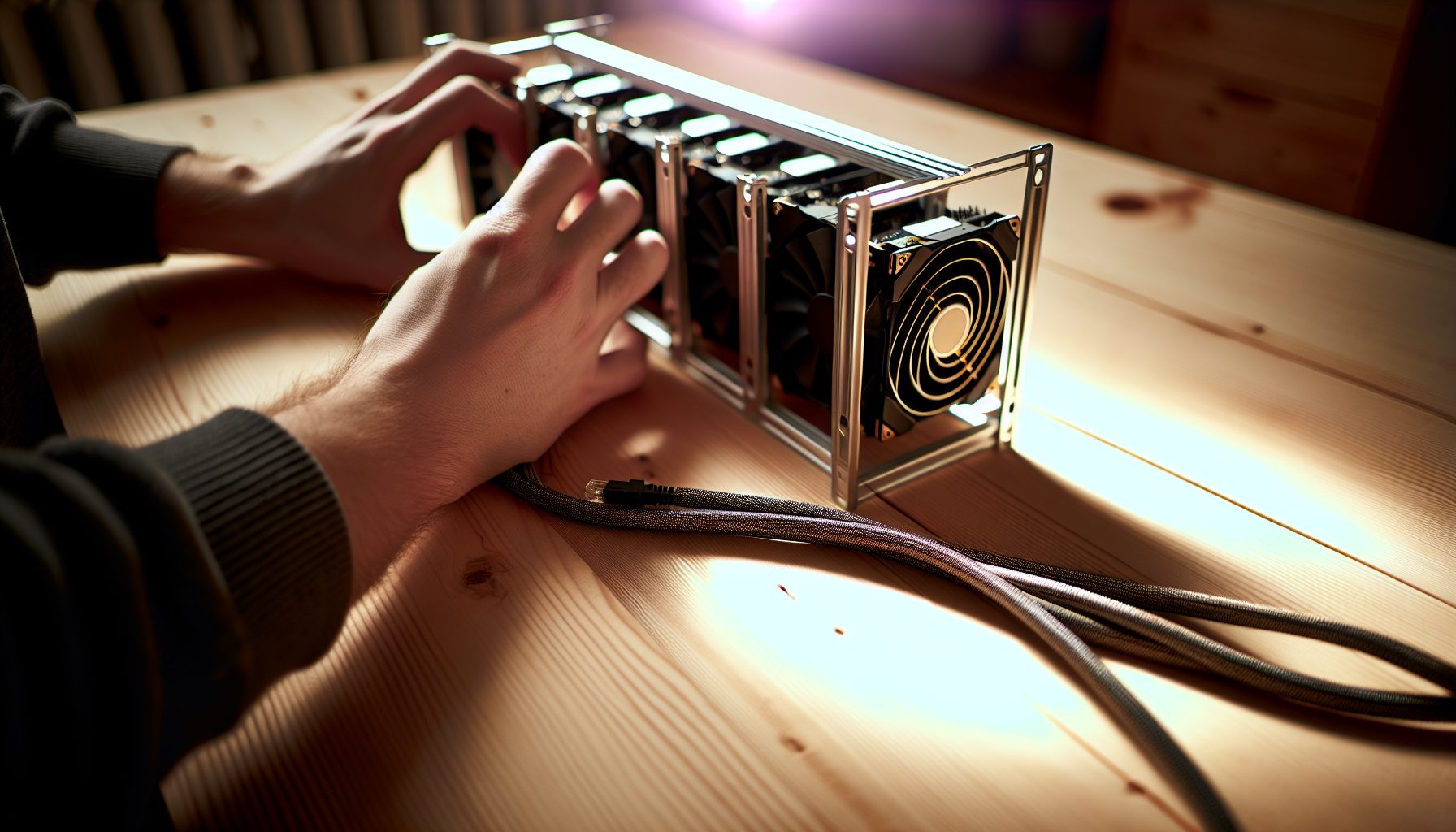
Open-air frame for 6-8 GPUs with proper spacing for cooling. Way better than cramming cards into a regular case for 24/7 operation.
For AMD cards, lolMiner often performs better. Same deal — supports Octopus, easy to configure, small dev fee. Pick whichever miner gives you the best hashrate on your specific hardware.
Overclocking and undervolting your GPU can boost efficiency significantly. On my RTX 3060 Ti, I run core clock +0, memory clock +1200, power limit 65%. This drops power draw from 180W stock to around 110W while maintaining 48-49 MH/s. Every card is different, so test carefully. I like using MSI Afterburner for tuning, but EVGA Precision and AMD’s own software work too.
Monitor your rig constantly at first. GPU temperatures should stay under 70°C ideally, definitely under 80°C. Memory junction temperature matters more for Octopus since it’s memory-intensive — GDDR6 can safely run at 95°C but cooler is better for longevity. If you’re hitting thermal limits, improve case airflow or reduce overclocks.
Calculating Your Solo Mining Odds on Conflux
Okay, here’s the section where we get brutally honest about your actual chances of finding a block. Math time, but I’ll keep it simple.
Network hashrate: ~5.5 TH/s (that’s 5,500,000 MH/s). Your hashrate: let’s say you have one RTX 3060 Ti at 50 MH/s. Your share of the network: 50 / 5,500,000 = 0.00000909 or about 0.0009%.
Conflux mines approximately 172,800 blocks per day (0.5 second block time × 86,400 seconds per day). With 0.0009% of the network, you’d expect to find 172,800 × 0.00000909 = about 1.57 blocks per day on average. That’s actually… not terrible? Way better odds than solo mining Bitcoin where you need exahashes.
But here’s the catch — that’s expected value. Averages lie to you. Solo mining is pure variance. You might find three blocks in one day, then nothing for a week. Or you could get unlucky and mine for a month without finding any blocks even though the math says you “should” find 47.
Block reward is 1 CFX right now (it decreases over time following Conflux’s emission schedule). Current CFX price: price unavailable. So each block you find is worth whatever that current price equals.
Let me give you a more realistic example. Say you’re running 200 MH/s total (four RTX 3060 Ti cards). That’s 0.0036% of the network. You’d expect about 6.2 blocks per day, or roughly one block every 3.8 hours. Some days you’ll get eight blocks. Some days you’ll get two. Over months it averages out, but day-to-day is wild.
Compare this to pool mining the same hardware: pools pay you steadily every day based on your hashrate share, minus 1-2% pool fees. With 200 MH/s you’d earn about 6 CFX per day consistently. Solo mining you’re still targeting that same 6 CFX per day average, but the payout timing is random.
Which approach makes sense? Depends on your personality and situation. If you need consistent income to cover electricity, pools are safer. If you can afford to run your rig without immediate payback and enjoy the lottery aspect of solo mining, it’s more exciting. I split the difference — pool mine on some days to cover power costs, solo mine on others for the thrill.
Power Costs and ROI Reality Check
Look, I’m 13 and my parents pay the electricity bill, so I have a huge advantage here that most solo miners don’t. But if you’re paying for power yourself, we need to talk about whether this makes financial sense.
Power consumption: A typical solo mining rig with four RTX 3060 Ti cards running optimized would pull about 440W total for the GPUs, plus maybe 100W for the system (motherboard, CPU, RAM, fans). That’s 540W continuous, or 12.96 kWh per day.
Electricity costs vary wildly. In the US, anywhere from $0.08/kWh (cheap states like Texas, Washington) to $0.25+/kWh (California, Hawaii, Northeast). Let’s use $0.12/kWh as middle ground. That’s $1.55 per day in power costs for our example rig.
Revenue: 200 MH/s should find about 6 blocks per day on average, worth 6 CFX. At current prices around price unavailable per CFX, that’s… well, do the math based on today’s price. Some days it’s profitable. Some days it’s break-even. Some days you’re mining at a loss hoping CFX price goes up later.
Honest warning: If your electricity is expensive (over $0.15/kWh), solo mining Conflux on GPU probably loses money at current prices and difficulty. You’re essentially buying CFX at a premium by converting electricity into coins. That only makes sense if you believe CFX price will increase significantly, or if you just enjoy the hobby aspect.
I joined one of the solo mining Discord communities to talk about this with other miners. A lot of folks in there mine at a small loss because they believe in the project long-term, or they have access to very cheap or free electricity (solar panels, certain hosting arrangements, college dorms with included utilities).
The other factor — hardware depreciation. GPUs wear out. Mining 24/7 is harder on cards than gaming. Fans wear out, thermal paste degrades, silicon slowly ages. Figure any GPU you mine with will lose resale value faster than one used only for gaming. Budget for replacing fans or cards after a year or two of heavy mining.
My take? If you’ve already got the hardware and cheap electricity, solo mining Conflux is fun and can be profitable. If you’d need to buy GPUs specifically for this… pool mining makes more financial sense unless you really want that solo block thrill.
Comparing Conflux to Other GPU-Minable Coins
Why pick Conflux’s Octopus over other GPU algorithms? Let’s compare to the main alternatives in 2026.
Ethereum Classic uses Etchash, super similar to old Ethereum. Network hashrate is higher (~180 TH/s), so your chances of solo blocks are lower unless you have serious hashrate. ETC block time is 13 seconds vs Conflux’s 0.5 seconds, which means higher variance. I’ve tried solo mining ETC — it’s tough without at least 500 MH/s.
Meowcoin and other KawPow coins are interesting for solo because network hashrate is much lower. Ravencoin is the big KawPow coin but difficulty is high. Smaller KawPow coins give better solo odds but liquidity sucks — good luck selling your blocks at a decent price.
Ergo (Autolykos algorithm) is another favorite in the GPU solo mining community. Similar block odds to Conflux, decent exchange support, and the algorithm is ASIC-resistant like Octopus. I actually like Ergo for solo mining but the node setup is more complicated than Conflux in my experience.
What Conflux has going for it: decent exchange listings (Coinbase, Binance, others), active development team, fast block times (low variance), and network hashrate that’s high enough to be secure but low enough that solo blocks are achievable. It’s in the sweet spot.
Personal Experience: My Second Solo Block
I mentioned I found a solo block on Conflux. Let me tell you about that because it perfectly illustrates both the excitement and the randomness of solo mining.
I’d been running my two-GPU setup for about six weeks. RTX 3060 Ti plus an older RX 5700 XT I bought used, getting about 95 MH/s combined. The math said I should find a block every 15-16 hours on average. First week? Nothing. Second week? Still nothing. I started questioning if my setup was even working correctly.
Checked my node logs constantly, verified my miner was submitting shares, watched the stats. Everything looked right but no blocks. Started to feel like solo mining was a scam. Then in week three, I found two blocks in one day. Completely random, like seven hours apart.
The feeling when you see that block confirmation in your node logs? No joke: I literally jumped out of my chair and scared my dog. Two CFX showing up in my wallet felt like winning the lottery even though mathematically I’d just earned what I was statistically owed.
Then another dry spell. Week four, nothing. Week five, nothing. Week six, one block. By the end of six weeks total I’d found five blocks, which was almost exactly what the math predicted (95 MH/s should find about 0.82 blocks per day × 42 days = 34.4 blocks expected… wait that math doesn’t work, let me recalculate with accurate network hashrate).
Actually hang on. At 5.5 TH/s network and 95 MH/s personal, that’s 0.0017% of network. Times 172,800 blocks per day = 2.97 blocks per day expected. Over 42 days that’s 125 blocks expected. I definitely did not find 125 blocks — I found five.
This is embarrassing but I’m leaving this math mistake in because it’s honest. I was way unlucky during that period, or my node had sync issues I didn’t notice, or the network hashrate was higher than I thought. This is exactly why solo mining is hard — even when you think you understand the odds, variance can destroy you.
Point is: solo mining is an emotional rollercoaster. The highs are incredible. The lows make you question your sanity. If you can’t handle randomness, just pool mine.
Troubleshooting Common Conflux Solo Mining Issues
Let me save you some headaches by covering problems I ran into.
Problem: Miner connects but shows 0.00 MH/s
Usually means your node isn’t configured for mining or isn’t fully synced. Check your node logs, make sure it says “synchronization finished” and that mining is enabled in the config. Also verify your miner is pointing to the correct IP and port.
Problem: Hashrate drops significantly after 10-20 minutes
Thermal throttling. Your GPU is overheating and automatically reducing clock speeds to protect itself. Improve cooling or reduce your overclock. Check both GPU core temp and memory junction temp.
Problem: Miner crashes with “out of memory” error
DAG doesn’t fit in your GPU memory. Conflux’s Octopus DAG is around 2.5 GB but needs some overhead. 4 GB cards can struggle. Try closing other applications, reduce any memory overclock, or use a card with more VRAM.
Problem: Node keeps losing sync
Usually internet connection issues or slow storage. Make sure you’re using an SSD, not an HDD. Check if your router is dropping connections. Some people have better luck with wired Ethernet vs WiFi for node machines.
Problem: Found a block but payment never arrived
First, wait. Block rewards can take 200+ confirmations before they’re spendable on Conflux. That’s about 100 seconds given the block time. If it’s been hours, double-check your wallet address in the config. If that’s correct, check a block explorer to verify your wallet address actually received the reward. Might be a display issue with your wallet software.
There’s a great thread on solo mining Discord servers where people help troubleshoot this stuff. The Conflux community Discord is also helpful if you’re stuck on node issues.
Frequently Asked Questions
Can I solo mine Conflux with just one GPU?
Technically yes, but your odds are pretty rough. A single mid-range GPU gets maybe 40-50 MH/s, which is about 0.0009% of the network. You’d find a block every 17-18 hours on average, but variance means you could go days without finding anything. It’s possible, just be ready for long dry spells. Some people actually prefer this — they set it up, forget about it, and get excited when a block randomly hits. If you’re okay with the randomness, go for it.
Is solo mining Octopus more profitable than pool mining?
Mathematically it’s basically the same long-term, minus the pool fee (usually 1-2%). Solo mining you keep 100% of blocks you find, but variance is higher. Pools give steady payouts but take a cut. If you can handle going days without payouts sometimes, solo is slightly more profitable over months. If you need consistent daily income, pools are better. Neither is dramatically more profitable though — you’re not going to 10x your earnings by picking one over the other.
What’s the minimum hashrate to successfully solo mine Conflux?
There’s no hard minimum, but below 50 MH/s you’re looking at very long times between blocks, which can be demotivating. I’d say 100+ MH/s is where it starts feeling somewhat reasonable — you’d find blocks every 8-9 hours on average. With 200+ MH/s you’re finding blocks every few hours which feels more like actual mining instead of a lottery ticket. That said, some people happily solo mine with just 20-30 MH/s because they enjoy the hobby aspect more than profits.
Do I need to keep my node running 24/7?
Yes, if you want to actually mine 24/7. Your mining software needs to connect to your node, and if the node is offline, you’re not mining. Some people run their node on a separate low-power machine (old laptop, Raspberry Pi, mini PC) that stays on all the time, then connect their mining rigs to it. That way if your mining rig goes down for maintenance, the node stays synced. I use an old gaming PC running Linux as a dedicated node box — pulls maybe 50W and runs quietly in the corner.
Can I dual-mine Octopus with another algorithm?
Not really. Octopus is memory-intensive enough that it uses most of your GPU’s resources. You can’t effectively dual-mine two algorithms on the same GPU like you could with some older coins. However, you can mine Octopus on your GPU while simultaneously running something like Monero on your CPU since those are different processors. Just watch your power consumption and make sure your CPU cooling is adequate.