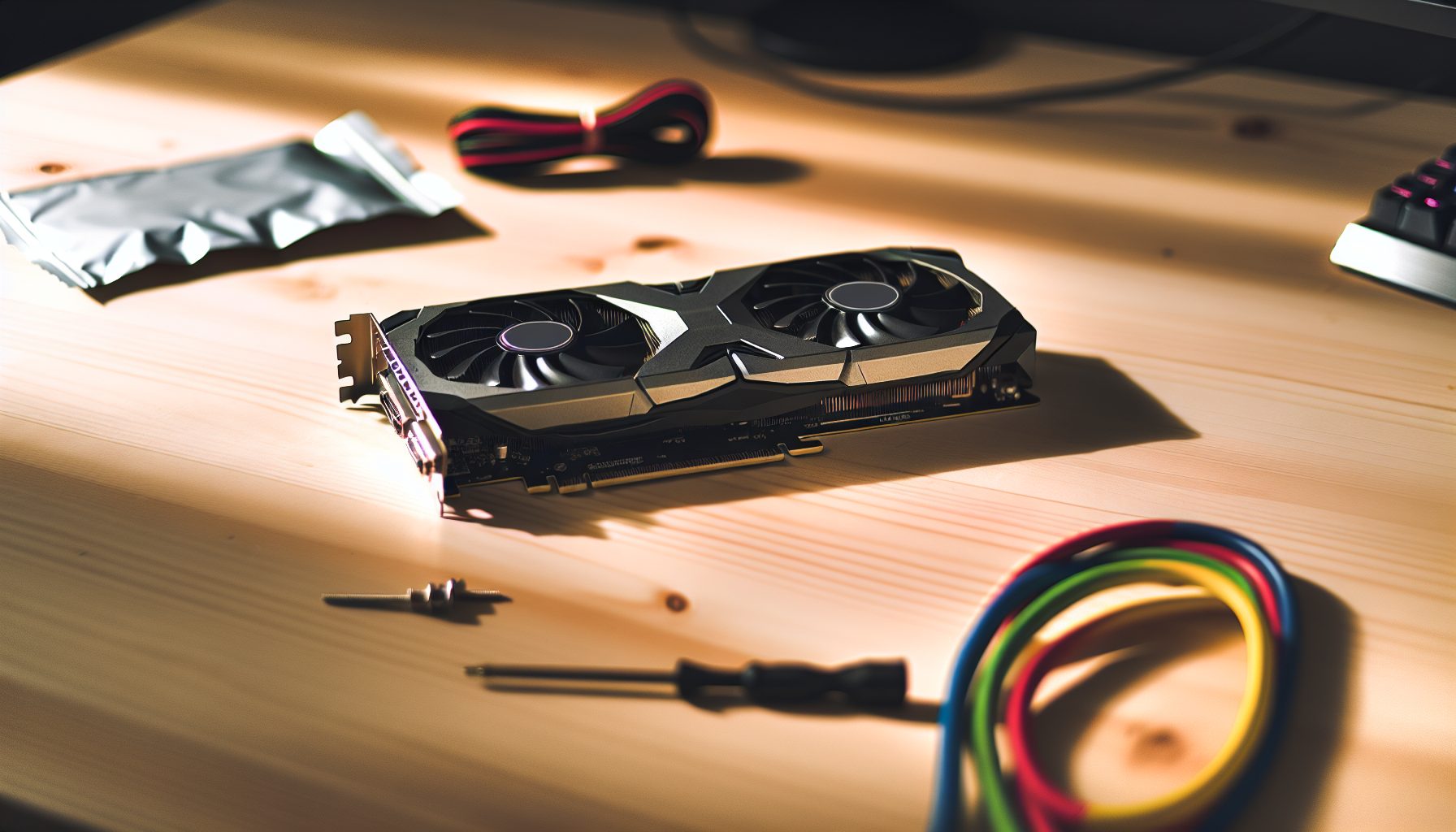
Look, I know what you’re thinking — another cat-themed coin? But here’s the thing: Meowcoin (MEWC) is actually pretty interesting for solo GPU miners. It runs on KawPow, the same algorithm as Ravencoin, which means if you’ve got a decent GPU sitting around, you can totally give solo mining a shot without needing specialized hardware.
I’ve been experimenting with Meowcoin solo mining for a few months now, and honestly? It’s been a solid learning experience. The network difficulty is way more approachable than bigger KawPow coins, which means your chances of actually finding a block aren’t completely insane. Sure, you’re still gambling, but at least the odds aren’t astronomically against you.
No joke: I found my first solo Meowcoin block with a single RTX 3060 Ti after about six weeks. That moment when you see that block confirmation? Absolutely worth every kilowatt hour.
What I wish I knew earlier: Setting up solo mining for Meowcoin isn’t as plug-and-play as joining a pool. You need to run your own node, configure your miner software correctly, and actually understand what’s happening under the hood. But that’s exactly why it’s so educational — and why I’m writing this guide.
What Makes Meowcoin Different for Solo Miners
Meowcoin launched in 2026 as a community-driven project, and it uses the KawPow algorithm. If you’ve mined Ravencoin before, you already know how this works. KawPow is GPU-friendly and ASIC-resistant, which means your gaming GPU can actually compete.
The network hashrate typically sits around 15-30 GH/s depending on the day. That’s significantly lower than Ravencoin’s network, which hovers around 5-10 TH/s. Lower network hashrate means better odds for solo miners.
Block time is 60 seconds with a block reward of 25 MEWC. That works out to roughly 36,000 blocks per month. If you can push 50 MH/s (totally doable with a single modern GPU), you’re looking at about 0.17% of the network hashrate on a typical day. Not amazing, but not impossible either.
The current price fluctuates, but Meowcoin has maintained decent trading volume on exchanges like TradeOgre and Xeggex. It’s not making anyone rich, but it’s actively traded, which matters when you eventually want to sell block rewards.
Step 1: Check Your GPU Hashrate for KawPow
Before you dive into node setup and configuration files, you need to know what hashrate your GPU can actually deliver. KawPow is memory-intensive, so cards with faster VRAM tend to perform better.
Here’s what you can expect from common GPUs:
- NVIDIA RTX 3060 Ti: Around 26-28 MH/s at 130W
- NVIDIA RTX 3070: About 28-30 MH/s at 140W
- NVIDIA RTX 3080: Roughly 45-48 MH/s at 220W
- NVIDIA RTX 4070: Around 32-35 MH/s at 150W
- AMD RX 6600 XT: About 22-24 MH/s at 90W
- AMD RX 6700 XT: Roughly 26-28 MH/s at 115W
- AMD RX 6800: Around 30-32 MH/s at 140W
The RX 6600 XT is honestly my favorite for efficient mining. Yeah, the hashrate isn’t the highest, but the power consumption is super low, which matters a lot if you’re paying for electricity.
You can test your actual hashrate by pointing a miner at a pool first, just to get baseline numbers. Use T-Rex Miner or Gminer with this test command:
t-rex -a kawpow -o stratum+tcp://pool.woolypooly.com:55555 -u YOUR_WALLET.test -p x
Let it run for 10 minutes and note your average hashrate. That’s your baseline for calculating solo mining odds.
Delivers 22-24 MH/s on KawPow at only 90W, making it incredibly efficient for solo mining projects with moderate electricity costs. Solid value for GPU miners.
Step 2: Download and Sync the Meowcoin Full Node
This is where solo mining gets real. You can’t just point your miner at someone else’s node and call it solo mining — you need to run your own Meowcoin Core wallet and sync the entire blockchain.
Head to the official Meowcoin GitHub or website and download the latest wallet version. As of 2026, you want version 1.4.0 or newer. The download is available for Windows, Linux, and macOS.
Installation is pretty straightforward. On Windows, just run the installer. On Linux, extract the tar file and move the binaries to /usr/local/bin. For macOS users, check out our macOS full node guide — the principles are similar across coins.
When you first launch Meowcoin Core, it’ll start syncing the blockchain. This takes time. The MEWC blockchain isn’t massive (around 8-10 GB as of early 2026), but depending on your internet connection, expect 2-6 hours for full sync.
You can speed things up by downloading a bootstrap file if the community offers one, but honestly? I just let it sync overnight. Less hassle.
Once synced, your wallet shows the current block height matching the explorer. That’s when you know you’re ready to mine.
Step 3: Configure Meowcoin Core for Solo Mining
Running the wallet isn’t enough — you need to enable the RPC server so your mining software can communicate with the node. This is the part that trips up a lot of beginners.
Close the Meowcoin wallet if it’s running. Now navigate to the Meowcoin data directory:
- Windows: %APPDATA%Meowcoin
- Linux: ~/.meowcoin/
- macOS: ~/Library/Application Support/Meowcoin/
Create a new file called meowcoin.conf (if it doesn’t exist already). Open it with a text editor and add these lines:
server=1

rpcuser=meowminer

rpcpassword=YOUR_SECURE_PASSWORD_HERE

rpcallowip=127.0.0.1

rpcport=8766
Replace YOUR_SECURE_PASSWORD_HERE with an actual strong password. Don’t use something stupid like “password123” — anyone who gains access to your RPC port can potentially mess with your wallet.
The rpcport 8766 is the default for Meowcoin. Some guides might show different ports, but 8766 is standard.
Save the file and restart Meowcoin Core. The wallet should now accept RPC connections from your local machine.
Pro tip: If you’re running Windows Firewall or antivirus software, you might need to create an exception for meowcoind.exe. I spent like an hour troubleshooting connectivity issues before realizing Windows Defender was blocking everything.
Step 4: Set Up Your Mining Software for Solo Mining
Now comes the fun part — configuring your GPU miner to work with your local node. You have several options for KawPow mining software, but the most popular are T-Rex Miner (NVIDIA only), TeamRedMiner (AMD only), and Gminer (both).
I use T-Rex for my NVIDIA cards because it’s consistently delivered a top hashrates in my testing. But honestly, all three miners work fine for solo mining Meowcoin.
Download your chosen miner:
- T-Rex Miner: https://github.com/trexminer/T-Rex/releases
- TeamRedMiner: https://github.com/todxx/teamredminer/releases
- Gminer: https://github.com/develsoftware/GMinerRelease/releases
Extract the files to a folder. Windows users: You’ll probably need to add an exception in Windows Defender because it flags miners as potential threats (they’re not, it’s just how antivirus software works).
Create a batch file (or shell script on Linux/macOS) with your mining command. Here’s what mine looks like for T-Rex:
t-rex.exe -a kawpow -o http://127.0.0.1:8766 -u meowminer -p YOUR_SECURE_PASSWORD_HERE -w WORKER_NAME --no-watchdog
Replace YOUR_SECURE_PASSWORD_HERE with the same password from your meowcoin.conf file. The WORKER_NAME can be whatever you want — I usually use something like “RTX3070-RIG1”.
For AMD cards using TeamRedMiner:
teamredminer.exe -a kawpow -o http://127.0.0.1:8766 -u meowminer -p YOUR_SECURE_PASSWORD_HERE -w WORKER_NAME
The –no-watchdog flag in T-Rex prevents the miner from restarting if hashrate drops temporarily, which can happen during solo mining when you’re not getting regular shares like in a pool.
Save your batch file and run it. You should see the miner connect to your local node and start hashing.
Step 5: Verify Everything Is Working Correctly
Okay, your miner says it’s running. But is it actually submitting work to your node? This is where a lot of people think they’re solo mining but actually aren’t.
First, check the miner output. You should see messages like “New job received” or “Difficulty: XXXXX”. The difficulty number should match roughly what you see on a Meowcoin block explorer.
In your Meowcoin Core wallet, go to Help > Debug Window > Console. Type:
getmininginfo
This shows whether the wallet is receiving work from your miner. If everything is configured correctly, you’ll see current block height and difficulty information.
You can also check your wallet’s debug.log file in the data directory. It should show RPC connections from your miner with timestamps. If you’re not seeing any activity there, double-check your RPC settings.
Something I learned the hard way: Some miners cache work when they lose connection to the node. You might see your GPU still hashing, but it’s working on stale data. Always verify your miner is getting fresh jobs every 60 seconds or so.
Understanding Your Solo Mining Odds with Meowcoin
Let’s talk about the reality of your chances. I’m not going to sugarcoat this — solo mining is gambling, and you need to understand the math.
With Meowcoin’s typical network hashrate around 20 GH/s and your GPU pushing maybe 30 MH/s, you have about 0.15% of the network power. That means on average, you’d find roughly 1 block every 666 blocks, or about 11 hours of mining.
But — and this is important — that’s just the average. You could find a block in your first hour. Or you might go three days without finding anything. That’s how probability works.
With a single RTX 3070 (around 30 MH/s), here are your realistic expectations:
- Best case scenario: 2-3 blocks per day when luck is on your side
- Average expectation: 1 block every 10-12 hours
- Bad luck streak: Days without a block (this WILL happen)
Each block currently pays 25 MEWC. At typical trading prices, that’s… well, not a lot. Maybe a few dollars per block depending on market conditions. This is not a get-rich-quick scheme.
If you have multiple GPUs, the math improves. Three RTX 3070s would give you roughly 90 MH/s total, which means finding a block every 3-4 hours on average. That starts to feel more consistent.
But here’s what actually matters: You’re learning how blockchain mining works at the protocol level. That knowledge is worth more than the MEWC you’ll earn, especially if you’re a teenager like me trying to understand this stuff. Check out some stories from other young solo miners — we’re all in this for the experience.
Electricity Costs and ROI Reality Check
Real talk: You need to factor in electricity costs. A single RTX 3070 running at 140W consumes about 3.36 kWh per day. At $0.12 per kWh (rough US average), that’s about $0.40 per day in electricity.
If you’re finding an average of 2 blocks per day (50 MEWC), and MEWC is trading at, let’s say, $0.02, you’re earning $1.00 per day. Minus electricity, you’re profiting about $0.60 per day.
That’s $18 per month. Barely worth it financially, right?
But if you already have the GPU (maybe it’s your gaming PC that sits idle during the day), and you’re genuinely interested in learning about cryptocurrency mining, then the educational value makes it worthwhile. I wouldn’t recommend buying a GPU specifically for Meowcoin solo mining unless you have really cheap electricity or you’re planning to mine multiple coins.
If electricity costs are a major concern, consider more efficient options like the RX 6600 XT, or look into CPU mining with Monero where RandomX is super efficient on modern Ryzen chips.
Delivers 28-30 MH/s on KawPow algorithms at around 140W. Balanced performance and power consumption make it a solid choice for mid-range GPU solo mining projects.
Optimizing Your GPU Settings for Longer Runtime
Since you’re running your GPU 24/7 for solo mining, you want to optimize settings for efficiency and longevity. Factory settings push GPUs pretty hard, which is fine for gaming sessions but not ideal for continuous mining.
For NVIDIA cards, use MSI Afterburner or EVGA Precision X1. Here are my recommended starting points for KawPow:
- Core Clock: -100 to -200 MHz (yeah, underclocking)
- Memory Clock: +800 to +1200 MHz (this matters more for KawPow)
- Power Limit: 70-80% of maximum
- Fan Speed: 60-70% (keep temps under 65°C)
The goal is finding the sweet spot where you’re getting 90-95% of maximum hashrate while using significantly less power. On my RTX 3060 Ti, I can maintain 26 MH/s at just 110W with proper tuning, compared to 28 MH/s at 130W stock.
For AMD cards, use AMD Radeon Software or tools like MorePowerTool. AMD cards are generally more efficient out of the box, but you can still optimize:
- Core Clock: -50 to -100 MHz
- Core Voltage: 800-850 mV (undervolting is key)
- Memory Clock: +100 to +200 MHz
- Fan Curve: Aggressive enough to keep junction temp under 80°C
Monitor your settings for at least 24 hours to ensure stability. If your miner crashes or your hashrate drops significantly, dial back the memory overclock a bit.
Wallet Security for Solo Mining Rewards
When you find a block, the 25 MEWC reward goes directly to your Meowcoin Core wallet. That means your wallet is actively online and connected to the internet while mining. This creates security considerations.
First rule: Encrypt your wallet. In Meowcoin Core, go to Settings > Encrypt Wallet. Choose a strong passphrase that you’ll remember but others can’t guess.
Second, backup your wallet.dat file regularly. Store encrypted copies on multiple devices (USB drive, cloud storage with strong encryption, etc.). If your hard drive dies and you haven’t backed up, those MEWC are gone forever.
For larger amounts of MEWC, consider setting up cold storage and periodically transferring coins from your hot mining wallet to a secure offline wallet. Sure, it’s extra work, but if you’re accumulating blocks over months, it makes sense.
Something I do: I keep my mining wallet with just enough MEWC for transaction fees (basically empty), and I immediately move block rewards to a hardware wallet. Paranoid? Maybe. But I watched a guy lose 6 months of solo mining rewards to malware, and that’s not happening to me.
Troubleshooting Common Solo Mining Issues
Things will go wrong. That’s just part of solo mining. Here are the most common issues I’ve run into:
Miner connects but shows 0 hashrate: Usually means your GPU drivers are outdated or there’s a conflict with overclocking settings. Update drivers and reset OC settings to stock.
Can’t connect to local node: Double-check your meowcoin.conf file. The rpcuser and rpcpassword in your miner command must exactly match what’s in the config. Also verify the port — it should be 8766 for Meowcoin.
High reject rate: This happens when your system clock is off by more than a few seconds. Sync your system time with an NTP server. On Windows, you can do this in Date & Time settings.
Miner crashes after a few hours: Either your overclock is unstable or your GPU is overheating. Check temperatures and dial back the memory overclock by 50-100 MHz.
Found a block but didn’t receive reward: Orphaned blocks are rare but happen. If another miner finds the same block height at roughly the same time, the network picks one. Your orphaned block still counts as a “win” in my book — you just got unlucky.
For persistent issues, the solo mining Discord communities are actually pretty helpful. Don’t be afraid to ask questions — everyone started as a beginner.
Alternative Strategies: Dual Mining and Network Hopping
Here’s a strategy that makes solo mining Meowcoin more interesting: Since KawPow isn’t super demanding on your GPU’s compute cores, you can sometimes dual-mine another algorithm simultaneously.
Wait, dual mining in solo mode? Yeah, kind of. You can run your GPU on Meowcoin KawPow while your CPU mines Monero with RandomX. They don’t conflict because they use completely different hardware resources.
I’ve tested this with my Ryzen 5 5600X (which gets about 9 KH/s on Monero) running alongside my GPU mining MEWC. Total system power draw increased by maybe 75W for the CPU, but I’m hashing on two networks simultaneously. Doubles my chances of finding something.
Another approach: Network hopping based on difficulty. When Meowcoin’s network difficulty spikes (more miners jumping on), switch to a different KawPow coin like Ravencoin for a bit. Yeah, you need to sync multiple blockchains, but it can optimize your odds.
Just remember — every time you switch coins, you reset your “time to next block” probability. Sometimes it makes sense to stick with one chain even during high difficulty periods.
Joining the Meowcoin Community
Solo mining can feel lonely, especially during those multi-day dry spells. The Meowcoin community is pretty active on Discord and Telegram. These groups aren’t just cheerleaders — they share real technical info about network upgrades, difficulty changes, and exchange listings.
I’ve learned way more from casual Discord conversations than from any mining tutorial. Someone mentions they found 3 blocks in 4 hours, and you start comparing hashrates and settings. It’s collaborative even though we’re technically competing.
Plus, when you finally find that block, you want someone to celebrate with. Posting “Found a block!” in the community Discord and getting congratulations from other miners? That feeling is genuinely awesome.
The Meowcoin subreddit is also decent for longer-form discussions about the project’s development and future plans. Not super active, but worth checking once a week or so.
Is Solo Mining Meowcoin Worth It in 2026?
Okay, honest assessment time. Financially? Probably not unless you have multiple GPUs and very cheap electricity. You’re not going to pay off your hardware costs, and you’re definitely not going to quit your job mining MEWC.
But as a learning experience? Absolutely worth it. Setting up a full node, configuring RPC connections, optimizing GPU settings, understanding network difficulty — these are valuable skills that transfer to other cryptocurrencies.
Meowcoin’s lower difficulty compared to Ravencoin makes it one of the more realistic options for solo GPU mining. You’ll actually find blocks within reasonable timeframes (assuming decent hashrate), which keeps things interesting and educational.
If you’re a teenager trying to learn about crypto beyond just “buying Bitcoin on an exchange,” solo mining projects like this are genuinely educational. Way more hands-on than watching YouTube videos about blockchain. Check out other teenage mining success stories if you need motivation.
For experienced miners looking for side projects: Meowcoin is a good option to point spare GPU capacity while your main rigs mine more profitable coins. Just don’t expect it to be your primary income source.
Frequently Asked Questions
How long does it take to find a block solo mining Meowcoin with one GPU?
With a single modern GPU (around 30 MH/s), you can expect to find a block every 10-15 hours on average at typical network difficulty. However, variance is huge — you might find two blocks in a day or go three days without finding anything. It’s probability-based, not guaranteed. Multiple GPUs significantly improve consistency.
Can I solo mine Meowcoin while gaming on the same PC?
Technically yes, but it’s not practical. Solo mining needs your GPU running at 100% capacity 24/7 to maximize your chances. When you start a game, the miner either crashes or your game performance tanks. Better approach: mine while you’re sleeping or at school/work, game when you’re actively using the PC. You could also build a separate budget mining rig.
What happens if my internet disconnects while solo mining Meowcoin?
Your miner stops receiving new work from your local node, so you’re basically hashing on stale data that won’t result in valid blocks. When internet reconnects, your node syncs back up and mining resumes. You don’t lose anything except the time you were offline. This is why stable internet matters — frequent disconnections waste electricity without any chance of finding blocks.
Is solo mining Meowcoin better than joining a mining pool?
It depends on your goals. Pools give you steady small payments (few MEWC every day), while solo mining gives you nothing most of the time but 25 MEWC when you find a block. Mathematically, long-term earnings are similar (minus pool fees of 1-2%). Solo mining is more exciting and educational but requires running a full node. If you need predictable income, pool mining makes more sense.
Do I need to keep my Meowcoin wallet open 24/7 for solo mining?
Yes, absolutely. Your mining software connects to your local Meowcoin Core wallet via RPC, so the wallet must be running and fully synced at all times while mining. If you close the wallet, your miner can’t submit work. The wallet also needs to stay synced with the network — if it falls behind, you might mine on an outdated chain and waste effort on invalid blocks.