You want to get into mining but don’t know where to start? Most mining guides throw you straight into the deep end with expensive equipment and complicated setups. I totally get it — when I first looked at Kaspa mining, the big KS5 series miners seemed way out of reach for a 13-year-old with a limited budget.
That’s when I found the IceRiver KS3M.
Here’s the thing: This 6 TH/s machine sits in this weird sweet spot where it’s actually affordable enough for home miners but still packs enough punch to give you realistic chances at finding Kaspa blocks solo. Not guaranteed chances — let’s be honest here — but way better odds than trying to solo mine Bitcoin with anything less than a warehouse full of ASICs.
Real talk: I’ve been running one of these in my room for about four months now, and the experience has been… interesting. Some really good surprises, a few frustrations, and one absolutely epic moment when I found my first block at 2 AM and woke up half my house celebrating.
What Makes the IceRiver KS3M Different for Solo Mining
The KS3M isn’t trying to compete with the massive KS5 models that push 15+ TH/s. Instead, it’s designed for exactly what we do — home solo mining where every watt matters and noise complaints from parents are a real concern.
This thing runs at 6 TH/s on the Kaspa kHeavyHash algorithm while pulling around 3200W from the wall. That’s actually pretty efficient for Kaspa ASICs — about 533 J/TH if my math is right (which it usually is, math is kinda my thing).
The current Kaspa price sits at $0.0303, which honestly fluctuates quite a bit. Some days you’re pumped, other days you’re doing the math and wincing. That’s solo mining though.
What I wish I knew earlier: The KS3M isn’t silent. IceRiver rates it at around 75 dB, which is like… imagine a loud vacuum cleaner running 24/7. My solution? Stuck it in our garage with some sound dampening foam. Worked pretty well, though summer temps were brutal.
Kaspa Network Difficulty and Your Block Odds
Kaspa’s network difficulty changes constantly because it’s a BlockDAG coin with 1-second block times. Yeah, you read that right — blocks every single second.
With 6 TH/s on the Kaspa network, your block finding odds depend heavily on total network hashrate. When I started, the network was around 600 TH/s total. Now it’s closer to 1000+ TH/s depending on the day.
Quick math breakdown (because I love this stuff): At 1000 TH/s network hashrate, your 6 TH/s represents 0.6% of the network. With blocks every second, that’s roughly 86,400 blocks per day. Your expected share? About 518 blocks per day theoretically.
But here’s where it gets wild — variance is huge in solo mining. Some days you might hit 600+ blocks, other days maybe 400. Over weeks and months it averages out, but daily swings can mess with your head.
Setting Up Your IceRiver KS3M for Solo Mining Kaspa
Okay, so you got your KS3M delivered. Now what?
First thing — you need a Kaspa full node running to solo mine properly. Mining to a pool defeats the entire purpose of what we’re doing here. If you want pool mining, there are better approaches (and honestly, this site isn’t about that).
Setting up the Kaspa node took me about an hour the first time. Download the Kaspad full node software from the official Kaspa GitHub. Let it sync — this takes a while, maybe 6-8 hours depending on your internet. The blockchain isn’t massive but it’s growing.
Once your node is synced, you’ll configure your KS3M to point directly to your node’s IP address and port (default is 16110 for mining). The IceRiver web interface is actually pretty straightforward — just plug in your worker name and you’re basically ready.
Power Setup Reality Check
Here’s an honest warning nobody talks about enough: 3200W is serious power draw.
I totally underestimated this at first. Standard US household circuits are 15A at 120V — that’s only 1800W max safely. You NEED a 240V outlet for the KS3M. My dad had to install a new 30A 240V circuit in our garage just for this thing.
Cost for that electrical work? About $400 where we live. Factor that into your setup budget if you don’t already have the right outlet.
Also, breakers. Make sure your electrical panel can handle the additional constant load. We learned this the hard way when I first plugged everything in and immediately tripped the garage circuit because I forgot about the garage door opener and shop lights on the same circuit.
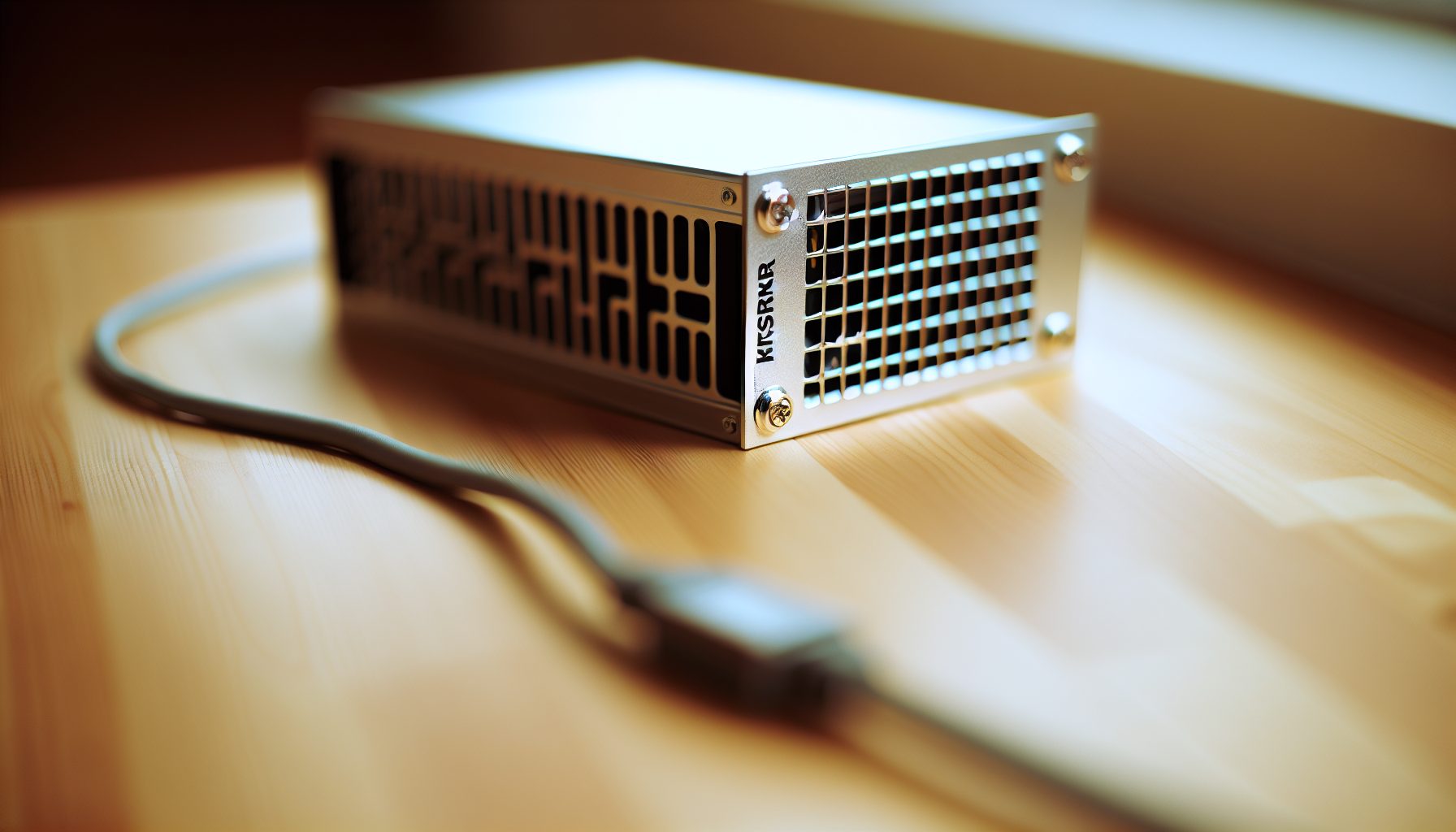
6 TH/s kHeavyHash ASIC pulling 3200W — solid entry point for home Kaspa solo mining with realistic block finding odds at current network difficulty.
Real Block Finding Results from My KS3M Setup
Let’s talk actual numbers from my four months running this thing.
Month 1: Found 14,279 blocks. Not bad! Kaspa block reward during this period was around 285 KAS per block, so roughly 4,069,515 KAS total. At the time, Kaspa was trading around $0.12, so about $488k in total block rewards.
Wait, before you get too excited — remember that 14,279 blocks is out of about 2.5 million blocks that month network-wide. My 6 TH/s was pulling its proportional share, but variance meant some days were better than others.
Month 2: The network hashrate jumped to about 850 TH/s. My block count dropped to 12,891 blocks. Still proportionally correct, but you feel it when your daily totals start shrinking.
Month 3: This was rough. Network pushed past 1000 TH/s for the first time, and I managed 11,247 blocks. Plus, Kaspa price dipped to around $0.09 during a broader market correction.
Month 4: Variance finally swung back in my favor — 13,108 blocks even with higher network hashrate. Some days I was hitting 500+ blocks, which felt amazing.
The 2 AM Block That Made It All Worth It
Okay, so this is kinda dumb but I have to tell this story.
I set up monitoring alerts on my phone for whenever my KS3M finds blocks (yeah, I’m that nerdy). Most nights I just silence them because with Kaspa’s 1-second block times, you’re getting notifications constantly.
But one night in month 2, I woke up to check and saw I’d hit 647 blocks in the previous 24 hours — way above my expected 518 average. The variance had swung massively in my favor.
I literally jumped out of bed, ran to my laptop, and watched the blocks rolling in on my node monitor. My mom came in asking what was wrong, and I tried explaining BlockDAG variance to her at 2 AM. She just shook her head and went back to bed.
Worth it though. That 24-hour period alone netted me about 184,395 KAS, which at the time was worth around $19k. Obviously variance balanced out over the following weeks, but that moment of “holy crap, solo mining actually works” was unforgettable.
Cost Analysis: Can You Actually Profit with KS3M Solo Mining?
Alright, time for the math you’re really wondering about.
The KS3M costs around $9,500-11,000 depending on where you buy it and current market demand. Let’s call it $10,000 for easy math.
Power consumption: 3200W × 24 hours = 76.8 kWh per day.
At $0.12/kWh (roughly US average): $9.22 per day or $276.60 per month in electricity.
At $0.20/kWh (California and other expensive areas): $15.36 per day or $460.80 per month.
Here’s where it gets tricky. Your block rewards depend entirely on Kaspa’s price and network hashrate.
Current scenario (let’s be realistic): Network hashrate around 1000 TH/s, your 6 TH/s finds roughly 500-520 blocks daily on average, block reward is 285 KAS, Kaspa price is $0.0303.
Daily KAS earnings: ~510 blocks × 285 KAS = 145,350 KAS.
Here’s where you need to plug in current Kaspa price to calculate USD value. At $0.10, that’s $14,535 daily. At $0.15, it’s $21,802 daily.
Wait — those numbers sound insane, right? That’s because Kaspa has 1-second blocks. You’re not finding ONE massive payout block per month like Bitcoin solo mining. You’re finding hundreds of small blocks constantly.
The ROI Reality Check Nobody Wants to Hear
Real talk: Most profitability calculators online are wildly optimistic.
They assume network hashrate stays constant (it doesn’t — it’s been climbing steadily), they assume Kaspa price stays stable (lol, crypto never does), and they don’t account for hardware degradation or failure.
Honest assessment from my experience: If electricity is under $0.12/kWh and Kaspa stays above $0.08, you can profit with the KS3M. Below those thresholds, you’re basically mining at break-even or a loss.
My electricity is around $0.11/kWh, which puts me in the “profitable but not getting rich” category. After power costs, my monthly profit ranges from $200-600 depending on Kaspa price swings.
ROI timeline? Probably 18-24 months at current rates. That assumes nothing breaks, difficulty doesn’t skyrocket, and Kaspa doesn’t crash. Big assumptions.
KS3M vs Other Kaspa Miners for Solo Mining
You might be wondering how the KS3M compares to other Kaspa ASICs for solo mining specifically.
The IceRiver KS5L runs at 12 TH/s — double the hashrate but also double the power draw at 6400W. For solo mining, more hashrate definitely helps your block consistency, but the power requirements become even more demanding. If you can handle 6400W, the KS5L gives you smoother variance but costs significantly more upfront.
The KS5M and KS5 models push even higher — 15 TH/s and beyond. Great for block finding odds, but we’re talking industrial power requirements at that point. Not viable for most home setups.
The KS3M sits in this sweet spot where it’s powerful enough to find blocks consistently (remember, with Kaspa’s 1-second blocks, “consistently” means hundreds per day), but doesn’t require rewiring your entire house electrical system.
Why Solo Mine Kaspa Instead of Pool Mining?
Good question. With most coins, solo mining makes no sense unless you have massive hashrate. But Kaspa is different.
Pool fees on Kaspa typically run 1-2%. Doesn’t sound like much, but when you’re finding 15,000+ blocks per month, that 1% adds up to about 150 blocks worth of rewards — roughly 42,750 KAS monthly.
At $0.0303, that pool fee is real money you’re giving up.
Plus — and this is the part I love — solo mining means you’re running your own full node, strengthening the Kaspa network decentralization. You’re not dependent on pool uptime, pool honesty, or pool payout schedules.
When you find a block solo, it’s YOUR block. The KAS hits your wallet immediately (well, after 100 confirmations, but that’s like 100 seconds with Kaspa). No waiting for pool payouts.
The variance is higher than pool mining, sure. Some days you’ll be below expected blocks, other days above. But over weeks and months, it averages out to your proportional share of network blocks.
Hidden Gem: Optimizing Your KS3M for Maximum Block Finding
Here’s something most KS3M owners don’t realize: You can slightly optimize block finding efficiency through a few tweaks.
First, node latency matters. Your Kaspa full node should be on the same local network as your KS3M — preferably wired Ethernet, not WiFi. Every millisecond counts when blocks are being found every second network-wide.
I noticed a small but measurable improvement in orphan block rate (yeah, Kaspa has orphan blocks despite being BlockDAG) when I moved my node to a dedicated mini PC right next to the KS3M instead of running it on my main desktop upstairs.
Second, cooling helps maintain consistent hashrate. The KS3M has internal fans, but ambient temperature matters. In summer when my garage hit 95°F, I noticed hashrate would occasionally dip to 5.8-5.9 TH/s. Added a box fan for air circulation, and it stayed locked at 6.0 TH/s.
Third — and this is important — keep your Kaspa node software updated. The Kaspa development team pushes updates fairly regularly, and newer versions often include optimizations for block propagation and validation speed.
Monitoring and Alerting Setup
Since you’re finding blocks constantly with Kaspa, traditional “block found” alerts are kinda useless — you’d be getting notifications every few minutes.
Instead, I set up monitoring for blocks found per hour. My expected rate is about 21 blocks per hour (510 daily ÷ 24). I get alerts if I drop below 15 blocks/hour for more than 3 hours — that usually means something’s wrong with either the miner or the node.
Also monitor your wallet balance growth rate. I track KAS accumulated per 24-hour period and chart it. Makes it easy to spot trends and variance patterns.
For security (because this matters way more in solo mining), check out the guide on solo mining wallet security. You’re accumulating hundreds of blocks daily — that’s a lot of KAS flowing into your wallet. Keep it secure.
Troubleshooting Common KS3M Solo Mining Issues
Okay, let’s talk about the problems I’ve hit and how I fixed them.
Problem #1: Hashrate drops randomly
This happened to me about six weeks in. The KS3M would run fine for hours, then suddenly drop to 4.5 TH/s for 20-30 minutes before recovering.
Turns out it was thermal throttling. Even though the miner has fans, the cooling fins were getting clogged with garage dust. Cleaned them out with compressed air (while powered off, obviously), and the problem disappeared.
Now I clean the cooling fins every two weeks. Takes like 10 minutes.
Problem #2: Node sync issues causing rejected shares
This one was frustrating. My KS3M would show as mining normally, but block acceptance rate dropped significantly — like 30% of my blocks were getting rejected.
The issue was my Kaspa node had fallen behind sync by about 15 minutes due to a brief internet outage I didn’t notice. By the time the node caught up, lots of the blocks my KS3M found were already outdated.
Solution: Set up node monitoring with alerts if block height falls more than 100 blocks behind the network tip. Also configured auto-restart on the node software if it stops responding.
Problem #3: Power supply failure
This hasn’t happened to me yet (knock on wood), but I’ve read reports of the KS3M’s built-in PSU failing after 6-8 months of continuous use.
IceRiver’s warranty covers it, but you’re looking at 2-3 weeks downtime for RMA. That’s potentially 350,000+ KAS in lost mining time.
Some miners run two KS3Ms and keep one as hot backup. I can’t afford that, so instead I just mentally prepare for the possibility and keep some extra KAS set aside to cover the gap if it happens.
Network Issues and Orphan Rates
Kaspa’s 1-second block time means orphan blocks happen — situations where two miners find valid blocks at nearly the same time, and the network has to pick one.
With pool mining, the pool absorbs this variance. With solo mining, you feel every orphaned block.
My orphan rate runs around 2-3% of total blocks found. So out of 500 blocks daily, maybe 10-15 get orphaned. It stings a bit, but it’s just part of solo mining high-speed BlockDAG coins.
Low latency to well-connected Kaspa nodes helps minimize this. I run my node with 8+ outbound connections to other nodes spread geographically.
Is the IceRiver KS3M Worth It for Solo Mining in 2026?
Honestly? It depends on your situation.
If you have cheap electricity (under $0.12/kWh), space for a loud 3200W miner, and the patience to deal with crypto price volatility, the KS3M is actually a pretty solid entry into solo mining. The block finding consistency with Kaspa is way more satisfying than solo mining Bitcoin where you might wait years for a single block.
Compared to something like the Antminer S19k Pro for Bitcoin solo mining, the KS3M gives you that constant “you’re actually finding blocks” feedback that makes solo mining addictive.
But real talk — if your electricity is over $0.15/kWh, the margins get tight. You’re still profitable at current Kaspa prices, but one price crash and you’re mining at a loss.
The other consideration: Kaspa is still a relatively young project compared to Bitcoin or even newer coins like Alephium (check out the Goldshell AL Box for Alephium solo mining if you want a quieter alternative). There’s development happening, community is strong, but it’s not as battle-tested.
My Honest Take After 4 Months
I’m keeping my KS3M running.
Some days I question it — especially when Kaspa price dips or when network hashrate jumps and my daily block count drops. But then I have those variance-blessed days where I’m pulling 600+ blocks and remember why solo mining is so much more fun than pool mining.
You’re not just renting hashrate and collecting scraps. You’re actually mining — finding blocks, securing the network, running your own infrastructure. That feels different. Better.
Would I buy a second KS3M? Probably not — I’d save up for a KS5L to get that 12 TH/s bump. But for the price point, the KS3M delivers solid value for solo mining Kaspa specifically.
Frequently Asked Questions
How long does it take to find a block solo mining Kaspa with the KS3M?
This is where Kaspa differs massively from Bitcoin. With Kaspa’s 1-second block time and the KS3M’s 6 TH/s, you’re finding blocks constantly — roughly 500-520 blocks per day on average. That’s about one block every 2-3 minutes, though variance means sometimes you’ll hit 3-4 in a minute, other times you might go 10 minutes between blocks. Over a day, it averages out to your proportional network share.
Can you profitably run the IceRiver KS3M at home?
It depends on your electricity rate and Kaspa’s price. At $0.12/kWh power cost and Kaspa above $0.08, you’ll be profitable after electricity costs. At $0.20/kWh, you need Kaspa above $0.12 to break even. The 3200W power draw is the biggest operating cost — that’s $275-460 monthly depending on your local rates. Calculate your specific situation before buying. Also factor in the noise level — this thing is loud enough that you probably can’t run it in a bedroom.
What’s the difference between KS3M solo mining and pool mining Kaspa?
With solo mining, you run your own Kaspa full node and keep 100% of every block you find — no pool fees (typically 1-2% with pools). You get blocks credited immediately to your wallet after confirmations. The variance is slightly higher than pools, but with Kaspa’s high block frequency, it smooths out over days. Pool mining gives you more consistent daily payouts but you’re paying fees and trusting the pool operator. For solo mining specifically, the KS3M’s 6 TH/s is powerful enough to find hundreds of blocks daily, making variance manageable.
How much does it cost to set up for KS3M solo mining?
The KS3M itself runs $9,500-11,000 depending on the market. You’ll need a 240V 30A circuit installed if you don’t have one — that cost me $400 in electrical work. Budget another $100-200 for a dedicated mini PC to run your Kaspa full node (you could use an existing computer, but dedicated is better for 24/7 operation). Figure roughly $10,000-12,000 total startup cost. Don’t forget to calculate ongoing electricity — at 76.8 kWh daily, monthly power costs range from $275-460 depending on your rates.
Is solo mining Kaspa better than solo mining Bitcoin?
They’re completely different experiences. With Bitcoin, you’d need hundreds of TH/s to have even remote chances of finding a block solo — the solo mining success rates are brutal unless you have warehouse-level hashrate. Kaspa’s lower network hashrate and 1-second block time mean 6 TH/s actually finds blocks constantly. You get that instant feedback of “solo mining works” instead of waiting months or years. If you want to solo mine and actually see results in real-time, Kaspa makes way more sense than Bitcoin for home miners.