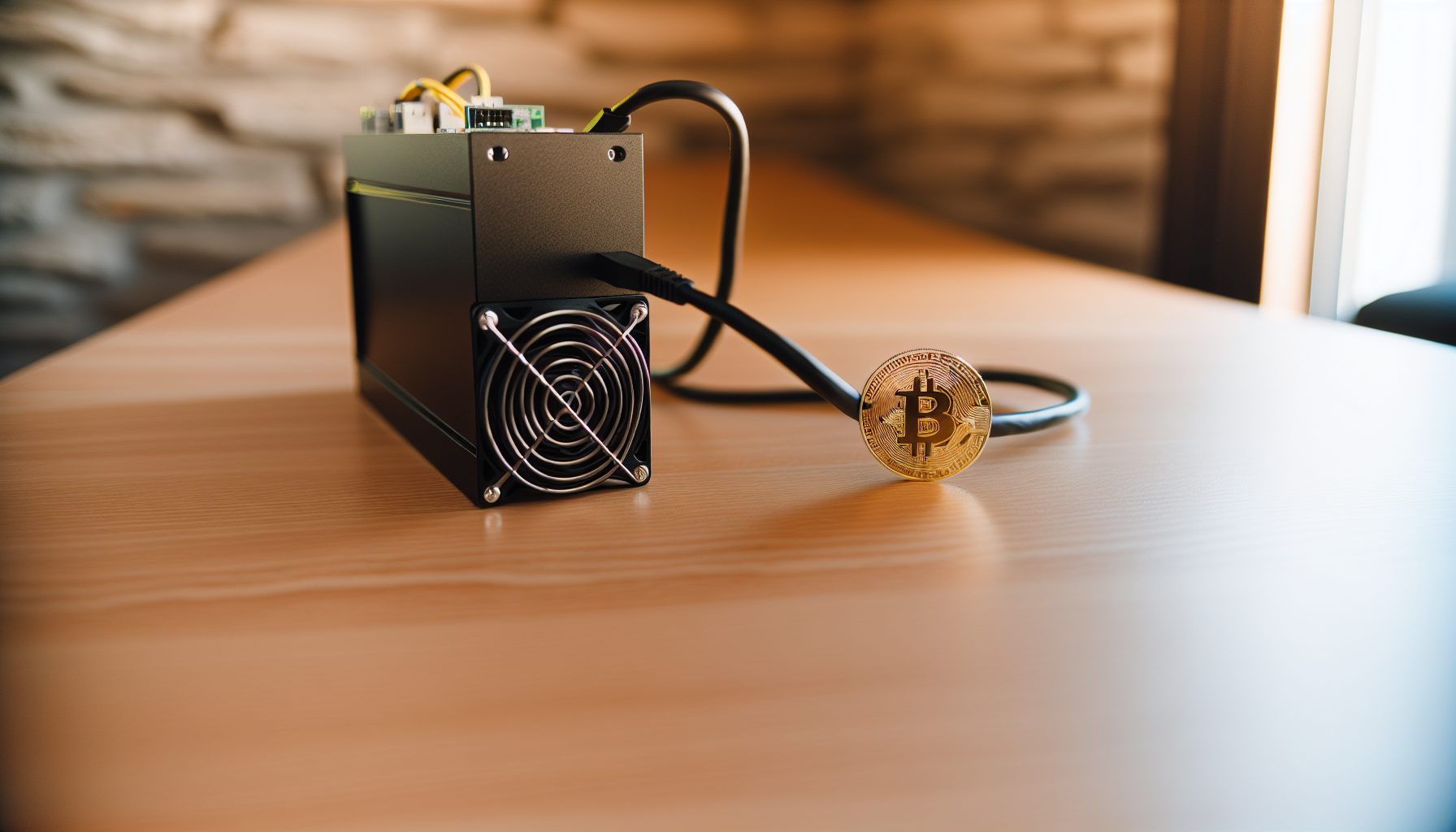
TL;DR: What You Need to Know About the Avalon A1466 for Solo Mining
The Avalon Made A1466 sits in this interesting spot where it’s powerful enough to make you feel like you have a real shot at solo mining Bitcoin, but not quite powerful enough to be considered top-tier. Here’s the thing: 150 TH/s is respectable. It’s not insane, but it’s solid.
I got my hands on one about eight months ago, and honestly? It’s been running in my garage ever since. The power draw is around 3420W, which is actually pretty efficient for the hashrate you’re getting. The efficiency comes in at roughly 22.8 J/TH — not the best on the market, but definitely competitive.
For solo mining Bitcoin, your chances with 150 TH/s are still lottery-level odds. Trust me on this: you’re looking at maybe one block every 3-4 years on average with current network difficulty. But here’s the cool part — every 10 minutes, you have a legitimate shot. And when that block hits? You’re looking at the full 3.125 BTC reward plus transaction fees.
This review breaks down everything from technical specs to real-world power consumption, setup process for solo mining, and whether it actually makes sense for someone trying to find blocks on their own. I’ll also compare it to other miners in the same hashrate range and give you honest numbers on what to expect.
Avalon Made A1466 Technical Specifications for Solo Mining
Let’s start with the specs that actually matter when you’re solo mining. The Avalon Made A1466 uses three hash boards, each equipped with custom A1466 chips. The total chip count is 246 chips across all boards, and they run on a 16nm process node.
Here are the numbers:
- Hashrate: 150 TH/s (±5% depending on batch and environmental conditions)
- Power consumption: 3420W at the wall
- Efficiency: 22.8 J/TH
- Algorithm: SHA-256 (Bitcoin only)
- Voltage: 12V DC input
- Noise level: About 75 dB — loud enough that you don’t want it in your bedroom
- Cooling: Dual fan setup with 120mm fans
- Dimensions: 331mm x 195mm x 292mm
- Weight: Around 13.5 kg
The A1466 chip architecture is Canaan’s response to competing with Bitmain’s S19 series. It’s not as power-efficient as the absolute latest generation, but the price point usually makes up for that. When I bought mine, I paid about 40% less than what an S19k Pro would cost for similar hashrate.
One thing I really appreciate: the control board interface is straightforward. Canaan uses their AvalonMiner Controller, which is basically a stripped-down Linux system that you access through a web browser. No complicated app installations or weird proprietary software.
How the A1466 Compares to Other 150 TH/s Miners
In the 150 TH/s range, your main alternatives are the Antminer S19k Pro at 120 TH/s (close enough), the WhatsMiner M50S at 126 TH/s, and the Antminer S19 XP at around 140 TH/s. The Avalon sits right in that sweet spot of “good enough” hashrate with “actually affordable” pricing.
Compared to the Antminer S19k Pro, the A1466 delivers more raw hashrate but uses a bit more power. The S19k Pro is more efficient at about 23 J/TH, but the hashrate difference means the Avalon actually gives you better solo mining odds.
Against the WhatsMiner M50S, the A1466 wins on hashrate — 150 TH/s versus 126 TH/s. That’s nearly 20% more computing power, which translates directly to better block-finding probability.
150 TH/s Bitcoin ASIC miner with 3420W power draw. Solid efficiency at 22.8 J/TH and good value for solo miners targeting 100+ TH/s setups.
Setting Up the Avalon A1466 for Bitcoin Solo Mining
The setup process is honestly pretty straightforward, especially if you’ve dealt with ASICs before. I’ll walk you through exactly how I configured mine for solo mining — no pool, no sharing rewards, just direct connection to Bitcoin Core.
First step: make sure your power infrastructure can handle 3420W. That’s roughly 15 amps at 240V or about 30 amps at 120V. I run mine on a dedicated 240V 20-amp circuit because anything less is asking for tripped breakers. And trust me, you don’t want your miner randomly shutting down when you’re solo mining — that’s lost chances at finding a block.
Bitcoin Core Full Node Configuration
For solo mining, you absolutely need to run your own Bitcoin Core full node. No way around it. Pools work for pool mining, but when you’re solo mining, you need direct access to the blockchain and the ability to submit blocks yourself.
Download Bitcoin Core from bitcoin.org and let it sync. The blockchain is currently around 550 GB, so plan for that storage. The sync takes anywhere from a few hours to a couple days depending on your internet connection and hardware.
Once synced, you need to configure Bitcoin Core to accept RPC connections from your miner. Edit your bitcoin.conf file:
- server=1
- rpcuser=yourusername
- rpcpassword=yourpassword
- rpcallowip=192.168.1.0/24 (adjust to your local network)
- rpcport=8332
Restart Bitcoin Core after saving these changes. Your node is now ready to receive mining connections.
Avalon A1466 Miner Configuration
Connect the A1466 to your network and power it up. The fans will spin up immediately — and yeah, it’s loud. Find the miner’s IP address through your router’s DHCP client list. Access the web interface by typing that IP into your browser.
Default login is usually root/root or admin/admin depending on firmware version. Navigate to the mining configuration page. Here’s where it gets specific for solo mining:
Instead of entering a pool URL, you enter your Bitcoin Core node’s local IP address with the RPC port. Format looks like: http://192.168.1.100:8332. Enter the RPC username and password you set in bitcoin.conf.
For the wallet address field, enter your Bitcoin address where you want block rewards sent. Important: Use a wallet where you control the private keys. If you find a block, that’s currently $66,312 times 3.125 BTC going straight to that address. Don’t use an exchange address. Seriously. Read our guide on cold storage for block rewards if you’re not sure about wallet security.
Save the configuration and restart the miner. Within a few minutes, you should see hashrate appear in the web interface. If everything’s configured correctly, your Bitcoin Core debug.log will show incoming connections from the miner.
Real-World Power Consumption and Operating Costs
Okay, here’s where the numbers get real. The Avalon A1466 pulls 3420W according to specs, but in my testing, it actually draws closer to 3480W from the wall. That extra 60W is power supply inefficiency and some overhead from the control board.
At 3480W running 24/7, you’re consuming 83.52 kWh per day. Over a month, that’s 2505.6 kWh. Your electricity cost makes or breaks solo mining profitability.
Let me break down the monthly electricity costs at different rates:
- $0.05/kWh: $125.28 per month
- $0.08/kWh: $200.45 per month
- $0.10/kWh: $250.56 per month
- $0.12/kWh: $300.67 per month
- $0.15/kWh: $375.84 per month
I pay about $0.09/kWh, which puts me at roughly $225 per month just in electricity. That’s $2,700 per year. This is the harsh reality of solo mining: you’re paying guaranteed costs for uncertain rewards.
If your electricity is above $0.12/kWh, solo mining with the A1466 becomes really hard to justify financially unless you’re okay with it being more of a hobby. Check out our article on reducing electricity costs for some strategies I use.
Heat Output and Cooling Requirements
That 3480W of power consumption? It all becomes heat. Every single watt. The A1466 is basically a 3.5 kW space heater that occasionally tries to find Bitcoin blocks.
In winter, this is actually awesome. I run mine in my garage, and it keeps the space reasonably warm even when it’s freezing outside. In summer? Different story. The garage hits 95°F+ easily, and the miner starts thermal throttling if ambient temperature gets too high.
Ideal operating temperature is below 35°C (95°F) ambient. Above that, you’ll see hashrate drop as the miner protects itself from overheating. I added an exhaust fan to my garage specifically for summer operation — cost about $150, but it keeps temps manageable.
Solo Mining Odds and Block Finding Probability with 150 TH/s
Alright, the big question: what are your actual chances of finding a block with 150 TH/s?
Current Bitcoin network hashrate is sitting around 750 EH/s (that’s 750,000,000 TH/s). Your 150 TH/s represents 0.00002% of the total network hashrate. Yeah, it’s tiny.
Bitcoin produces one block every 10 minutes on average. That’s 144 blocks per day, 4,320 blocks per month, 52,560 blocks per year. With your proportional share of the network hashrate, you’d expect to find:
- 0.0033 blocks per month (that’s once every 303 days)
- 0.04 blocks per year (roughly once every 2.5 years)
But here’s the thing about probability: these are averages. You could find a block tomorrow. Or you could run for five years and find nothing. That’s not me being pessimistic — that’s just how randomized mining works.
I’ve been running my A1466 for eight months. Zero blocks so far. Am I discouraged? Honestly, not really. Every 10 minutes, I have a legitimate chance. The odds reset with every block. For context, check our statistical analysis of solo mining success rates.
Comparing Solo Mining vs Pool Mining Returns
If you pointed this same 150 TH/s at a mining pool, you’d earn steady, predictable income. At current difficulty and with Bitcoin at $66,312, you’re looking at roughly $12-15 per day after electricity costs (assuming $0.10/kWh).
That’s about $360-450 per month guaranteed. Over a year, you’d accumulate around 0.15-0.18 BTC depending on difficulty changes and price fluctuations.
Solo mining? You’re betting on finding that one block worth 3.125 BTC (currently worth around $200,000+). If you hit it within a reasonable timeframe, you win big. If you don’t, you’ve paid electricity for nothing.
The math says pool mining is smarter. But solo mining has that lottery appeal — plus you’re contributing to network decentralization by running your own node. Some people value that beyond pure ROI.
Firmware, Interface, and Monitoring for Solo Mining
The AvalonMiner Controller interface is surprisingly good for solo mining. It gives you all the essential stats without overwhelming you with unnecessary data.
Main dashboard shows:
- Current hashrate (5-minute average)
- Temperature readings for each hash board
- Fan speeds (RPM)
- Hardware error rate
- Valid shares submitted (which, when solo mining, means potential blocks)
- Uptime
One feature I really like: you can set temperature thresholds that automatically throttle performance or shut down the miner if things get too hot. This saved me during a particularly brutal summer heatwave when my garage exhaust fan died.
For remote monitoring, I use a simple script that pings the miner’s API endpoint every few minutes and logs the hashrate. Nothing fancy, but it means I can check on things from my phone when I’m at school. The cool part is seeing that consistent 150 TH/s — when it drops, I know something needs attention.
Firmware Updates and Performance Tuning
Canaan releases firmware updates occasionally. I’ve updated mine twice since purchase. Each time, there were minor efficiency improvements and bug fixes. The update process is straightforward — upload the firmware file through the web interface and wait about 5 minutes while it flashes.
There’s not much room for overclocking the A1466 safely. The chips are already running pretty close to their thermal limits at stock settings. I tried pushing the frequency up by 3%, and yeah, I got about 155 TH/s… but the hardware error rate jumped from 0.1% to nearly 2%, and temps went up significantly. Not worth it for solo mining where every hash needs to count.
Undervolting is a better strategy if you’re paying high electricity rates. You can drop power consumption by about 8-10% with only a 5% hashrate reduction. That changes the efficiency from 22.8 J/TH to around 21 J/TH, which adds up over time.
Noise, Maintenance, and Long-Term Operation
Let’s talk about living with an A1466. It’s loud. Really loud. The spec sheet says 75 dB, but when both fans are running at full speed, it feels closer to 80 dB. That’s about as loud as a vacuum cleaner running constantly.
I keep mine in the garage for this exact reason. There’s no way you’re running this in a bedroom or living space unless you really hate your family or roommates. Some people build soundproof enclosures, but then you’re dealing with heat buildup again.
The fans run at variable speed based on temperature. At night when ambient temp drops, they slow down a bit and the noise becomes more bearable. During daytime heat, they’re at 100% constantly.
Maintenance Schedule
I clean mine every two months. Dust buildup on the heatsinks and fans will kill your efficiency and potentially overheat the miner. The process takes about 30 minutes:
- Power down and let it cool for 15 minutes
- Remove the side panels
- Use compressed air to blow out dust from heatsinks and fans
- Check all cable connections are secure
- Reassemble and power back up
In a dusty environment like my garage, this is non-negotiable. I learned this the hard way when I skipped cleaning for four months and one hash board started thermal throttling constantly.
The fans are standard 120mm models, which means they’re replaceable if one fails. I haven’t had to replace any yet, but it’s good knowing I won’t be hunting for proprietary parts.
Is the Avalon A1466 Worth It for Solo Mining Bitcoin in 2026?
Okay, final verdict time. Should you actually buy an Avalon Made A1466 specifically for solo mining Bitcoin?
The honest answer: it depends on your expectations and electricity costs.
If you’re paying more than $0.12/kWh, I’d say no. The electricity costs will eat into any potential block reward too much, and the probability of finding a block before you’ve spent thousands on power is not great. At that rate, you’re better off with either a more efficient miner or just buying Bitcoin directly.
If you have cheap electricity (under $0.08/kWh) and you understand this is essentially a lottery ticket where you pay the ticket price every single day, then yeah, it’s actually a decent option. The 150 TH/s gives you legitimate odds — not good odds, but legitimate ones. And the hardware is reliable enough that you can run it continuously without constant babysitting.
For comparison with other solo mining options, the WhatsMiner M60 at 200 TH/s gives you 33% better odds but costs significantly more upfront. The Antminer S9 costs way less but your odds are basically zero with only 13 TH/s.
The A1466 sits in this middle ground where it’s affordable enough that you don’t need to be wealthy to buy one, but powerful enough that you have a real (though still small) chance at finding a block.
My Personal Recommendation
After eight months of running mine, here’s what I’d tell someone considering this purchase: Do it if you’re genuinely interested in the process and you can afford to lose the electricity money. Don’t do it expecting to get rich or even break even with certainty.
I’m keeping mine running. Why? Because every 10 minutes, there’s that chance. And honestly, the process of learning about solo mining, running a full Bitcoin node, and understanding how all this works at a deeper level has been worth more to me than the electricity costs.
But I’m also a 13-year-old crypto nerd who convinced his parents this would be “educational.” Your situation might be different.
For miners looking at alternative algorithms with better solo mining odds, consider checking out our profitability comparison between Bitcoin, Litecoin, and Kaspa solo mining. Sometimes the math works out better on smaller networks.
Proper power distribution unit rated for continuous 20A draw. Essential for safely running 3400W+ miners like the A1466 without tripped breakers.
Alternatives to the Avalon A1466 for 150 TH/s Solo Mining
If you’re shopping in the 150 TH/s range for Bitcoin solo mining, there are a few other options worth considering. Each has trade-offs compared to the A1466.
The Antminer S19 XP at 140 TH/s is more efficient (21.5 J/TH) but typically costs 30-40% more than the A1466. For solo mining, that extra efficiency matters less than raw hashrate unless your electricity is really expensive. The 10 TH/s difference translates to about 7% worse block-finding odds.
On the other end, the Antminer S21 delivers 200 TH/s with better efficiency, but the price point is significantly higher. We covered the hydro-cooled version in our S21 Hyd solo mining guide — that’s a whole different league of investment.
For people interested in mining other algorithms, the landscape changes completely. The Antminer E9 Pro does 3680 MH/s on Ethereum Classic with significantly better solo mining odds due to lower network hashrate. Or if you’re into Zcash, the Antminer Z15 Pro opens up Equihash solo mining possibilities.
Building a Multi-Miner Solo Mining Setup
Something I’ve been thinking about: instead of buying one 150 TH/s miner, what if you spread that budget across multiple smaller miners on different algorithms? You could run one A1466 for Bitcoin, add an Antminer L7 for Litecoin, maybe throw in a Kaspa miner like the IceRiver KS5L.
The theory is you’re increasing your overall odds of finding *a* block somewhere, even if the individual Bitcoin odds stay the same. Our guide on dual mining solo setups covers this strategy in detail.
Downside is you’re managing multiple miners, multiple full nodes, and higher total electricity consumption. But if you’re already committing to solo mining as a hobby-slash-lottery-ticket, diversifying across chains might make sense.
Common Issues and Troubleshooting the A1466
Over eight months of runtime, I’ve hit a few issues. Nothing major, but stuff you should know about.
Hash board not detected: This happened once after a power outage. The miner booted up showing only two hash boards instead of three. Solution was to power cycle it completely — not just restart through the interface, but physically unplug it, wait 30 seconds, plug back in. Third board showed up fine after that.
High hardware error rate: When my garage got too hot (over 100°F ambient), hardware errors jumped from 0.1% to over 3%. That’s a problem because when solo mining, you can’t afford to be wasting computational power on invalid hashes. Solution was better ventilation. The miner runs perfectly at normal temps.
Connection drops to Bitcoin Core: Every few weeks, the miner loses connection to my full node. Usually this is because Bitcoin Core crashed or restarted for some reason. Check the node first before assuming it’s the miner. A quick restart of Bitcoin Core usually fixes it.
Fan noise changes: If the fan sound changes from consistent white noise to a clicking or grinding sound, that’s a bearing starting to fail. Replace it immediately before it dies completely. A dead fan means a shut down miner or thermal damage.
For debugging issues, the system log in the web interface is actually pretty helpful. It records errors and events with timestamps. When something weird happens, that’s the first place I check.
FAQ: Avalon A1466 Solo Mining
Can the Avalon A1466 realistically find a Bitcoin block solo mining?
Yes, but the odds are really low. With 150 TH/s against a network hashrate of about 750 EH/s, you’re looking at roughly one block every 2.5-3 years on average. It’s possible — people with similar or less hashrate have found blocks — but you need to understand it’s essentially a lottery where you pay electricity as your ticket price every day. The math says pool mining is more predictable, but solo mining has that “what if” factor that keeps people doing it.
What’s the minimum electricity cost where the A1466 makes sense for solo mining?
I’d say anything under $0.10/kWh is workable, but under $0.08/kWh is where it starts making better financial sense. At $0.10/kWh, you’re paying about $250 per month in electricity. Over the 2.5 year average time to find a block, that’s $7,500 in costs. If you find a block (3.125 BTC currently worth around $200,000+), you’re way ahead. But if you go 5 years without finding one, you’ve spent $15,000 on electricity. Above $0.12/kWh, the risk-reward ratio gets worse fast.
Do I need special electrical setup for running the Avalon A1466?
Yeah, you definitely need proper electrical infrastructure. The A1466 draws 3420W continuously, which is about 14.3 amps at 240V or 28.5 amps at 120V. I strongly recommend a dedicated 240V 20-amp circuit. Don’t try running this on a standard 120V 15-amp household outlet — you’ll either trip breakers constantly or create a fire hazard. If you’re not comfortable with electrical work, hire an electrician to install a proper circuit. It’ll cost $300-500 but it’s absolutely worth it for safety and reliability.
How does the A1466 compare to newer Bitcoin ASICs for solo mining?
The A1466 is mid-generation technology. Newer miners like the S21 series or WhatsMiner M60 are more efficient and deliver higher hashrate, but they also cost significantly more. For solo mining specifically, what matters most is raw hashrate — more TH/s means better odds of finding a block. The A1466’s advantage is price-to-hashrate ratio. You’re getting 150 TH/s for maybe 60% of what the newer generation costs. If you’re already accepting the gambling nature of solo mining, buying slightly older tech at a discount and getting decent hashrate makes sense.
Can I use the Avalon A1466 for mining altcoins instead of Bitcoin?
No, the A1466 is SHA-256 only, which means Bitcoin and Bitcoin Cash are your only options. The ASIC chips are purpose-built for that specific algorithm and can’t mine other coins. If you want to solo mine altcoins, you need different hardware — GPUs for Ethereum Classic or Ravencoin, Scrypt ASICs for Litecoin, specialized miners for Kaspa or Alephium. Check our profitability comparison to see which coins might offer better solo mining odds than Bitcoin. Sometimes the smaller networks have much better probability at the expense of lower block rewards.