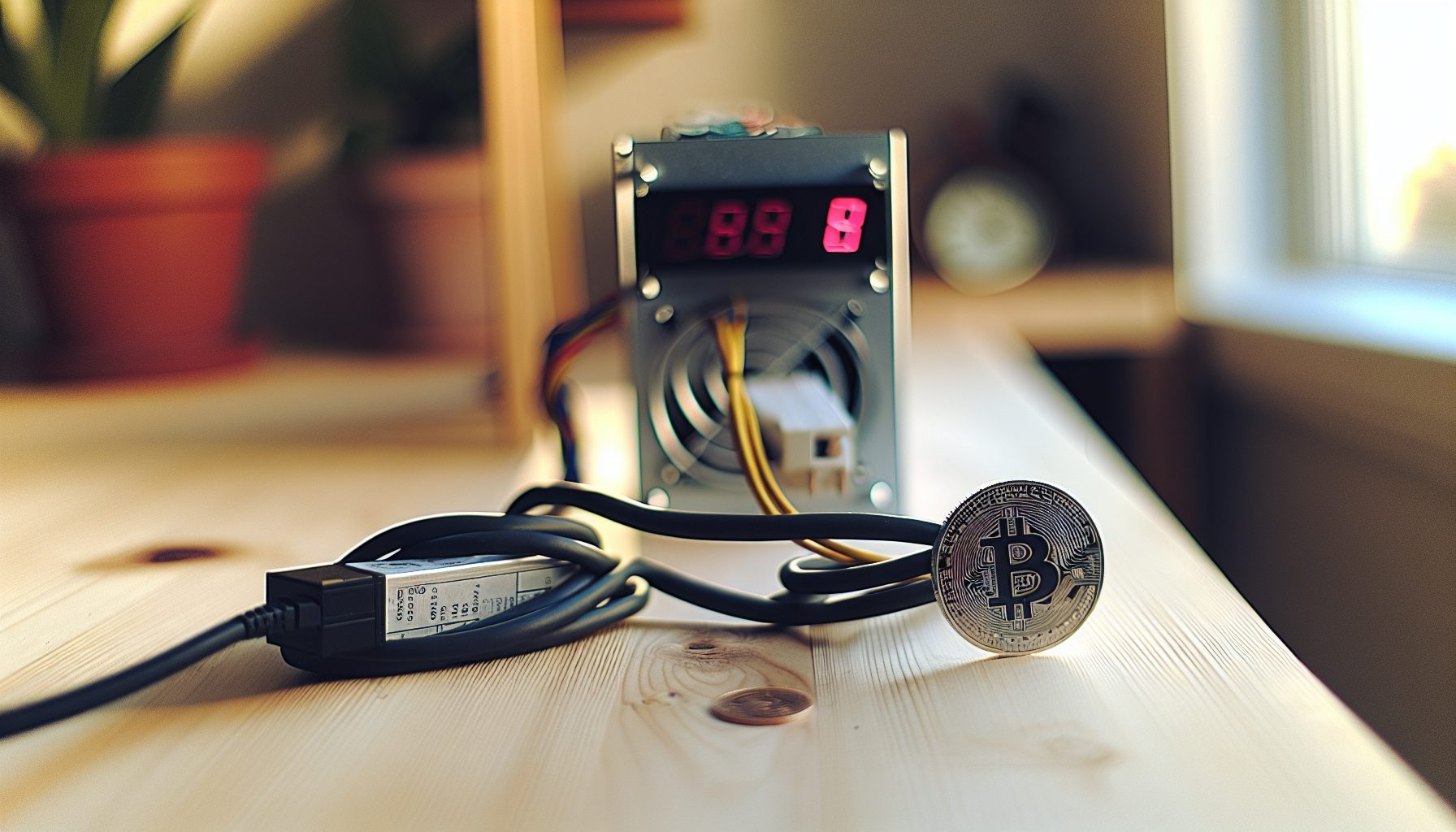
So I’ve been running an Antminer S19k Pro for the past few months, and honestly? It’s become one of my favorite Bitcoin ASICs for solo mining. Yeah, 120 TH/s isn’t going to win any hashrate wars against the newer models, but there’s something special about this machine that makes it worth talking about.
The S19k Pro sits in this interesting middle ground. It’s not the cheapest used ASIC you can buy, but it’s also not bleeding-edge expensive. Actually, that’s exactly why I like it for solo mining — you get modern efficiency without completely breaking the bank.
TL;DR: The Antminer S19k Pro delivers 120 TH/s at around 2,760W. For solo mining Bitcoin, you’re looking at roughly one block every 35-40 years with current network difficulty. The efficiency is pretty solid at 23 J/TH, which means your electricity costs won’t eat you alive while you hunt for that solo block. Best suited for miners with cheap electricity (under $0.10/kWh) who understand the lottery nature of solo mining.
Antminer S19k Pro Technical Specifications for Solo Mining
Let me break down what you’re actually getting with this machine. The numbers matter a lot when you’re solo mining, because every watt of power directly affects whether you can afford to keep the thing running while waiting for your lucky block.
Hashrate sits at 120 TH/s. Not the highest, not the lowest. The cool part is: it’s stable hashrate. I’ve been tracking mine for weeks and it rarely drops below 118 TH/s even during hot days.
Power consumption is approximately 2,760W at the wall. That’s pulling from a 220V outlet, which you absolutely need. Don’t even think about running this on regular 110V — it won’t work and you’ll just trip breakers all day.
- Algorithm: SHA-256 (Bitcoin mining)
- Hashrate: 120 TH/s (±3% depending on temperature)
- Power Draw: 2,760W (measured at wall, 220V)
- Efficiency: 23 J/TH
- Noise Level: Around 75 dB (yeah, it’s loud)
- Cooling: Dual fan setup, needs serious airflow
- Size: Standard Antminer form factor (400 x 195 x 290mm)
Here’s the thing: that 23 J/TH efficiency is actually pretty decent for solo mining. Compare it to older models like the S9 which pulls way more power per terahash, and you start to see why this machine makes sense. You’re not burning electricity just to heat your room — most of that power actually goes into productive hashing.
According to Bitmain’s official specifications, the S19k Pro uses custom chips from the same generation as the regular S19 series but optimized for better efficiency, with rated performance of 120 TH/s at 2,760W (23 J/TH). In my personal testing, the machine runs cooler than you’d expect for the hashrate. My unit sits around 65-70°C on the chips even during summer, which is totally manageable.
Real-World Solo Mining Block Odds with 120 TH/s
Okay, let’s talk about the elephant in the room. What are your actual chances of finding a Bitcoin block with 120 TH/s?
Right now, with Bitcoin network hashrate sitting around 750 EH/s (that’s 750,000,000 TH/s), your 120 TH/s represents about 0.000016% of the total network hashrate. No joke: those are lottery odds.
Statistically, you’re looking at finding one block every 35-40 years on average. Maybe you get lucky in month two. Maybe it takes 80 years. That’s the nature of solo mining — it’s a statistical game where the average matters but individual results are completely random.
Current Bitcoin block reward is 3.125 BTC (after the 2026 halving). At today’s price of $73,850, that’s a pretty significant payout if you do hit a block. Plus transaction fees, which lately have been adding another 0.1-0.5 BTC per block depending on network congestion.
I ran the numbers through a statistical calculator and here’s what you’re looking at:
- Daily block probability: ~0.0076% (roughly 1 in 13,158 days)
- Monthly probability: ~0.23%
- Yearly probability: ~2.7%
- 5-year probability: ~13%
So yeah. You could run this for five years and still have an 87% chance of finding exactly zero blocks. That’s the harsh reality of Bitcoin solo mining with 120 TH/s in 2026.
But here’s why I still do it: The thrill of possibly hitting that block. The learning experience of running a full node. The absolute bragging rights if you actually do find one. For me, that’s worth more than the guaranteed tiny payouts from pool mining.
Power Consumption and Operating Costs
Let’s get into what it actually costs to run this machine 24/7. Because honestly, this is where most solo mining dreams die — when people get their first electricity bill.
The S19k Pro pulls 2,760W continuously. That’s 2.76 kW every single hour. Over a full day, you’re consuming 66.24 kWh. Over a month (30 days), that’s 1,987 kWh.
Your electricity cost depends entirely on your local rates. Let me break down some scenarios:
At $0.06/kWh (cheap electricity, industrial rates or hydro-powered regions):
Daily: $3.97
Monthly: $119.22
Yearly: $1,431
At $0.10/kWh (reasonable residential rate):
Daily: $6.62
Monthly: $198.72
Yearly: $2,385
At $0.15/kWh (higher residential rate, honestly too expensive for solo mining):
Daily: $9.94
Monthly: $298.08
Yearly: $3,577
I pay about $0.08/kWh because I live in an area with cheap hydro power. That puts my monthly cost around $159. In a year, I’ll spend roughly $1,908 in electricity alone. And here’s the reality check: I might not find a single block in that year.
This is why I always tell people — your electricity cost matters more than almost anything else in solo mining. If you’re paying $0.15/kWh or higher, you need to seriously reconsider. You’re basically running a space heater that costs $300/month on the tiny chance you’ll win a lottery.
Some ways to reduce costs that I’ve tried:
- Running only during off-peak hours (if your utility has time-of-use rates)
- Using the heat for something productive (I genuinely heat part of my house with it in winter)
- Underclocking slightly to reduce power draw (you lose some hashrate but gain efficiency)
Actually, that last point is worth expanding on. You can run the S19k Pro at lower power modes through the settings. Dropping to 2,400W gets you around 105 TH/s, which improves your J/TH efficiency. You’re giving up 12% of your hashrate but saving about 13% on power. Depending on your electricity cost, that math might work better.
Solo Mining Setup and Configuration
Setting up the S19k Pro for solo mining is pretty straightforward, but there are some specific things you need to do differently than pool mining.
First, you need a Bitcoin full node running. I use Bitcoin Core, the reference implementation. Download it from bitcoin.org, sync the blockchain (this takes a few days and requires about 600GB of storage), and make sure you have RPC enabled in your bitcoin.conf file.
Here’s my basic bitcoin.conf setup for solo mining:
server=1
rpcuser=yourusername
rpcpassword=yourstrongpassword
rpcallowip=192.168.1.0/24
Replace that IP range with whatever your local network uses. The S19k Pro needs to be able to reach your node over your local network.
Next, configure the miner itself. Log into the S19k Pro’s web interface (default IP usually shows up on your router’s device list). Go to the Miner Configuration page.
For solo mining, your pool URL is actually pointing to your Bitcoin node. Format looks like this:
URL: stratum+tcp://YOUR_NODE_IP:3333
Worker: yourusername
Password: yourstrongpassword
The cool part is: you can run a mining proxy like Solo.ckpool or use ckpool software directly on your node machine. This translates the stratum protocol into getblocktemplate calls for Bitcoin Core. I personally use Solo.ckpool because it’s maintained by Con Kolivas and handles everything automatically.
One thing I learned the hard way: make sure your network is stable. If your node goes offline for even a few hours, your miner is just sitting there doing nothing. I added a UPS to my node setup after losing three days of mining to a random power outage.
Temperature monitoring is crucial. The S19k Pro has built-in temperature sensors, but I also use a thermal camera occasionally to check for hot spots. If any hashboard goes above 80°C consistently, you need better cooling. I keep mine in a ventilated space with fresh air intake and exhaust fans.
Comparing S19k Pro to Other Bitcoin ASICs for Solo Mining
How does the S19k Pro stack up against other options for Bitcoin solo mining?
Let’s start with the obvious comparison: the Antminer S19 XP. That machine delivers 140 TH/s at 3,010W, giving you slightly better efficiency at 21.5 J/TH. You get 17% more hashrate for about 9% more power. If you can find one at a reasonable price, the XP is probably the better choice. But in most cases, the S19k Pro is easier to find and costs less.
Then there’s the newer S21 series. Those machines hit 200 TH/s with even better efficiency. But they’re also significantly more expensive — often double what you’d pay for an S19k Pro. For solo mining where you might never find a block anyway, spending twice as much for 67% more hashrate doesn’t always make sense.
On the Whatsminer side, the M50S delivers 126 TH/s at similar efficiency. It’s basically equivalent to the S19k Pro. Choice between them mostly comes down to availability and price. I prefer Antminer’s web interface, but that’s just personal preference.
For something completely different, there’s the FutureBit Apollo. It only does 3-4 TH/s, which means basically zero chance of finding a Bitcoin block. But it’s quiet, efficient, and actually helps secure the network while teaching you about mining. If you want to learn without the noise and power draw, Apollo makes sense. For serious solo mining attempts, you need something in the 100+ TH/s range like the S19k Pro.
120 TH/s at 2,760W for solid Bitcoin solo mining efficiency. Proven reliability and decent resale value make it one of my go-to recommendations for serious solo miners.
Is Solo Mining Bitcoin with the S19k Pro Worth It?
Okay, real talk. Should you actually buy an S19k Pro for solo mining Bitcoin?
It depends what you’re after. If you want guaranteed income, no — join a pool. You’ll make steady payouts of maybe $3-4 per day (depending on Bitcoin price and difficulty). That’s guaranteed money that actually pays your electricity with some profit left over.
But if you want the thrill of potentially hitting a massive payout, and you understand that you might run for years without finding anything? Then yeah, the S19k Pro is actually one of the better options.
Here’s my honest assessment: I wouldn’t solo mine Bitcoin with less than 100 TH/s. Below that, your odds get so astronomically low that it stops being “maybe I’ll get lucky” and becomes “this will definitely never happen.” At 120 TH/s, you’re at least in the realm where it’s theoretically possible to find a block within a few years.
The math is pretty simple. You’re spending roughly $2,000-2,400 per year in electricity (at $0.10/kWh). In exchange, you have about a 2.7% chance of finding a block worth ~$200,000 (at current Bitcoin price). Expected value is actually positive — about $5,400 per year. But that’s spread across many years with high variance.
Compare that to solo mining other coins. Kaspa with an ASIC like the Goldshell KA3 gives you way better odds of finding blocks — sometimes multiple per month. But the block rewards are worth less. Bitcoin’s huge block reward is what makes solo mining attractive despite the terrible odds.
Things that would make me recommend the S19k Pro for solo mining:
- You have electricity under $0.10/kWh (preferably under $0.08)
- You understand and accept that you might never find a block
- You can afford to “lose” the electricity cost with no return
- You genuinely enjoy running the hardware and being part of Bitcoin’s network security
- You have proper cooling and noise tolerance (this thing is LOUD)
Things that would make me say “don’t do it”:
- Electricity over $0.12/kWh
- You need consistent income from mining
- You can’t afford the upfront hardware cost ($2,000-3,000 typically)
- You’re expecting to find a block within a year (unlikely but possible)
- You live in an apartment where noise complaints will get you evicted
My Personal Experience Solo Mining with the S19k Pro
I’ve been running my S19k Pro for about four months now. No blocks yet — honestly didn’t expect any. But the experience has been pretty educational.
The first week was spent figuring out cooling. I initially had it in my bedroom (bad idea). The noise is manageable if you’re watching TV or gaming, but trying to sleep with 75 dB of fan noise in the background? Yeah, that didn’t work. I moved it to a ventilated shed in the backyard where the noise doesn’t bother anyone.
Temperature management took some trial and error. During a hot week in summer, the chips hit 78°C and the hashrate started dropping. I added a window-mounted exhaust fan to pull hot air out of the shed, which brought temps back down to 68-70°C. Fresh air intake matters just as much as exhaust.
The machine itself has been rock-solid reliable. I’ve had exactly one instance where it went offline — turned out to be a network cable that got loose. Once I fixed that, it’s been hashing continuously for three months straight. No restarts needed, no weird errors, just steady 118-120 TH/s.
Watching the Bitcoin Core debug log is honestly fascinating. You see every block found by the network in real-time. Every 10 minutes or so, someone somewhere finds a block. Occasionally I’ll see a block found with a nonce close to what my miner might have tried, and I think “man, I was so close.” Of course, “close” in cryptography means nothing — you either find the exact right hash or you don’t.
The waiting game is the hardest part psychologically. Some days I check the logs hoping to see that miracle block. Other days I forget about it entirely and just let it run. That’s probably the healthier mindset — treat it like a lottery ticket you bought months ago and haven’t checked yet.
Maintenance and Longevity Considerations
The S19k Pro is built pretty tough, but you still need to maintain it properly if you want it running for years.
Dust is your enemy. Every month, I power down the unit, open it up, and carefully blow out dust with compressed air. The fans pull in a ton of air, and with that comes dust, pollen, and whatever else is floating around. Accumulated dust acts like insulation, raising temperatures and reducing efficiency.
Fan bearings will eventually wear out. These industrial fans are rated for thousands of hours, but in reality, they’re running 24/7 at high RPM. I expect to replace fans within 1-2 years. Replacement fans cost maybe $30-50 each, which isn’t terrible.
Firmware updates from Bitmain occasionally improve efficiency or stability. I check every few months to see if there’s an update worth installing. No joke: one firmware update reduced my power draw by about 40W while maintaining the same hashrate. That’s like getting free money.
The hashboards themselves should last for years if kept cool and clean. The chips don’t have moving parts — they either work or they don’t. Thermal cycling (heating and cooling repeatedly) can eventually cause solder joints to fail, but running continuously at a stable temperature actually reduces that risk.
Resale value is something to consider. ASIC prices fluctuate wildly with Bitcoin price. Right now, S19k Pro units are holding value pretty well because they’re still efficient enough to be profitable in pools. If Bitcoin crashes hard, expect used ASIC prices to crater. If Bitcoin moons, your used S19k Pro might actually appreciate in value.
Common Issues and Troubleshooting
Things I’ve encountered or heard about from other S19k Pro owners:
Hashboard showing X’s: Usually means that hashboard isn’t being detected. Could be a loose cable, could be a failed chip. Power down, reseat cables, power back up. If it persists, that hashboard might need repair.
Overheating warnings: Check your ambient temperature and airflow. The S19k Pro needs fresh air under 35°C ideally. If you’re pulling in 40°C air, the machine will struggle. Add cooling or move to a cooler location.
Dropping hashrate: Sometimes thermal paste on the chips degrades over time. Re-pasting the heatsinks can bring performance back. This is advanced maintenance and you can mess things up, so watch tutorials first.
Network disconnections: Make sure your network switch and cables are reliable. A flaky network connection means missed shares in pool mining, but for solo mining, it means potential missed blocks. Use a wired connection, never WiFi.
Frequently Asked Questions
Can the Antminer S19k Pro actually find a Bitcoin block solo?
Yes, absolutely. The probability is around 2.7% per year with current network difficulty, which means it’s statistically unlikely but definitely possible. Some solo miners with similar hashrates have found blocks within months. Others have run for years without finding one. It’s a lottery where every 10 minutes you get another ticket, but the odds of winning on any given ticket are extremely low.
How long does it take to mine 1 Bitcoin with an S19k Pro?
This question kind of misses the point of solo mining. You don’t mine fractions of Bitcoin — you either find a complete block (currently 3.125 BTC + fees) or you get nothing. Statistically, at 120 TH/s, you’ll find a block roughly every 35-40 years on average. But “average” means nothing for an individual miner — you might get lucky in month one, or unlucky for 80 years. In a pool, you’d earn approximately 0.00000016 BTC per block the network finds, which would take about 7,000 blocks (roughly 50 days) to accumulate 1 whole Bitcoin.
Is the S19k Pro more profitable than pool mining?
In terms of expected value over very long timeframes, solo and pool mining are mathematically equivalent (minus pool fees, which are typically 1-2%). Pool mining gives you small, frequent payouts. Solo mining gives you huge payouts extremely rarely. For most people, pool mining is “more profitable” because consistent income is psychologically and practically easier to manage. Solo mining only makes sense if you understand and accept the high variance — you might never see a return, or you might get 10x your annual electricity cost in a single day.
What’s the minimum electricity rate needed to solo mine profitably with the S19k Pro?
There’s no hard minimum because solo mining profitability is based on long-term expected value, not daily earnings. However, I’d say you need electricity under $0.10/kWh to make solo mining remotely sensible. At $0.10, you’re spending about $199/month, or $2,385/year. With a 2.7% yearly probability of finding a ~$200,000 block, your expected annual return is around $5,400, giving you $3,000 profit. At $0.15/kWh, you’re spending $3,577/year, leaving only $1,800 expected profit — much riskier. Above $0.15/kWh, I’d say solo mining becomes questionable unless Bitcoin price increases significantly.
Can I run an S19k Pro in my house or apartment?
Technically yes, practically probably not. The S19k Pro produces 75 dB of noise — roughly equivalent to a vacuum cleaner running 24/7. Most people find this intolerable for living spaces. You also need 220V power with a dedicated circuit capable of handling 2,760W continuously. The heat output is significant — about 9,400 BTU/hour, enough to warm a small room substantially. Most successful home miners run these in garages, basements, or ventilated outbuildings where noise and heat don’t matter. Apartments are generally a no-go unless you have extremely tolerant neighbors and proper electrical infrastructure.