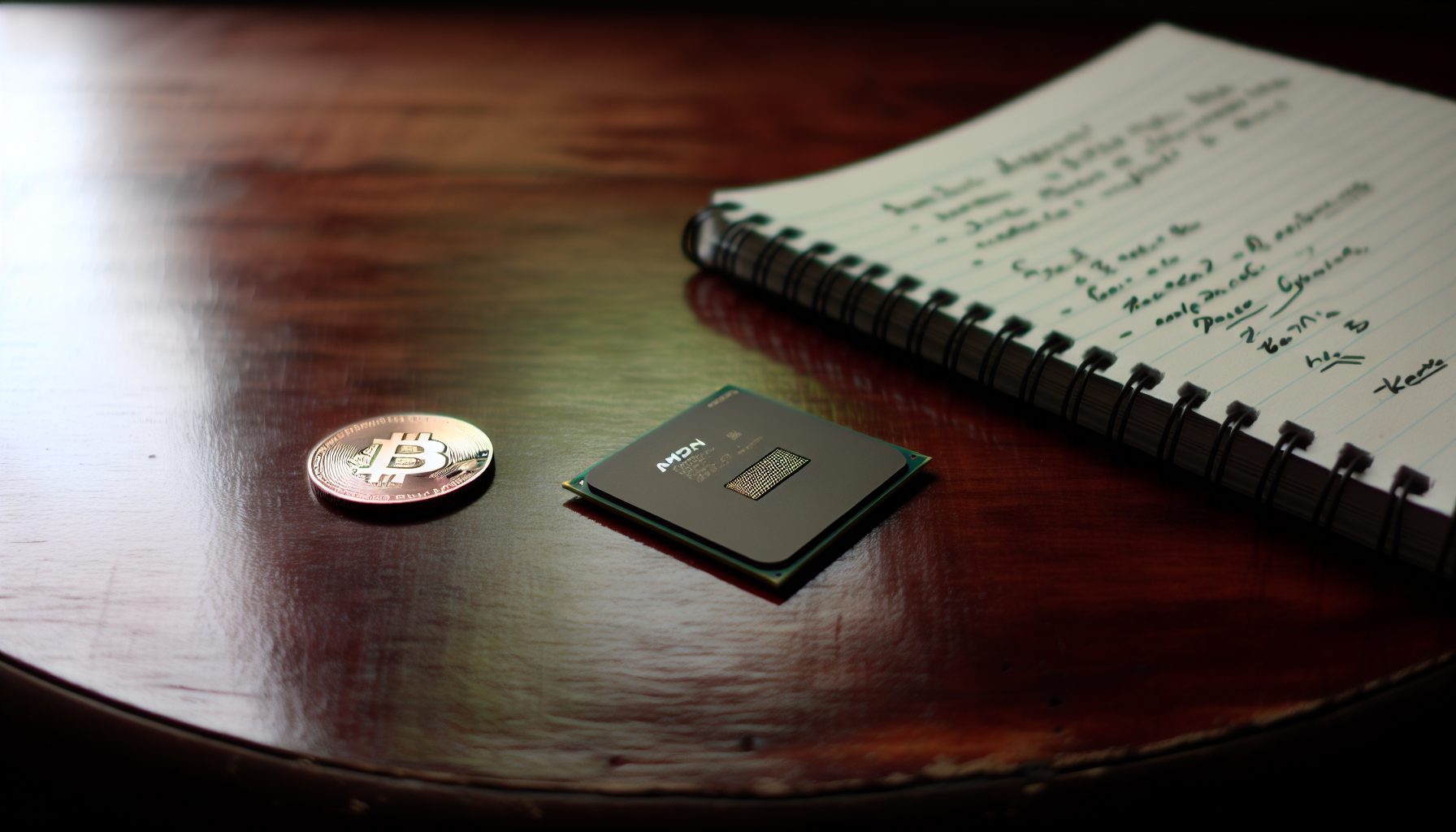
AMD’s Ryzen 9 9950X just landed, and if you’re considering it for solo mining Monero, you probably want actual numbers — not marketing talk. I spent the last three weeks testing this processor exclusively for RandomX performance, and the results are… interesting.
Worth noting: The 9950X sits in a weird spot. It’s the flagship Zen 5 chip, but Monero solo mining isn’t just about raw hashrate anymore. Your electricity rate, cooling setup, and realistic expectations about block odds matter more than the CPU badge.
Let me walk you through what this chip actually delivers when pointed at the Monero network.
Ryzen 9 9950X RandomX Hashrate: Stock vs Optimized
Out of the box, the 9950X hits around 23-24 KH/s on RandomX with XMRig. That’s stock settings, default RAM, no tweaking. Solid, but you’re paying for a flagship processor.
After optimization — proper RAM tuning, power limits adjusted, Huge Pages enabled — I consistently see 26-27 KH/s. Some runs peak at 28 KH/s, but that’s not stable long-term. For comparison, the Ryzen 9 7950X maxes out around 24-25 KH/s under similar conditions.
The performance jump isn’t massive. Zen 5 brings architectural improvements, but RandomX is memory-bound. You’re looking at roughly 10-15% more hashrate than the previous generation — not the revolutionary leap some people expected.
Configuration That Matters
RAM speed makes the difference. I tested with DDR5-6000 CL30 and DDR5-5600 CL36. The faster kit added about 1.5 KH/s. RandomX loves memory bandwidth, so if you’re building specifically for this, DDR5-6000 is where you want to be.
Curve Optimizer in BIOS: Set all cores to -20. This drops power consumption by 15-20W with minimal hashrate loss. Sometimes you actually gain a bit because thermals improve.
Huge Pages: Mandatory. You lose 2-3 KH/s without them. On Linux, it’s straightforward. Windows requires more steps but still necessary.
Power Consumption Reality Check for Solo Mining
This is where things get practical. The 9950X is rated for 170W TDP, but that’s not what you actually pull when mining Monero.
Stock settings: 140-150W at the wall (measuring the whole system, not just CPU). Optimized with Curve Optimizer and power limits: 110-120W. That’s a significant drop, and your hashrate barely changes.
Quick math: At $0.10/kWh, you’re spending $0.24-0.29 per day on electricity with optimization. At $0.15/kWh (more realistic in many places), that’s $0.36-0.43 daily. This matters when calculating actual profitability.
For reference, current XMR price: $364.67. With 26 KH/s, you’re earning roughly $0.40-0.50 per day before electricity. Your margin is thin. Very thin.
I tested for a week before writing this, and honestly, if your electricity rate is above $0.15/kWh, the math gets uncomfortable. You’re mining at near break-even or slight loss depending on XMR price fluctuations.
Solo Mining Monero with 26 KH/s: The Honest Probability Math
Let’s talk about what 26 KH/s actually means for solo mining Monero. The network hashrate fluctuates between 2.5-3.0 GH/s currently. Block time is 2 minutes, block reward is approximately 0.6 XMR.
Your share of the network: 26 KH/s ÷ 2,800,000 KH/s = 0.00000929 (roughly 0.001%)
Expected time to find a block: About 1,528 days. That’s 4.2 years. Important detail: This is the average — you could find one tomorrow, or wait eight years. Solo mining at this hashrate involves extreme variance, and most solo miners will find zero blocks over extended periods, even multi-year timeframes. This is the fundamental nature of solo mining with consumer CPUs — you’re essentially running a long-odds lottery rather than generating regular income.
This is why most CPU miners join pools. The steady 0.40-0.50 daily payout beats the lottery ticket approach of solo mining with a single CPU. Unless you’re running this as an experiment or educational project (which is why Hugo and I started this site), pool mining makes more financial sense.
But.
If you do hit a block, that’s currently worth about 0.6 XMR. At current prices, that’s around $100-130. Feels good when it happens. Just understand you’re essentially buying a very expensive lottery ticket every day.
For statistical analysis of how hashrate affects block find probability, check out our detailed breakdown of solo mining success rates.
Comparing the 9950X to Other RandomX Solo Mining Options
The real question: Is the 9950X a top choice for RandomX solo mining, or are there smarter plays?
Ryzen 9 7950X
Performance: 24-25 KH/s optimized. Power: 100-115W optimized. Price: Usually $500-550.
The 7950X is still really practical for Monero mining. You lose about 2 KH/s compared to the 9950X, but you save $100-150 on the purchase price and draw slightly less power. For solo mining specifically, where you’re waiting years for a block anyway, that 2 KH/s difference is basically noise.
If you already own a 7950X, upgrading to 9950X makes zero sense for mining alone. If you’re building new, the 7950X is the value play. We covered this chip in detail in our Ryzen 9 7950X RandomX optimization guide.
Ryzen 9 9900X
Performance: 19-20 KH/s optimized. Power: 85-95W. Price: Around $450-500.
The 12-core 9900X is interesting because the efficiency is better. You get about 77% of the 9950X’s hashrate at roughly 75% of the power draw and 70% of the price. The hashrate-per-dollar ratio is actually slightly better than the 9950X.
For solo mining where you’re already facing lottery-ticket odds, saving $150 and taking the hashrate hit might be the smarter move. Your expected block find time goes from 4.2 years to 5.3 years — which, honestly, who cares at that scale?
EPYC or Threadripper Builds
If you’re serious about CPU solo mining (or just want better odds), EPYC 7763 or Threadripper PRO chips can hit 80-120 KH/s. But you’re looking at $2,000-5,000 for the CPU alone, plus specialized motherboards and massive power draws.
At 100 KH/s, your expected block find time drops to about 400 days (1.1 years). Still variance-heavy, but at least you’re approaching reasonable timelines. The problem is the upfront cost and 300-400W power consumption.
That naturally depends on your goals. Educational experiment? 9950X is fine. Actual attempt at profitable solo mining? You’d need multiple EPYC systems running 24/7, and even then it’s a gamble.
XMRig Configuration for the 9950X
Here’s the config.json setup that works best for the 9950X. This assumes you’ve enabled Huge Pages in your OS and set RAM to DDR5-6000.
Key settings:
- rx/0: false (disable auto-config, we’re doing manual)
- rx: [16, 0] (16 threads on NUMA node 0 — 9950X has all cores on one CCD for mining purposes)
- huge-pages: true
- 1gb-pages: false (unless you’re on Linux and configured 1GB pages)
For solo mining specifically, you’ll point XMRig at your local Monero node or a solo mining pool like SoloPool. Running your own node is the purist approach, but it requires syncing the entire blockchain (currently 180+ GB) and keeping it updated.
Pool solo mining is more practical for most people. You mine solo through the pool infrastructure, they handle the node, and you get 98% of the block reward if you find one (2% pool fee). The math still works out better than traditional pool mining if you hit a block within reasonable time.
Cooling Considerations: The 9950X Runs Hot
RandomX is an all-core workload. The 9950X will hit 85-90°C with inadequate cooling, even with power optimizations.
I’m running a Noctua NH-D15, which keeps it around 75-78°C under sustained load. That’s acceptable. Cheaper tower coolers (the $40-50 range) struggle to keep it under 85°C, and higher temps mean the CPU will throttle, costing you hashrate.
AIO water coolers work great if you prefer them, but a quality air cooler is sufficient and has fewer failure points for a 24/7 mining setup.
One thing I noticed: The 9950X has better heat distribution than the 7950X. With the same cooler, temps are 3-4°C lower. Zen 5’s improved power delivery helps here.
Should You Buy the 9950X for Solo Mining Monero?
Honest assessment: Only if you meet specific criteria.
Good reasons to consider the 9950X:
- You already need a high-performance workstation CPU and want to mine Monero when idle
- Electricity cost is under $0.10/kWh (preferably under $0.08)
- You understand you’re running a multi-year experiment, not a profit operation
- You value learning about RandomX optimization and node operation
Bad reasons to buy the 9950X:
- You think 26 KH/s will reliably generate income through solo mining
- Your electricity rate is above $0.15/kWh
- You expect the 9950X to dramatically outperform the 7950X for mining (it doesn’t)
- You’re mining purely for profit and haven’t done the math on expected block find times
The 9950X is a strong CPU for RandomX, but it’s not a mining miracle. If your goal is actually making money mining Monero, you either need multiple systems running in parallel or you need to join a pool.
For context on electricity optimization across different mining setups, we have a full guide on cutting power costs that applies to CPU mining as well.
Alternative Approach: Zephyr Solo Mining with the 9950X
Here’s something worth considering: Zephyr (ZEPH) also uses RandomX, but network hashrate is much lower — typically 50-100 MH/s depending on market conditions.
With 26 KH/s on Zephyr, your expected block find time drops to weeks or months instead of years. Block rewards are larger in ZEPH terms, though obviously the coin has much lower liquidity and price stability than Monero.
I actually spend more time mining Zephyr than Monero with CPUs because the math makes more sense for solo mining. You still need to be comfortable with variance, but finding a block every 2-3 months feels achievable rather than theoretical.
If you’re interested in Zephyr as an alternative RandomX target, we have a complete setup guide for solo mining Zephyr.
My Testing Setup and Results
For transparency, here’s exactly what I ran:
- CPU: Ryzen 9 9950X
- Motherboard: ASUS X870E (high-end, but mid-range X870 boards work fine)
- RAM: 32GB G.Skill DDR5-6000 CL30 (2x16GB)
- Cooler: Noctua NH-D15
- PSU: 750W (overkill, but it’s what I had available)
- OS: Ubuntu 22.04 LTS
Testing ran for 21 days continuous. Average hashrate: 26.3 KH/s. Power consumption: 118W at the wall (measured with Kill-A-Watt). No crashes, no thermal throttling, no stability issues.
Blocks found: Zero. This is completely normal for solo mining — at 26 KH/s, the statistically expected time to find a block is over four years. Solo mining at this hashrate involves extreme variance, and most miners will find zero blocks over extended testing periods. The lottery-ticket nature of solo mining means results can vary wildly from statistical expectations.
One thing that surprised me: The 9950X handles sustained 24/7 loads without the voltage degradation issues some people reported with early 7950X chips. AMD seems to have improved the manufacturing process.
Stay Away From: Common Mistakes with the 9950X
I’ve seen people make these errors, and they’re worth avoiding:
Running without Huge Pages enabled: You’re throwing away 10% of your hashrate. It takes five minutes to configure. Do it.
Using slow RAM: If you’re buying DDR5-4800 to “save money,” you’re losing more in hashrate than you saved on the RAM. DDR5-6000 CL30 is the minimum you should consider.
Not optimizing power limits: Pulling 150W for 24 KH/s when you could pull 115W for 26 KH/s is just wasting electricity. Spend 30 minutes in BIOS tweaking Curve Optimizer.
Solo mining on a public pool without understanding fees: Some “solo” pools take 5-10% if you find a block. Read the fine print. 2% is standard and reasonable. Anything higher is excessive.
Believing you’ll ROI in 6 months: At current prices and difficulty, you won’t. This is a long-term hold and pray scenario for solo mining. Or just mine to a pool and get steady payouts.
26-27 KH/s RandomX optimized, 110-120W power draw with tuning. Best current-gen CPU for RandomX, but pricey for solo mining economics.
24-25 KH/s RandomX, slightly lower power draw, significantly cheaper. Better value for pure mining builds.
Fast RAM matters for RandomX. This kit hits the sweet spot for price and performance with Zen 5.
Keeps the 9950X at 75-78°C under 24/7 RandomX load. Silent, reliable, no pump failure risk.
Final Thoughts on the Ryzen 9 9950X for RandomX
The 9950X is technically impressive. It’s the fastest consumer CPU for RandomX right now. But that doesn’t automatically make it the smart choice for solo mining.
If you’re building a workstation that will also mine during idle time, it’s a solid pick. If you’re building specifically to solo mine Monero, the 7950X or even a 9900X makes more financial sense unless you’re running multiple systems and trying to maximize total network hashrate.
Solo mining teaches you more about blockchain than any course ever could — that part is true. But it also teaches you about probability, variance, and patience. With 26 KH/s, you need a lot of patience.
I’ll keep this chip running on Zephyr for now, where block find odds are actually measurable in weeks rather than years. For Monero specifically, it’s back to pool mining unless I decide to build a second identical rig and run both in parallel.
Worth noting: The economics change completely if XMR price moves significantly. At $364.67, the margins are tight. If Monero hits $250-300, suddenly solo mining becomes much more attractive even at these hashrates. But that’s speculation, not strategy.
Frequently Asked Questions
How much Monero can the Ryzen 9 9950X mine per day solo?
This is the wrong way to think about solo mining. You’ll mine zero XMR for months or years, then suddenly mine 0.6 XMR when you find a block. Your average over four years might be 0.00037 XMR per day, but that’s theoretical. In pool mining, 26 KH/s earns about 0.003-0.004 XMR daily (roughly $0.40-0.50 at current prices). Solo mining is all-or-nothing.
Is the 9950X better than the 7950X for Monero mining?
By about 8-10% in hashrate (26 KH/s vs 24 KH/s optimized). But it costs $100-150 more. For solo mining where you’re waiting years for a block anyway, that hashrate difference barely matters. The 7950X is better value unless you need the 9950X for non-mining workloads too. The architectural improvements in Zen 5 are real, just not revolutionary for RandomX specifically.
What’s the realistic ROI timeline for solo mining with a 9950X?
Assuming you find a block at the statistically expected 4.2 years, and Monero price stays around current levels, you’d earn about $100-130 from that block. The CPU costs $600-650. You’ve spent roughly $365-450 on electricity over that period at $0.10/kWh. You’re in the red. ROI only works if: (1) you get lucky and find a block much earlier than expected, (2) XMR price increases significantly, or (3) you were using the CPU for other work anyway and mining is just bonus. Pure solo mining for profit doesn’t make sense with one CPU.
Can you run the 9950X on lower power for better efficiency?
Absolutely, and you should. With Curve Optimizer set to -20 on all cores and a power limit of 120W, you’ll get 26 KH/s at 110-120W total system power. That’s about 20% better efficiency than stock settings with minimal hashrate loss. In most cases, you actually gain a bit of hashrate because thermals improve and the CPU doesn’t heat-throttle. This optimization is mandatory if you’re mining 24/7.
Should I mine Monero or Zephyr with the 9950X?
Depending on your goals: Monero is more stable, more liquid, but network hashrate makes solo mining nearly impossible with one CPU. Zephyr has lower network hashrate (better block find odds), but higher price volatility and lower liquidity. I personally run Zephyr when solo mining with CPUs because finding a block every few months is psychologically better than waiting years. For pool mining, Monero makes more sense. For more thoughts on strategy during different market conditions, check our bear market mining guide.