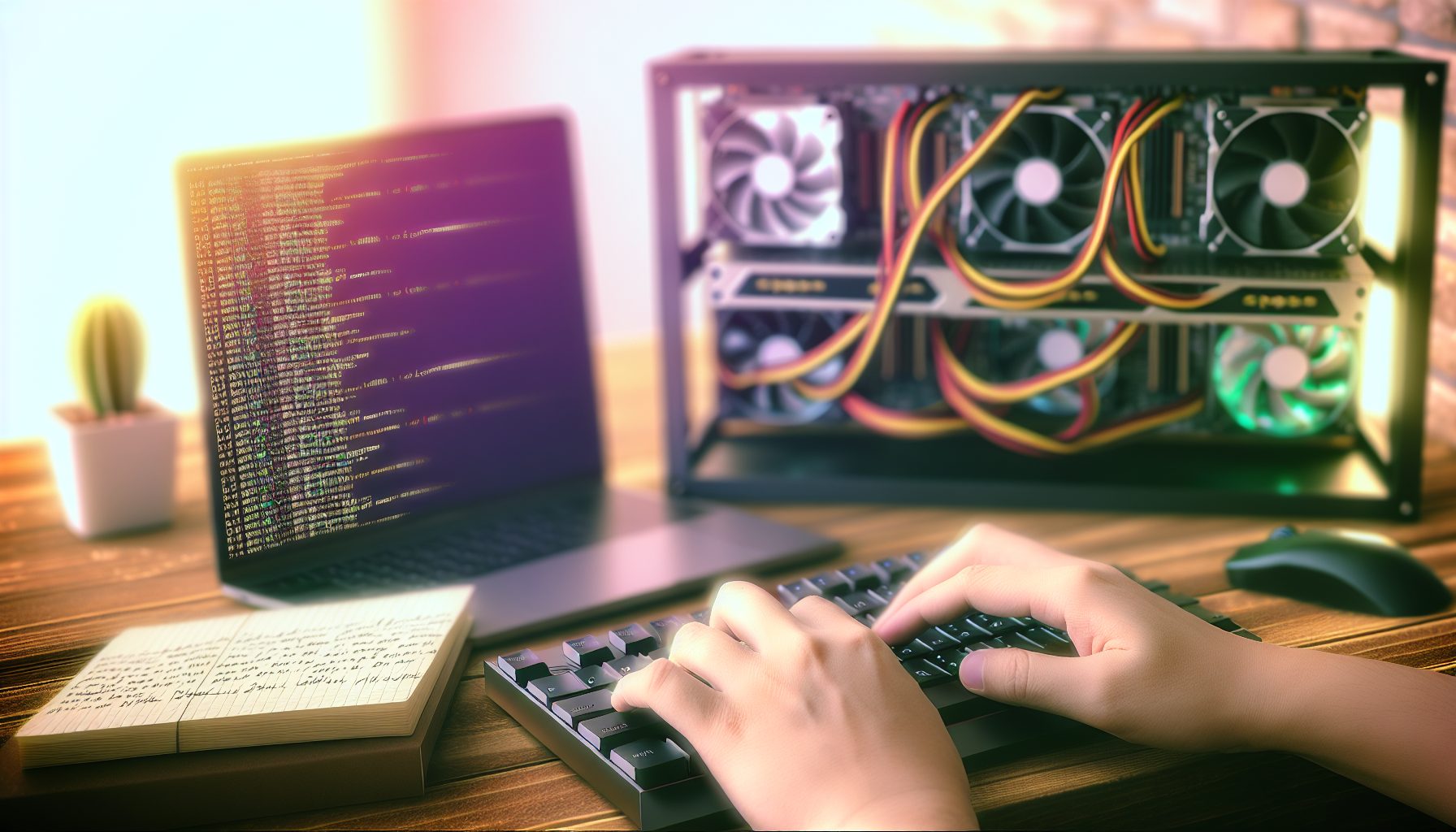
TL;DR: Gminer is one of the most versatile GPU miners out there, supporting a ton of algorithms from Ethash to KawPow to Autolykos2. For solo miners, it’s actually perfect because you can easily point it at your own full nodes and switch between coins without changing software. This guide shows you exactly how to configure Gminer for solo mining across multiple algorithms, optimize your GPU settings, and connect to your local nodes. Trust me on this: Once you’ve got Gminer dialed in, switching between coins becomes super easy.
Why Gminer Works Really Well for Solo Mining
Here’s the thing: Most GPU mining software is built for pools. You install it, paste a pool URL, and you’re done. But when you’re solo mining, you need software that can talk directly to your full node through RPC commands. Gminer handles this surprisingly well across like 15+ different algorithms.
I started using Gminer last year after getting annoyed with T-Rex Miner constantly crashing on my Ergo node. Gminer just… works. It connects to your node, submits shares properly, and the dev fee is only 0.65% to 2% depending on the algorithm. For solo mining, that’s basically nothing compared to the potential block reward.
The cool part is the multi-algorithm support. You can have one rig set up with Gminer, and depending on what coin looks promising that week, you just switch your batch file and restart. No reinstalling, no new drivers, no hassle.
Setting Up Your Full Nodes First
Before you even touch Gminer, you need your full nodes running. This is the part a lot of beginners mess up — they download the miner first, then realize they have nothing to connect it to.
For solo mining with Gminer, these are the coins that make the most sense with current GPU hashpower:
- Ergo (Autolykos2) — GPU-friendly, decent block times, actually mineable solo with 300-500 MH/s
- Flux (ZelHash) — Similar hashrate requirements, good community
- Ravencoin (KawPow) — More competitive, but 1-minute blocks mean more chances
- Firo (FiroPow) — Lower network hashrate, interesting privacy features
- Neoxa (KawPow) — Smaller network, better odds than RVN
Each of these needs its own full node running on your network. Yeah, it takes disk space and some RAM, but that’s the price of true solo mining. If you haven’t set up your nodes yet, check out our Ergo node setup guide, Flux node configuration, and Ravencoin Core setup.
Your nodes need to be fully synced. That can take anywhere from a few hours to a couple days depending on the blockchain size. Ergo is pretty quick, Ravencoin takes longer because of all the asset transactions.
Node Configuration Basics
Every node needs RPC enabled in its config file. For most coins, you’ll add something like this to the .conf file:
server=1

rpcuser=yourusername

rpcpassword=yourpassword

rpcallowip=127.0.0.1

rpcport=8332
The port changes depending on the coin. Ergo uses 9053, Ravencoin uses 8766, Flux uses 16124. Write these down because you’ll need them for Gminer.
Installing and Configuring Gminer for Solo Mining
Download Gminer from the official GitHub or website. Windows Defender will probably freak out and quarantine it — that happens with literally every miner. Add an exception for the folder.
Extract it somewhere easy to find. I use C:MiningGminer because I’m boring like that. Inside, you’ll have the gminer.exe file and a bunch of sample batch files.
For solo mining, forget the sample files. They’re all configured for pools. Instead, create your own batch file from scratch. I’ll show you the exact syntax for different algorithms.
Basic Gminer Solo Mining Syntax
The general format looks like this:
gminer.exe --algo ALGORITHM --server 127.0.0.1 --port NODEPORT --user RPCUSER --pass RPCPASS --ssl 0
Let’s break that down:
- –algo is the algorithm name (autolykos2, zelhash, kawpow, etc.)
- –server is your node’s IP (usually 127.0.0.1 if it’s on the same PC)
- –port is the RPC port from your node config
- –user and –pass match your rpcuser and rpcpassword
- –ssl 0 disables SSL because you’re connecting locally
The tricky part is that different algorithms need slightly different parameters. Some coins use Stratum, some use getwork, some need wallet addresses specified.
Ergo Solo Mining Configuration
For Ergo with Autolykos2, your batch file looks like this:
gminer.exe --algo autolykos2 --server 127.0.0.1 --port 9053 --user ergouser --pass ergopass --ssl 0
Make sure your Ergo node has mining enabled in the ergo.conf file. You need:
ergo {

  node {

    mining = true

  }

}
Ergo is honestly one of the easiest to set up. The node software is solid, Gminer has great Autolykos2 support, and with a decent GPU rig (like 300+ MH/s), you’ve got a real shot at blocks. Not guaranteed obviously, but better odds than you’d think.
Ravencoin KawPow Configuration
Ravencoin needs a wallet address specified. The syntax is:
gminer.exe --algo kawpow --server 127.0.0.1 --port 8766 --user rpcuser --pass rpcpass --wallet YOURRVNADDRESS --ssl 0
KawPow is more memory-intensive than Autolykos2. Expect lower hashrates compared to what you’d see on Ethash back in the day. An RTX 3070 does around 25 MH/s on KawPow.
Ravencoin’s network hashrate is pretty high these days. You’re competing against some serious farms. Unless you’ve got at least 500 MH/s total, your block-finding odds are going to be measured in months, not weeks. Use our Ravencoin solo calculator to get realistic estimates.
Flux ZelHash Configuration
Flux uses ZelHash, which is a modified Equihash variant. Configuration is similar to Ergo:
gminer.exe --algo 125_4 --server 127.0.0.1 --port 16124 --user fluxuser --pass fluxpass --ssl 0
The algo name “125_4” refers to Equihash 125,4 parameters. Yeah, it’s weird naming, but that’s what Gminer expects.
Flux network hashrate is manageable for solo mining. With 300-400 Sol/s, you’re looking at maybe one block every few weeks if you’re lucky. The Flux community is pretty active, and honestly, finding a Flux block feels amazing because the coin actually has real utility with their decentralized cloud stuff.
Firo FiroPow Configuration
Firo (formerly Zcoin) uses FiroPow, which is basically a tweaked ProgPoW. Setup looks like:
gminer.exe --algo firopow --server 127.0.0.1 --port 8168 --user firouser --pass firopass --wallet YOURFIROADDRESS --ssl 0
Firo network hashrate is way lower than Ravencoin. This is actually one of the better coins for solo GPU mining right now. I know a guy who runs like 250 MH/s on Firo and finds a block every 2-3 weeks. Not bad at all. Check out our complete Firo solo guide for more details.
Multi-Algorithm Setup: Switching Between Coins
The beauty of Gminer is you can have multiple batch files ready to go. I keep separate folders for each coin:
C:MiningGminerErgo

C:MiningGminerRavencoin

C:MiningGminerFlux
Each folder has its own .bat file configured for that specific coin. When I want to switch, I just stop the current miner, double-click the new batch file, and I’m mining a different coin within seconds.
Some people get fancy with scripts that automatically switch based on profitability or difficulty. Honestly, for solo mining, that’s overkill. You’re not chasing pennies in daily earnings — you’re hunting blocks. Pick a coin, stick with it for at least a few weeks, and give yourself a real chance at finding something.
Dual Mining Considerations
Gminer supports dual mining on some algorithms. You can mine Ergo + Kaspa simultaneously, for example. But here’s my honest take: For solo mining, don’t bother.
Dual mining splits your hashrate. Your Ergo hashrate drops by 10-30%, and you’re getting maybe 20 MH/s on Kaspa. That’s not enough to solo mine either coin effectively. If you’re interested in dual mining concepts, go for it with pools. For solo, focus full power on one coin.
GPU Optimization and Overclocking
Getting your GPUs dialed in properly makes a huge difference. I’m talking 20-30% more hashrate with the same power draw if you optimize correctly.
Every algorithm behaves differently. Autolykos2 loves memory bandwidth. KawPow needs both core and memory. FiroPow is similar to KawPow. You can’t just use one OC profile for everything.
Nvidia Optimization
For Nvidia cards, I use MSI Afterburner. Here are my settings for an RTX 3070 across different algorithms:
Autolykos2 (Ergo): Core -200, Memory +1200, Power Limit 120W → gets me about 168 MH/s
KawPow (RVN): Core +100, Memory +800, Power Limit 140W → around 25 MH/s
ZelHash (Flux): Core +50, Memory +600, Power Limit 130W → about 42 Sol/s
These are starting points. Every GPU is different because of silicon lottery. Start conservative, test stability for a few hours, then push memory or core in small increments.
AMD Optimization
AMD cards need different treatment. Use AMD Adrenalin software or tools like MorePowerTool for fine control.
For an RX 6700 XT on Autolykos2, I run: Core 1250 MHz, Memory 1075 MHz (fast timing enabled), Core Voltage 750mV. That gets around 160 MH/s at 90W.
AMD cards are typically more power-efficient on memory-heavy algorithms like Autolykos2. Nvidia tends to edge ahead on compute-heavy stuff like KawPow.
Monitoring and Stability
Watch your GPU temperatures. Anything over 75°C on core or 95°C on memory junction (for cards that report it) is too hot for 24/7 mining.
I totally fried my first GPU because I didn’t monitor memory temps. It was running “fine” at 60°C core, but memory junction was hitting 110°C. Card lasted three months before I started getting artifacts and crashes. Don’t be me. Use HWiNFO64 to monitor everything.
Gminer shows hashrate and temperature right in the console. If you see hashrate dropping or invalid shares, your OC is too aggressive. Back off 50 MHz on memory and test again.
Electricity Costs and Real ROI for Solo GPU Mining
Let’s talk money because this matters more than people want to admit. GPU mining uses a lot of power, and unless you’re finding blocks regularly, you’re just burning electricity.
My current rig is 6x RTX 3070s running Autolykos2 at about 1000 MH/s total. Power draw is roughly 750W at the wall (including motherboard, risers, etc.). At $0.12/kWh, that’s $2.16 per day in electricity.
In a perfect world, I find an Ergo block every 2-3 weeks. That’s 15 ERG (current block reward). At today’s Ergo price of roughly $1.50, one block is worth $22.50. Over two weeks, I’ve spent $30.24 in electricity. So actually, I’m losing $7.74 per block found.
Wait, that sounds terrible, right?
Here’s where solo mining gets interesting. I’m not mining for today’s prices. I’m accumulating coins I believe will be worth more later. If ERG hits $5, that same block is worth $75. Suddenly I’m profitable. If it hits $10, I’m making serious money.
But — and this is important — you have to be honest with yourself about electricity costs. Some months you won’t find any blocks. You’re still paying that power bill. If you’re in a high-electricity-cost area (like $0.25/kWh or more), solo mining GPUs probably doesn’t make sense unless you’re purely speculating on future coin prices. Check out our electricity cost optimization guide for ways to reduce your power bill.
Comparing Solo Mining Profitability Across Coins
Not all coins are created equal for solo mining. Network hashrate matters way more than coin price when you’re deciding what to mine.
With 1 GH/s (that’s a pretty serious setup, like 6-10 high-end GPUs):
- Ergo: Network is around 10-15 TH/s. You’re 0.0067% of the network. Expected time to block: 8-12 days
- Ravencoin: Network is 25+ TH/s. You’re 0.004% of the network. Expected time: 20-30 days
- Flux: Network around 5-7 MSol/s. With 1 KSol/s you’re 0.014% of the network. Expected time: 5-8 days
- Firo: Network around 2-3 TH/s. You’re 0.033% of the network. Expected time: 2-4 days
These are rough estimates. Actual variance means you might find two blocks in one week or none for a month. That’s solo mining. For detailed comparisons, our profitability analysis breaks down Bitcoin vs. Litecoin vs. Kaspa, but the same principles apply to GPU coins.
Troubleshooting Common Gminer Solo Mining Issues
Things will go wrong. Your node will crash. Gminer will reject shares. Your internet will drop mid-block. Here’s how to fix the most common problems.
Connection Refused Errors
If Gminer says “connection refused,” your node isn’t accepting RPC connections. Check:
- Is the node actually running? (Check Task Manager or process list)
- Is RPC enabled in the config file?
- Are you using the correct port number?
- Did you restart the node after changing the config?
I’ve wasted hours debugging connection issues only to realize I forgot to save the config file or restart the node. Always restart after config changes.
High Invalid Share Rate
If you’re getting more than 1-2% invalid shares, something’s wrong. Usually it’s one of these:
- GPU overclock is too aggressive (most common)
- PCIe riser is flaky
- GPU is thermal throttling
- Outdated GPU drivers
Back off your overclock first. If that doesn’t help, try reseating the GPU or using a different riser cable.
Gminer Crashes or Freezes
Random crashes usually mean instability. Could be RAM overclock, GPU overclock, or power supply issues.
I had a period where Gminer would crash every 4-6 hours. Drove me crazy. Turned out my RAM was running XMP at 3600 MHz and wasn’t stable. Dropped it to 3200 MHz and haven’t had a crash since.
For GPU-related crashes, reduce power limit and memory clock. Better to run 5% slower and stay stable than crash three times a day and miss potential block finds.
Node Out of Sync
If your node falls out of sync, Gminer will keep mining on outdated data. You’ll submit shares that get rejected because they’re for old blocks.
Monitor your node’s block height against a block explorer. If you’re more than 2-3 blocks behind, something’s wrong. Usually it’s:
- Internet connection dropped temporarily
- Node software crashed in the background
- Disk I/O is too slow (happens with old HDDs)
Run your nodes on SSDs if possible. The constant database writes on blockchain sync can kill HDDs pretty fast.
Advanced Gminer Configuration Options
Once you’ve got basic solo mining working, there are some extra flags that can improve performance or monitoring.
API and Monitoring
Gminer has a built-in API for monitoring. Add this to your batch file:
--api 10555
Then you can access http://127.0.0.1:10555 in your browser and see real-time stats in JSON format. Super useful if you’re running multiple rigs and want to check them remotely.
You can also use mining monitor software like Awesome Miner or Hive OS (if you’re on Linux) to aggregate stats from multiple Gminer instances.
Color and Log Settings
By default, Gminer’s console is… colorful. Like, really colorful. If it bothers you (or if you’re redirecting output to a log file), add:
--color 0
For logging everything to a file:
--logfile C:MiningLogsgminer.log
I keep logs for about a week, then delete them. They’re useful for troubleshooting but can get huge over time.
Watchdog Settings
Gminer has a built-in watchdog that can restart GPUs if they hang. Enable it with:
--watchdog 1
This has saved me multiple times. GPU driver crashes, and instead of the whole rig freezing, Gminer detects it and reboots that specific GPU.
Hardware Recommendations for Multi-Algorithm Solo Mining
If you’re building a rig specifically for solo mining with Gminer, here’s what actually works well based on my experience and testing.
GPU Choices
For memory-heavy algorithms like Autolykos2, you want cards with good memory bandwidth. Nvidia’s 3000 and 4000 series are solid. AMD’s 6000 and 7000 series are excellent and often cheaper on the used market.
Sweet spot for most algorithms: 168 MH/s on Autolykos2, 25 MH/s on KawPow, excellent efficiency at 120-140W. Available used for decent prices.
Killer efficiency on Autolykos2: 160+ MH/s at under 100W. Great memory-bound performance, runs cooler than Nvidia equivalents.
For budget builds, older cards like RX 580 8GB or 1660 Super still work. Yeah, they’re slower, but you can pick them up cheap used and build a 6-GPU rig for under $1000 if you’re patient on eBay.
Supporting Hardware
Don’t cheap out on the power supply. Mining rigs pull constant maximum load 24/7. That $40 PSU from Amazon is going to die in three months. Get a quality 80+ Gold or better unit from EVGA, Corsair, or Seasonic.
Enough power for 6x GPUs with headroom, excellent efficiency and reliability. Modular cables make cable management way easier in mining rigs.
For the motherboard, you need enough PCIe slots. Mining-specific boards like the ASRock H110 Pro BTC+ support up to 13 GPUs. Even if you’re only running 6 cards now, extra slots give you room to expand.
CPU doesn’t matter much. A basic Intel Celeron or Pentium is fine. You’re not doing CPU mining, so no need for anything fancy. 8GB RAM is plenty.
Bear Market Considerations: Should You Keep Solo Mining?
Real talk: Most of 2026 and early 2026 have been rough for crypto prices. Ergo dropped from $4+ to under $2. Ravencoin went from $0.10 to $0.03. Flux is down 80% from its peak.
During bear markets, a lot of miners shut down. Network hashrates drop, which actually improves your odds of finding blocks. But those blocks are worth less in dollar terms, and your electricity costs stay the same.
I kept mining through the worst of it. My thinking: I’m paying electricity bills now to accumulate coins for the next bull run. When (if?) Ergo hits $10, those blocks I found at $1.50 will look genius. If it goes to zero, then yeah, I wasted a bunch of money on power bills.
It’s pure speculation. You have to be comfortable with that risk. If you need positive cash flow every month, solo mining isn’t for you — especially in a bear market. Pool mining with immediate payouts makes more sense. Our bear market strategy guide goes deeper into this decision.
Setting Realistic Expectations
Let me be blunt about something: With a single GPU, you’re probably never finding a block on major coins. The math just doesn’t work.
One RTX 3070 on Ergo gives you 168 MH/s. Network is 12 TH/s. You’re 0.0014% of the network. Expected time to find a block: 2-3 years. Variance could mean you get lucky and hit one in a month, or you mine for 5 years and find nothing.
For solo mining to be even remotely practical with GPUs, you need at least 4-6 cards. That gets you into the 600-1000 MH/s range where blocks become possible within weeks or months instead of years.
I see people on Reddit all excited because they set up solo mining on their gaming PC with one GPU. That’s cool for learning how it works, but don’t expect to actually find blocks. Use our statistical analysis to calculate your real odds.
If you only have one or two GPUs, consider solo mining smaller coins like Neoxa, Firo, or some of the newer projects. Network hashrates are lower, giving you better chances. Just research the project first — no point mining a coin that’s going to zero.
Frequently Asked Questions
Can I use Gminer for solo mining Bitcoin?
Technically yes, Gminer supports SHA256 (Bitcoin’s algorithm), but it’s completely pointless with GPUs. Bitcoin network hashrate is measured in exahashes (1,000,000,000 TH/s). Your GPU might do 50-100 MH/s. You would never, ever find a block — we’re talking millions of years expected time. Bitcoin solo mining only makes sense with ASIC miners like the WhatsMiner M60 or Antminer S19 XP, and even then you need serious hashpower.
What happens if I find a block but my node is out of sync?
Your block gets rejected by the network. It’s brutal but that’s how it works. If your node is on the wrong chain (even by one block), the hash you submit won’t be valid for the current blockchain state. This is why monitoring your node sync status is critical. I check my nodes multiple times a day to make sure they’re at the correct height. Missing a block you found because of a sync issue is the worst feeling in crypto.
Is Gminer better than T-Rex or lolMiner for solo mining?
It depends on the algorithm. On Autolykos2, Gminer and T-Rex perform similarly — usually within 1-2% of each other. For KawPow, some people report slightly better hashrates with T-Rex. On ZelHash, Gminer seems to edge ahead. Honestly, the differences are small enough that stability matters more than raw performance. I prefer Gminer because it’s been rock-solid stable for me across multiple algorithms, while T-Rex crashed occasionally on my Ergo node. Try both, see what works on your hardware.
Can I solo mine with Gminer on Hive OS or other mining operating systems?
Absolutely. Hive OS, RaveOS, and SimpleMining all support Gminer. The configuration is basically the same, just done through their web interfaces instead of batch files. Some people prefer mining-specific OSes because they’re more stable and easier to manage remotely. I run Windows because I’m familiar with it, but if you’re doing 6+ GPUs, a dedicated mining OS makes life easier. You can monitor everything from your phone, get automatic restarts on crashes, that kind of thing.
How do I know if I actually found a block?
Gminer will display a bright success message in the console when it finds a valid block. Your node will also show the new block in its log files or GUI. The most reliable way is checking a block explorer for the coin you’re mining. Search for your wallet address and you’ll see the block reward transaction appear. It usually takes 100-120 confirmations before you can spend the coins, which means waiting a few hours. I’ll never forget the first time I saw “Block found!” in green text in my Gminer console. Heart started pounding, immediately checked the explorer, and there it was — my wallet address as the block reward recipient. Best feeling in crypto.
What about malware and security with mining software?
Download Gminer only from the official GitHub or the developer’s website. There are fake versions floating around with actual malware or modified miners that steal your coins by redirecting rewards. Windows Defender and antivirus software flag all miners as potential threats because of how they use GPUs and sometimes hide the console window. That’s normal. But make sure you’re getting the real software from trusted sources. Check the file hash against what the developer publishes to verify it hasn’t been tampered with.
When you configure your node RPC settings, don’t reuse passwords from other accounts. If someone gains access to your node RPC, they could potentially manipulate your mining or access your wallet files. Use strong, unique passwords for each node. Basic security stuff, but people forget.
Solo mining means you’re holding coins in your own wallet, not in a pool account. Make sure your wallet is backed up (write down the seed phrase on paper, store it somewhere safe) and encrypted. I lost 3 months of mining rewards once because my SSD died and I hadn’t backed up my Flux wallet. Learned that lesson the expensive way.
All right, that’s pretty much everything I’ve learned about configuring Gminer for solo mining across multiple algorithms. It’s a solid miner, handles direct node connections really well, and once you’ve got your batch files set up, switching between coins is super easy. Just manage your expectations, keep your electricity costs in mind, and make sure all your nodes stay synced. Good luck hunting blocks — hope you find one sooner than expected.