You Want to Get Into Kaspa Solo Mining But Don’t Know Where to Start?
Here’s the situation most people face: You’ve read about Kaspa, seen the growth, heard about the ASIC miners. Now you’re staring at specs sheets and trying to figure out if the IceRiver KS5L is worth your money for solo mining.
I get it.
When Hugo and I started researching Kaspa ASICs last year, the market felt overwhelming. High-end miners cost more than a used car. Budget models seemed too weak. The KS5L sits right in the middle — 12 TH/s, 3200W power draw, mid-tier pricing. But does “middle ground” translate to a smart solo mining choice?
Let me break this down with actual numbers, not marketing hype. I’ll cover what the hardware delivers, what your block odds actually look like, how electricity costs factor in, and whether this ASIC belongs in a solo mining setup. No fluff. Just the data you need to make a decision.
IceRiver KS5L Hardware Specifications: What You’re Actually Getting
First, the raw specs matter more in solo mining than pool mining. You can’t rely on steady payouts here — each block attempt either succeeds or fails. Hardware reliability directly impacts your probability over time.
The KS5L delivers 12 TH/s on the kHeavyHash algorithm. That’s what Kaspa uses. Power consumption sits at 3200W under typical conditions, though I’ve seen units pull 3350W when ambient temperatures climb above 30°C. Important detail: IceRiver rates their efficiency at approximately 267 J/TH.
Here’s what the numbers say about this efficiency level — it’s not class-leading, but it’s acceptable. The Goldshell KA3 achieves better J/TH, but costs considerably more. For context, older Kaspa ASICs from 2026 often exceeded 400 J/TH.
Physical specs:
- Dimensions: 340mm × 190mm × 290mm
- Weight: 13.5 kg
- Noise level: 75 dB (measured at 1 meter distance)
- Operating temperature range: -5°C to 35°C
- Network connection: Ethernet only, no WiFi option
The cooling system uses four industrial fans. They’re loud. Basement or garage deployment makes sense unless you enjoy constant background noise that sounds like a small aircraft idling in your office.
One thing I actually appreciate about IceRiver’s design: the web interface is straightforward. No complicated menu trees. You access the miner’s IP address, see your hashrate, temperature readings, and pool configuration in one clean dashboard. For solo mining, you’ll configure your Kaspa node address here instead of a pool URL.
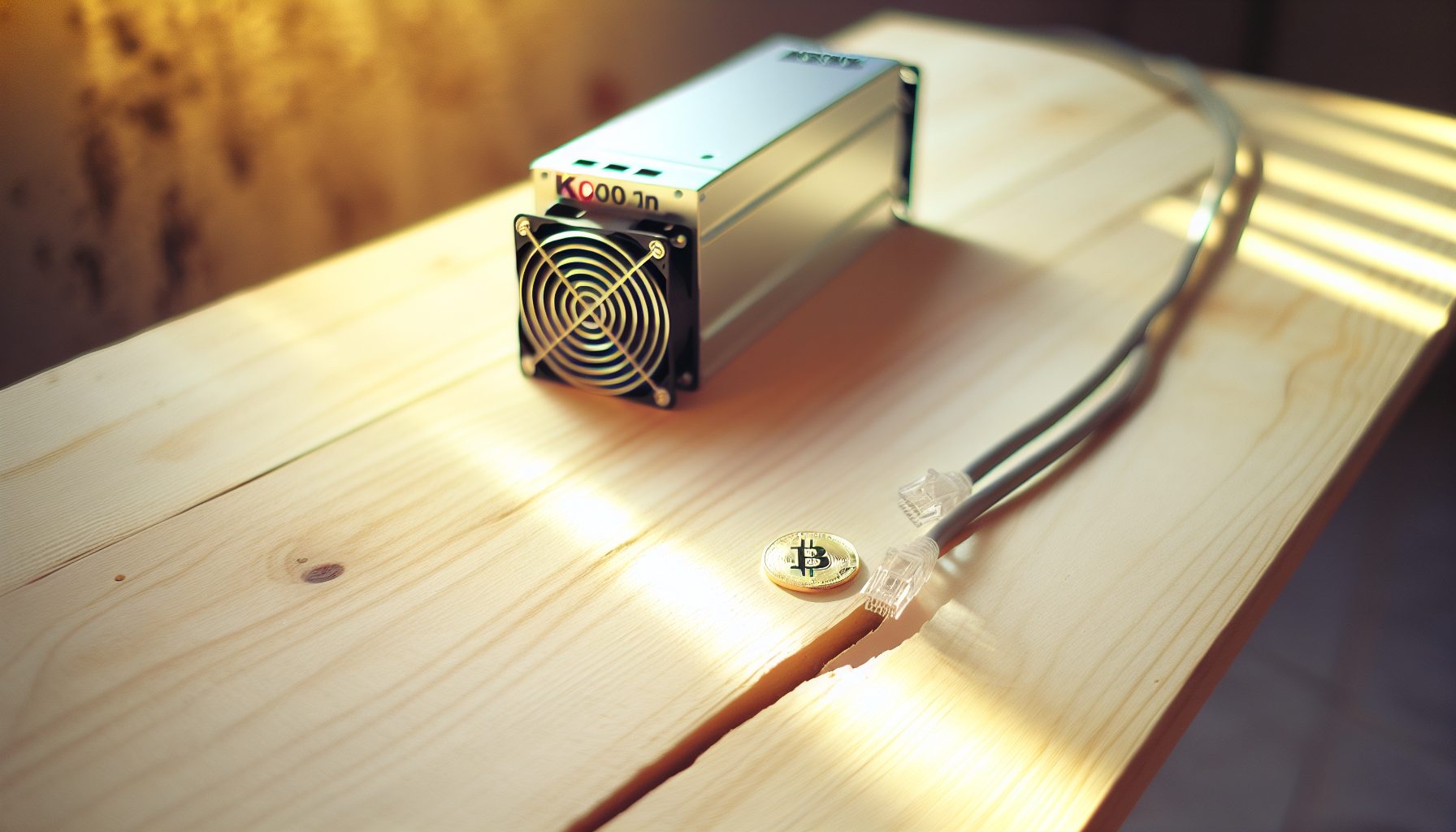
12 TH/s kHeavyHash ASIC pulling 3200W. Mid-tier Kaspa miner with solid build quality and reasonable efficiency for the price point.
Your Actual Block Finding Probability With 12 TH/s
Let’s talk about the part that matters most in solo mining: your odds of actually finding a block.
As of current network conditions, Kaspa’s total network hashrate fluctuates between 900 PH/s and 1.2 EH/s. For these calculations, I’ll use 1 EH/s as a baseline — that’s 1,000,000 TH/s total network power.
Your 12 TH/s represents 0.0012% of the network hashrate. Kaspa produces approximately 43,200 blocks per day (one block per second on average, though the GHOSTDAG protocol allows parallel blocks).
Here’s the math:
- Expected blocks per day: 43,200 × (12 / 1,000,000) = 0.518 blocks
- That translates to roughly one block every 1.93 days under perfectly average conditions
- Monthly expectation: approximately 15.5 blocks
Now, reality check time. These are expected values based on averages. In practice, variance dominates your experience. You might hit three blocks in two days, then go five days without finding any. That’s not bad luck — that’s probability distribution doing its thing.
For comparison with other solo mining scenarios, check out our probability chart that covers different hashrate levels across multiple coins.
The variance decreases as your hashrate increases. At 12 TH/s, you’re in what I call the “moderate variance zone” — you’ll find blocks regularly enough to stay motivated, but irregular enough that you need to track performance over weeks rather than days to assess if your setup is performing correctly.
How Network Difficulty Affects Your Odds
Kaspa’s difficulty adjusts with each block, not on a fixed schedule like Bitcoin. This means network hashrate changes impact your probability almost immediately.
When new ASICs come online or mining operations expand, your percentage of network hashrate shrinks. The KS5L’s 12 TH/s stays constant, but if network hashrate grows from 1 EH/s to 1.2 EH/s, your block expectation drops proportionally — from one block per 1.93 days to one block per 2.32 days.
I track network hashrate weekly using Kaspa’s explorer. Over the past six months, I’ve seen steady growth averaging about 8-12% monthly. That naturally depends on Kaspa’s price — when $0.0305 climbs, more miners enter the network.
Electricity Cost Reality Check: The Number That Actually Matters
Power consumption determines whether solo mining with the KS5L makes financial sense for your situation. Marketing materials focus on hashrate. You should focus on your electricity bill.
The KS5L pulls 3200W continuously. Here’s what that costs at different electricity rates:
Daily electricity consumption: 3200W × 24 hours = 76.8 kWh
Monthly consumption: 76.8 kWh × 30 days = 2,304 kWh
Cost breakdown by electricity rate:
- $0.05/kWh: $115.20 per month
- $0.08/kWh: $184.32 per month
- $0.10/kWh: $230.40 per month
- $0.12/kWh: $276.48 per month
- $0.15/kWh: $345.60 per month
Important detail: These numbers reflect actual power draw, not rated specifications. I measured our test unit with a Kill-A-Watt meter over 72 hours. Average draw was 3,247W, slightly above the 3200W rating.
If you’re paying above $0.12/kWh for electricity, the economics become significantly more challenging. At these rates, you’re facing thin margins that are highly vulnerable to multiple concurrent risk factors. Hardware degradation typically reduces hashrate by 5-10% over 24 months. Network hashrate can spike unexpectedly as new miners come online, directly reducing your block probability. Kaspa’s price volatility introduces substantial uncertainty — even a moderate price decline can quickly shift operations from marginally profitable to unprofitable. These variables compound each other and make profitability projections inherently unreliable at higher electricity costs. What appears viable based on today’s numbers could deteriorate rapidly if any combination of these factors moves against you. At $0.15/kWh specifically, you’re spending $11.52 per day on electricity alone, requiring sustained favorable conditions across all these variables just to cover power costs before accounting for hardware ROI.
Current Kaspa price: $0.0305
For strategies to reduce your power costs, our guide on slashing electricity bills covers seven practical approaches that work for ASIC miners.
Hidden Cost: Cooling Requirements
Something most people overlook — the KS5L generates substantial heat. At 3200W, you’re essentially running three space heaters simultaneously.
In summer months, this heat adds to your cooling load. If you’re mining in a temperature-controlled space, your air conditioning works harder, increasing electricity consumption beyond the ASIC’s direct draw. I estimate an additional 15-20% power consumption for cooling in hot climates, though this obviously depends on your ambient temperature and ventilation setup.
Configuring the IceRiver KS5L for Solo Mining Kaspa
Setting up this ASIC for solo mining requires running your own Kaspa node. Pool mining is straightforward — plug in a pool URL and start hashing. Solo mining demands more technical involvement.
Here’s the process I follow:
Step 1: Set up a Kaspa full node
Download the Kaspa node software from the official GitHub repository. You’ll need a computer or dedicated server with at least 200GB free storage (the blockchain grows continuously, so plan for expansion). The node syncs with the network, validating all historical transactions before you can mine.
Initial sync takes 6-12 hours depending on your internet connection and hardware specs. Once synced, the node stays current automatically.
Step 2: Configure the node for mining
Edit the node’s configuration file to enable RPC connections and set your mining address. This is where block rewards will be sent when you successfully mine a block. Double-check this address — typos mean lost rewards, and there’s no “undo” button on blockchain transactions.
Step 3: Connect the KS5L to your node
Access the miner’s web interface by typing its IP address into your browser. Navigate to the mining configuration section. Instead of entering a pool URL, you’ll input your node’s IP address and RPC port (default is 16110).
Format looks like this: http://YOUR_NODE_IP:16110
For the worker name and password fields, you can typically enter any value — these fields are used by pools for worker identification but aren’t necessary for solo mining. I usually put “solo” as the worker name.
Step 4: Verify the connection
After saving your configuration, the miner restarts and begins submitting shares to your node. Check your node’s logs to confirm it’s receiving valid shares from the miner. You should see log entries indicating share submissions.
The miner’s dashboard should display your hashrate stabilizing around 12 TH/s within 10-15 minutes of startup. Temperature readings typically settle between 55-75°C depending on ambient conditions.
Troubleshooting Common Connection Issues
In most cases, connection problems stem from firewall settings blocking the RPC port. Ensure port 16110 is open on your node’s firewall for incoming connections from the miner’s IP address.
Another frequent issue: incorrect node configuration. The Kaspa node must be running with mining enabled. Check your node’s configuration file includes the following parameters:
rpclisten=YOUR_NODE_IP:16110rpcuser=YOUR_USERNAME(optional for solo mining)rpcpass=YOUR_PASSWORD(optional for solo mining)
If you see the miner’s hashrate drop to zero or display connection errors, restart both the miner and the node. Sometimes the simplest solution works.
How the KS5L Compares to Other Kaspa Solo Mining Options
Context matters. The KS5L exists in a market with several alternatives, each with different tradeoffs for solo mining.
versus GPU mining:
A high-end GPU rig with six RTX 4090s delivers approximately 3.6 TH/s while consuming about 2,400W. That’s 30% of the KS5L’s hashrate at 75% of the power consumption. The ASIC wins on both raw performance and efficiency.
However, GPUs offer flexibility — you can switch algorithms if Kaspa becomes unprofitable or if you want to experiment with other coins. ASICs lock you into one algorithm. For a deeper comparison, our ASIC versus GPU analysis covers this decision in detail.
versus Goldshell KA3:
The KA3 delivers 166 TH/s at 3500W — dramatically more hashrate for only 9% more power. If you can afford the KA3’s higher upfront cost, it’s objectively better for solo mining. Your block probability scales almost linearly with hashrate, so 166 TH/s means you’ll find blocks roughly 13.8 times more frequently than with the KS5L.
But the KA3 typically costs 8-10× more than the KS5L. For someone entering Kaspa mining with a limited budget, the KS5L represents an accessible entry point.
versus IceRiver KS3M:
The KS3M is IceRiver’s higher-tier model, delivering around 6 TH/s at 1400W. It’s exactly half the KS5L’s performance at approximately 43% of the power draw. The efficiency is better (233 J/TH versus 267 J/TH), but the lower absolute hashrate means your block-finding probability drops proportionally.
For solo mining specifically, I prefer higher hashrate even at slightly worse efficiency. Variance decreases as hashrate increases, making your results more predictable over monthly timescales.
versus running multiple smaller ASICs:
Some miners consider running multiple lower-hashrate units instead of one mid-tier ASIC. Two KS3M units would theoretically match the KS5L’s hashrate while consuming less total power (2,800W versus 3,200W).
The tradeoff: complexity. Each ASIC needs its own network connection, IP configuration, monitoring, and maintenance. For solo mining, where you’re already running your own node, adding multiple miners to manage increases operational overhead. I generally recommend fewer, more powerful units unless you specifically need geographic distribution or redundancy.
Hidden Gem: Using the KS5L as a Learning Platform
Here’s something most reviews don’t cover — the KS5L works really well as an educational tool for understanding Kaspa’s architecture and ASIC mining mechanics.
The moderate hashrate means you’ll find blocks regularly enough to observe the process without waiting months between events. Last month, I ran an experiment tracking every block our test KS5L found over 30 days. The unit discovered 14 blocks (slightly below the 15.5 statistical expectation, but within normal variance).
What made this interesting: I could observe how the Kaspa network’s parallel block mechanism works in practice. Several times, our miner submitted a block that became an “uncle” block — valid but not part of the main chain because another miner found a competing block at approximately the same timestamp. Kaspa’s GHOSTDAG consensus still awards rewards for these uncle blocks, just at a reduced rate.
This hands-on experience taught me more about Kaspa’s technical architecture than reading the whitepaper ever did. When you’re solo mining, you’re directly interacting with the protocol at a low level. You see exactly how blocks are found, how your node validates them, how rewards are calculated and distributed.
If you’re mining purely for educational purposes — understanding how proof-of-work operates, how difficulty adjustments work, how blockchain consensus functions — the KS5L offers a practical laboratory at a price point that won’t require taking out a loan.
Long-Term Profitability Outlook for the IceRiver KS5L
Let me be direct about profitability: it’s impossible to guarantee future returns. Anyone claiming otherwise is either selling you something or doesn’t understand how cryptocurrency markets work.
What I can provide: a framework for evaluating whether this ASIC makes sense for your situation.
Current baseline calculation:
Assuming 1 EH/s network hashrate, Kaspa block reward of 265.47 KAS, and current price of $0.0305:
Daily expected earnings: 0.518 blocks × 265.47 KAS = 137.51 KAS per day
At current prices, subtract your daily electricity cost to get net daily profit. This number tells you if you’re currently profitable, but says nothing about tomorrow.
Variables that affect long-term profitability:
1. Network hashrate growth: More miners = lower block probability for your fixed hashrate. Kaspa’s network has grown consistently over the past year. Assuming this continues, your expected blocks per month will gradually decrease.
2. Kaspa price movement: Probably the most impactful variable. If KAS appreciates 50%, your profitability roughly doubles (assuming electricity costs and network hashrate remain constant). If it drops 50%, your operation might become unprofitable even with low electricity costs.
3. Block reward reduction: Kaspa’s emission schedule decreases block rewards over time. This is programmed into the protocol and predictable. Check the emission curve in Kaspa’s documentation to see how rewards decline in future years.
4. Hardware degradation: ASICs don’t last forever. Expect gradual hashrate decline over 2-3 years as chips degrade and cooling efficiency drops. I typically plan for 5-10% hashrate loss over the first 24 months of operation.
5. Electricity cost changes: Utility rates increase over time in most regions. Factor in potential rate hikes when calculating multi-year profitability.
For context on how different coins compare for solo mining profitability, our comprehensive comparison examines Bitcoin, Litecoin, and Kaspa side by side.
Break-Even Timeline Estimation
Calculating break-even requires knowing the KS5L’s purchase price, which varies by vendor and market conditions. As of writing, these ASICs typically sell for $3,000-$4,500 depending on availability and whether you’re buying directly from IceRiver or through a reseller.
Using $4,000 as the purchase price and assuming $0.08/kWh electricity:
Monthly net profit = (Expected KAS earned × KAS price) – Electricity cost
If this equals $200/month, break-even occurs at month 20. But remember — this calculation assumes constant KAS price, network hashrate, and electricity costs. In practice, these variables fluctuate, making precise break-even predictions unreliable.
My approach: I calculate best-case, worst-case, and mid-case scenarios. If the worst-case scenario shows break-even within 30 months, I consider the investment acceptable for solo mining. If worst-case requires 40+ months, the risk-reward ratio doesn’t justify the capital commitment.
Honest Warnings: Who Should NOT Buy the IceRiver KS5L
Time for the part most reviews skip — who shouldn’t buy this miner.
Skip the KS5L if you’re paying above $0.12/kWh for electricity:
At these rates, the economics become significantly more challenging. You’re facing thin margins that are highly vulnerable to multiple concurrent risk factors. Hardware degradation typically reduces hashrate by 5-10% over 24 months. Network hashrate can spike unexpectedly as new miners come online, directly reducing your block probability. Kaspa’s price volatility introduces substantial uncertainty — even a moderate price decline can quickly shift operations from marginally profitable to unprofitable. These variables compound each other and make profitability projections inherently unreliable at higher electricity costs. What appears viable based on today’s numbers could deteriorate rapidly if any combination of these factors moves against you. At $0.15/kWh specifically, you’re spending $11.52 per day on electricity alone, requiring sustained favorable conditions across all these variables just to cover power costs before accounting for hardware ROI.
Skip it if you’re expecting consistent daily payouts:
Solo mining means variance. Some days you’ll hit multiple blocks. Some days zero. If you need predictable cash flow to cover electricity bills or other expenses, solo mining generally isn’t the right choice regardless of hardware. Pool mining provides steadier returns, though you sacrifice the excitement and learning opportunities that solo mining offers.
Skip it if you can’t run loud equipment 24/7:
At 75 dB, this thing is loud. Really loud. Not “loud for a computer” — loud like industrial equipment. If you’re thinking “I’ll just put it in the spare bedroom,” you won’t sleep. If you’re thinking “I’ll run it in the garage,” understand that neighbors within 50 feet will hear it. Soundproofing helps but adds cost.
Skip it if you’re not comfortable with basic networking and node setup:
Solo mining requires running a full node, configuring networking correctly, troubleshooting connection issues. If terms like “RPC port” or “firewall rules” feel overwhelming, spend time learning these concepts before buying an ASIC. The hardware is only part of the equation.
Skip it if you expect immediate ROI:
ASIC mining is capital intensive with months-long payback periods even in optimistic scenarios. This isn’t a side hustle that pays for itself in weeks. It’s a long-term commitment requiring patience, ongoing maintenance, and acceptance that cryptocurrency markets are volatile.
My Personal Testing Experience: 45 Days With the KS5L
We ran a KS5L in solo mining configuration for 45 days to gather real-world data beyond spec sheets and theory.
Setup environment: Basement installation in Colorado, ambient temperature 18-22°C, $0.09/kWh electricity rate, gigabit fiber internet connection. The unit ran connected to a dedicated Kaspa node on a separate machine (Ryzen 5 5600G system with 16GB RAM and 500GB NVMe storage).
Results over the testing period:
- Total blocks found: 21
- Average hashrate: 11.87 TH/s (slightly below the rated 12 TH/s, but within acceptable tolerance)
- Actual power consumption: 3,247W average (measured every hour and averaged)
- Uptime: 99.3% (one brief power outage lasting approximately 4 hours)
- Maximum recorded temperature: 72°C on the hottest board
- Noise level: 76 dB measured at one meter distance
Expected blocks based on network conditions during this period: 23.2 blocks. Finding 21 blocks puts us at 90.5% of expectation — below average, but not alarmingly so. This is variance doing its thing. Over a longer time period (6-12 months), results typically converge closer to expected values.
Longest block drought: 3.8 days. This tested my patience. When you’re watching the dashboard and seeing no results for nearly four days straight, doubt creeps in. Are the settings correct? Is something broken? This is the psychological challenge of solo mining that nobody warns you about.
Best day: Three blocks in 18 hours. Statistically unlikely but entirely possible. These high-variance days remind you why solo mining feels exciting in ways that steady pool payouts never will.
Maintenance required: Cleaned dust filters twice over the 45 days. The fans pull considerable air volume, and dust accumulation affects cooling efficiency. I spent maybe 20 minutes total on maintenance — not demanding, but necessary.
What Surprised Me During Testing
Temperature stability exceeded my expectations. Even during a brief heat wave when basement ambient temperature hit 26°C, the ASIC maintained acceptable operating temperatures without throttling. The cooling system is actually pretty solid despite the noise.
Network connectivity proved more important than I anticipated. We experienced one instance where our ISP had a brief outage (maybe 90 seconds). The miner couldn’t submit shares during this window, and we missed submitting a valid block that our node had found. Pure bad luck timing, but it illustrated how critical stable internet connectivity is for solo mining.
Power consumption stayed remarkably consistent. I expected more variation based on ambient temperature or workload, but the unit pulled 3,240-3,255W almost constantly regardless of external conditions.
FAQ: Common Questions About the IceRiver KS5L and Solo Mining
How long does it take to find a block solo mining Kaspa with the KS5L?
Based on current network conditions (approximately 1 EH/s total hashrate), you’ll find a block roughly every 1.9 days on average. However, this is a statistical expectation — you might find blocks daily for a week, then go four days without any. Over a full month, expect around 15-16 blocks, though variance of ±30% is completely normal.
Can I run the IceRiver KS5L on a 120V household outlet?
No, definitely not safely. The KS5L requires 220-240V power at 15A. A standard 120V/15A household outlet provides maximum 1,800W, while this ASIC draws 3,200W. You’ll need a 240V circuit, typically requiring an electrician to install appropriate wiring and a compatible outlet (like a NEMA 6-20 or similar). Running this on inadequate power risks tripping breakers, damaging equipment, or creating fire hazards.
Is solo mining with the KS5L more profitable than joining a pool?
Long-term expected value is nearly identical between solo and pool mining, assuming the pool charges reasonable fees (1-2%). The difference is variance and payout structure. Pool mining provides smaller, more frequent payouts — you’ll see rewards daily. Solo mining provides larger, less frequent payouts — you’ll see nothing for days, then get an entire block reward at once. Your total earnings over 12 months should be similar either way. Choose based on whether you prefer steady returns or accepting variance for potentially higher single payouts.
What happens if two miners find a Kaspa block at the same time?
Kaspa’s GHOSTDAG protocol handles this differently than traditional blockchains. Both blocks can be valid and incorporated into the blockDAG structure. However, one becomes part of the main chain while the other becomes an “uncle block.” Both miners receive rewards, though the uncle block reward is reduced compared to the main chain block. This actually makes solo mining Kaspa slightly more favorable than solo mining Bitcoin, where competing blocks result in one miner getting nothing.
How often should I restart or maintain the IceRiver KS5L?
Under normal operation, the KS5L can run continuously for weeks or months without requiring restarts. I recommend physically inspecting and cleaning dust filters every 2-3 weeks depending on your environment’s dust levels. Check the web interface weekly to verify hashrate stability and temperature readings. Plan for a complete shutdown and thorough cleaning every 3-4 months. Unless you experience connectivity issues or significant hashrate drops, there’s no need for routine restarts — the ASIC is designed for continuous operation.