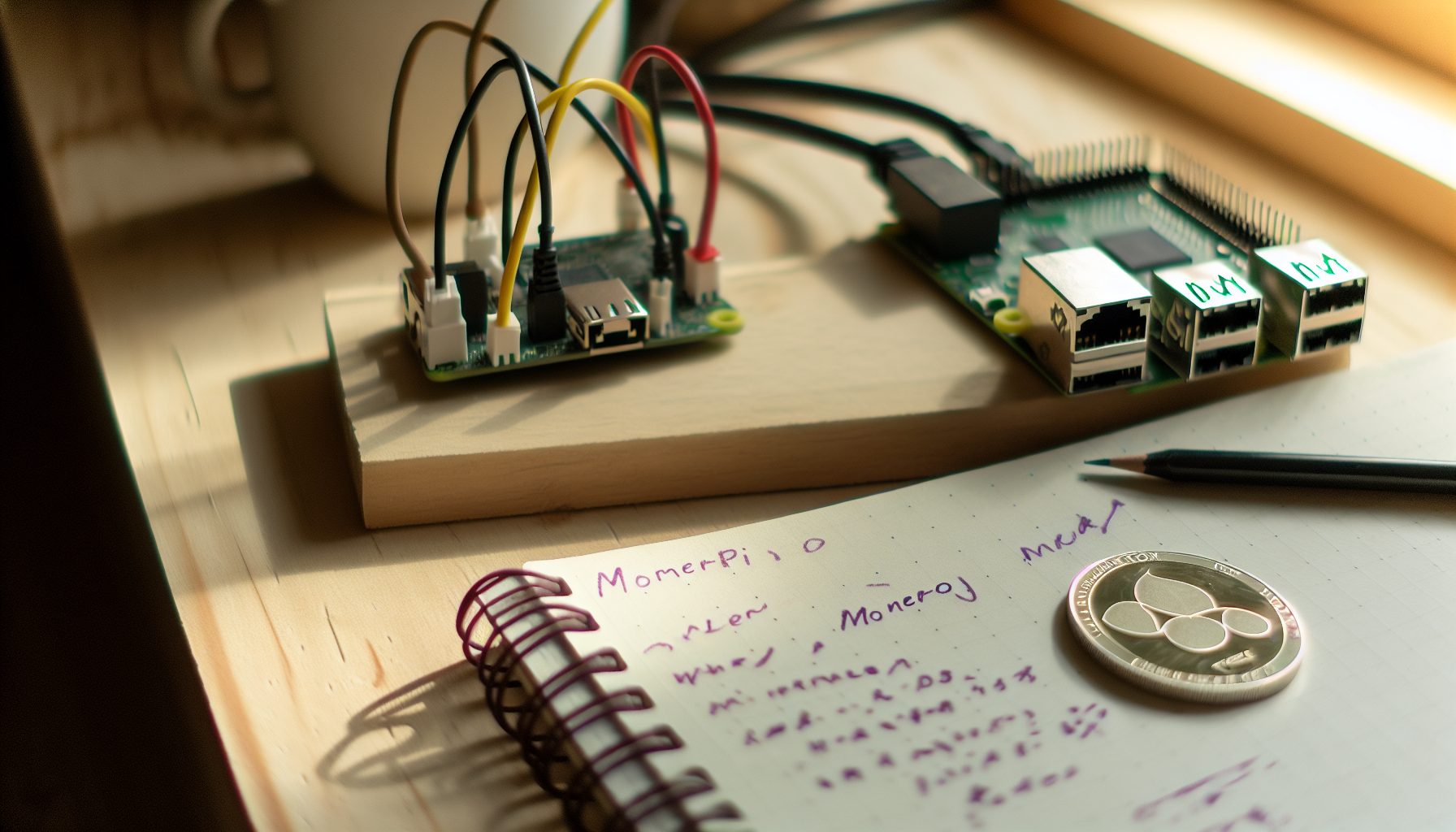
Hey, so I’ve been mining Zephyr for about four months now, and honestly? It’s become one of my favorite solo mining projects. Not because I’ve hit a block yet — trust me on this, I haven’t — but because the entire setup feels right for a solo miner who actually cares about privacy coins.
Zephyr is a relatively new privacy coin that uses the RandomX algorithm, just like Monero. That means CPU mining, which is honestly refreshing after dealing with GPU shortages and ASIC dominance in other coins. The whole project is built around something they call the Djed protocol, which creates a stablecoin system backed by the base ZEPH token. Pretty technical stuff, but what matters for us solo miners is that it’s ASIC-resistant and has reasonable network hashrate.
Here’s the thing: most people rush into solo mining whatever coin is trending on Reddit that week. I did that too at first. But with Zephyr, I actually spent time understanding why it might be a good solo target before spinning up my rigs. Let me walk you through everything I learned.
Why Solo Mining Zephyr Makes Sense (And When It Doesn’t)
Real talk: Zephyr’s network hashrate sits around 150-200 MH/s most days. That’s not tiny, but it’s not massive either. Compare that to Monero’s 2+ GH/s, and you start seeing why ZEPH could be a more realistic solo target.
The block time is 120 seconds, so 720 blocks per day. Block reward is currently around 7.5 ZEPH. Mining difficulty adjusts every block using a different algorithm than Monero — it responds faster to hashrate changes, which actually matters when you’re solo mining and trying to predict your odds.
I ran the numbers with my Ryzen 9 7950X (around 18-19 KH/s on RandomX). At current network difficulty, that gives me roughly a 1 in 7,800 chance per block. That translates to finding a block approximately every 11-13 days on average. Your actual results? Could be day three. Could be day 40. That’s solo mining for you.
But here’s where Zephyr gets interesting compared to just mining Monero solo: the network is smaller, so your relative contribution matters more. With the same hashrate on Monero, you’d be looking at months between blocks instead of weeks.
When You Should Skip Zephyr Solo Mining
Let me be honest about when this doesn’t make sense:
- You only have a weak CPU: If your processor is getting under 2 KH/s, your block odds stretch to months. At that point, you’re better off pool mining or choosing a different coin entirely.
- Your electricity costs are brutal: Anything over $0.15/kWh starts eating into profitability fast. Sure, solo mining is about the lottery ticket, but paying $50/month to chase a block worth $30 isn’t smart.
- You need predictable income: Solo mining is lumpy. If you’re trying to cover hosting costs or need steady payouts, join a pool instead. No shame in that.
- You’re expecting fast returns: I’ve been running four months without a block. That’s completely normal. If that timeline scares you, this isn’t your game.
Best CPUs for Solo Mining Zephyr in 2026
RandomX loves large L3 cache and high core counts. Here’s my honest assessment of what actually works well, based on testing and community feedback.
My Top Pick: AMD Ryzen 9 7950X
18-19 KH/s on RandomX, 128 MB L3 cache, surprisingly good power efficiency around 95W while mining. This is what I run, and it’s been rock solid for months.
This CPU is my daily driver for Zephyr solo mining. The hashrate is strong enough to give you reasonable block odds without breaking the bank on electricity. One thing I really appreciate: it doesn’t thermal throttle during summer months like my old Ryzen 5 3600 did.
Power draw stays around 95-105W during mining with PBO2 tuning. That’s way more efficient than older Ryzen chips that would pull 150W for less hashrate. If you’re serious about CPU solo mining privacy coins, this is probably where you want to land.
Budget Champion: AMD Ryzen 7 5700X
11-12 KH/s, 32 MB L3 cache, usually around $170-200. Solid value if you’re not ready to drop $400+ on a 7950X. Power consumption around 65W.
I tested this in a secondary rig for about two months. It’s pretty good for the price, honestly. You’re looking at finding a Zephyr block roughly every 18-22 days on average. Not as fast as the 7950X, but the lower upfront cost makes sense if you’re just getting started.
The efficiency is actually better than the 7950X when you calculate hashrate per watt. If your electricity situation is tight, this might be the smarter play.
Intel Alternative: Core i9-13900K
16-17 KH/s on RandomX with proper tuning. Higher power draw than AMD (around 125W), but if you’re already in the Intel ecosystem, it works fine.
Okay, so here’s my honest take on Intel for RandomX: it’s fine, but not my favorite. The hashrate is decent, but you’re burning more watts for similar performance to a 7950X. Plus, Intel chips tend to run hotter in my experience, which means more noise from your cooling setup.
That said, if you already have one of these for gaming or work, it’ll absolutely handle Zephyr solo mining. Just don’t buy one specifically for mining when AMD gives you better efficiency.
Stay Away From: Older Intel and Budget Ryzen 3
I see people on Reddit asking about mining with their i5-8400 or Ryzen 3 3200G. Here’s the deal: those chips get maybe 2-4 KH/s on RandomX. At that hashrate, you’re looking at 2-3 months between blocks on Zephyr if you’re lucky.
The electricity cost over that time period usually exceeds the block reward value. It’s just not worth it. If that’s what you’ve got, either pool mine for steady income or look at something like Raspberry Pi Bitcoin mining as a learning project instead.
Complete Solo Mining Zephyr Setup: Step by Step
Alright, let’s get into the actual setup. I’m assuming you’ve got a decent CPU from the recommendations above and you’re running either Windows or Linux. Both work fine — I actually prefer Linux for mining, but I’ll cover both.
Step 1: Install Zephyr Core Wallet
You need the full node wallet, not some lightweight version. Solo mining requires you to run the complete blockchain.
Head to the official Zephyr Protocol GitHub and download the latest release for your operating system. As of January 2026, that’s version 2.0.3 or newer. Extract the files to a folder you’ll remember — I use C:ZephyrNode on Windows or ~/zephyr on Linux.
First-time sync takes about 4-6 hours depending on your internet speed. The blockchain is around 18 GB right now, which is actually pretty light compared to some other projects. Let it fully sync before trying to mine — trust me, I tried mining while syncing once and it was a mess of orphaned shares.
Step 2: Configure Your Zephyr Node for Solo Mining
This part is important. You need to enable the RPC server so your mining software can communicate with the node.
Create a config file if one doesn’t exist. On Linux, that’s ~/.zephyr/zephyr.conf. On Windows, it’s in your data directory, usually %APPDATA%Zephyrzephyr.conf.
Add these lines:
rpc-bind-ip=127.0.0.1
rpc-bind-port=17767
rpc-login=yourusername:yourpassword
confirm-external-bind=1
Pick a strong password — seriously, don’t use “password123” or something dumb. If someone gets access to your RPC, they can potentially mess with your node.
Restart the Zephyr daemon with these flags:
zephyrd --rpc-bind-ip=127.0.0.1 --rpc-bind-port=17767 --confirm-external-bind --rpc-login=yourusername:yourpassword
You should see it start syncing or, if already synced, just running normally. Check that RPC is working by opening a new terminal and trying:
curl -u yourusername:yourpassword http://127.0.0.1:17767/json_rpc -d '{"jsonrpc":"2.0","id":"0","method":"get_info"}' -H 'Content-Type: application/json'
If you get a JSON response with block height and network info, you’re good. If not, double-check your config file and firewall settings.
Step 3: Choose and Configure Your Mining Software
For RandomX on Zephyr, you’ve got a few solid options. I’ve tested all of these personally:
XMRig is my go-to. It’s the most optimized for RandomX, supports huge pages (which boost hashrate by 10-15%), and has excellent documentation. The solo mining setup is straightforward.
SRBMiner-Multi is also really good, especially if you want to mine multiple coins on different rigs from one dashboard. I covered this in detail in my SRBMiner solo mining guide.
For this guide, I’ll focus on XMRig since that’s what most people use for RandomX coins.
Download XMRig from the official GitHub. Make sure you get the version that matches your OS. Extract it to a folder.
Here’s the config.json setup for solo mining Zephyr:
{
    "autosave": true,
    "cpu": {
        "enabled": true,
        "huge-pages": true,
        "hw-aes": null,
        "priority": null,
        "asm": true,
        "rx": [0,1,2,3,4,5,6,7,8,9,10,11,12,13,14,15]
    },
    "pools": [
        {
            "algo": "rx/0",
            "url": "127.0.0.1:17767",
            "user": "yourusername",
            "pass": "yourpassword",
            "daemon": true,
            "self-select": "ZEPHaddress"
        }
    ]
}
Replace “ZEPHaddress” with your actual Zephyr wallet address from the core wallet. The “daemon”: true flag tells XMRig you’re mining directly to a node, not a pool.
Step 4: Enable Huge Pages (This Matters)
Real talk: if you skip this step, you’re leaving like 10-15% of your hashrate on the table. Huge pages let XMRig access memory more efficiently for RandomX.
On Linux:
sudo sysctl -w vm.nr_hugepages=1280
Add that to /etc/sysctl.conf to make it permanent across reboots.
On Windows:
You need to run XMRig as administrator and enable the “Lock Pages in Memory” policy. Google “Windows huge pages XMRig” for the detailed steps — it’s a bit involved with Group Policy Editor, but there are good guides out there.
Once enabled, XMRig should show “READY” for huge pages instead of “disabled” when you start mining.
Step 5: Start Mining and Monitor
Fire up XMRig. You should see it connect to your local daemon, show your hashrate after a few seconds, and start submitting results.
Important: Solo mining doesn’t show “shares accepted” like pool mining. Instead, you’ll see periodic updates about your hashrate and occasionally “new job” messages when a new block is found on the network. Don’t panic if you don’t see constant feedback — that’s normal for solo mining.
Check your Zephyr daemon logs occasionally to make sure you’re staying in sync with the network. If your node falls behind, you could theoretically find a block that the network rejects as stale.
Real Profitability and Block Odds for Solo Mining Zephyr
Okay, let’s talk actual numbers because this is where a lot of people get unrealistic expectations.
Current Zephyr network hashrate: approximately 180 MH/s (this fluctuates, check Zephyr block explorer for live stats)
Block reward: 7.5 ZEPH
Block time: 120 seconds (720 blocks per day)
Current ZEPH price: varies significantly, typically $5-8 per coin in early 2026
With a Ryzen 9 7950X at 18.5 KH/s:
- Your percentage of network hashrate: 0.0103%
- Blocks per day you’d expect to find: 0.074 blocks (roughly 1 block every 13.5 days)
- Block reward value at $6 per ZEPH: $45
- Monthly expectation: ~2.2 blocks worth ~$99
Now here’s the solo mining reality check I always give people: those numbers are averages. You could hit three blocks in one week. You could go 40 days with nothing. I’ve watched my probability calculator say “you should have found 2.3 blocks by now” while sitting at zero. That’s the nature of the game.
For context on how variance works in solo mining, I wrote a detailed guide about solo mining probability and block finding odds that breaks down the math.
Electricity Cost Reality
My 7950X pulls about 100W during mining. At $0.12/kWh (my rate), that’s:
- 2.4 kWh per day
- $0.288 per day
- $8.64 per month
So if I hit my expected 2.2 blocks per month worth ~$99, my profit after electricity is around $90. Not bad, honestly. But if I have an unlucky month and only find one block ($45), suddenly my profit drops to $36. And if I get really unlucky and find zero blocks? I’m down $8.64 for the month with nothing to show.
This is why people with high electricity costs struggle with solo mining. If you’re paying $0.20/kWh or more, your margins get really tight really fast.
Alternative Approaches: When to Use Solo Mining Pools
Okay, so there’s technically another way to solo mine Zephyr that I should mention: solo mining pools like Public-Pool.io.
These aren’t traditional pools. You’re still trying to find complete blocks yourself, but the pool handles the node infrastructure and blockchain sync for you. You just point your miner at their server, and if you find a block, you get the full reward minus a small fee (usually 0.5-2%).
When this makes sense:
- You don’t want to run a full node
- Your internet connection is unstable
- You’re mining on a laptop or system where running the daemon 24/7 isn’t practical
- You want to quickly test if your hashrate is working before committing to full node setup
I actually started solo mining Zephyr on a solo pool for the first two weeks while my node was syncing. It worked fine, but I switched to my own node because I’m paranoid about trusting third parties with block submissions. In most cases, it’s totally fine though.
The setup is basically identical to pool mining — just point XMRig at their server with your ZEPH address as the username. No daemon configuration needed.
Comparing Zephyr to Other RandomX Solo Mining Options
Since you’re considering Zephyr, you’re probably also wondering about other RandomX coins. Let me give you my honest comparison:
Monero (XMR)
Monero is the big one — 2+ GH/s network hashrate. With 18 KH/s, you’re looking at roughly one block every 280-320 days. That’s… a long time. Block reward is higher (currently around 0.6 XMR worth ~$120-150), but the wait is brutal.
I covered this in depth in my Monero solo mining with Ryzen 9 7950X guide. Honestly, unless you have multiple high-end CPUs running 24/7, Monero solo mining is more of a “hope for a miracle” lottery ticket than a realistic strategy.
Wownero (WOW)
Smaller network (~20-30 MH/s), faster blocks, way cheaper coin price. You’d find blocks more frequently than Zephyr, but each block is worth less. If you’re just chasing the dopamine hit of seeing “BLOCK FOUND!” in your logs, Wownero might actually be more fun.
But from a value perspective? Zephyr wins for me. The blocks are worth enough to feel meaningful, but not so rare that you never find them.
ArQmA (ARQ) and Other Small RandomX Coins
There are a bunch of tiny RandomX coins out there with sub-10 MH/s network hashrates. You’ll find blocks constantly — sometimes multiple per day.
The problem? Most of them have basically zero liquidity. You find 20 blocks, and then you’re stuck with a coin you can’t sell anywhere. I wasted a month on one of these coins before realizing the only exchange listing it had $200 daily volume. Lesson learned.
Common Issues and Troubleshooting Solo Mining Zephyr
Let me save you some headaches by covering the issues I ran into:
XMRig Connects but Shows 0 H/s
This usually means huge pages aren’t working. Check the startup output — if you see “FAILED” or “disabled” next to huge pages, go back and fix that setup. On Windows, make sure you’re running as administrator.
Daemon Won’t Start or Crashes
Check your disk space. The blockchain needs about 18 GB plus room for growth. I ran out of space once on a cheap VPS and spent two hours figuring out why my daemon kept crashing.
Also verify your config file doesn’t have syntax errors. One misplaced comma killed my daemon once and I spent 30 minutes debugging it.
Network Hashrate Shows Way Different Than Expected
Zephyr’s network hashrate bounces around quite a bit. I’ve seen it spike to 250 MH/s during pumps and drop to 120 MH/s during quiet periods. This affects your block odds significantly, so I check the explorer every few days to adjust my expectations.
Mining on Laptop Gets Too Hot
Yeah, don’t do that. I tried mining on my laptop for “testing purposes” and it thermal throttled within 20 minutes. Laptops aren’t designed for sustained 100% CPU load. You’ll kill it.
If you must mine on a laptop, at least use MSI Afterburner or similar to cap your CPU power limit to like 60% so it doesn’t cook itself.
The Psychology of Solo Mining Zephyr: What to Actually Expect
Here’s something nobody talks about enough: solo mining messes with your head.
I check my mining rig way too often. Like, I’ll wake up at 2 AM sometimes and just peek at the logs to see if a block came in. It hasn’t yet. But the possibility that maybe tonight is the night keeps me hooked.
This is completely different from pool mining where you see steady, predictable growth. Solo mining is feast or famine. Some days you’re checking the explorer every hour thinking “this next block could be mine.” Other days you forget the miner is even running.
I wrote an entire article about solo mining psychology and managing expectations because honestly, the mental game is harder than the technical setup.
My advice? Set it up, make sure it’s running stable, and then try to forget about it for a week. Don’t check constantly. You’ll drive yourself crazy. I set a Discord webhook that pings me if a block is found, so I don’t have to constantly monitor.
Is Solo Mining Zephyr Worth It in 2026?
Okay, final honest assessment.
Zephyr is probably in my top three solo mining targets right now for CPU miners. The network hashrate is low enough that blocks feel achievable, the coin has actual development behind it (the Djed protocol stuff is genuinely interesting from a technical perspective), and the RandomX algorithm means you’re competing on relatively even ground without ASIC dominance.
But — and this is important — it’s still gambling. You’re betting your electricity costs and time on the probability that you’ll hit blocks at a rate that makes it worthwhile. Some months you’ll be up. Some months you’ll be down.
If you’re okay with that variance, if you think privacy coins have long-term potential, and if you’ve got a decent CPU pulling under 120W, then yeah, solo mining Zephyr makes sense.
If you need predictable income or you’re trying to flip a profit every single month no matter what, join a pool instead. There’s no shame in pool mining — it’s just a different strategy.
For me? I’m keeping my 7950X pointed at Zephyr for the foreseeable future. I believe in the solo mining philosophy of actually contributing to network decentralization instead of just pointing hashrate at massive pool operators. Plus, honestly, finding that first block is going to feel amazing after months of waiting.
When it happens — and statistically, it should happen — I’ll probably update this article with the exact moment and my reaction. Until then, I’m just another solo miner grinding away at the odds.
Frequently Asked Questions
Can I solo mine Zephyr with a GPU?
No. Zephyr uses the RandomX algorithm, which is specifically designed for CPU mining and performs terribly on GPUs. Even high-end graphics cards get worse hashrates than a decent CPU while burning way more power. If you want to solo mine with GPUs, check out coins like Neoxa on KawPow or Clore.ai on Blake3 instead.
How long until I find my first Zephyr block solo mining?
It depends entirely on your hashrate and luck. With a strong CPU like a Ryzen 9 7950X (~18 KH/s), you’re looking at an average of one block every 12-15 days at current network difficulty. But “average” is misleading — you could find one tomorrow or go a month without hitting anything. That’s the variance of solo mining. I explained the probability math in detail in my solo mining probability chart guide.
Is Zephyr better for solo mining than Monero?
For most miners, yes. Monero’s network hashrate is about 10-12x higher than Zephyr’s, which means you’ll wait 10-12x longer between blocks. Unless you have a massive CPU farm, Monero solo mining becomes unrealistic for regular miners. Zephyr offers a better balance of block frequency while still being a legitimate privacy coin with real development.
Can I mine Zephyr and another coin simultaneously on the same CPU?
Technically possible but not recommended. RandomX needs full CPU resources to perform well — splitting your processor between two coins will roughly halve your hashrate on both, which kills your block odds. You’re better off picking one coin and dedicating full hashrate to it. If you want to diversify, consider solo mining multiple coins simultaneously on different rigs or mixing CPU coins with GPU coins.
What happens if I find a block while my node is syncing?
You lose it. Your node needs to be fully synced and in agreement with the rest of the network for your block submission to be valid. If you submit a block while behind the network, it’ll get rejected as orphaned. This happened to me once on a different coin when my internet dropped for a few hours and my node fell behind. By the time I realized it, I had mined for 6 hours on a stale blockchain. Those potential blocks never had a chance. Keep your node synced.