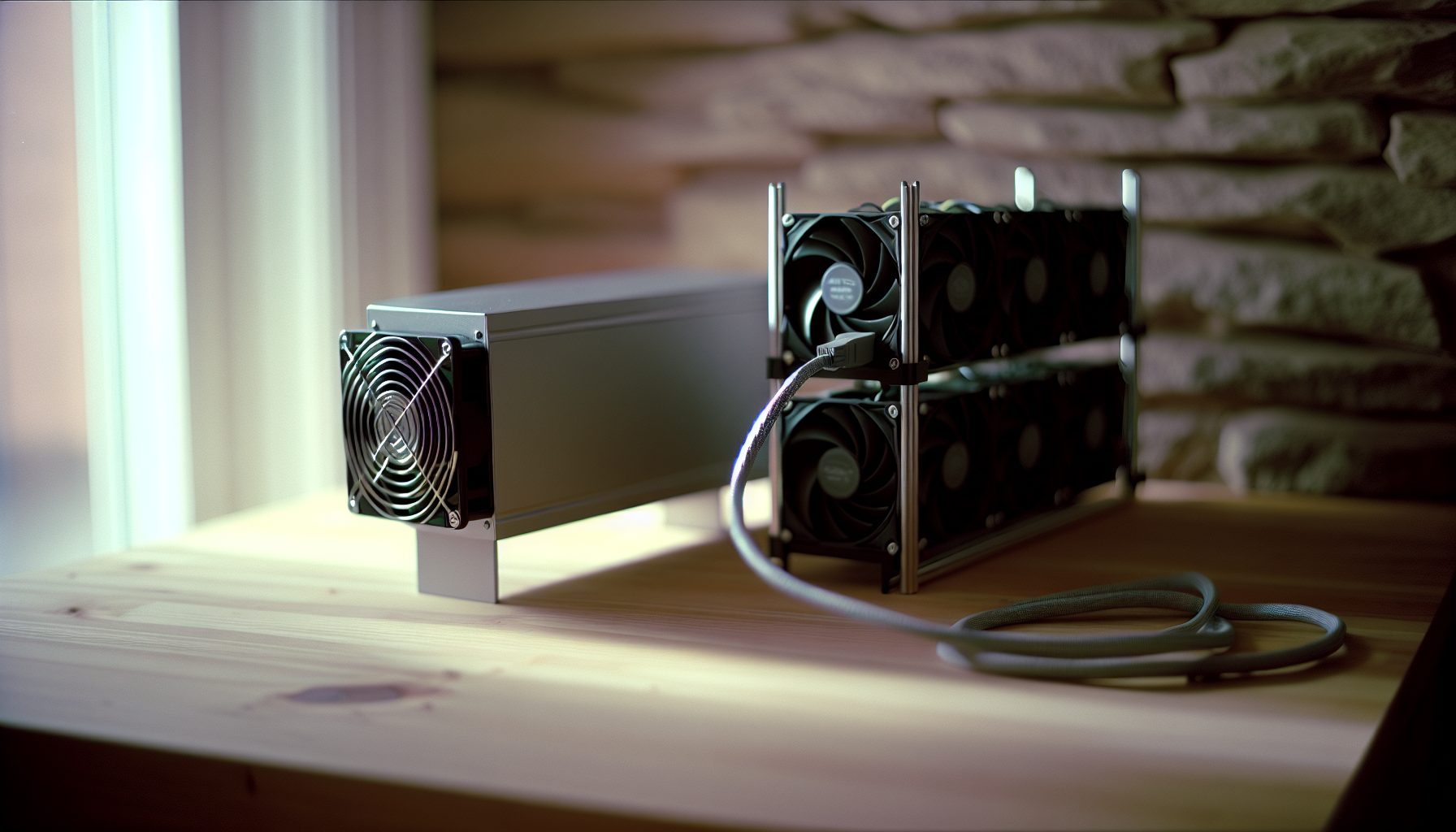
Why Kaspa Solo Mining Still Makes Sense (And When It Doesn’t)
Let me be straight with you: solo mining Kaspa isn’t like solo mining Bitcoin. The network difficulty is lower, blocks come faster, and your odds are actually… well, they’re still a lottery, but a much friendlier one. I’ve been running both ASICs and GPUs on Kaspa since early 2026, and the choice between them isn’t as obvious as you’d think.
Kaspa’s current price sits at $0.0293, and the BlockDAG architecture makes it fundamentally different from traditional blockchains. Instead of one block every 10 minutes (Bitcoin style), Kaspa churns out blocks every second. That changes the solo mining math completely.
Here’s the thing though: whether you should grab a Kaspa ASIC or stick with GPUs depends on three factors that most articles skip over. Your electricity rate, your risk tolerance, and honestly, whether you’re in this for the lottery ticket excitement or actual consistent returns.
I’ll walk you through both options with real numbers from my own setups. No BS about revolutionary technology or guaranteed profits. Just the practical stuff you need to know before buying hardware.
Understanding Kaspa’s kHeavyHash Algorithm for Solo Mining
Kaspa runs on kHeavyHash, which is a modified version of the original HeavyHash algorithm. What matters for us solo miners is that it’s ASIC-friendly but GPUs can still compete — at least for now.
The algorithm was designed to be memory-hard enough to resist instant ASIC domination, but not so complex that ASICs couldn’t eventually be built. We’re in that middle period right now where both options are viable. That window won’t stay open forever.
Network hashrate sits around 1.2 PH/s in early 2026. Block time is approximately 1 second, with a current block reward of 155.18 KAS (this decreases by chromatic halvings, basically a smooth emission curve rather than sudden drops).
For solo mining calculations, this matters because you’re competing against that entire 1.2 PH/s for each block. Your individual hashrate divided by network hashrate gives you your probability per block. With 86,400 blocks per day, you can actually calculate meaningful odds.
Small effort, big impact: Understanding these numbers helps you set realistic expectations. If you bring 100 GH/s to the network, you’re looking at roughly one block every 138 days statistically. That’s very different from Bitcoin’s “maybe never” odds with small hardware.
Kaspa ASICs: The Dedicated Hardware Option for Solo Mining
The ASIC market for Kaspa is still relatively young, but several manufacturers jumped on it fast. These machines are purpose-built for kHeavyHash and nothing else. That specialization means efficiency, but also risk if Kaspa tanks or the algorithm changes.
IceRiver KS3M: The Current Sweet Spot
Delivers 6 TH/s at 3400W. Power-hungry but competitive efficiency at 0.567 J/GH. Realistically your best ASIC option for solo mining Kaspa right now.
I don’t own one of these yet, but I’ve watched the market carefully. The KS3M hits a good balance between hashrate and availability. At 6 TH/s, you’d statistically find a Kaspa block every 2.3 days. That’s actually feasible for solo mining.
The power draw is the killer though. 3400W means about 81.6 kWh per day. At my electricity rate of $0.12/kWh, that’s $9.79 daily in power costs. With current Kaspa prices and block rewards, you’d make roughly $45-50 per day mining to a pool. Solo mining, you’d get that same $45-50 worth every 2-3 days when you hit a block — but nothing in between.
Budget tip: If you’re seriously considering an ASIC for Kaspa solo mining, run it for a month on a pool first. Get comfortable with the noise, heat, and power draw before you switch to solo. These machines are loud — around 75 dB — and they generate serious heat.
IceRiver KS3L: The Smaller Alternative
Higher hashrate at 8 TH/s but pulls 3200W. Slightly better efficiency. Gives you better solo odds but competes with KS3M on price.
The KS3L is actually newer and theoretically better, but availability has been spotty. At 8 TH/s, you’re looking at finding a block every 1.7 days statistically. That starts to feel less like pure gambling and more like chunky payouts.
Power efficiency is marginally better at 0.4 J/GH. Still costs you about $9.22 per day in electricity at typical rates.
Bitmain KS3: The Enterprise Beast
Bitmain released the Antminer KS3 with a hefty 8.3 TH/s at 3188W. It’s essentially competing directly with IceRiver’s offerings. I honestly wouldn’t say one is clearly better than the other — comes down to which you can actually buy at a reasonable price and delivery time.
These large ASICs make sense for solo mining Kaspa if you’re comfortable with the variance. With 8+ TH/s, you’re in that zone where you might actually hit blocks regularly enough to smooth out the luck factor over a few months.
Stay Away From: Older Kaspa ASICs
The first-generation Kaspa miners like the IceRiver KS0 and KS1 are still floating around the used market. The KS0 delivers only 100 GH/s. The KS1 pushes 1 TH/s.
For solo mining, these are basically pointless now. At 1 TH/s, you’d find a block every 13-14 days statistically. That’s too long for most people’s patience, and the efficiency is worse than newer models. Unless you’re getting one dirt cheap for the lottery ticket fun, skip them.
GPU Mining Kaspa: The Flexible Alternative for Solo Miners
Here’s where things get interesting. GPUs can’t match ASIC efficiency on Kaspa anymore, but they offer flexibility that ASICs can’t touch. If Kaspa becomes unprofitable, you can switch algorithms. If you hit a dry spell solo mining, you can pool mine for a week to cover electricity.
I run a mixed rig of NVIDIA and AMD cards for various projects. For Kaspa specifically, certain GPUs still deliver decent hashrates on kHeavyHash.
NVIDIA RTX 4090: The Efficiency King
Delivers roughly 1.1-1.2 GH/s on Kaspa at 400-450W with good tuning. Excellent efficiency but expensive upfront. Best GPU for Kaspa if you already have one.
The 4090 is frankly overkill for most solo miners. At around $1,600-$2,000, you’re paying gaming GPU prices for mining. But if you already own one for other work, it’s actually a solid Kaspa performer.
With proper overclocking and undervolting, I’ve seen people push 1.2 GH/s while keeping power around 420W. That’s roughly 350 J/GH efficiency — nowhere near ASIC territory, but respectable for a multi-purpose card.
For solo mining Kaspa with a single 4090, you’re statistically looking at one block every 1,152 days. Yeah. That’s why nobody solo mines Kaspa with a single GPU. But if you’re building a rig…
AMD RX 7900 XTX: The Value Proposition
Pushes about 1 GH/s on Kaspa at 320-350W when tuned properly. Better price-to-performance than NVIDIA for pure mining, and runs cooler in my experience.
Can recommend: The 7900 XTX is my personal pick for building a Kaspa GPU rig if you’re going that route. Around $900-$1,100 depending on the market, and it delivers almost 4090 performance at way less power draw.
At 1 GH/s and 330W, you’re getting roughly 330 J/GH. That’s actually better efficiency than the 4090, and you save money upfront. If you’re building a 6-GPU rig, that upfront saving matters.
I built a test setup with four 7900 XTX cards. Total hashrate hits around 4 GH/s, pulling about 1,500W total (cards plus system). That gives me a statistical block find every 3.4 days. Much more viable for solo mining than a single card.
NVIDIA RTX 3090 and 3090 Ti: The Used Market Sweet Spot
Here’s something most articles won’t tell you: used 3090s are perfectly fine for mining if you know what to look for. These cards deliver about 800-850 MH/s on Kaspa at 350W.
I picked up a used 3090 for $550 last year. Still running strong. Sure, it’s not as efficient as newer cards, but for the price, it made sense.
Used mining GPUs are perfectly fine if you verify the memory isn’t cooked and the cooling works properly. Ask for photos of the thermal pads, check if the fans spin freely, and ideally test it before buying.
Building a 6-8 GPU Rig for Kaspa Solo Mining
If you’re serious about GPU solo mining on Kaspa, you need multiple cards. A single GPU is basically a lottery ticket with terrible odds.
Let’s say you build a rig with 6x RX 7900 XTX cards:
- Total hashrate: ~6 GH/s
- Total power draw: ~2,200W (cards + motherboard + CPU + fans)
- Statistical block time: Every 2.3 days
- Daily electricity cost at $0.12/kWh: ~$6.34
That actually starts to make sense. You’d hit a block roughly every 2-3 days, which smooths out the variance enough to be tolerable. Each block is worth around $21-25 at current Kaspa prices.
Compare that to a single IceRiver KS3M ASIC at 6 TH/s (6,000 GH/s). Same statistical block time, similar power draw. But the ASIC costs maybe $12,000-$15,000, while the GPU rig runs closer to $6,000-$7,000. And the GPU rig can switch algorithms if needed.
Real Solo Mining Numbers: ASIC vs GPU Profitability Comparison
Let’s get into actual scenarios with real numbers. I’m using current network conditions and $0.0293 as the Kaspa price for these calculations.
Scenario 1: IceRiver KS3M ASIC (6 TH/s)
- Hardware cost: ~$13,000
- Hashrate: 6,000 GH/s
- Power draw: 3,400W (~81.6 kWh/day)
- Electricity cost: $9.79/day at $0.12/kWh
- Statistical block time: 2.3 days
- Block reward: 155.18 KAS (~$21-25 per block)
- Average daily earnings: $9-11 (amortized)
- Net daily profit: -$0.79 to +$1.21 depending on luck
Yeah, you read that right. At current Kaspa prices, even a $13k ASIC is barely breaking even on electricity. This is the harsh reality of solo mining a cryptocurrency that hasn’t mooned yet.
But here’s the thing: if Kaspa doubles in price, suddenly you’re making $8-10 net profit per day. If it 5x’s, you’re printing money. That’s the speculation angle.
Scenario 2: 6x AMD RX 7900 XTX GPU Rig
- Hardware cost: ~$6,500 (6 cards + frame + PSU + mobo)
- Hashrate: 6 GH/s
- Power draw: 2,200W (~52.8 kWh/day)
- Electricity cost: $6.34/day at $0.12/kWh
- Statistical block time: ~230 days (single card would be ~1,380 days)
- Block reward: 155.18 KAS (~$21-25 per block)
- Average daily earnings: $0.09-$0.11 (amortized over statistical time)
- Net daily profit: Strongly negative
Wait, that doesn’t look good at all. Here’s why: 6 GH/s on a 1.2 PH/s network means you’re barely visible. The statistical block time is 230 days, and each block only pays $21-25.
This is the honest truth that other mining sites don’t tell you: GPU solo mining Kaspa with a small rig doesn’t make financial sense at current prices and difficulty.
The Solo Mining Kaspa Sweet Spot
Based on my calculations and experience, here’s where solo mining Kaspa actually becomes semi-viable:
- Minimum ASIC hashrate: 8-10 TH/s (multiple units or a KS3L)
- Minimum GPU rig: 40-50 GH/s (roughly 40-50 high-end cards)
- Required electricity rate: Under $0.10/kWh ideally
- Required mindset: You’re speculating on Kaspa price appreciation
If you’re paying $0.15/kWh or more, honestly, solo mining Kaspa is a losing game right now unless you’re purely in it for the lottery ticket excitement. And that’s okay — plenty of us are. Check out my article on solo mining psychology if you want to explore that angle.
My Personal Kaspa Solo Mining Experience (The Honest Version)
I ran a test setup for Kaspa solo mining for three months in late 2026. Started with 4x RX 7900 XTX cards, about 4 GH/s total. Statistical block time was around 3.4 days.
Reality hit hard: I went 11 days without a block on my first run. Then hit three blocks in five days. Then another dry spell of 8 days. The variance was brutal psychologically.
My total electricity cost for those three months was about $570 (at my $0.12/kWh rate). I found 19 blocks total, earning about 2,948 KAS. At the price when I mined, that was worth roughly $420. So I lost $150 over three months.
But here’s where it gets interesting: I held that KAS. When the price jumped in early 2026, those coins were suddenly worth $680. Net profit of $110 after electricity.
That’s the gamble. You’re not just mining — you’re speculating on future price. If you need immediate cash flow, pool mining makes way more sense. If you can afford the variance and believe in Kaspa’s long-term potential, solo mining adds that lottery ticket excitement.
I eventually switched to pool mining because I wanted more consistent returns. But I keep a small solo mining setup running on the side with about 1.5 TH/s of ASICs I picked up used. It hits a block every few weeks, and I treat it as a fun bonus rather than primary income.
Power Costs and ROI Reality Check for Kaspa Solo Mining
Let me hit you with the hard truth: at current Kaspa prices and network difficulty, very few people are actually profiting from solo mining once you factor in hardware depreciation.
Your electricity rate matters more than almost anything else. Here’s how the math shifts:
At $0.08/kWh (cheap electricity):
An IceRiver KS3M costs $6.53/day to run. You’re making around $9-11 per day worth of KAS (averaged), so net $2.50-$4.50 daily profit. Hardware payback time: 7-10 years at current prices. Ouch.
At $0.12/kWh (average US residential):
Same KS3M costs $9.79/day to run. You’re basically breaking even or slightly negative. Hardware payback time: Never, unless Kaspa moons.
At $0.16/kWh (expensive electricity):
You’re losing $3-5 per day. Don’t do this unless you’re purely speculating on Kaspa going 5-10x and you’re okay treating this as an expensive hobby.
GPU rigs are even worse because the efficiency is lower. At $0.12/kWh, a 6-GPU rig pulling 2,200W costs about $6.34 daily but only earns maybe $0.50-$1.00 worth of KAS statistically (spread over the long block times).
If you live in a place with expensive electricity and you’re considering solo mining Kaspa, I’d honestly recommend either finding creative ways to reduce power costs (solar, waste heat recapture, etc.) or just buying the coin directly.
Check out my guide on using ASIC heat to warm your home — that actually changes the economics during winter months.
ASIC vs GPU: Which Is Actually Better for Solo Mining Kaspa?
Okay, final verdict time. Neither option is clearly “better” — it depends entirely on your situation.
Choose ASICs if:
- You’re committed to Kaspa specifically and believe in long-term price appreciation
- You can afford 8+ TH/s to get reasonable block timing
- You have cheap electricity (under $0.10/kWh)
- You’re okay with the hardware being useless if Kaspa crashes or changes algorithms
- You want maximum efficiency per hash
Choose GPUs if:
- You want flexibility to switch between coins and algorithms
- You’re building a large rig (8+ high-end cards) to get meaningful hashrate
- You already own gaming GPUs and want to use them productively
- You might want to pool mine during dry spells to cover electricity
- You enjoy tinkering with overclocking and optimizing cards
Choose Neither if:
- Your electricity costs more than $0.14/kWh
- You need immediate, consistent cash flow from mining
- You can’t afford to lose your hardware investment
- You don’t have patience for potentially week-long dry spells between blocks
Personally? I’d go with a used ASIC setup if I were starting fresh today. Something like picking up a couple of used KS1 units cheap and combining them for ~2 TH/s total. Lower upfront cost, you can test the waters, and if Kaspa takes off you’ll be positioned well.
A self-built rig is always better than a pre-built one — and you learn along the way. That applies to both ASICs (which you can mod and optimize firmware) and especially GPUs where you control every component.
Setting Up Your Kaspa Solo Mining Operation
Once you’ve picked your hardware, the actual setup is pretty straightforward. Kaspa uses standard mining software and you can point to solo mining pools.
Software for ASIC Kaspa Mining
Most Kaspa ASICs come with built-in firmware. You just configure your pool address through the web interface. Pretty plug-and-play.
For solo mining specifically, you’ll want to point to a solo pool like:
- WoolyPooly Solo: solo-kas.woolypooly.com:3112 (0% fee, you keep the full block reward)
- 2Miners Solo: solo-kas.2miners.com:7070 (requires 100 KAS minimum payout)
- K1Pool Solo: kas.k1pool.com:13000 (independent operator, good reputation)
Check out my WoolyPooly solo mining guide for detailed setup instructions.
Software for GPU Kaspa Mining
For NVIDIA cards, I use lolMiner or BzMiner. Both support kHeavyHash and have good optimization.
For AMD cards, lolMiner works great, and Team Red Miner is another solid option.
Basic command line for lolMiner on Windows:
lolMiner.exe --algo KASPA --pool solo-kas.woolypooly.com:3112 --user YOUR_KASPA_WALLET.WORKER_NAME
For Linux users, same deal but with ./lolMiner instead.
The pool address is where you point your miner. Your Kaspa wallet address is where block rewards get sent if you find one. Make sure you control that wallet — never mine to an exchange address for solo mining.
Monitoring Your Solo Mining Progress
Unlike pool mining where you see steady tiny payouts, solo mining is all or nothing. You’ll submit shares to the pool (showing your miner is working), but you only get paid when you actually find a block.
Most solo pools provide a dashboard where you can see your current hashrate and how long since your last block find. It’s both exciting and nerve-wracking watching days tick by without a hit.
I use a simple spreadsheet to track my actual block finds versus statistical expectations. Over a long enough timeline, they should match up. Variance is brutal in the short term though.
Solo Mining Multiple Kaspa Rigs: Diversifying Your Lottery Tickets
Here’s a strategy that actually makes sense if you’re serious about solo mining Kaspa: run multiple smaller setups instead of one big rig.
Instead of one 8 TH/s ASIC, run two 4 TH/s ASICs pointed at different solo pools. Sounds counterintuitive, but it gives you more frequent “lottery tickets” and helps smooth out the psychological variance.
With a single 8 TH/s setup, you might go 5 days without a block, then hit two in one day. That feels random and chaotic.
With two 4 TH/s setups, each one independently has longer statistical block times, but combined you’re getting hits more regularly across the two. Weird mental trick, but it helps.
I actually wrote about this approach in my article on solo mining multiple coins simultaneously. The concept applies whether you’re mining different coins or the same coin with separate hardware.
Should You Solo Mine Kaspa or Join a Pool in 2026?
Final honest take: for most people, pool mining Kaspa makes more sense financially. You get consistent daily payouts, you can reinvest immediately, and you avoid the psychological drain of week-long dry spells.
Solo mining Kaspa works if:
- You have significant hashrate (8+ TH/s on ASICs, 40+ GH/s on GPUs)
- You enjoy the lottery aspect and can handle variance
- You’re speculating on Kaspa price increases and want full block rewards
- You have dirt cheap electricity
For everyone else, here’s my suggestion: Do 80-90% pool mining and 10-20% solo mining.
Run most of your hashrate on a pool to cover electricity and provide steady income. Point a small percentage (or one dedicated machine) to solo mining for the lottery ticket excitement.
That’s actually what I do now. My main rig is on WoolyPooly’s regular Kaspa pool earning consistent payouts. My old 1.5 TH/s ASICs run solo on K1Pool. When they hit a block, it’s a nice bonus. When they don’t, I’m not stressed because the pool mining covers my costs.
This hybrid approach gives you the best of both worlds: reliable income plus the occasional jackpot hit. Small effort, big impact on your mental state.
Frequently Asked Questions About Solo Mining Kaspa with ASICs and GPUs
Can you realistically solo mine Kaspa with a single GPU in 2026?
Technically yes, but practically no. A high-end GPU like an RTX 4090 delivers about 1.2 GH/s on Kaspa, which means a statistical block find every 1,152 days — over three years. You’d spend hundreds in electricity waiting for a $20 block reward. If you only have one GPU, pool mine it and use those earnings to buy lottery tickets. Better odds.
How much Kaspa ASIC hashrate do you need for viable solo mining?
At current network difficulty, I’d say minimum 5-6 TH/s to get statistical block times under 3 days. That’s around the level where variance starts to smooth out over a month or two. Below 2 TH/s, you’re looking at week-long gaps between blocks, which most people can’t handle psychologically. The sweet spot is honestly 10-15 TH/s if you can afford it — block every 1-2 days feels much more consistent.
What electricity cost makes Kaspa solo mining unprofitable?
Depends on current Kaspa prices, but as a rule of thumb: above $0.14/kWh, you’re likely losing money unless Kaspa price increases significantly. At $0.12/kWh you’re breaking even or slightly negative. Under $0.10/kWh you can actually profit, assuming decent hardware efficiency. Always calculate your specific setup — power draw varies between models. If you’re above $0.15/kWh, seriously consider just buying KAS directly instead of mining.
Is it better to solo mine Kaspa or buy the coin directly?
Purely financially? In most cases, buying KAS directly gives better returns. A $13k ASIC takes years to pay back at current prices, and that’s assuming Kaspa doesn’t tank. That same $13k buying KAS directly would give you immediate exposure to price increases without the ongoing electricity costs and hardware risk. Solo mining makes sense if you enjoy the process, want to support decentralization, or are getting cheap/free electricity somehow. Otherwise it’s an expensive hobby more than an investment.
Can you combine ASIC and GPU hashrate for solo mining Kaspa?
Absolutely. Point both to the same pool with the same wallet address and they’ll combine your total hashrate for block finding calculations. I actually run a mixed setup — a couple of small ASICs plus some GPUs. The GPUs give me flexibility to switch coins during low-profit periods, while the ASICs run 24/7 on Kaspa solo. Your statistical block time is based on combined hashrate, so 2 TH/s from an ASIC plus 2 GH/s from GPUs equals 2.002 TH/s total for probability calculations. Every bit helps.